
![Bruce's Simple Lights System [VRChat / VRCFury] (Video / Photo / Picture Lights)](https://jinxxy-c.jinxxy-cdn.com/cdn-cgi/image/format=auto,onerror=redirect/ede7bb7b-b94f-5ae8-8cfe-4c092b84da30/3979677095834944523/1016422229529697280.png)
Bruce's Simple Lights System [VRChat / VRCFury] (Video / Photo / Picture Lights)
商品説明
Simple Lights
World droppable lights without the complexity or hassle. Improve the lighting in any world and make it your own recording/photography studio!
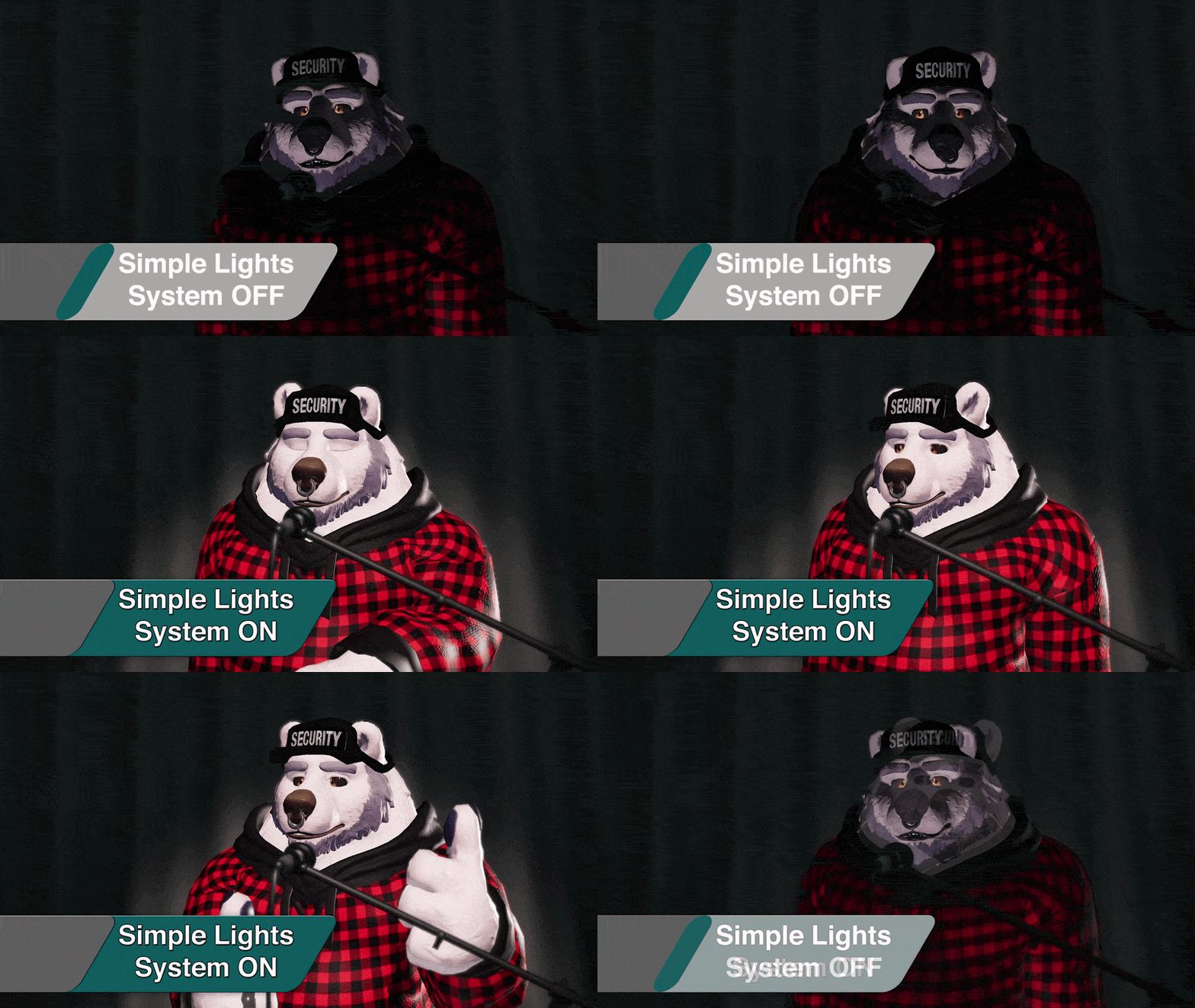
Light Temperature And Color Filters
Set the mood and make any world more interesting with customizable light color filters. You can also use the light temperature slider (in Kelvin) to make your added lighting match the scene you are capturing.
~ 1.9K Kelvin - Candle Light
~ 2.5K Kelvin - Incandescent lights
~ 5.0K Kelvin - Direct Sunlight
~ 6.0K Kelvin - Daylight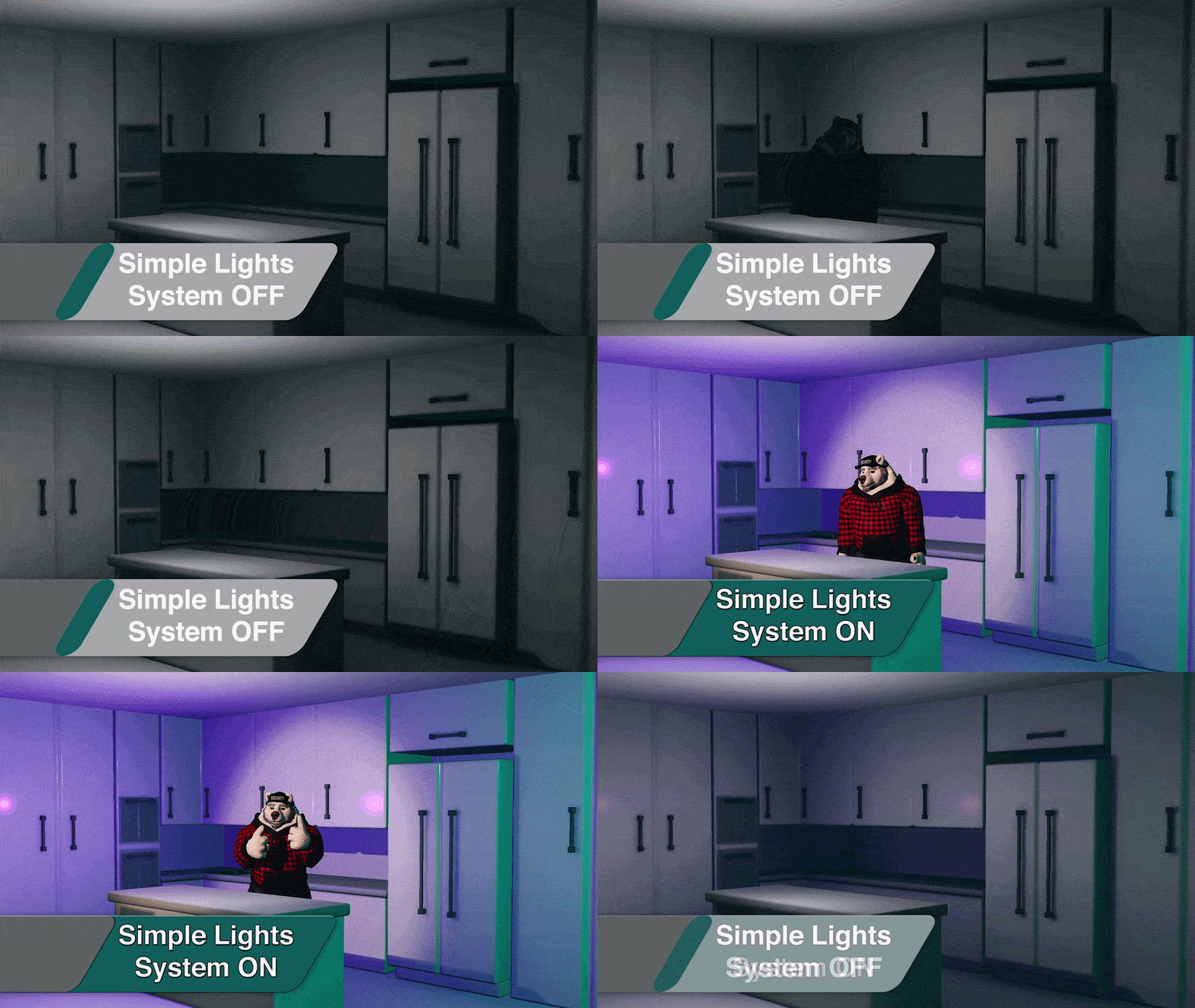
Lots Of Choices
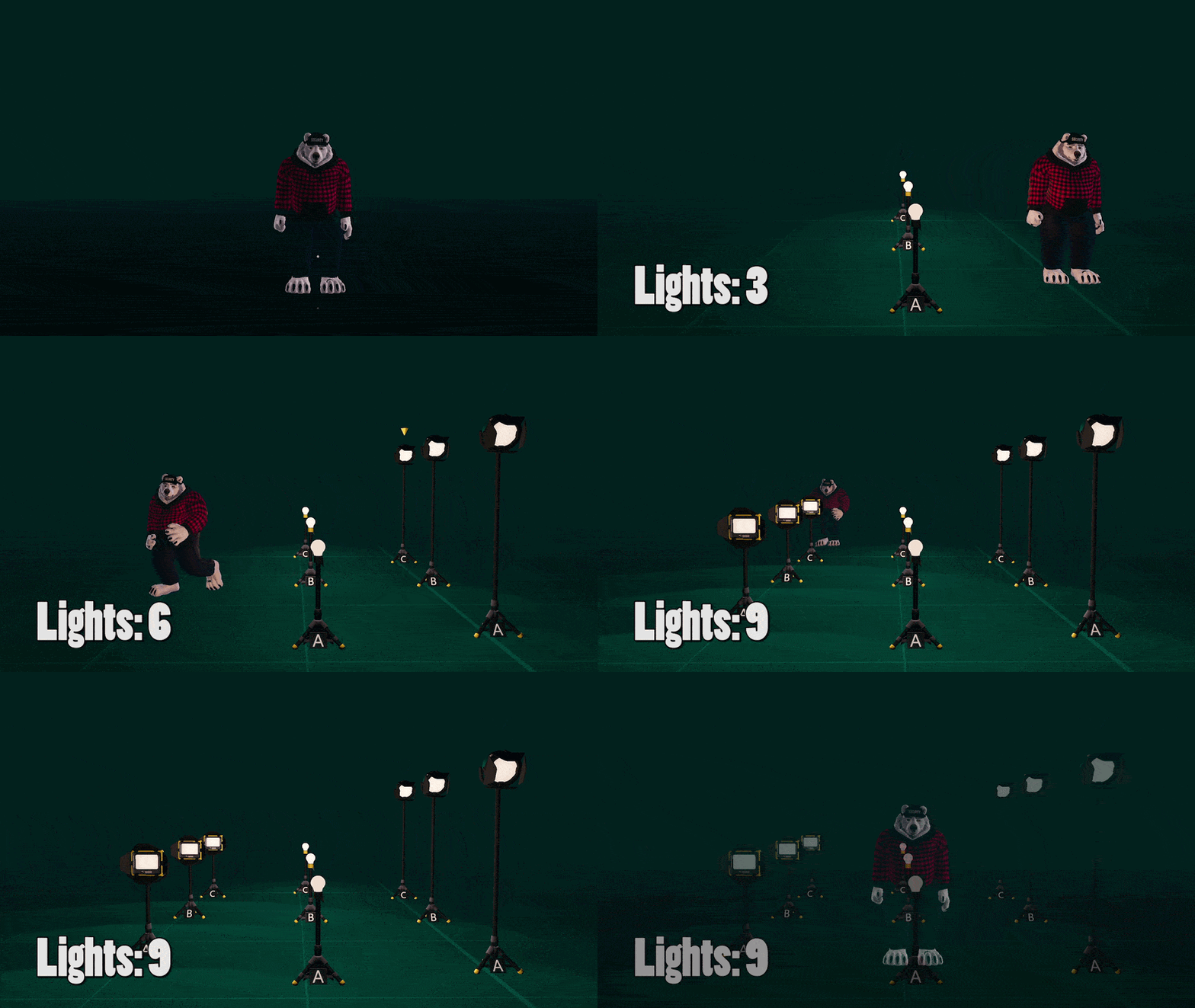
Multiple light source types available to suit your needs. Spawn up to three of each kind! The package also comes with "LITE" prefabs as well as "1 light only" prefabs which can work on "Poor" avatars.
- Spot Light: Shadows ON, provides dramatic lighting, can look at you automatically
- Flood Light: Shadows OFF, fills the area with ambient light, can look at you automatically
- Light Bulb: Shadows Toggle, versatile light source, fits most needs
Simple, Desktop Friendly Menu
I kept the menus extremely simple with as little sub-menus as possible. You don't even need to be in VR to use this lights system. Change the Intensity, Range, Color, Height, Angle, Spread, Shadows and more in desktop mode!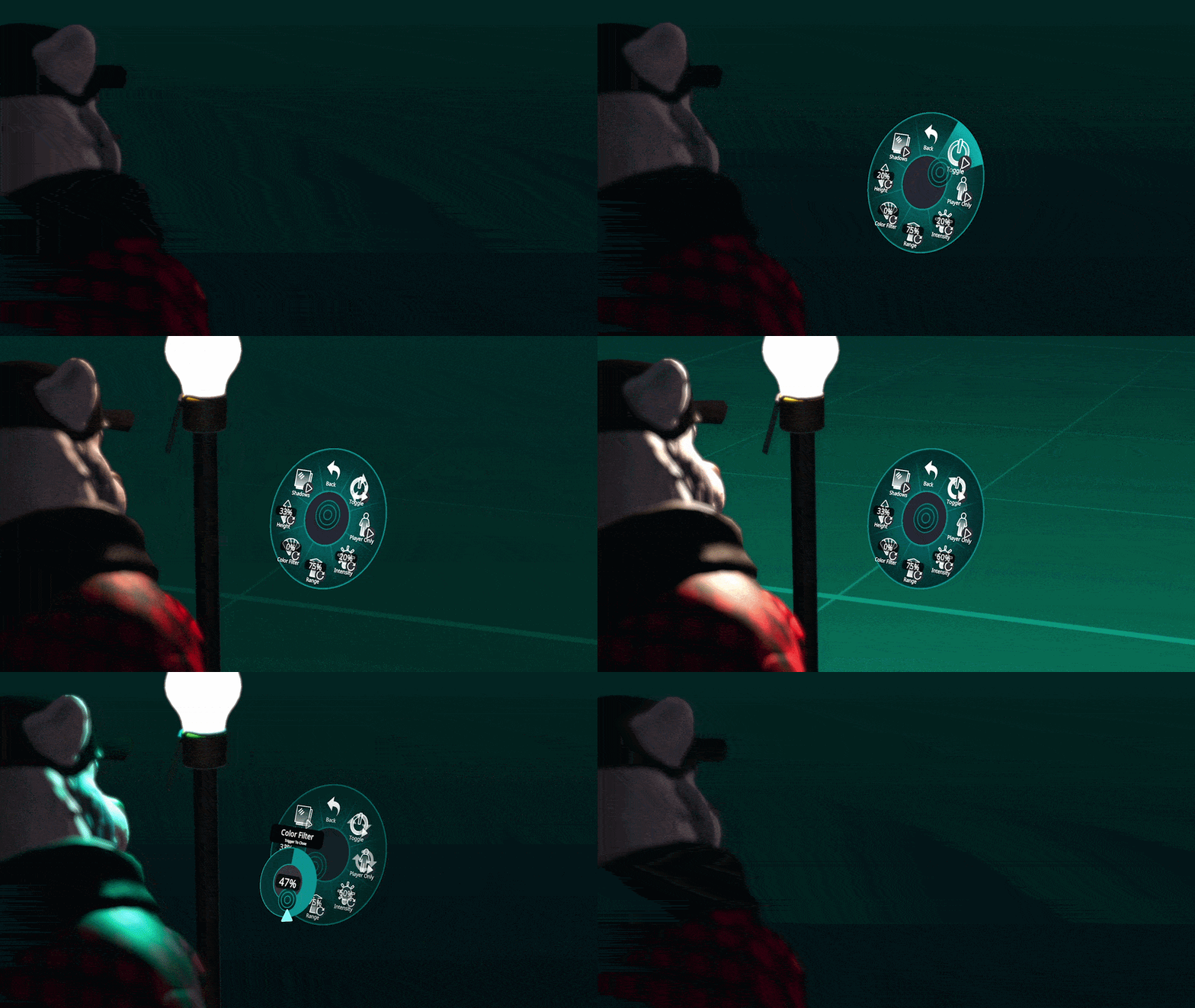
Visibility Options
Selectively hide the lights in the camera, mirror, or first person view.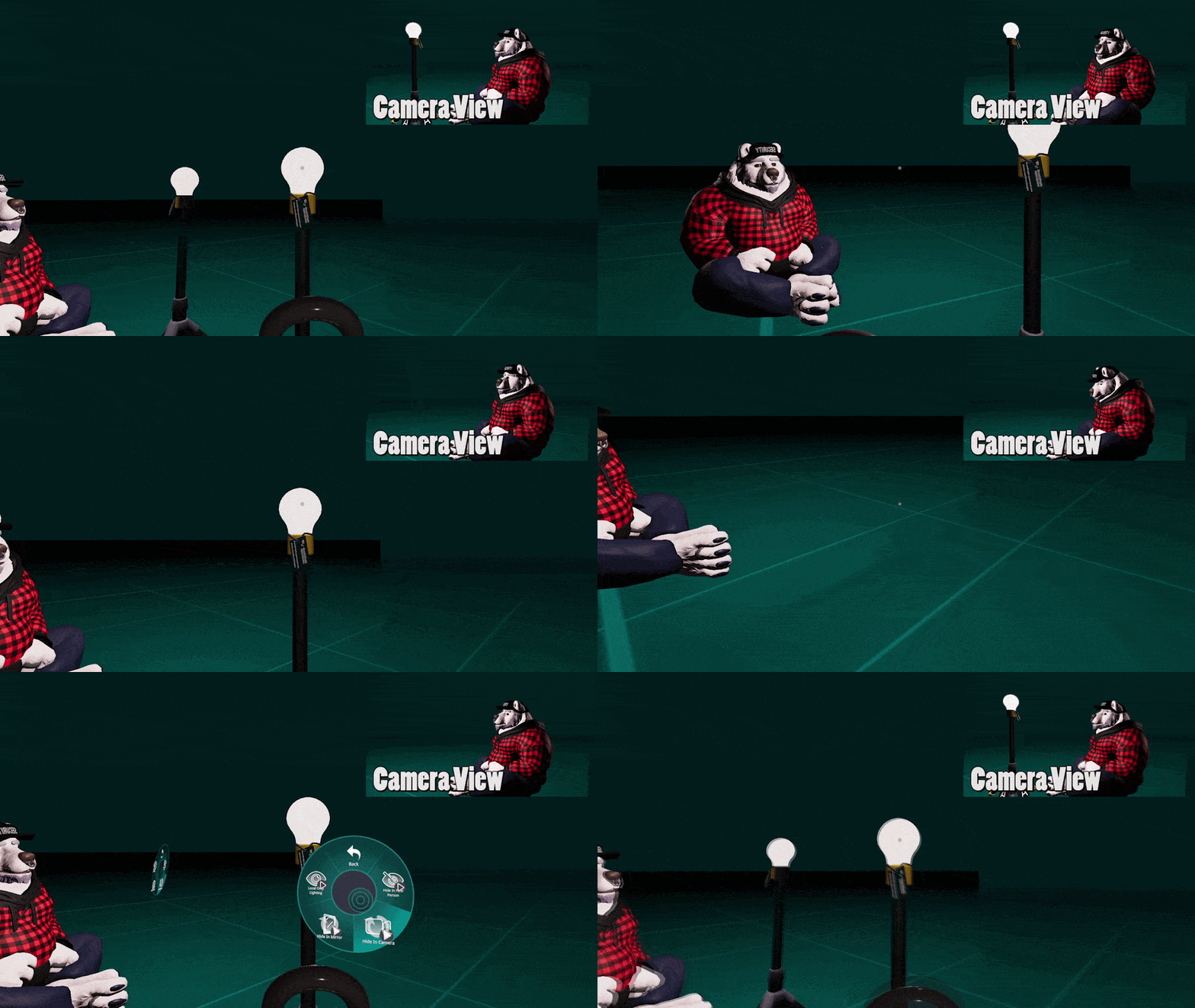
Picture Light (FREE)
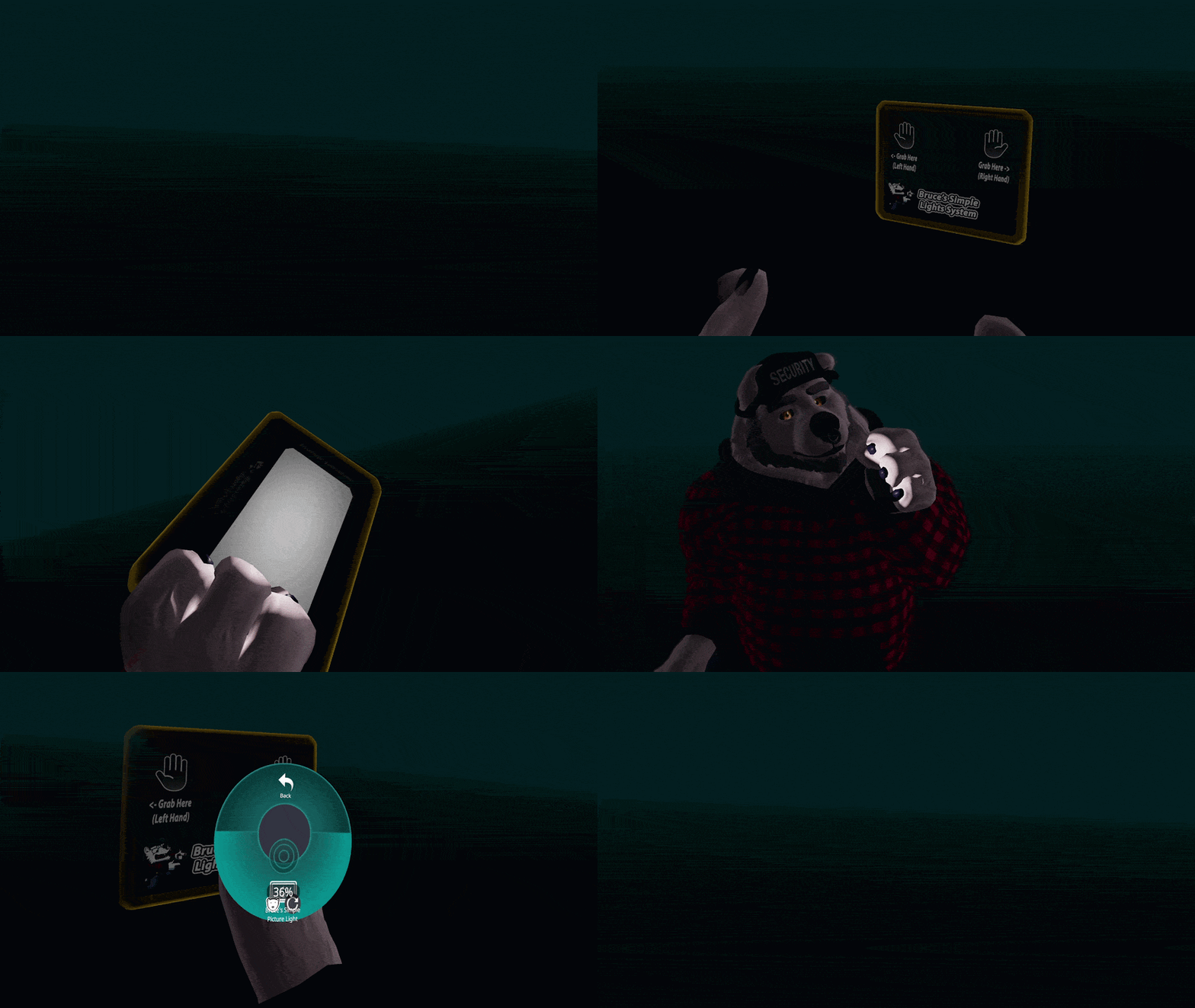
A simple, grabbable light for taking pictures or prints. (VR grabbable only)
- 1 Static Mesh / 1 Material / 1 Light / 390 Triangles
- Only lights up avatars to prevent lagging people out
- Uses a single, convenient slider
- Does not show up in the camera!
VR Controls (Full Version +)
This extra variant is not desktop friendly. It requires VR hands to control most of the functions.
-Remade entirely to work well in VR.
-Grab the lights, move them and adjust their height!
-Aim the lights yourself or use one of the automatic aiming options!
-Allows other people to control your lights too!
-GoGo Bruce, GoGo Loco, or space drag highly recommended.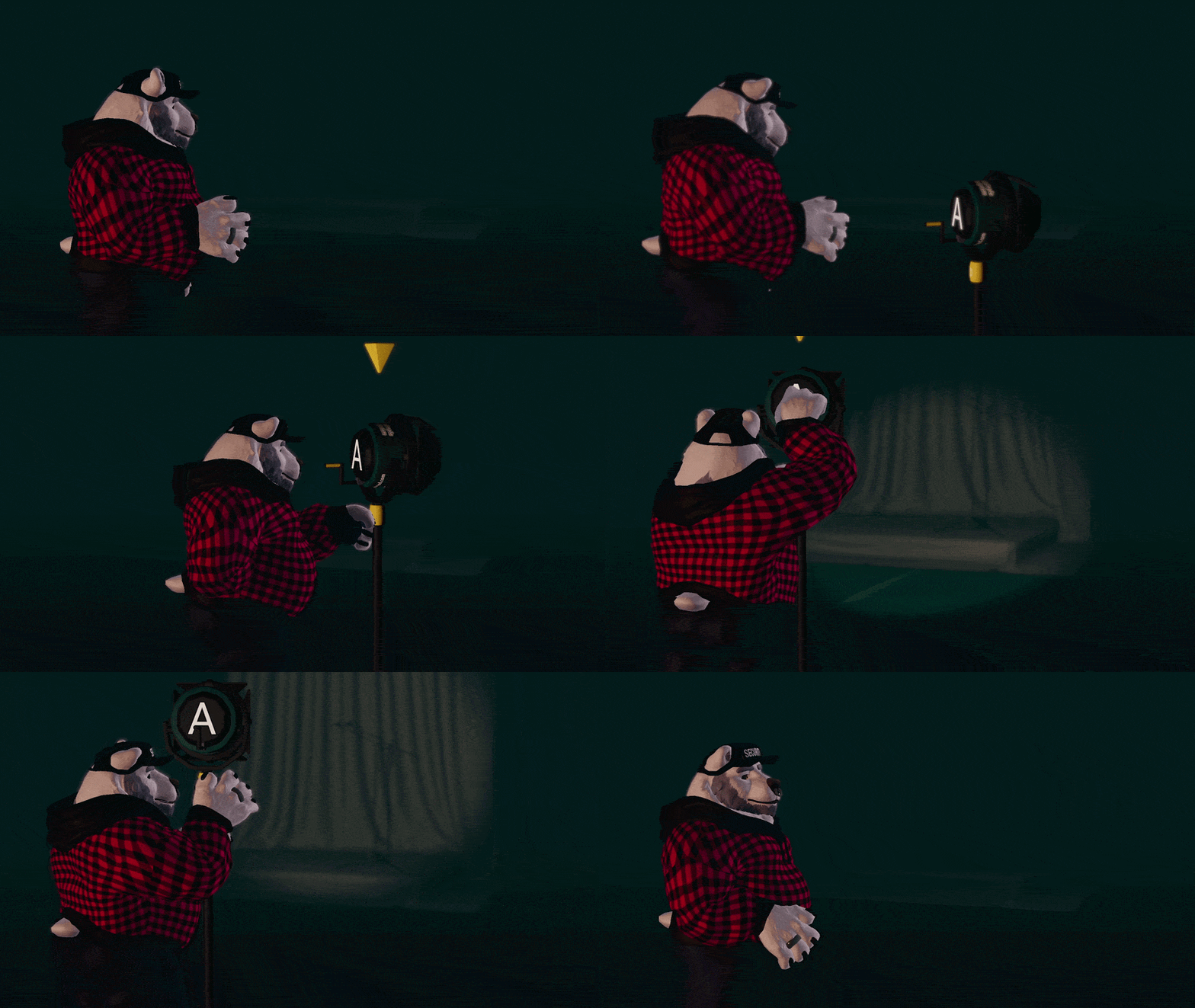
Easy Install with VRCFury
Just drag it onto your avatar and you're done!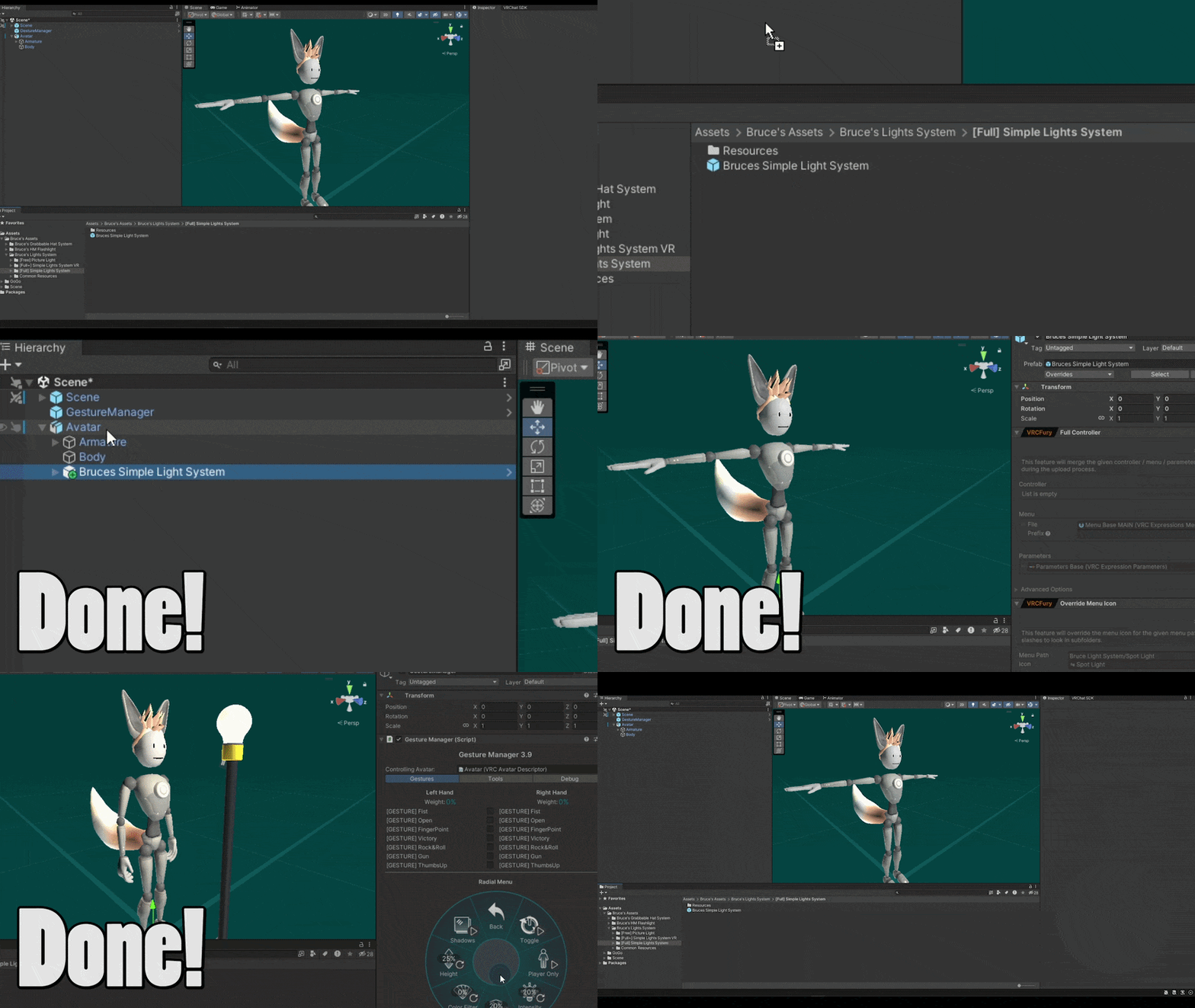

Requirements:
- Existing PC avatar project on Unity 2022+ (NOT Quest Compatible)
- VRChat SDK 3.7+ (Update if you're having issues)
- VRCFury (Most versions should work, update if you're having issues)

Read before you buy!
1. As of writing the store page (August 2026) VRChat has a bug related to avatar lighting.
Until VRChat fixes the bug: Your own body in your own camera / mirror will not cast shadows. (Everything looks OK for other people, it's just locally on your screen)
You can see it yourself in the second gif on this page, my avatar is not casting shadows.
This affects ALL avatar lights, not just my lights system. This bug has been reported to VRChat and is currently "Tracked"
Track Bug Report Progress Here
2. I don't recommend putting this system on your every-day avatar. It uses a lot of parameter space (~400 bits) so VRCFury's parameter compressor may make your other toggles more delayed/laggy than necessary.
You should create a separate version of your avatar without extra props, and with the lights system.
3. Set your "Pixel Lights Count" to "High", otherwise you may not see the lights.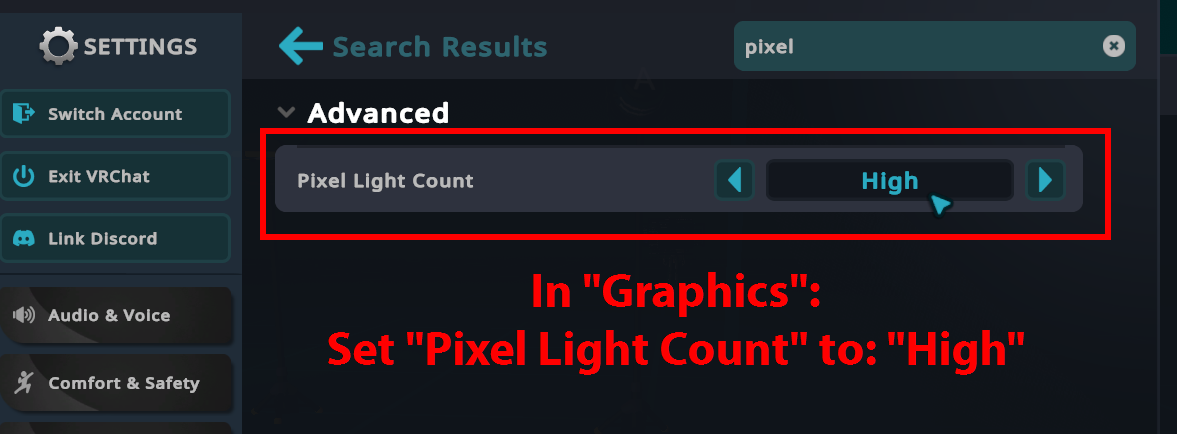

License:
My assets are provided "as is," with no warranty of any kind.
They work with the version of Unity, the VRChat SDK, or any other dependent software used during development. Future updates to these dependencies may break the asset.
(If that happens, feel free to let me know—there might be a fix!)
You Can:
- Modify this asset and upload it for personal use on a private avatar. (No public avatars)
- Commission any work on this assets as long as both parties own the asset. (commissioner AND commissionee)
- Use this asset in a world in VRChat as long as the credit is retained.
You Can't:
- Claim this asset as your own.
- Upload this as asset on a public avatar. (Demo version already exists at the top of the page)
- Remove any credit, icon, or modify this asset for use on a public world VRChat.
- Share this asset on any 3rd party website, or with other people. You buy this asset for yourself and yourself only - the license is non-transferable.
- Share or sell modified or customized versions of this asset.
- Use this asset to either promote or be associated with any kind of bigotry, hate speech, or dehumanizing content of any kind.