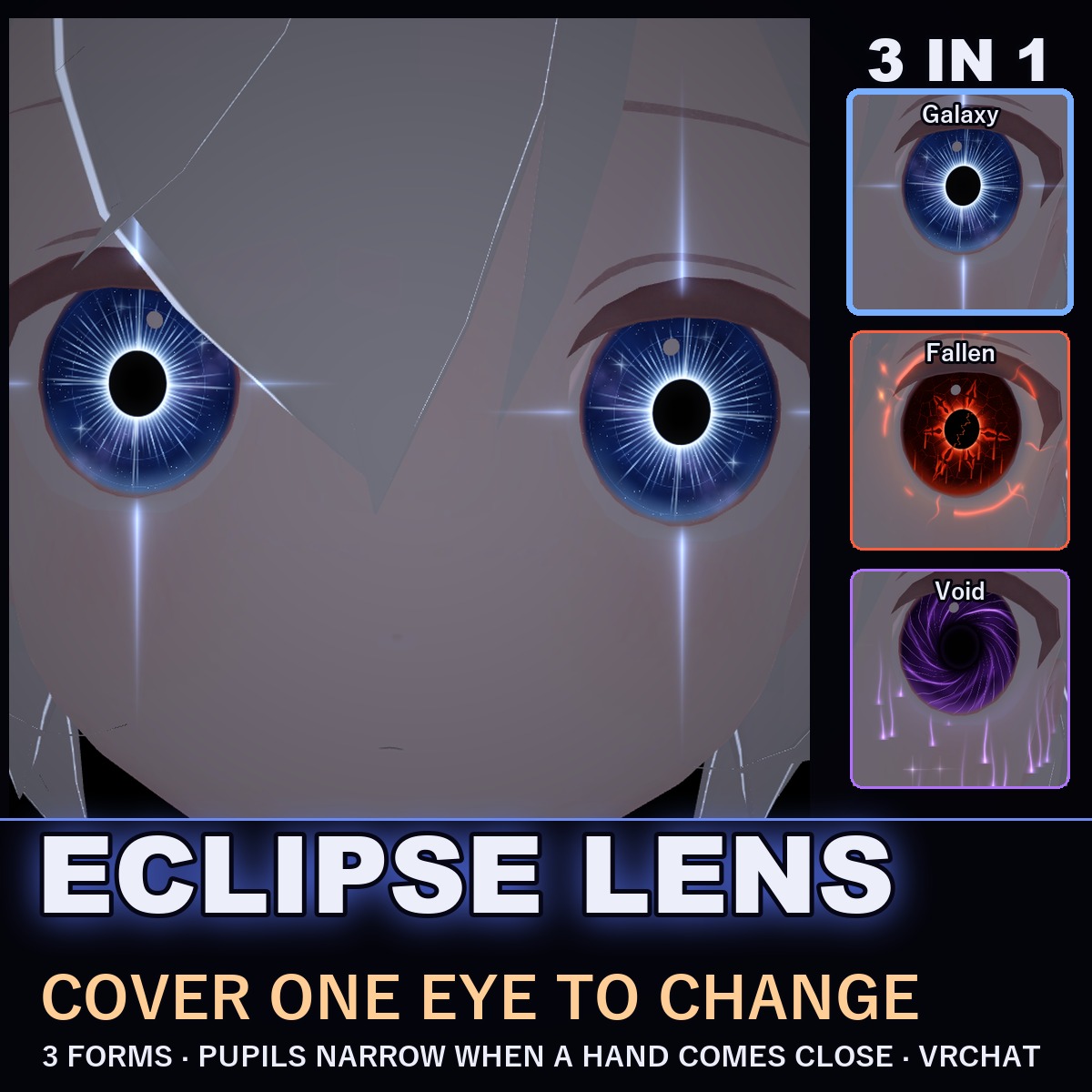
Eclipse Lens — Animated Eye Shader for VRChat (Eyes in 3 Forms, Cover an Eye to Change)
商品説明
この商品にはAIで生成されたコンテンツが含まれています。
▶ VRChat avatar eyes · PC only · needs Modular Avatar (free, from VCC) · drag-and-drop prefab
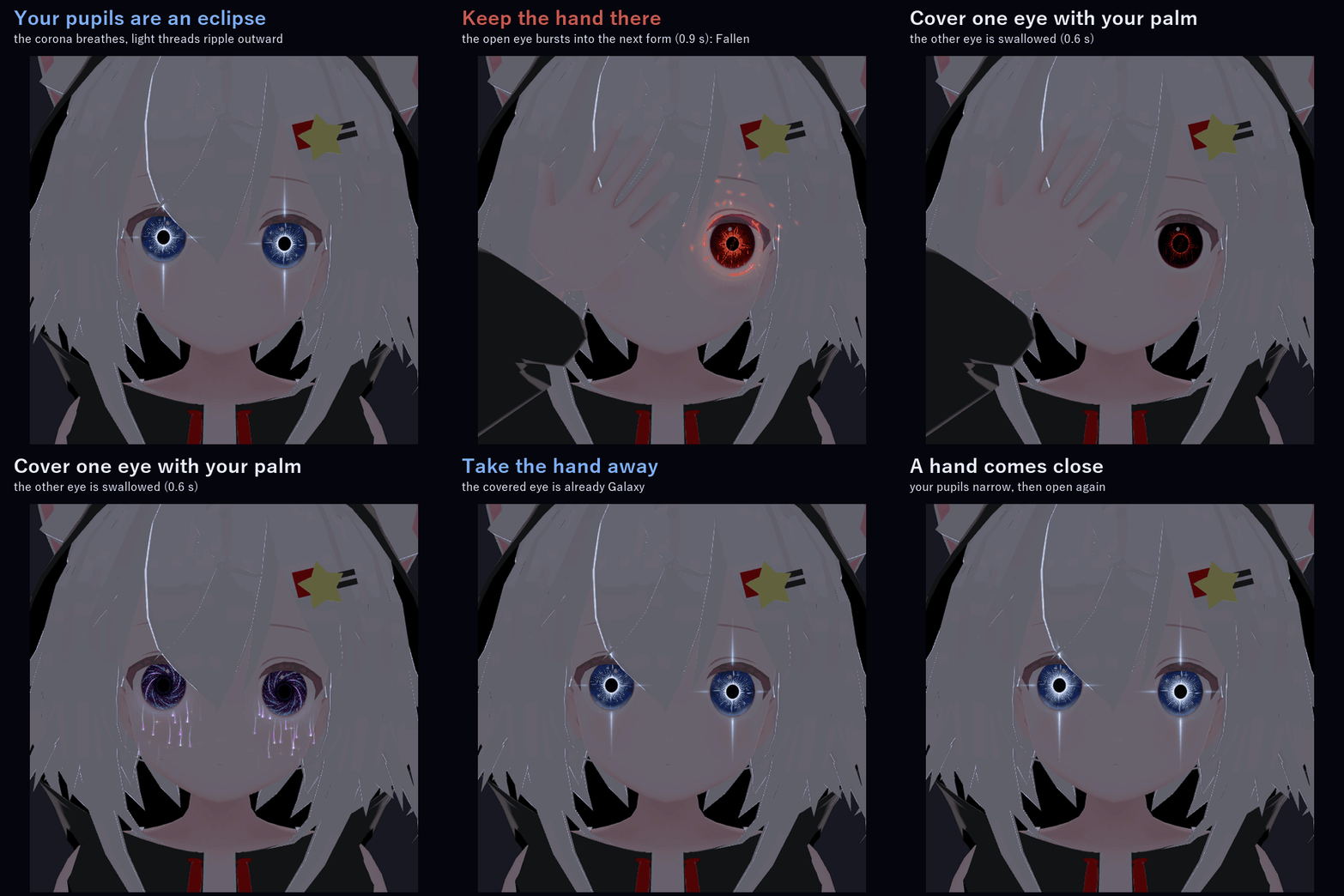
Your pupils become an eclipse. Cover one eye with your palm and the other eye is swallowed, then flares back up as the next form while your hand is still there, with light bursting out past that eye. Take the hand away and the covered eye is already the new form.
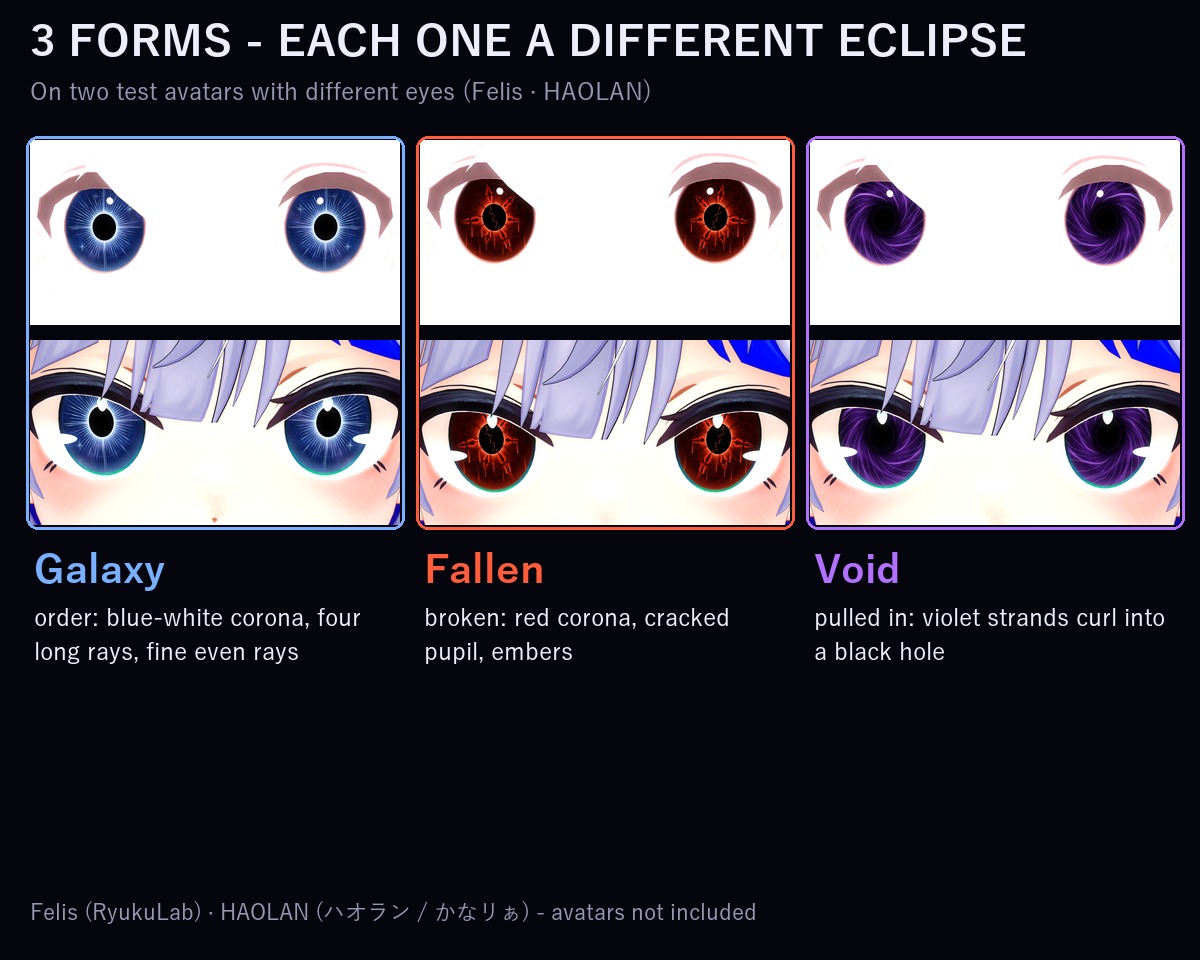
Not made for one avatar: at upload it finds the irises on your avatar's own face mesh and draws the lens over exactly those triangles. Blinking, eye tracking and eyelids stay your avatar's own. Checked in Unity on two avatars with different eyes (one paints its eyes into the skin texture, one has a separate pupil layer, which the lens hides while it is on). If it ever picks the wrong spot, set the iris by hand in the inspector.
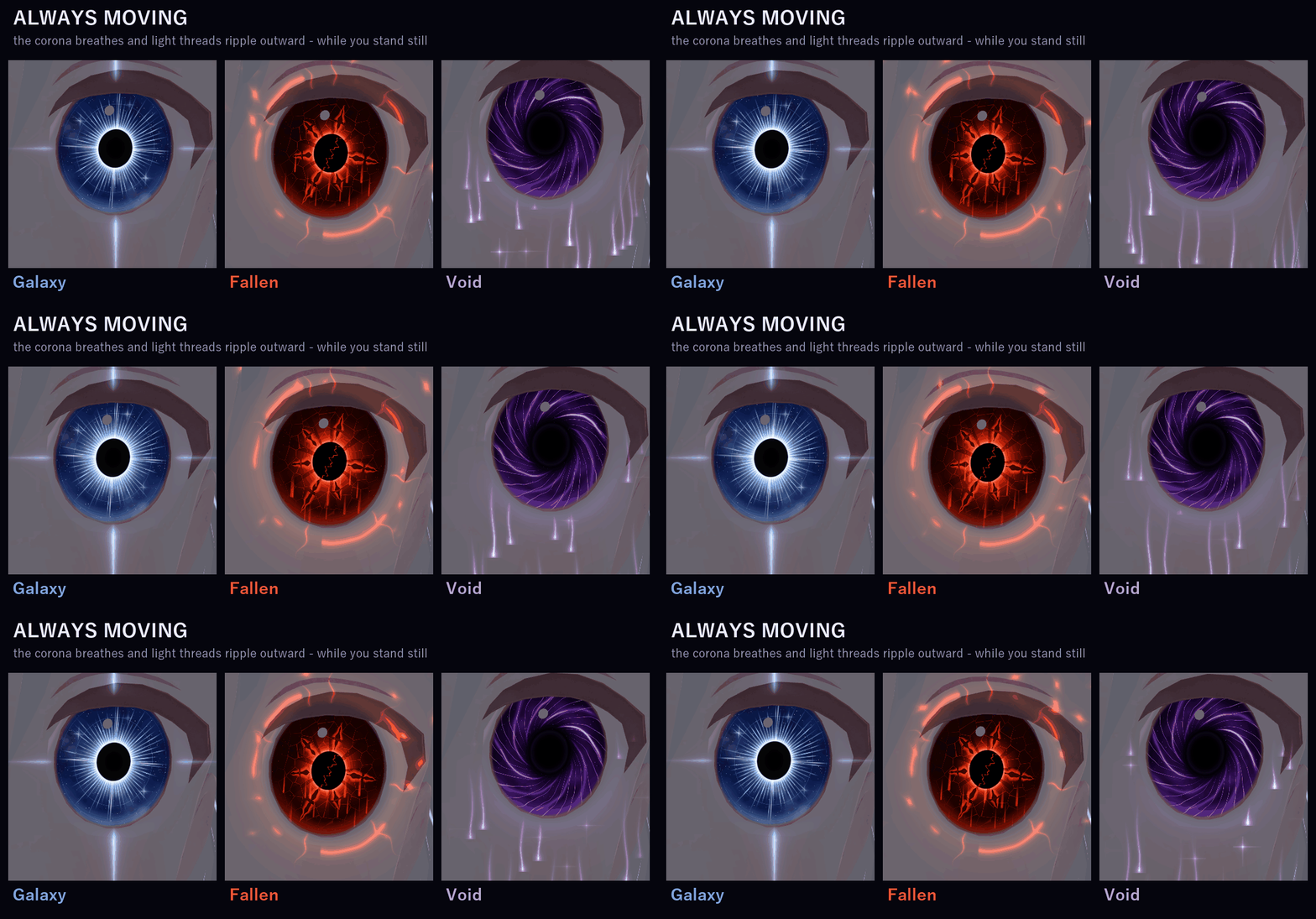
ALWAYS MOVING
The corona breathes and fine light filaments ripple outward, even while you stand still.
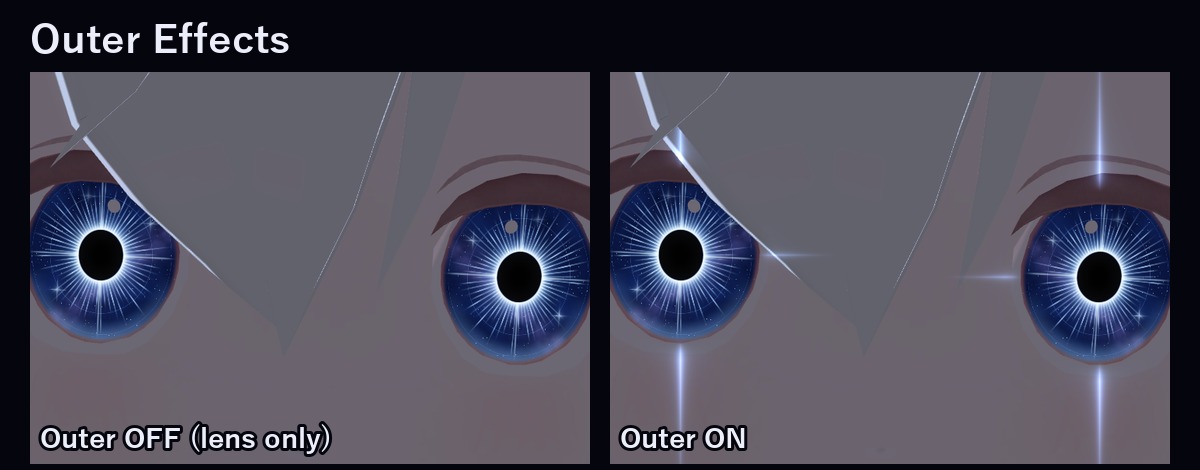
LIGHT OUTSIDE THE EYES
Each eye throws its own light into the air around it (one small flat light per eye, no particles):
• Galaxy: a sharp four-point cross of light
• Fallen: a broken red ring, jagged cracks and embers drifting upward
• Void: thin violet streams running down from the eye
Turn it off in the menu, or use the Lite prefab to leave it out entirely.
COVER ONE EYE (body gesture)
• Put a palm over one eye: the eye you leave open is swallowed in 0.6 s, like an eclipse. The covered eye shows nothing: its lens effects and the light around it go out at once.
• Keep the hand there: the open eye re-ignites with a burst of light (0.9 s) as the next form, and rays and rings burst out past that eye. Galaxy → Fallen → Void → Galaxy.
• Take the hand away: the covered eye is already the new form, and its light comes back softly. Cover again for the next form.
• Take the hand away before it has gone dark and nothing changes. Use the hand on the same side as the eye (right hand for the right eye). Only your own hands change the form.
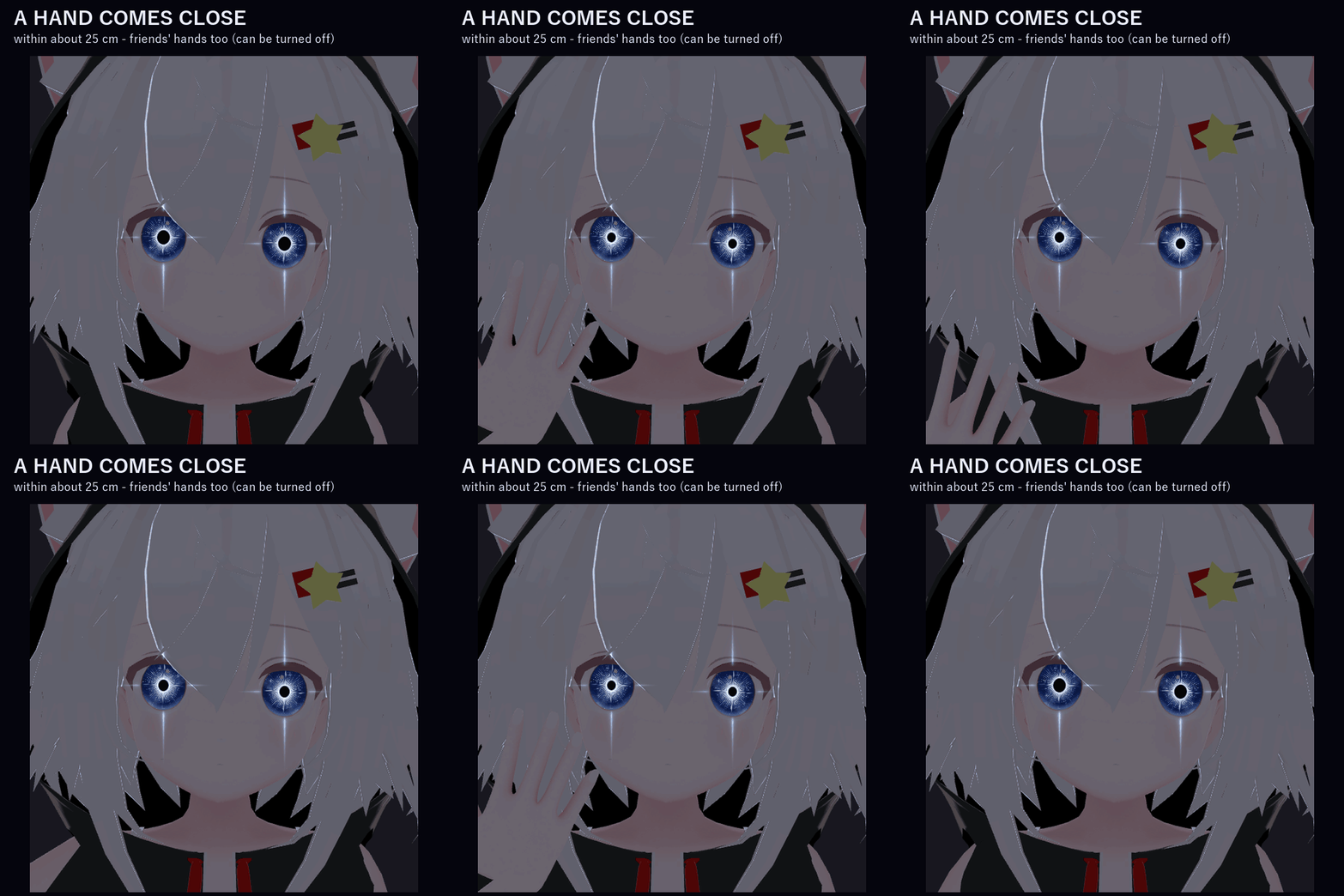
A HAND COMES CLOSE (interaction)
• When a hand comes within about 25 cm of your eyes, your pupils narrow, then open again as it moves away. Friends' hands work too (you can turn that off in the inspector).
3 FORMS (each one a different eclipse, not only a colour)
• Galaxy (order): a bright blue-white corona round a black pupil, four long rays and fine even rays reaching the rim, little four-point stars
• Fallen (broken): a red corona, a cracked pupil, black thorn-like cracks edged in red, embers and a red trickle running down
• Void (pulled inward): uneven violet strands curling into a soft black hole, small stars in a violet haze
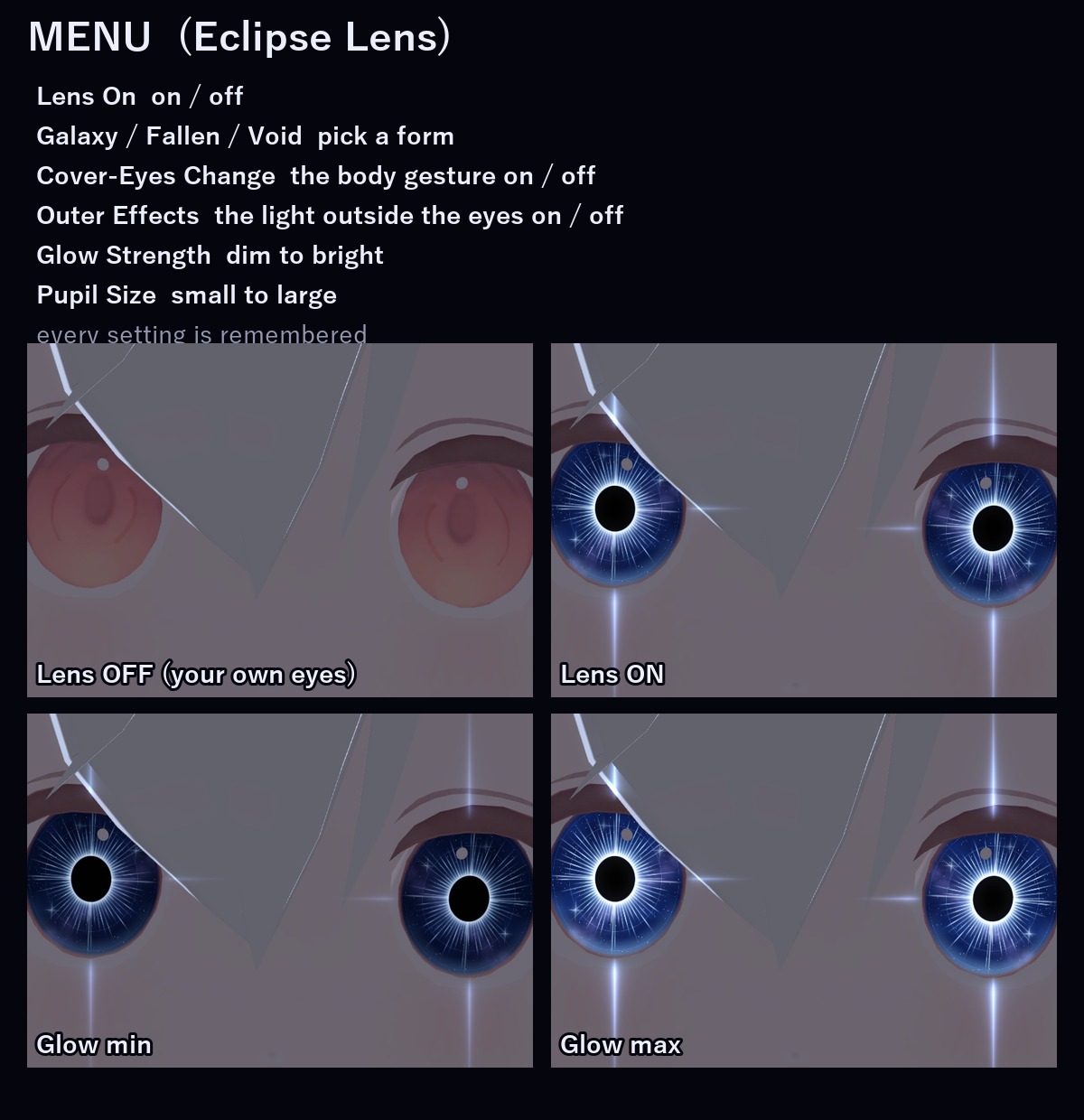
MENU ("Eclipse Lens")
• Lens On: on / off (on to start)
• Galaxy / Fallen / Void
• Cover-Eyes Change: the cover-an-eye change on / off (on to start)
• Outer Effects: the light outside the eyes on / off (on to start)
• Glow Strength
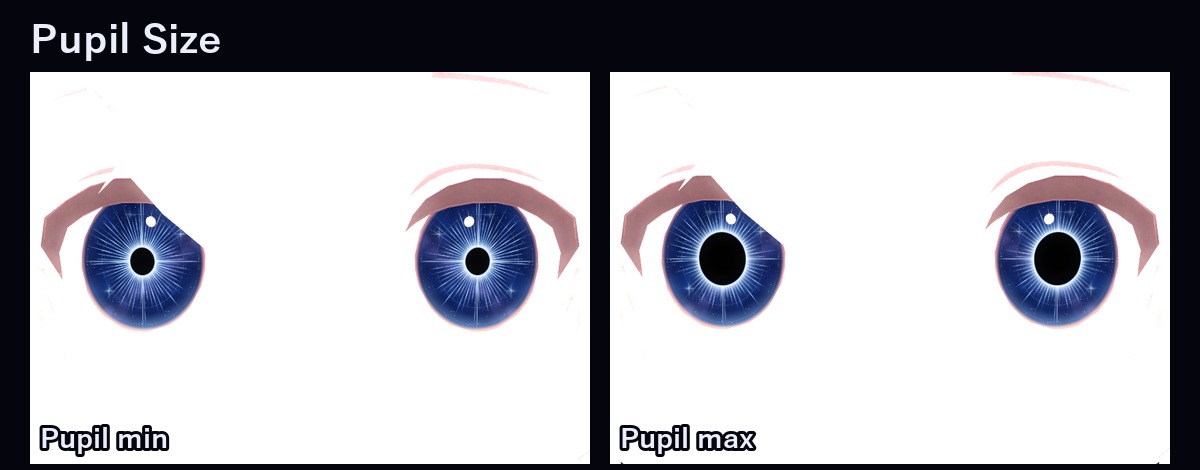
• Pupil Size
Every setting is remembered.
PERFORMANCE
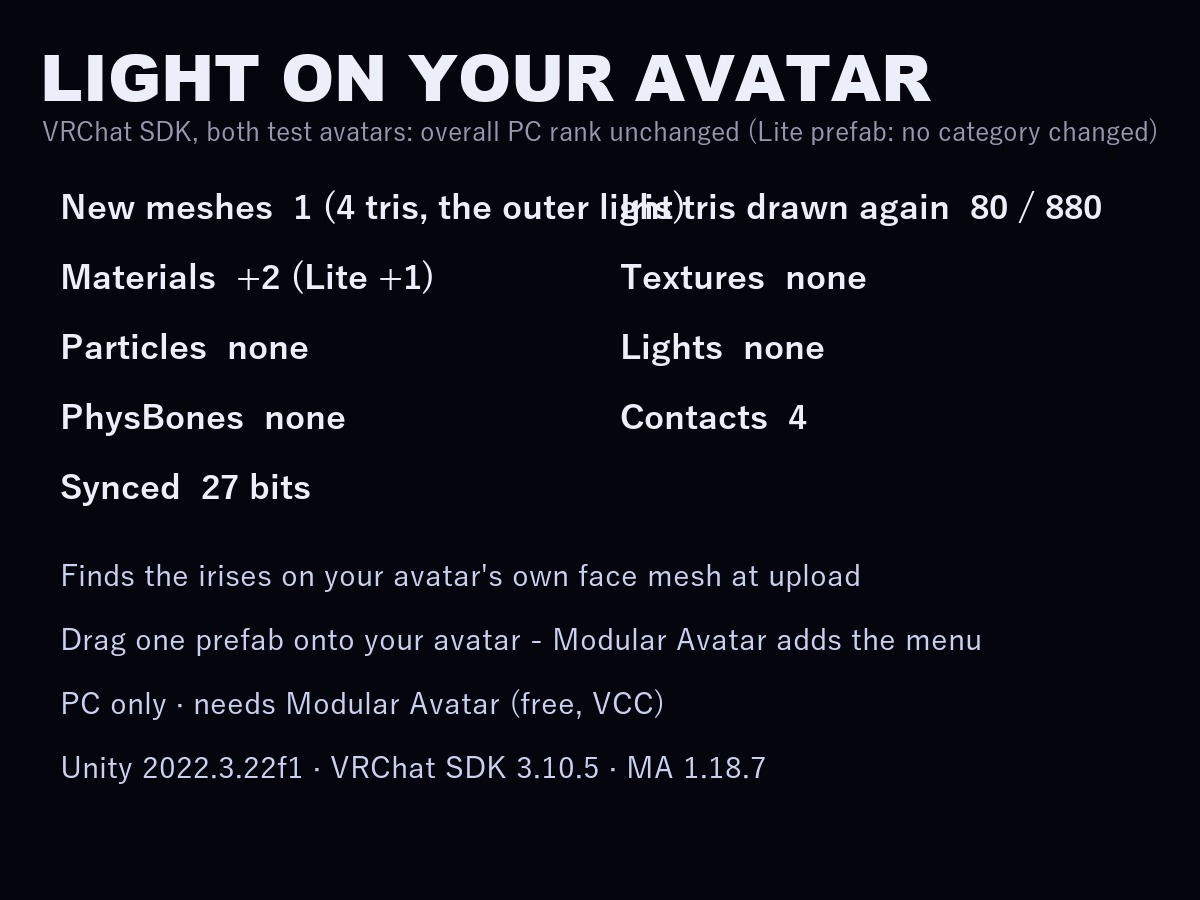
VRChat PC performance rank, measured with the VRChat SDK on two test avatars: the overall rank stays the same on both.
Full prefab: no category changed on Felis; on HAOLAN the Material Slots category goes from Medium to Poor.
Lite prefab: no category changed on either avatar.
No particle systems, no lights, no PhysBones. Four contact receivers.
EASY TO PUT ON
Drag one prefab onto your avatar and upload. Modular Avatar adds the menu, the parameters and the animator layers for you.
WHAT'S INCLUDED
• EclipseLens_1.0.0.unitypackage: 2 prefabs (EclipseLens, EclipseLens_Lite without the outer light), 2 shaders, 2 materials, 2 scripts (the lens settings and the upload step)
Folder: Assets/Caligo/EclipseLens/
• README (English and Japanese)
SPECS
• New meshes: 1, the outer light (4 triangles; none in Lite). Your face mesh also draws its own iris triangles once more (80 on Felis, 880 on HAOLAN)
• Materials: +2 (Lite: +1) / Textures: none (uses your avatar's own face texture) / Lights: none / Particle systems: none
• PhysBones: none / Contacts: 4 receivers / Constraints: none
• Synced parameters: 27 bits (Lite: 26)
REQUIREMENTS
• Modular Avatar (available through VCC)
• A humanoid avatar whose irises are part of its face mesh (most are)
TESTED WITH
Unity 2022.3.22f1 / VRChat SDK 3.10.5 / Modular Avatar 1.18.7 / NDMF 1.14.8. The parts, the parameters, the menu and the animator steps are checked in Unity. The package imports into a clean project and works on both test avatars with no problems.
PC only (custom shaders, no Quest version).
GOOD TO KNOW
• Your avatar's own eye highlights stay on top of the lens.
• People who block custom shaders in their Safety settings see your normal eyes and no light around them.
• Test avatars: Felis (RyukuLab) and HAOLAN (Model: ハオラン / かなリぁ). Avatars not included.
SUPPORT
If the cover-an-eye change, the pupil reaction or anything else doesn't work as described in VRChat, message me on Jinxxy. I'll fix it and send you the update for free.
AI DISCLOSURE (AI-Assisted)
The shaders, the code that puts the lens on your avatar and the text on this page were written with help from an AI assistant. An AI image generator made rough concept sketches I looked at while designing (the look follows one of them); nothing it made is in the files or in the preview images, which are rendered in Unity from the actual lens on two test avatars.
TERMS
• OK to use on your avatar in VRChat and other platforms
• OK to stream, record, and post on social media
• Editing is fine
• Please don't redistribute or resell the files, edited or not
UPDATES
• v1.0.0 (2026-11-18): first release