Grimglow Ink - Gothic Tattoo Set for VRoid Avatars (PC glow + AudioLink, Quest and Android ink)
商品説明
この商品にはAIで生成されたコンテンツが含まれています。
AI-Generated: this product contains AI-generated content. See "Made with AI" below.
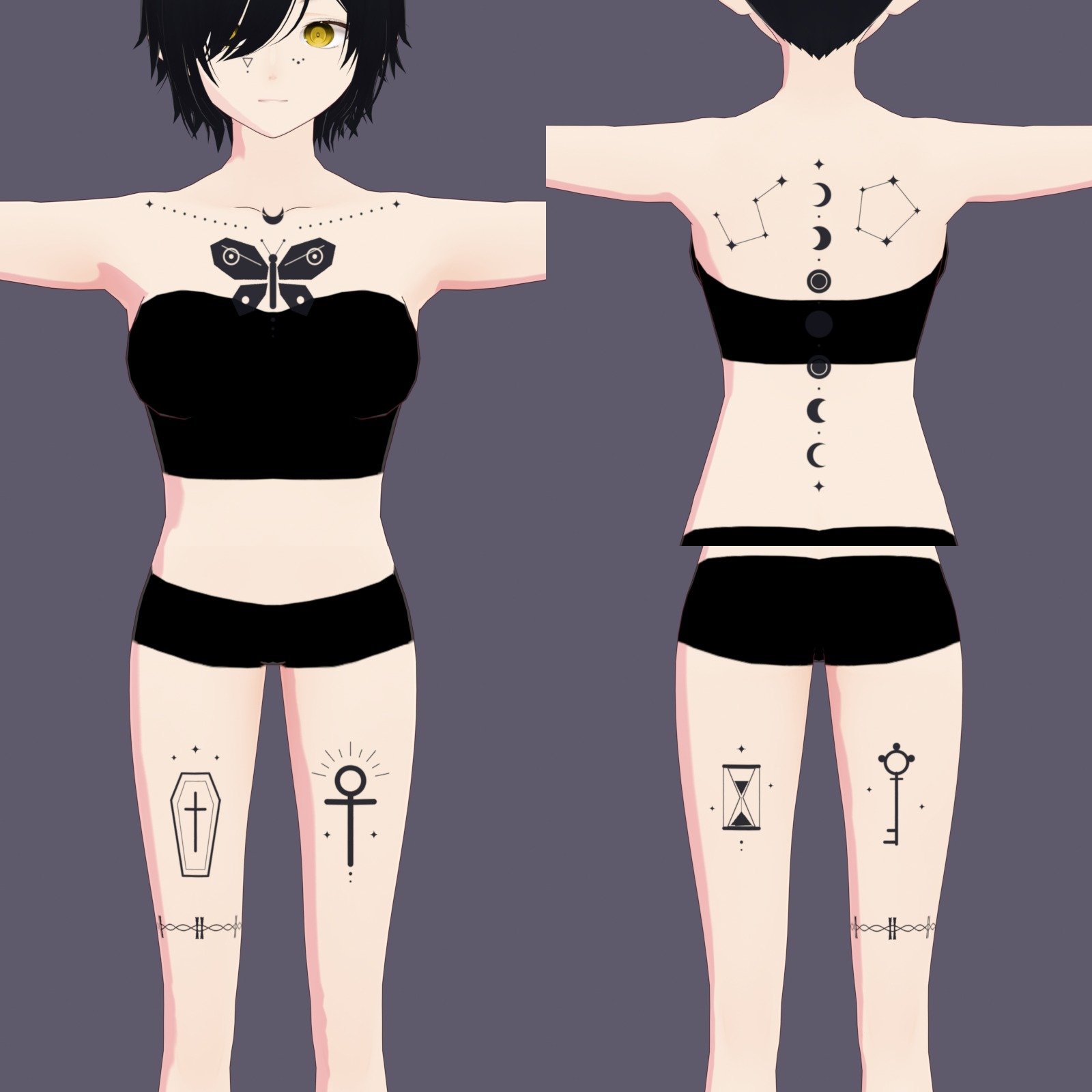
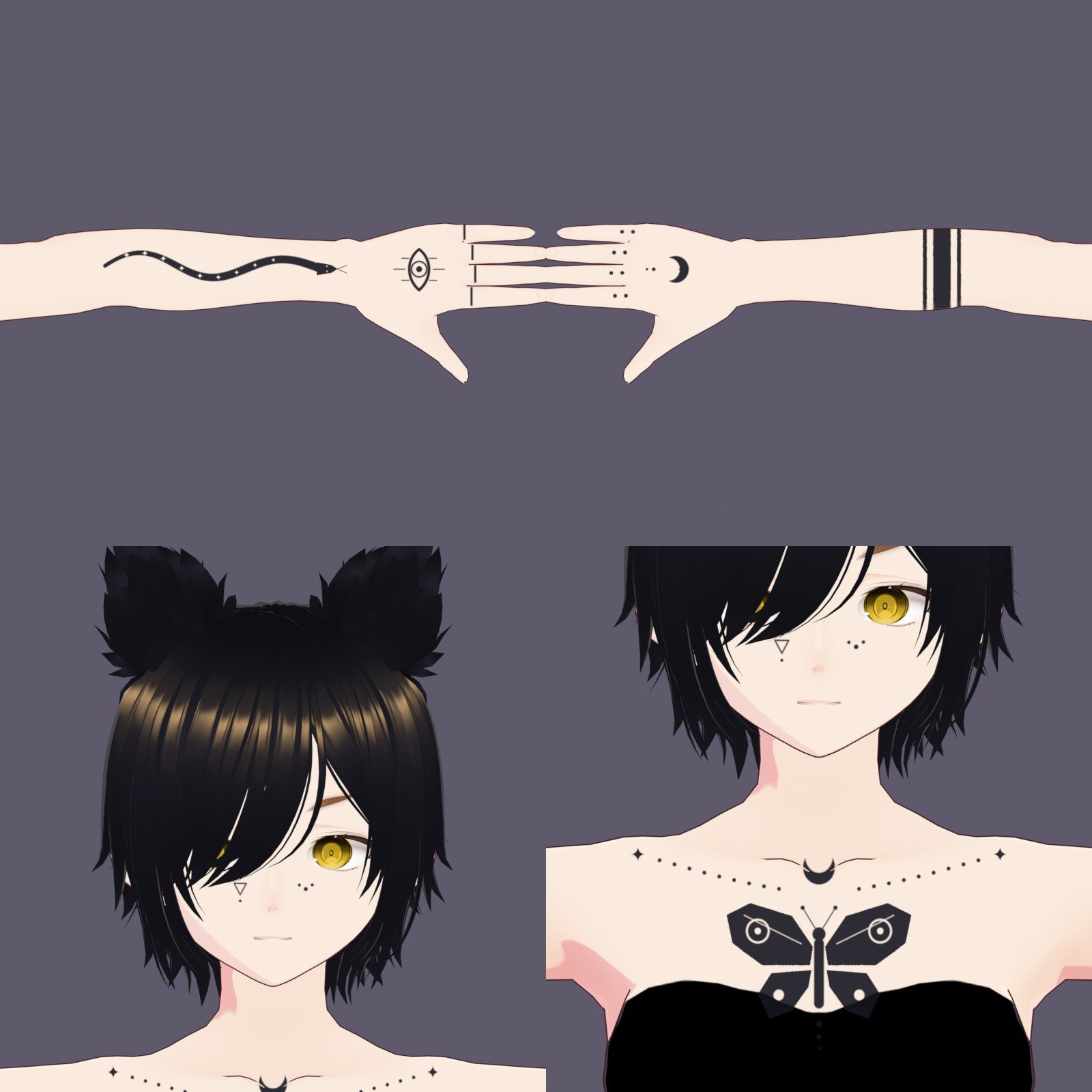
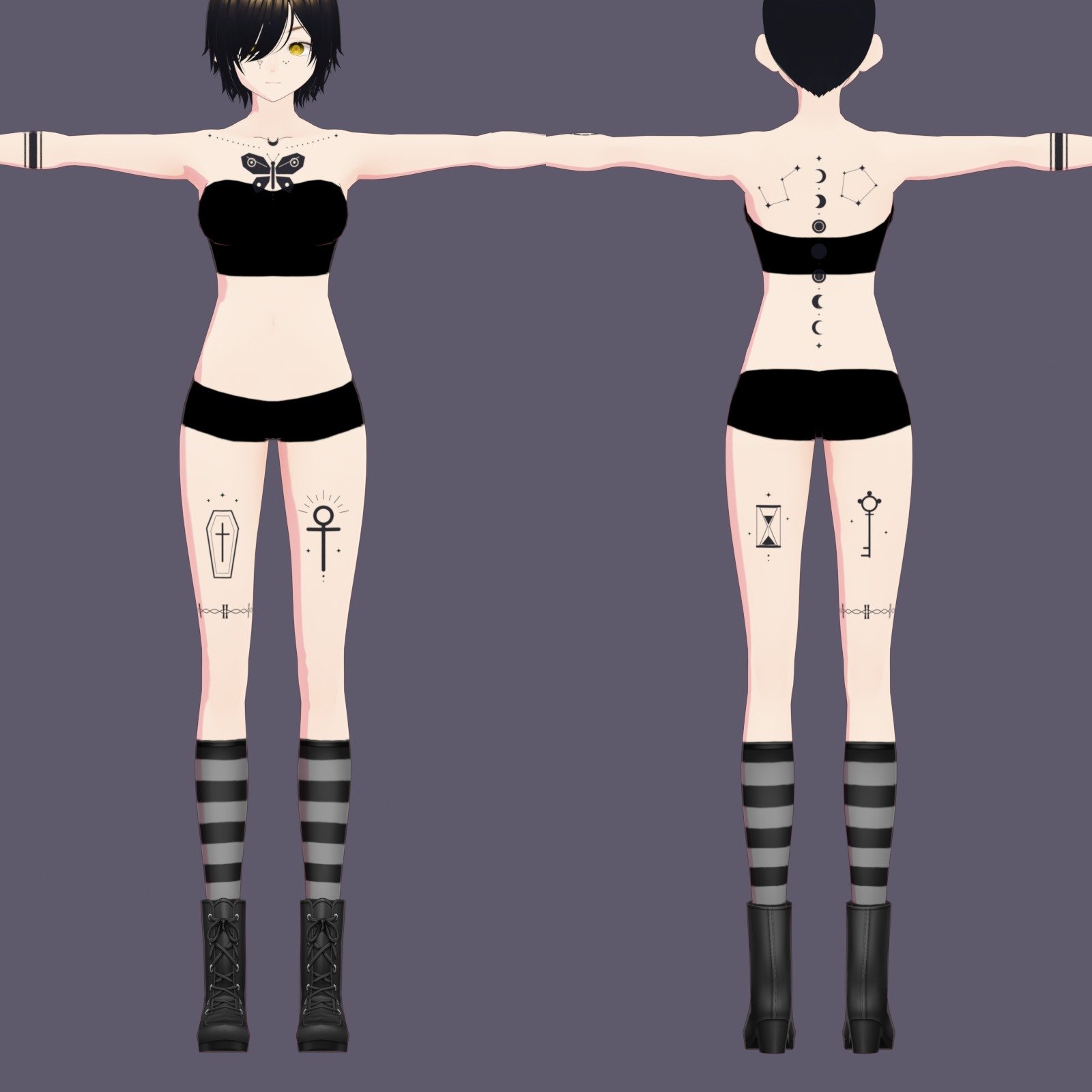
A gothic tattoo set for VRChat avatars made with VRoid Studio: a moth on the chest, moon phases down the spine, constellations, a snake, an ankh, a coffin, an hourglass, a key and more. One button in Unity puts it on your avatar and adds the menu. No Modular Avatar or VRCFury needed.
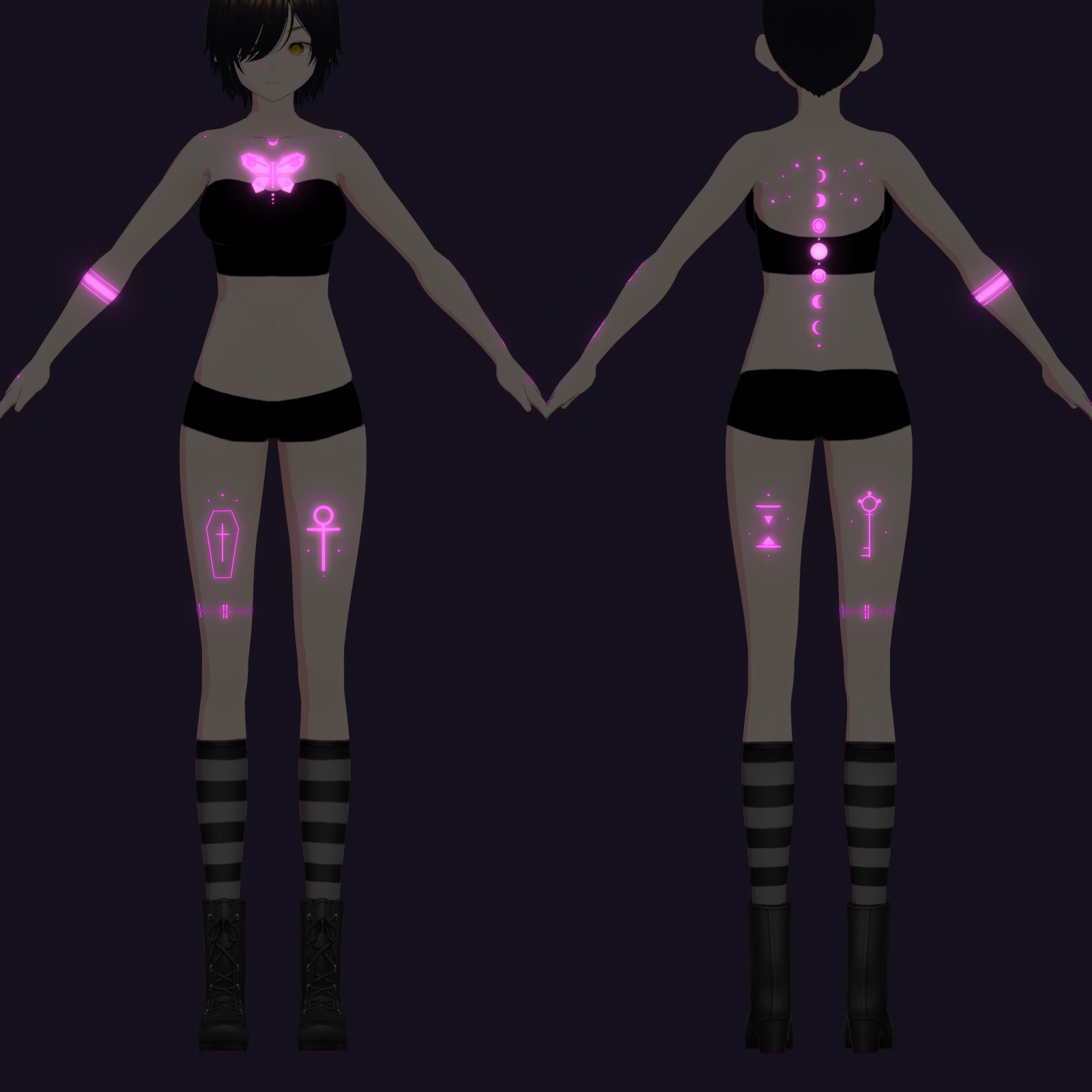
On PC with lilToon the ink can glow in a colour you pick, and pulse on the beat in AudioLink worlds. On Quest and Android the ink is painted into your skin texture, so everyone sees your tattoos. There is no glow on Quest and Android: the shaders VRChat allows there cannot do it.
The avatar in the pictures is not included.
Features
- One-click installer window: Tools > EazyD Studio > Grimglow Ink Installer
- Two sets in one: Light (6 tattoos) and Full Set (17 tattoos), switchable in your menu
- PC with lilToon: Tattoos, Full Set, Glow, Glow on Beat (4 synced bits)
- Quest, Android and other shaders such as Poiyomi: Tattoos, Full Set (2 synced bits, no glow)
- Two qualities in the installer: 2K (light on memory) or 4K (sharp from close up)
- Pick your own ink colour, glow colour and AudioLink band (bass, low mid, high mid, treble)
- Your own materials and textures are never edited: the tool works on copies, and "Remove" puts everything back
- Loose PNG layers in 2K and 4K included, for people who edit their skin texture themselves
- No extra meshes, material slots, bones or PhysBones
The tattoos
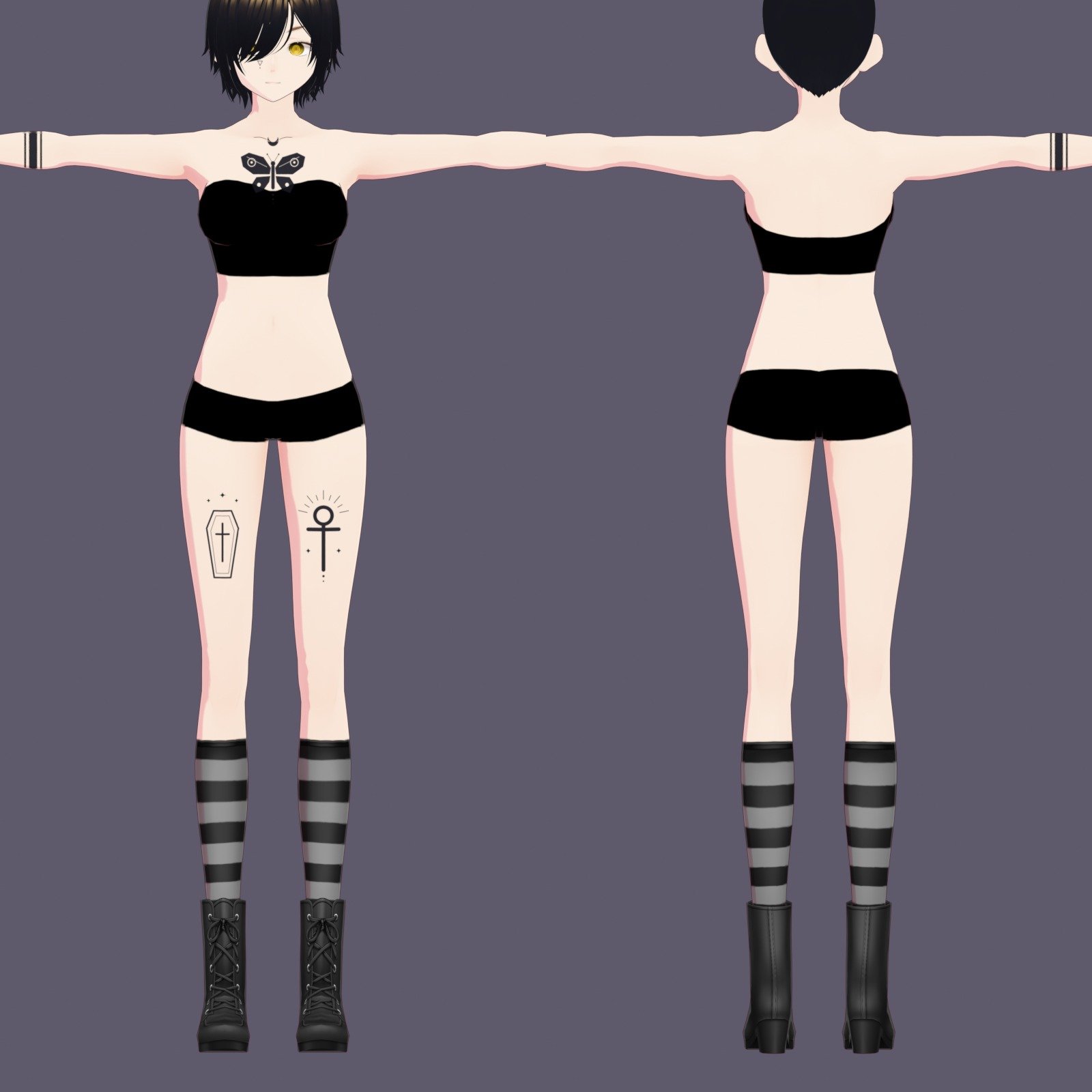
- Light: moth on the chest with a small crescent, ankh with sunburst (left thigh), coffin with cross and stars (right thigh), bands on the right forearm, eye on the left hand, small triangle under the right eye
- Full Set adds: moon phases down the spine, constellations on the shoulder blades, snake on the left forearm, barbed wire around the right thigh, hourglass and key on the back of the thighs, crescent on the right hand, finger marks, dotted collarbone line with stars, three stars on the neck, three dots under the left eye
What you get
- GrimglowInk.unitypackage (installer script + 4 ink layers, body 4096 and face 2048)
- 8 loose PNG files: the 4 ink layers in 2K and in 4K
- README.txt and LICENSE.txt
Size and performance
- Texture memory in glow mode, roughly as VRChat counts it: about 13 MB at 2K, about 53 MB at 4K
- Quest/Android mode: two copies of your body skin and two of your face skin, at the size of your own textures
- 4 synced bits on PC with lilToon, 2 synced bits otherwise
Requirements
- Unity 2022.3 with the VRChat Avatars SDK
- An avatar made with VRoid Studio that still has the standard VRoid skin layout
- For glow: lilToon 2.4.1 or newer on the skin (PC)
Compatibility
- VRoid Studio avatars only, female and male. On other avatar bases the tattoos land in the wrong places
- Clothes cover tattoos. Skin that VRoid removes under clothes cannot show ink
- If both extra colour layers of your lilToon skin are already in use, the installer stops and tells you
What has been tested
- Unity 2022.3.22f1 with VRChat SDK 3.10.6 and lilToon 2.4.1. Automated checks in Unity on two VRoid avatars and in a clean project: install, every menu state, update and remove, in glow mode and in Quest/Android mode. All passed
- Quest/Android mode was tested on PC with VRChat's mobile shader. Not yet tested on a real Quest or Android device
- Not yet tested in VRChat itself, and Glow on Beat has not been tried in an AudioLink world
- The pictures are renders from Blender, not VRChat screenshots. The glow in the pictures is imitated in Blender
Licence
Personal use on your own avatars, public or private. You may edit and recolour. No reselling, redistributing, sharing or re-uploading the files, edited or not. Not for training AI models. Full text in LICENSE.txt.
Made with AI
AI-Generated. The tattoo designs were drawn by code written by the AI assistant Claude (Anthropic). The installer script, the pictures and this listing were also made with Claude. Directed and checked by EazyD Studio.
Found a problem? Please tell me.