商品説明
この商品にはAIで生成されたコンテンツが含まれています。
Snow embroidery and soft fur, from cape to boots.
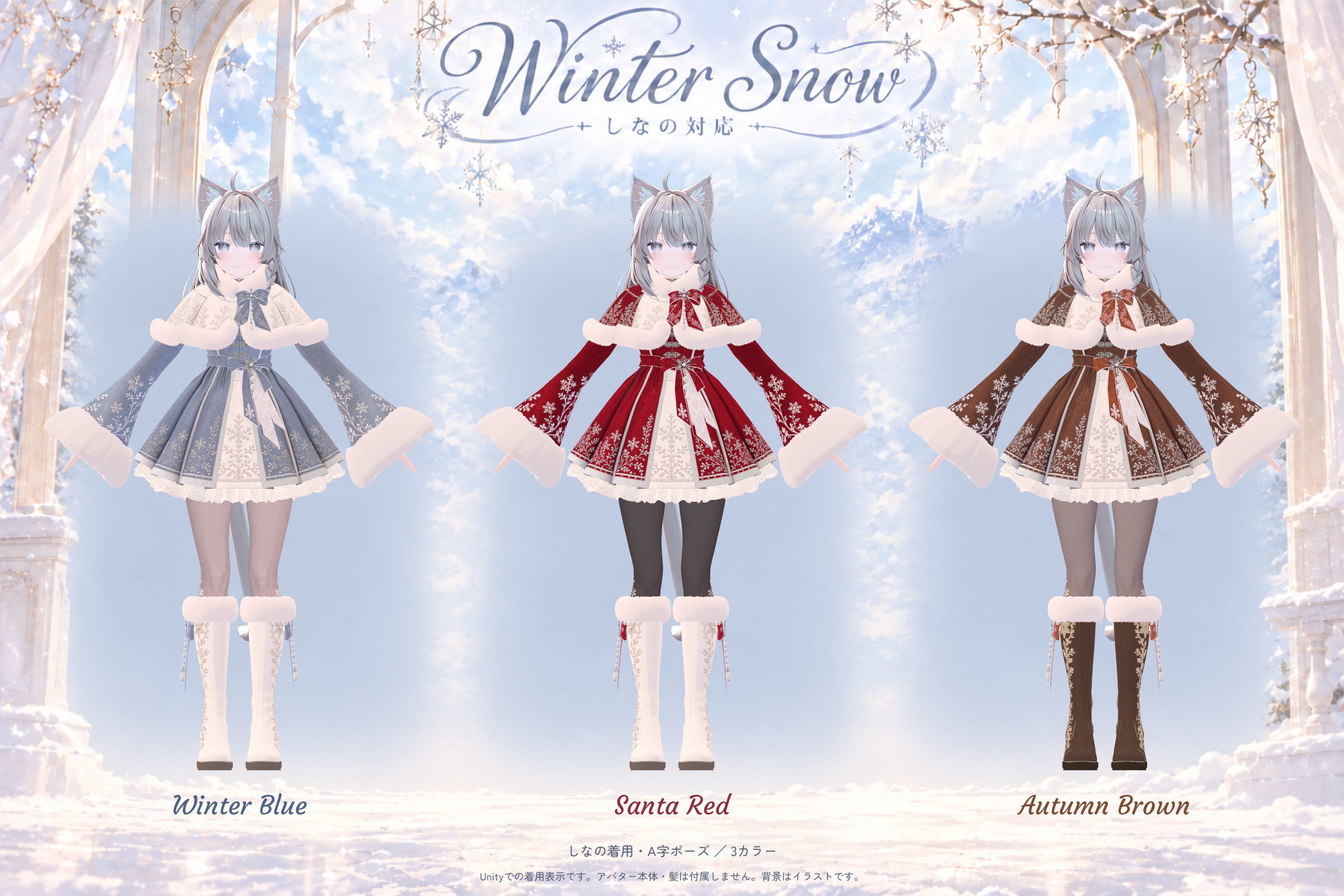
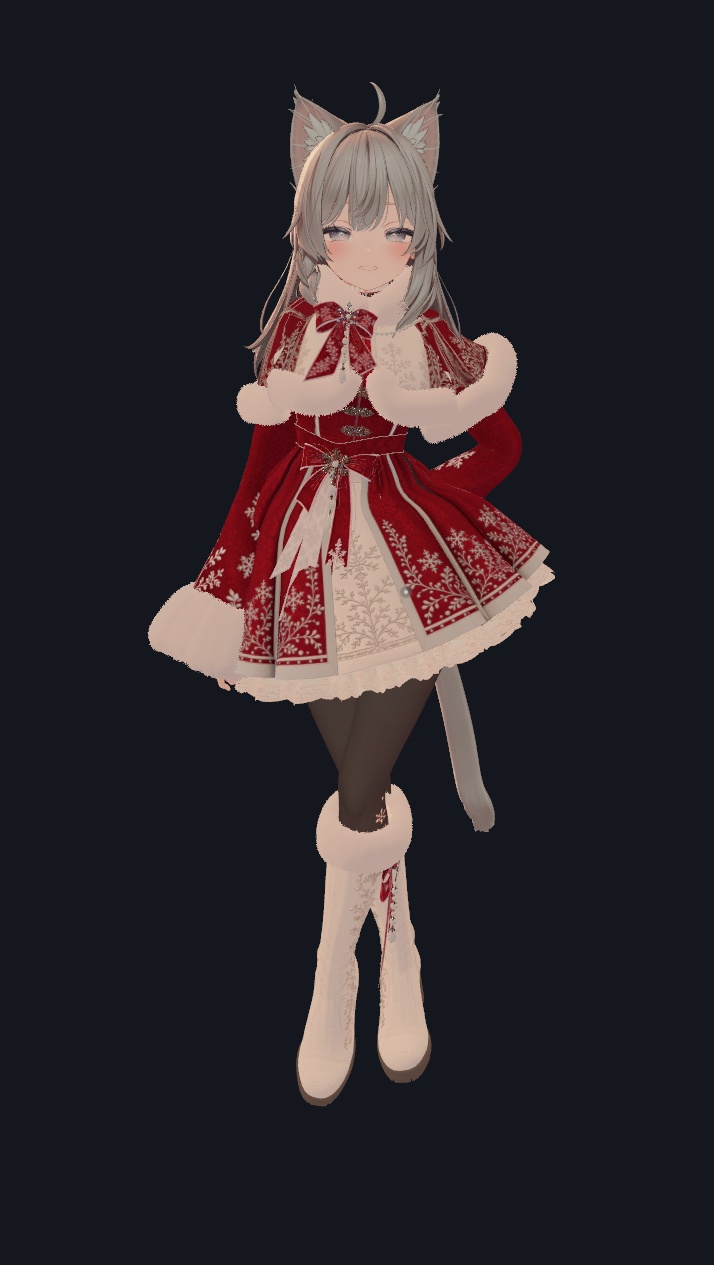
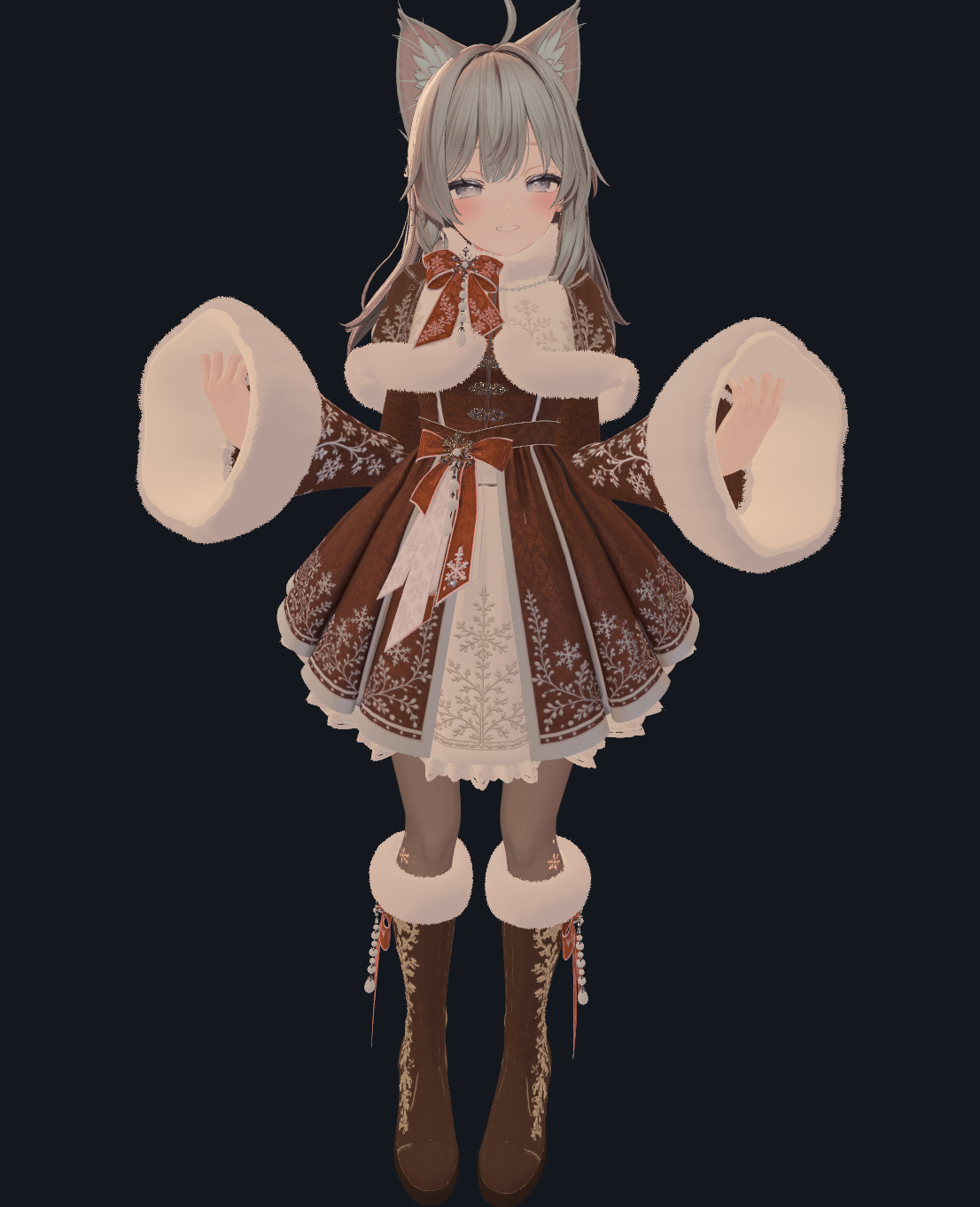
Winter Snow is a coordinated winter outfit set made for Shinano, with flared sleeves and skirt, ribbons, pearls and snowflake accents.
THREE COLORS INCLUDED
Winter Blue — soft blue and ivory.
Santa Red — festive red with black tights.
Autumn Brown — rich brown with warm accent colors.
All three colors are included in one purchase.
INCLUDED
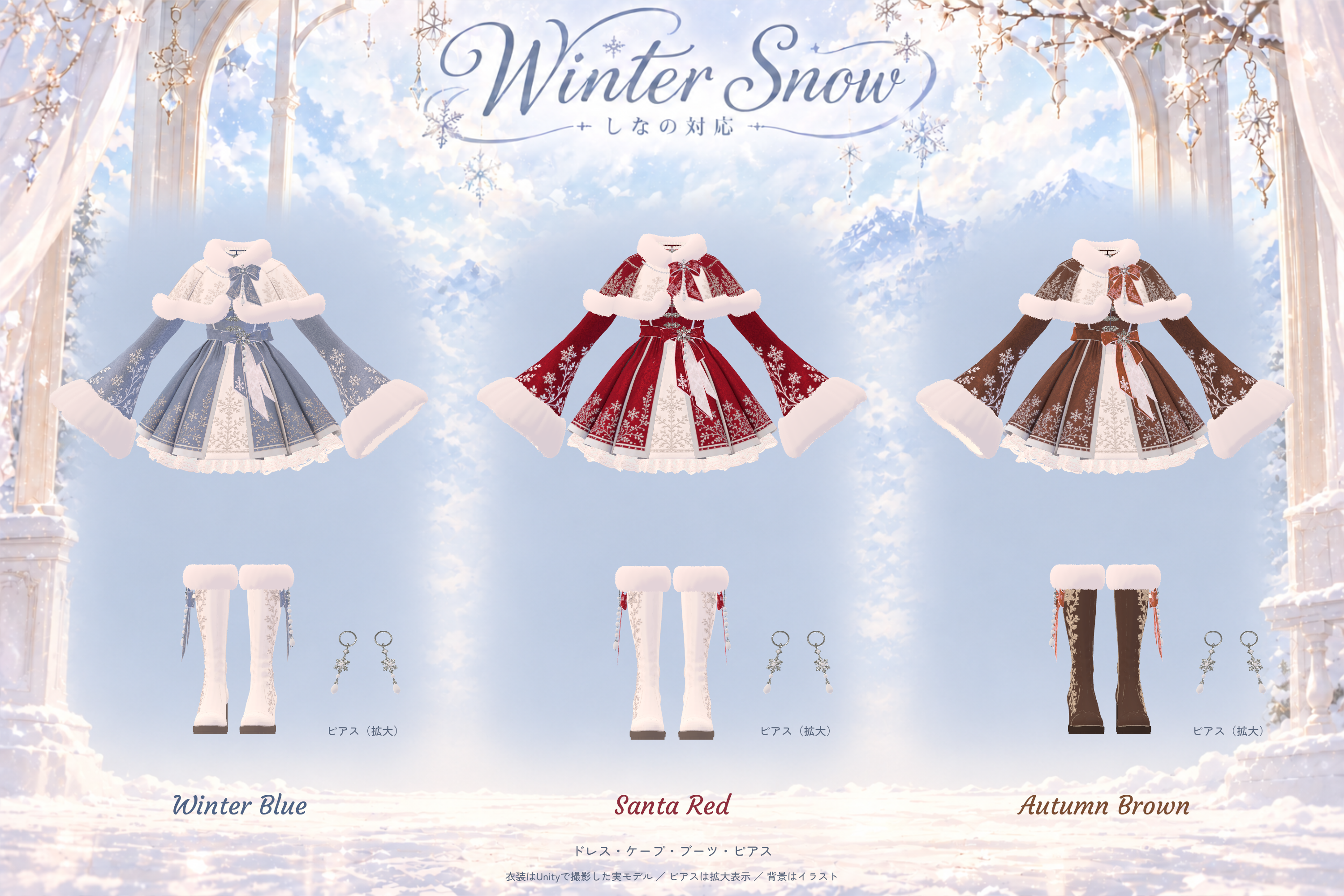
• Dress: bodice, sleeves and skirt
• Fur-trimmed cape and sleeve cuffs
• Tights appearance
• Boots
• Earrings
• Waist, boot and cape decorations: ribbons, pearls and snowflakes
• Unity outfit installer, installation instructions and terms of use
The Shinano avatar, body and hair are NOT included. Please obtain Shinano separately.
The pose collection used for photography is not included and is not a required dependency.
Head ribbons, sleeve-cuff ribbons and their attached decorations are not included.
Waist and boot ribbons and pearls do not have dedicated jiggle motion.
OPTIONAL EDITING KIT INCLUDED
UV layout PNGs, texture PNGs, existing color masks and a Japanese/English editing guide are included at no additional cost. Download WinterSnow_EditKit_1.0.0.unitypackage separately from the same purchase. It is optional and is not required to wear the outfit.
No layered PSD is included; embroidery and painted shading already combined in the PNGs are not separated into layers. Shinano body UVs are not included. Material-based parts such as metal and pearls are explained in the guide.
INSTALLATION
Import the required dependencies and the included unitypackage into a compatible Unity project.
Open Tools → Craft Setup → Winter Snow → 衣装を取り付ける.
Select your Shinano avatar and a color, then click 衣装を取り付ける(コピーを作成).
The installer creates an outfitted copy of the avatar and applies the body, tights and heel corrections together; you do not need to enter correction values manually.
The installer interface and bundled instructions are in Japanese. See はじめに.txt inside the download for the full procedure.
Choose the color in Unity during installation. There is no in-game color selector.
The outfit can be switched ON/OFF using Winter Snow in the Expression Menu.
Shinano's standard bust and waist size controls are supported.
The original crossed hair clip is hidden by the setup.
SUPPORTED / TESTED ENVIRONMENT
Shinano / VRChat PC / Windows. Standalone Quest and Android are not supported.
Unity: 2022.3.22f1
VRChat SDK Avatars: 3.10.4
Modular Avatar: 1.18.7 / NDMF: 1.14.8
lilToon: 2.3.4
Avatar Optimizer: 1.9.19
Install these tools and their dependencies before importing the outfit. They are not included in the product.
Meshia and lilAvatarUtils are not needed for installation.
VRChat SDK / VCC: https://vcc.docs.vrchat.com/
Modular Avatar: https://modular-avatar.nadena.dev/
Avatar Optimizer: https://vpm.anatawa12.com/avatar-optimizer/
lilToon: https://lilxyzw.github.io/lilToon/
BEFORE PURCHASE
The installer checks the original, unedited Shinano body. It stops if the vertices, shape or weights differ from the supported body.
Edited body meshes, other avatar versions, simultaneous use with other outfits and custom systems are not guaranteed to work.
Do not stack this installation on an avatar that already has Winter Snow or another ground-height correction.
Extreme poses may cause contact or clipping between sleeves, skirt and cape.
When the outfit is OFF and the avatar is barefoot, foot contact with the ground is not perfectly matched.
ABOUT THE IMAGES
The first two images show the actual product rendered in Unity, composited onto illustrated backgrounds.
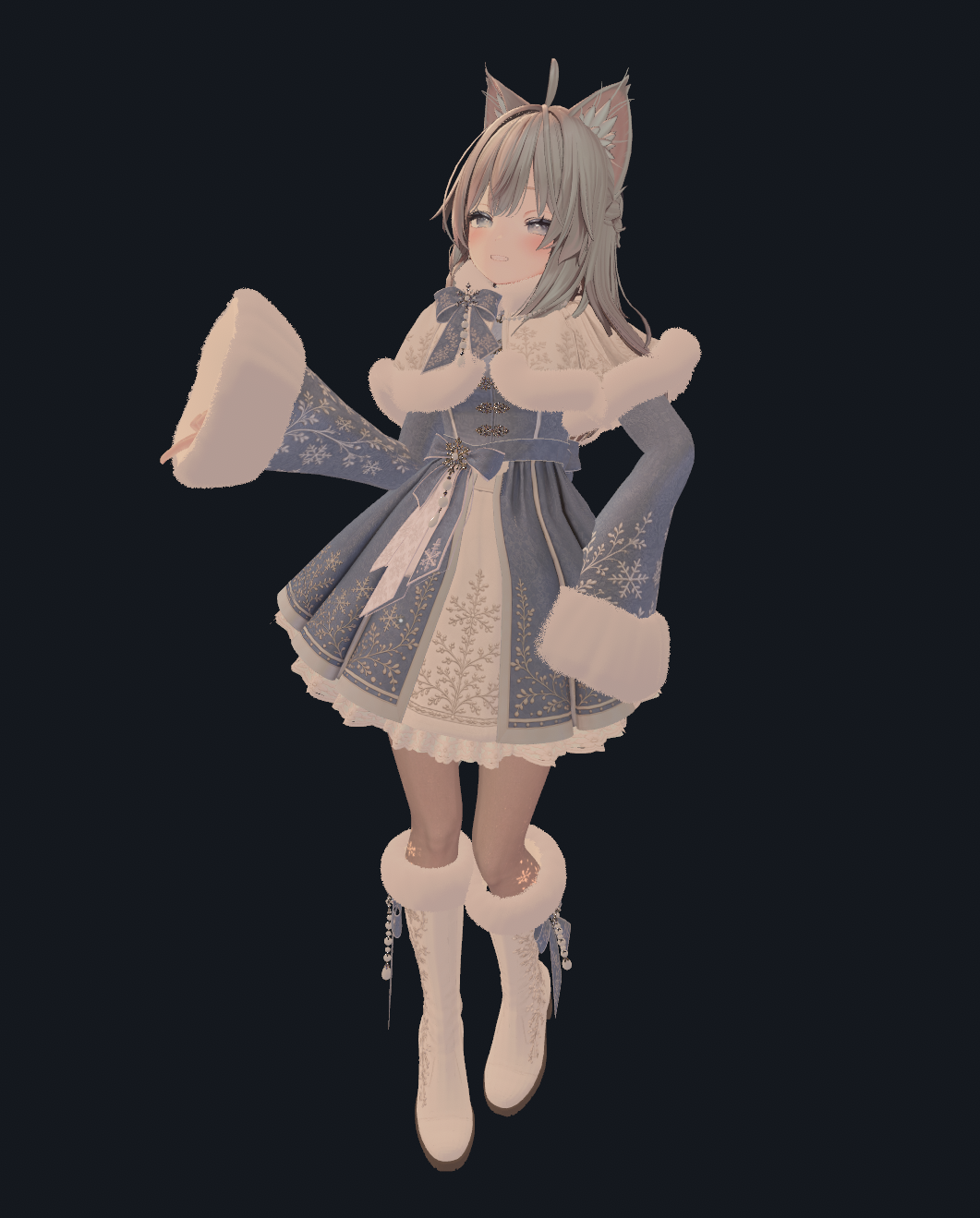
The last three images are photographs captured in VRChat. Lighting and worlds can change the appearance.
The outfit-only image does not display the tights separately; please also refer to the worn outfit images.
USE
Customization, photos, videos and streaming are allowed. Credit is optional.
Redistribution, resale and inclusion in public VRChat avatars are prohibited.
Please read the bundled 利用規約.txt for the full terms.
RECOMMENDED USE & SUPPORT
Recommended for photography and small private gatherings.
Please be considerate of performance in crowded public instances or large events, and follow each event or world's rules.
For installation help or a problem, contact us through the BOOTH shop message function: https://craftsetup.booth.pm/
We will investigate and respond promptly once we see your message. Please include your software versions, screenshots and steps to reproduce the problem.
PERFORMANCE
Outfit alone: 601,145 triangles. The tested outfitted avatar has a Very Poor performance rank.
This is a visually detailed, performance-heavy PC outfit. Avatar Optimizer is used for optimization, but the outfit is not intended for lightweight avatars.
Final triangle count, material count and texture memory depend on the avatar and any other modifications.