
商品説明
この商品にはAIで生成されたコンテンツが含まれています。
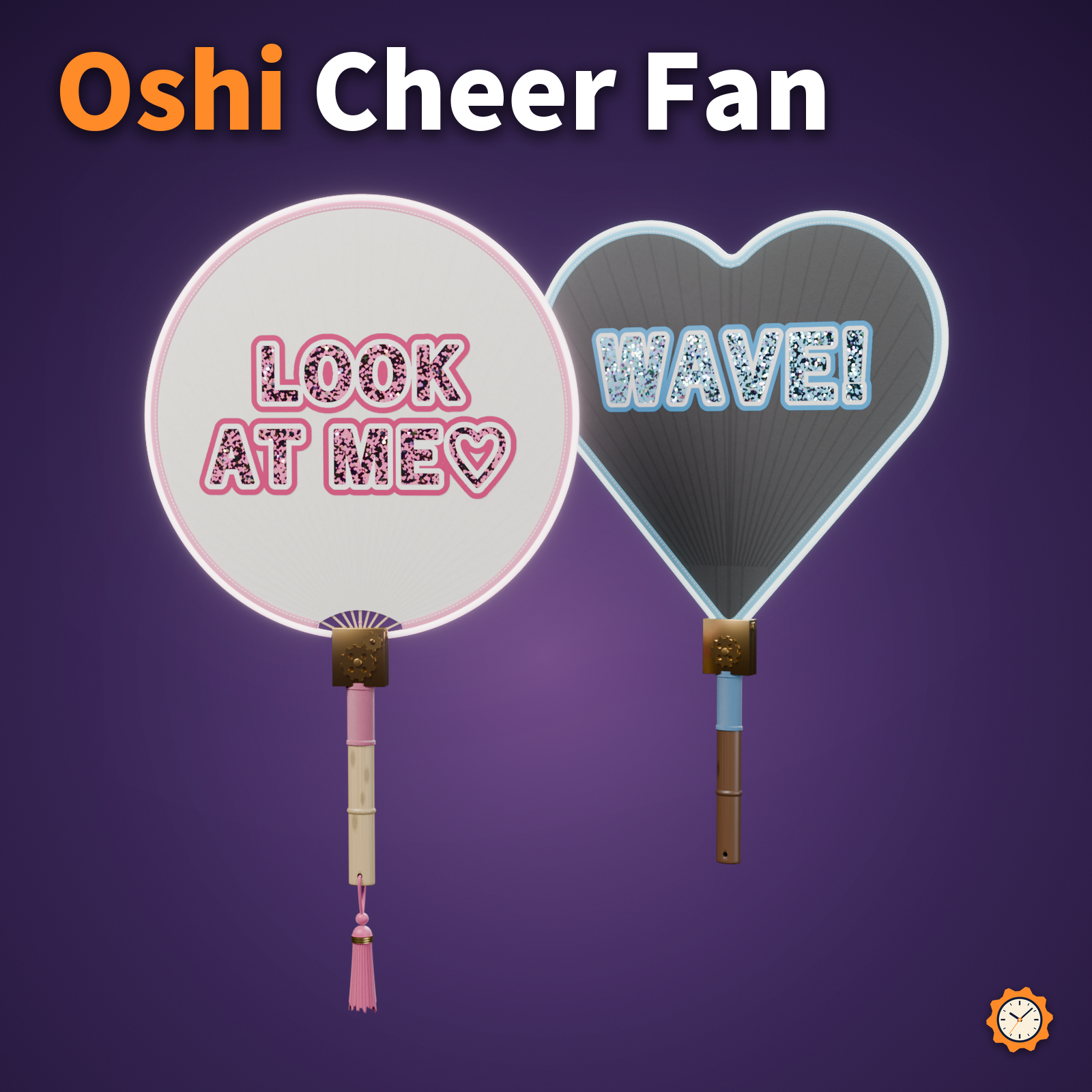
A bamboo-ribbed cheer fan (oshi uchiwa: the hand fan Japanese fans hold up at concerts to send a message to their favorite performer). Put your favorite's name or a message on it.
Type your text in the included tool and press "Make": you get fan lettering with a thick white border, an outer colored border, and holographic glitter that shimmers in rainbow colors as the viewing angle changes. No PSD or paint software needed. The front and back can have different text.
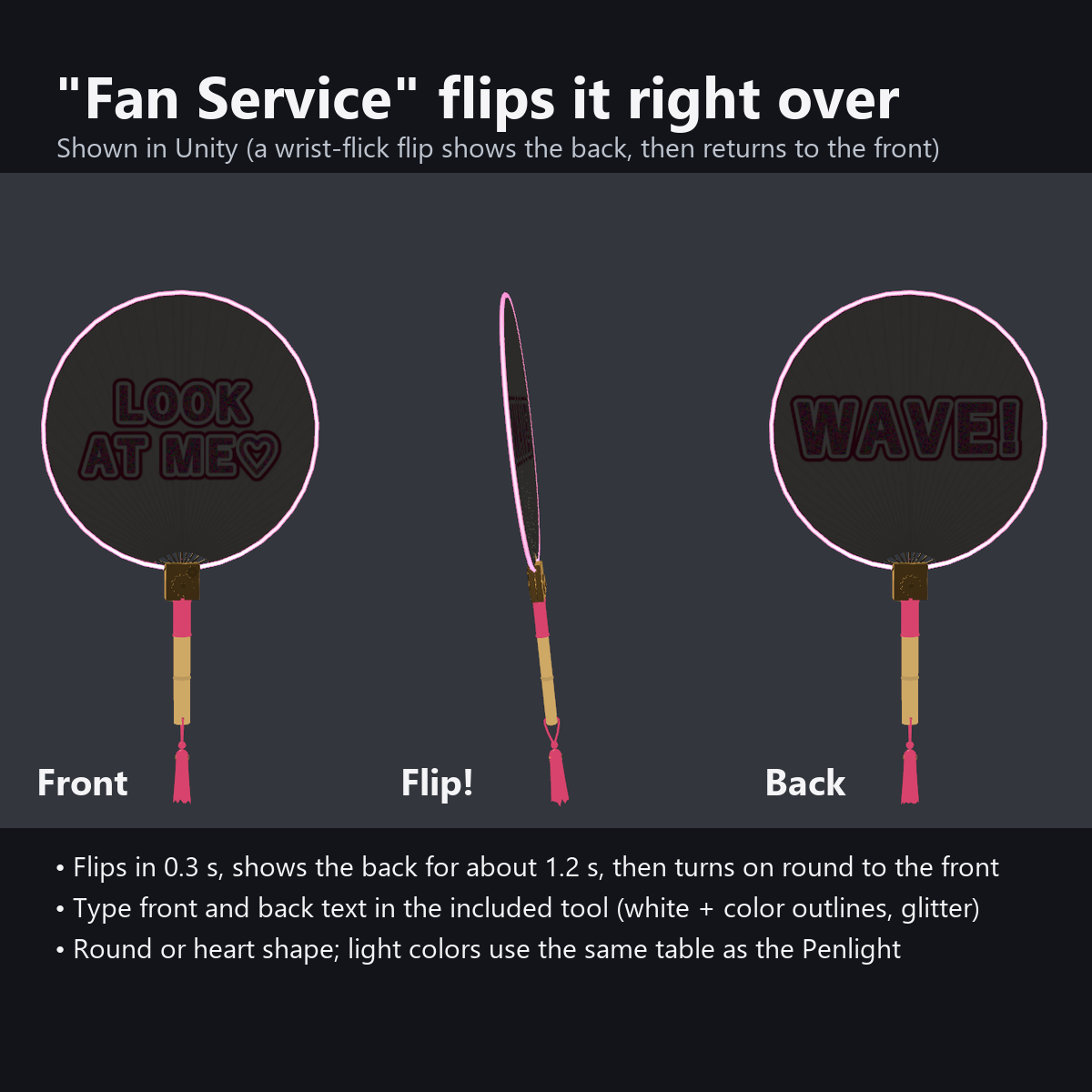
Press "Fan Service" in the menu and the fan flips over with a turn of the wrist to show the back, then keeps turning the same way back to the front. The glowing tube on the rim pulses with the bass in AudioLink worlds; in other worlds the light slowly travels around the rim.
Features
- Make fan lettering in Unity: 2 lines each on the front and back (vertical or horizontal). The double outline (white and colored) and the holographic glitter are added automatically (the outline width stays even when the text size changes)
- "Fan Service" button: flips over in 0.3 seconds like a turn of the wrist, shows the back for about 1.2 seconds, then turns on around to the front (with a small settle at the end)
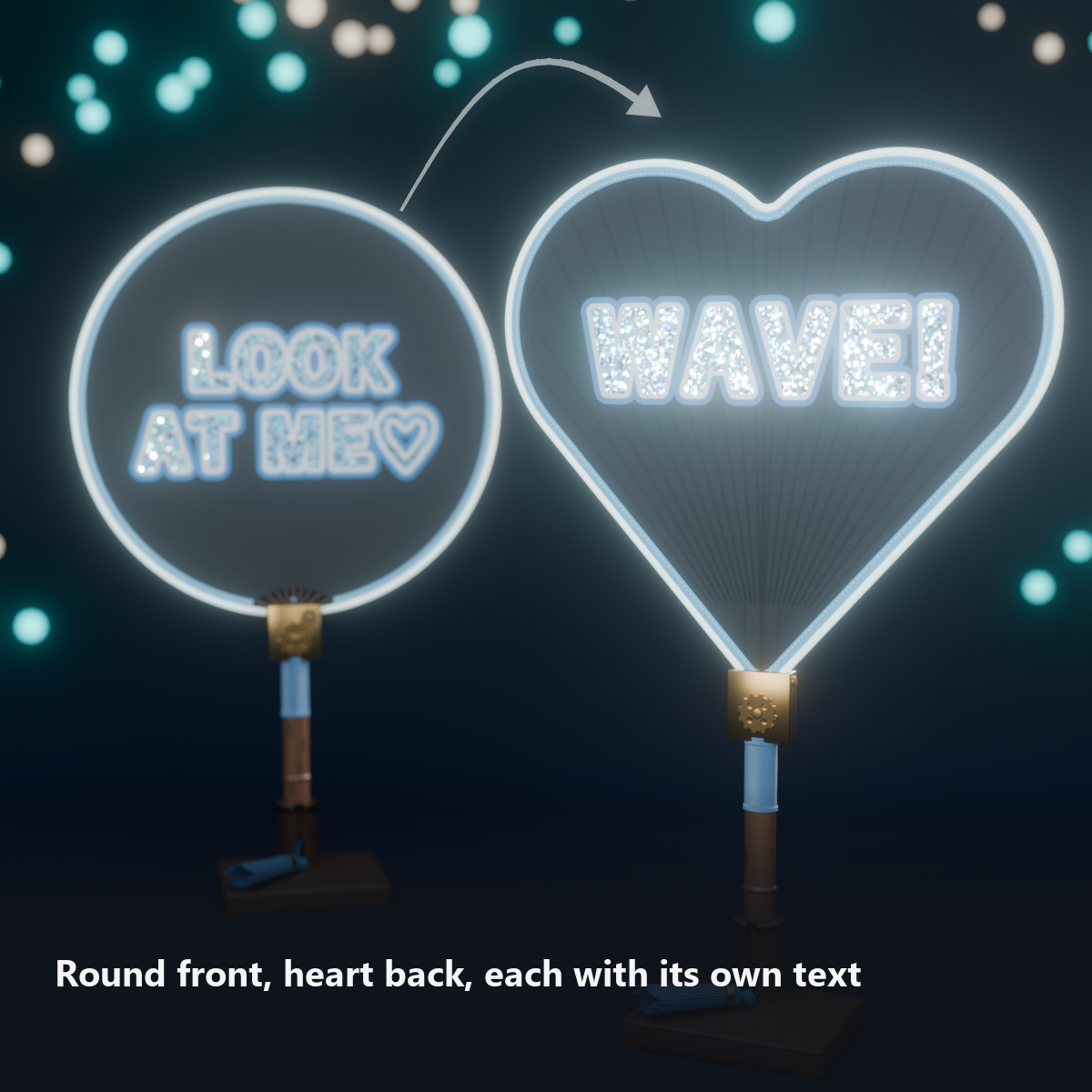
- Switch the shape: round / heart (the same text, only the shape changes). "Flipped" swaps the front and back text
- Rim glows with sound (AudioLink): waves of bass run up both sides symmetrically from the fitting at the bottom. In worlds without AudioLink the light slowly goes around
- The light colors use the same table as our Penlight. The light turns off automatically while you are AFK, and can be turned off by hand
- Attach To: right hand (default) / left hand / back (tucked into the sash)
- Built like a real uchiwa: bamboo ribs faintly showing through the paper, ribs visible through the window below the round face, cloth edging with stitches, a thread-wrapped handle with nodes, a tassel and knot, and a brass gear ornament at the base
- English-menu version: comes with the sample lettering "LOOK / AT ME" (with a heart) on the front and "WAVE!" on the back
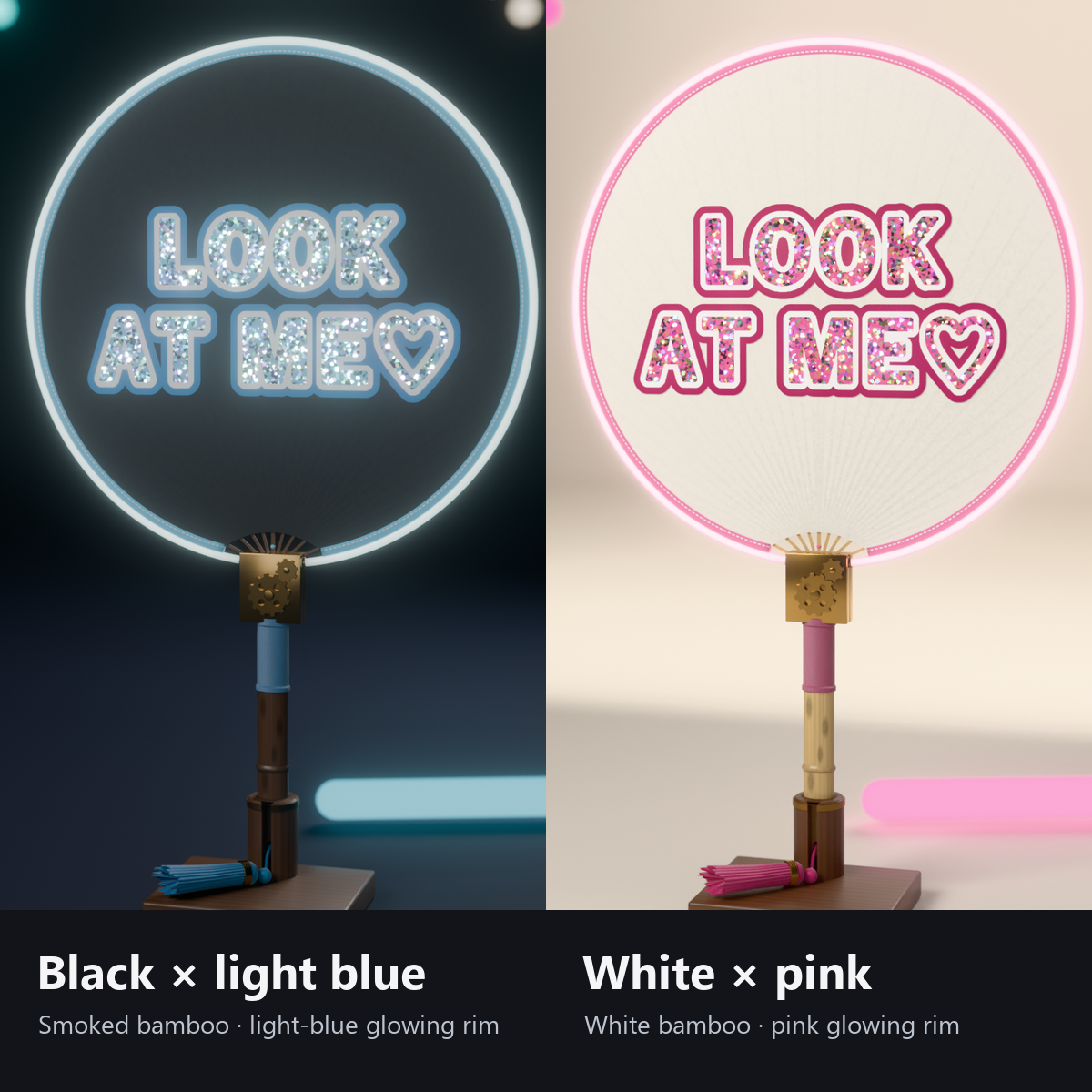
- 2 colors: white face with a pink rim (white bamboo) / black face with a light blue rim (smoked bamboo)
- One custom shader for the face (no shaders to install other than lilToon)
- Modular Avatar ready: put it under your avatar and fit it to your right hand (switch to the left hand or back in the menu)
How it works
- The included tool makes the text image in 3 layers: text, inner outline and outer outline. The shader paints them as holographic glitter, a white border and a colored border, and adds a soft drop shadow so it looks like a sticker.
- Fan Service is an animation that turns the fan around its handle. Lighting and shadows turn with it.
- The round and heart shapes are in the same model; the shader hides the one not in use (only one is drawn).
- The ribs showing through, the weave and stitches of the edging, and the rim light are all drawn by shaders.
Menu (English menu prefab)
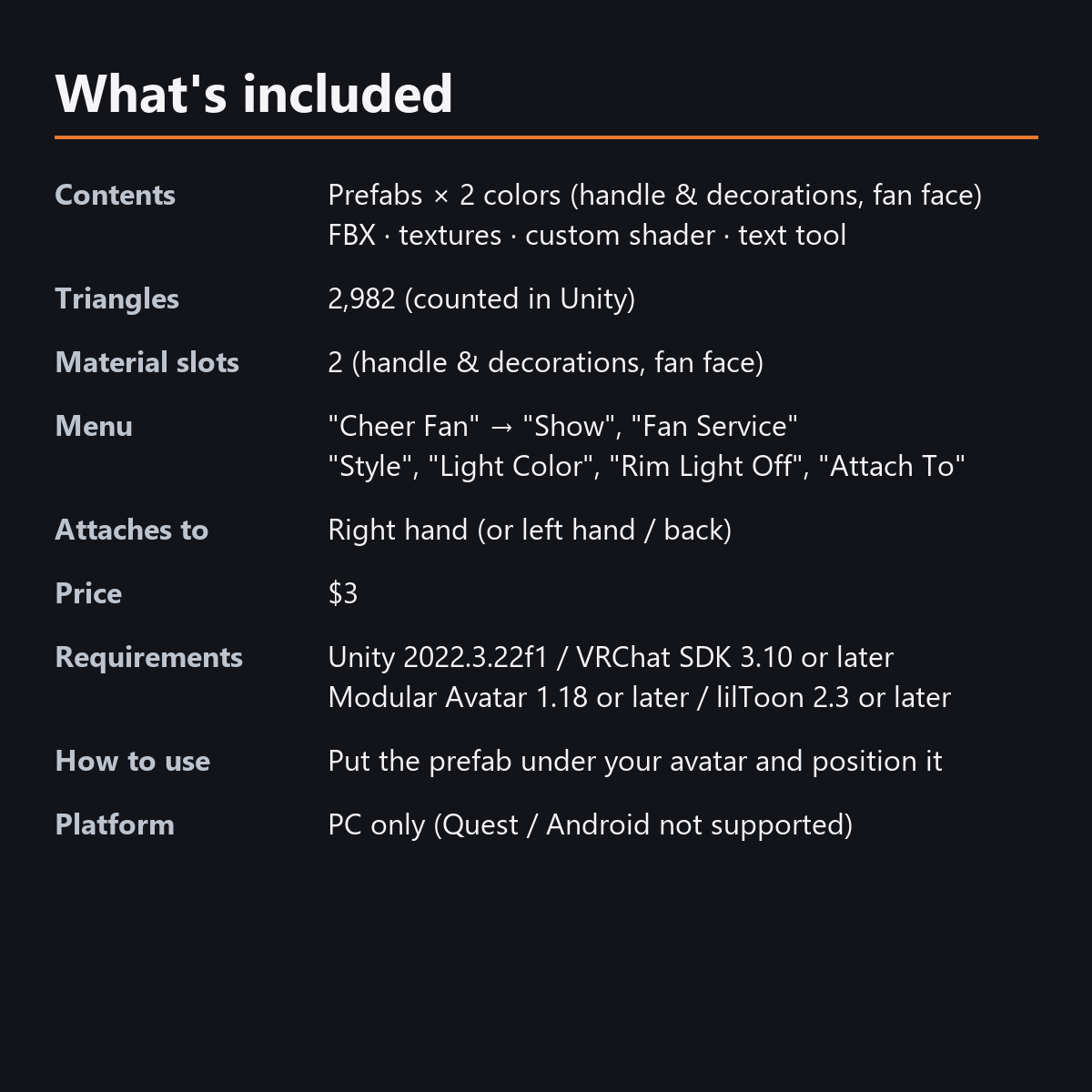
- Cheer Fan > Show: fan on/off
- Cheer Fan > Fan Service: each press flips it to show the back, then back to the front (about 2 seconds)
- Cheer Fan > Style: Round / Heart / Round (Flipped) / Heart (Flipped)
- Cheer Fan > Light Color: dial; same color table as the Penlight (white and rainbow at the right end)
- Cheer Fan > Rim Light Off: turn off the glowing rim tube (it turns off automatically while AFK)
- Cheer Fan > Attach To: Right Hand / Left Hand / Back
What's included
- Prefabs x 2 colors (handle and decorations, fan face)
- FBX, textures, lilToon material (handle), fan face shader, animations, text tool (the shop's shared tool)
- English-menu prefabs (_EN) next to the Japanese-menu prefabs, with English sample lettering. Use one or the other on an avatar, not both.
- Instruction manual and Terms of Use in English and Japanese
Specs
- Added to your avatar (counted in Unity): 2,982 triangles, 2 meshes, 2 material slots (handle and decorations, fan face), 0 PhysBones
- Synced parameters: 28 bits (Show, Fan Service, Style, Light Color, Rim Light Off, Attach To)
- All counts follow VRChat's rules (hidden parts are counted too) and show how much one prefab adds to your avatar.
- The VRChat performance rank depends on the total with your avatar, so this item alone does not decide it.
- AFK uses VRChat's standard value, so the light also turns off on other people's screens
- No Particle Systems, PhysBones or AudioSources
- No extra skinned mesh
Requirements
- Unity 2022.3.22f1 (an avatar project made with VRChat Creator Companion)
- VRChat SDK (Avatars) 3.10 or later
- Modular Avatar 1.18 or later
- lilToon 2.3 or later
Please note
- PC only. Not supported on Quest / Android.
- The lettering is made in the Unity editor (you cannot change it inside VRChat).
- The rim pulses with sound only in worlds that support AudioLink. In other worlds the light slowly travels around the rim.
- In the heart shape the text is a little smaller (0.86x) and sits in the wide upper part. Vertical text in the heart shape needs a material adjustment (explained in the manual).
- No hand pose is included.
- If a viewer's Safety settings hide shaders, the face of the fan is hidden and only the handle and decorations are shown.
- The sample texts are general cheering phrases. If you put a real person's name or an official logo or design on it and show it publicly, follow their rules.
- The menu actions (fan service, style, attach and others) and the rim light that follows AudioLink and AFK: they move only inside VRChat (including Build & Test) or with Gesture Manager. If they look still in the Unity Editor, nothing is broken.
Terms of use
- You may upload it to VRChat and similar services on your own avatars, edit it, and use it in streams, videos and photos (commercial or not).
- You may not redistribute, resell or share the data (edited or not), or use it to train AI.
- Full text: TermsOfUse_EN.txt in the download (Japanese original: TermsOfUse_JA.txt).
Update history
- v1.2 (2026-10-13): Uploads without pressing Auto Fix in VRChat SDK 3.10 (fixed texture Streaming Mip Maps, mesh Read/Write, Legacy Blendshape Normals). The shaders support Single Pass Instanced rendering in VR (the look outside VR is unchanged). Renamed the animator files that had Japanese names to English letters ("..._Fansa"; same content and behavior. If you import over the old version, Unity keeps the old file name; it still works the same). Updated the included text tool; images it makes now also get Streaming Mip Maps (no upload error after you remake the text). Manual and description updated (counts are now what the item adds to your avatar, measured in Unity; how it looks in the Editor). The included documents now have English-only file names. The GUIDs are the same as before, so importing it over the old version replaces it.
- v1.1: English-menu prefabs (_EN) and English documents
- v1.0: First release
Also on BOOTH
This item is also sold on BOOTH, the Japanese marketplace.
How this was made (AI-Assisted)
The 3D shapes, materials, shaders and texts of this item were made with scripts written with AI assistance. A person checked how it looks and moves in Unity before release.