商品説明
Description
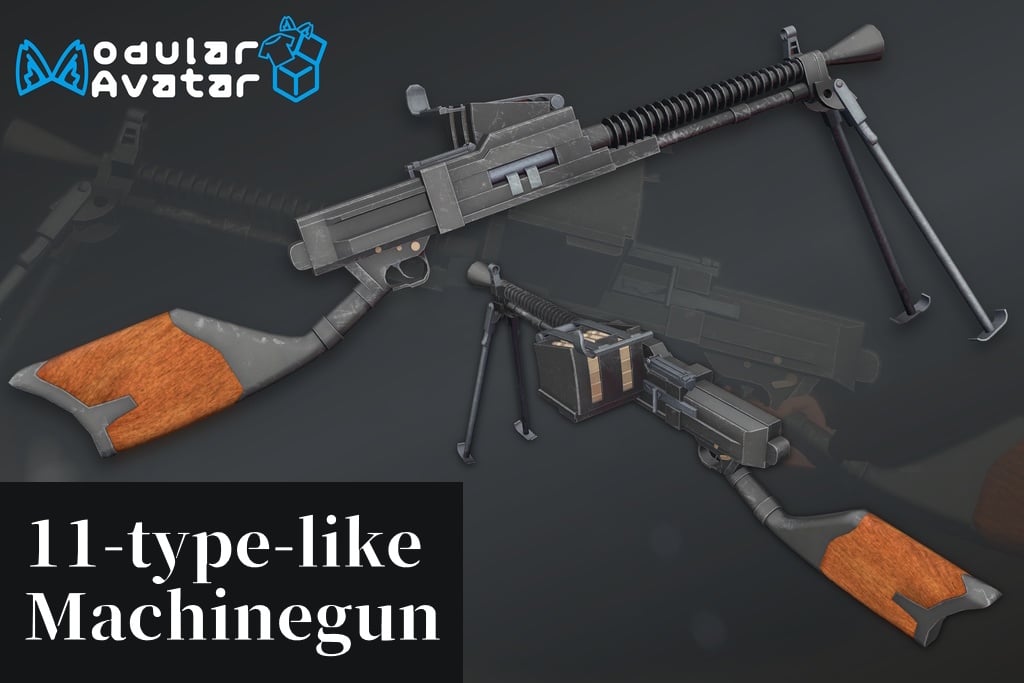
This is a machine gun gimmick modeled after the Model 11 light machine gun that you can set up and play with.
It’s compatible with Moduler Avatar, allowing for one-click placement and automatic hand sign replacement.
It features a realistic recoil system.
This mod requires Liltoon and Moduler Avatar to be installed.
How to Introduction
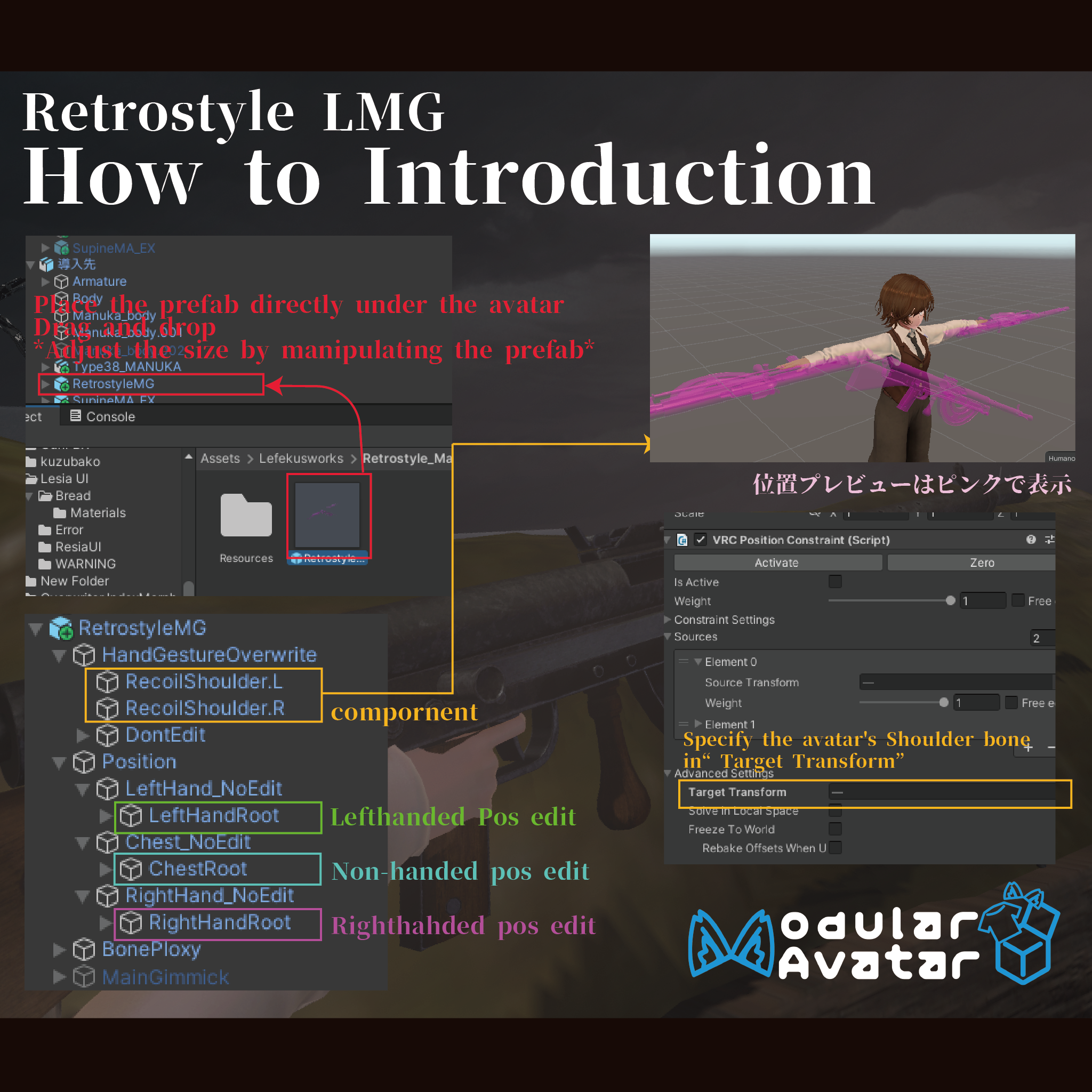
In an environment where the prerequisite assets have been installed, drag and drop this asset onto the target avatar.
After installation, you can adjust the prop’s position using the following settings.
11typeLMG/Position/LeftHand_NoEdit/LeftHandRoot
➡ Adjusts the gun’s position when held in the left hand.
11typeLMG/Position/RightHand_NoEdit/RightHandRoot
➡ Adjusts the gun’s position when held in the right hand.
11typeLMG/Position/Chest_NoEdit/ChestRoot
➡ Adjusts the magazine ejection contact point and the gun’s position when not held.
Scale adjustments do not apply to the three settings listed above. To change the scale, adjust the 11typeLMG prefab itself.
[Realistic Recoil System]
This feature incorporates the “Realistic Recoil System,” which realistically transmits the gun’s recoil to the shoulder.
To enable the Realistic Recoil System, open the Advanced Settings for the VRC Position Constraint configured for RecoilShoulder.R and RecoilShoulder.L (located directly under 11typeLMG/HandGestureOverwrite), and set the avatar’s Shoulder bone as the Target Transform.
How to Use
Menu Explanation
・11typeLMG➡ Opens the menu for this weapon.
・Gun_Show➡ Displays this weapon.
・Fullauto➡ Turns full auto on.
・Safety➡ When enabled, prevents the gun from firing.
・RealOffRecoilOff➡ Disables the realistic recoil system.
・BipodOn➡Deploys the bipod.
How to Use
After displaying the 11typeLMG➡Gun_Show from the EX menu, set your hand gesture to “Point” or “Gun” and move it close to the grip to hold the weapon.
Set your opposite hand to “Fist” and move it close to the foregrip to switch to two-handed mode. Set the hand on the foregrip to “Open” to return to one-handed mode.
When firing, set the Safety to Off and change the hand holding the weapon to a Fist. By default, the weapon is set to semi-auto; enabling Full Auto will switch it to full-auto mode.
To reload:
1. Open the hatch of the ammunition bin.
2. Bring the hand opposite the one holding the weapon near your chest to pick up a clip. Bringing the clip near the ammunition bin will add one 7-round clip.
3. Close the hatch. If you’ve run out of ammo, pull the receiver once.
Turning “Bipod On” will deploy the bipod. While holding the weapon with both hands and with the bipod touching the collider, release your grip to set it on the ground. To retract the bipod, hold the weapon with both hands again, then release the foregrip while it’s in the “Open” position and the bipod is not on the ground.
Licence
Using the VN3 License Template.
By purchasing and downloading this data, you agree to these Terms of Use.
https://drive.google.com/drive/folders/1CSQrpL9tbguVTTFncWTNLSXWAUG7L8Md?usp=sharing
Other
Booth is here➡https://swillzerrant.booth.pm/items/6234846