
DrapeFix: Cloth Drape for Fitted Outfits, Keeps Shape Keys and Weights
商品説明
この商品にはAIで生成されたコンテンツが含まれています。
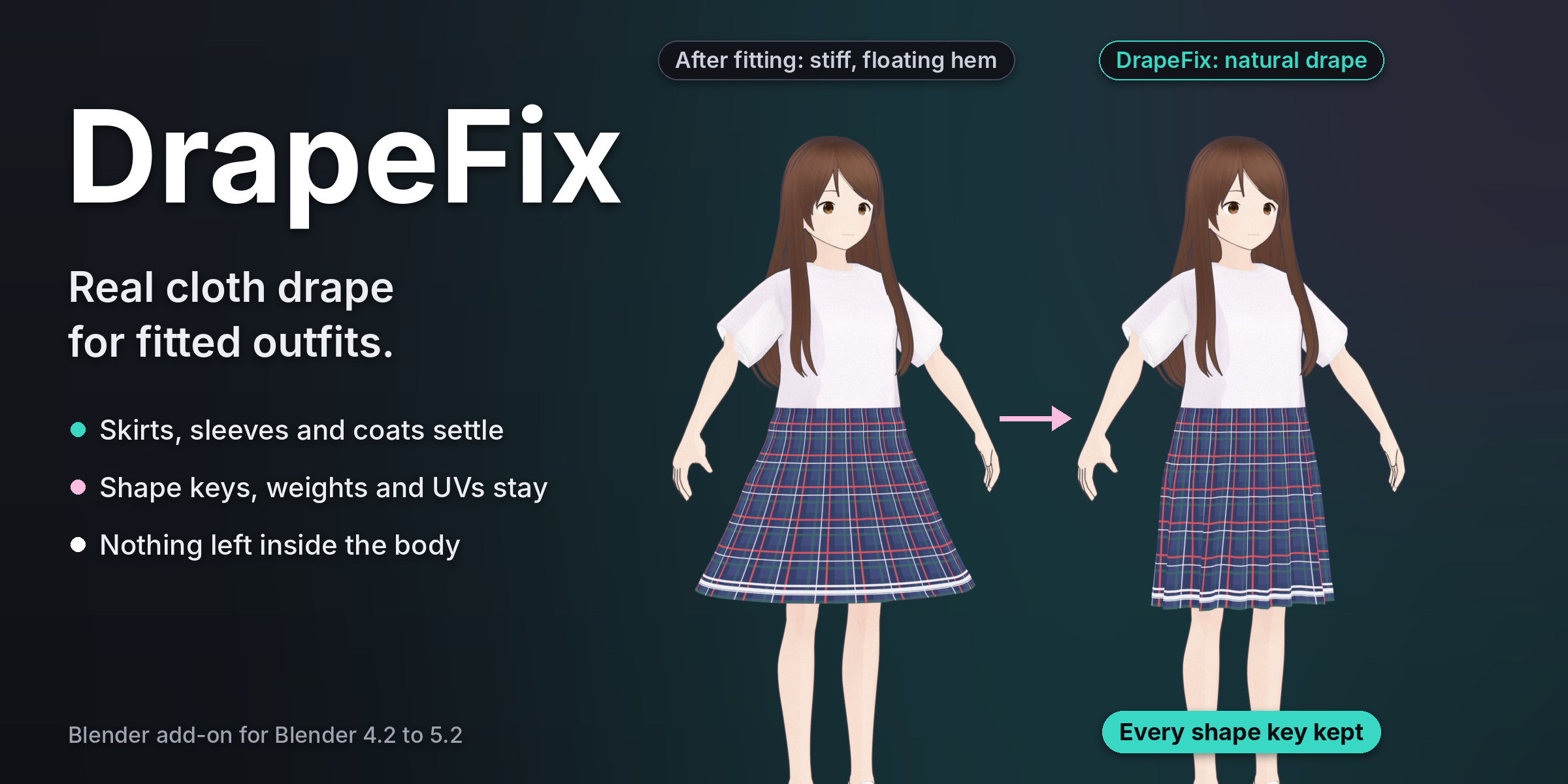
You moved an outfit to a new base. It fits, but the skirt stands stiff, as if it was cut for another body. The hem floats. Sleeves and coat tails keep the air they had.
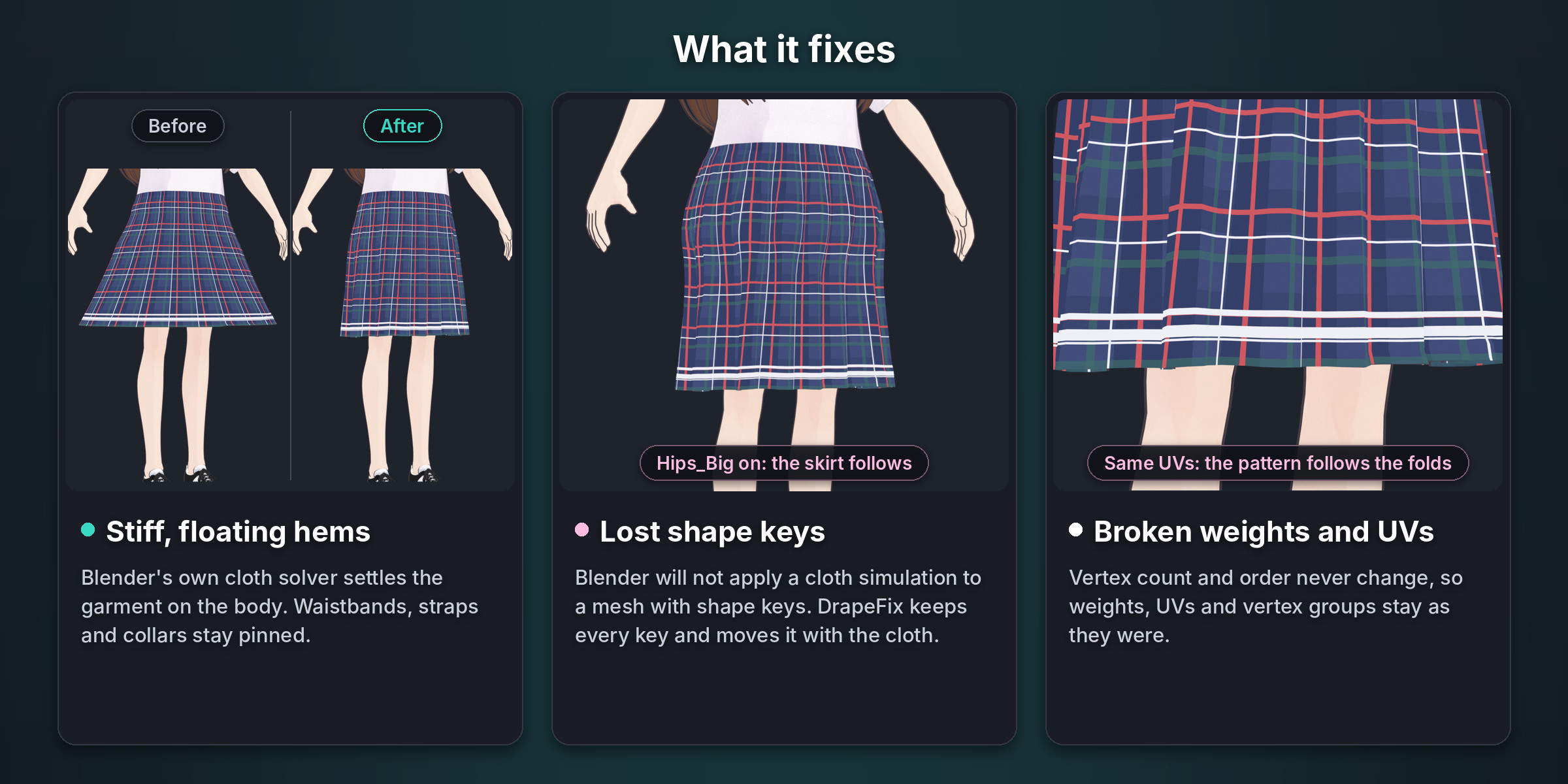
A cloth simulation would fix the look, but Blender will not apply a cloth simulation to a mesh with shape keys. Delete the keys, and the outfit no longer follows the body.
DrapeFix is the step after fitting. It settles the garment on the body with Blender's own cloth solver and makes the settled shape the new Basis. Every shape key moves with the cloth. Weights, UVs and vertex groups stay as they were.
How it works
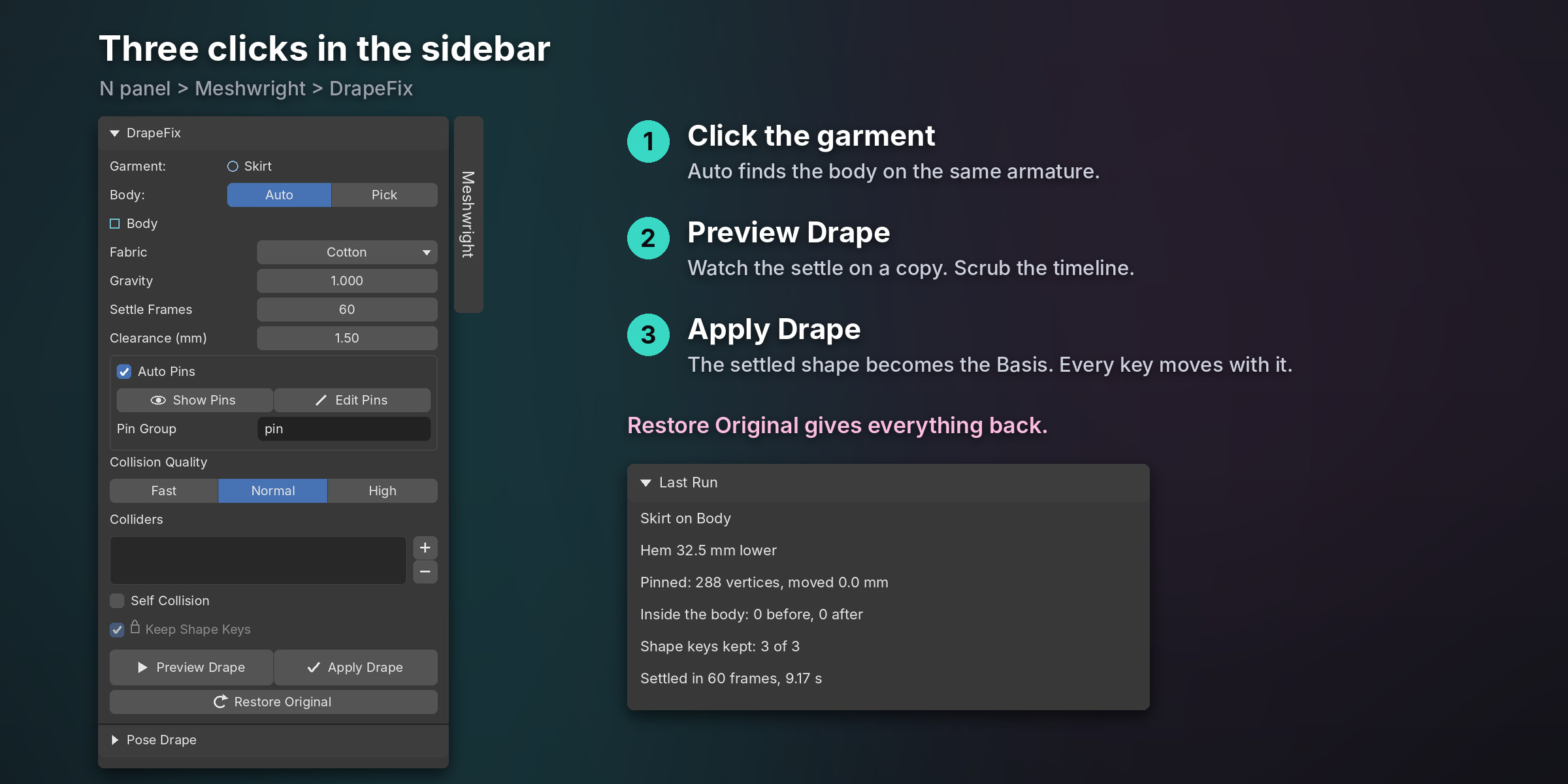
- Click the garment. Auto finds the body on the same armature.
- Pick the fabric: Cotton, Silk, Denim, Leather, Tulle or Knit.
- Press Preview Drape to watch the settle on a copy, or Apply Drape to keep it.
Auto pins hold the bands that sit on the body and wrap around it: waistbands, straps, collars and cuffs. Show Pins shows them in red, and Edit Pins lets you paint your own. The solver runs in memory on a temporary copy, with no cache files, and stops early when the cloth stops moving.
Then every shape key is turned into the cloth's new surface frame, so a Flare key still flares and a body key still follows the body. Each key is checked against the body with the body key of the same name turned on, and any vertex inside is pushed out to the clearance (1.5 mm by default).
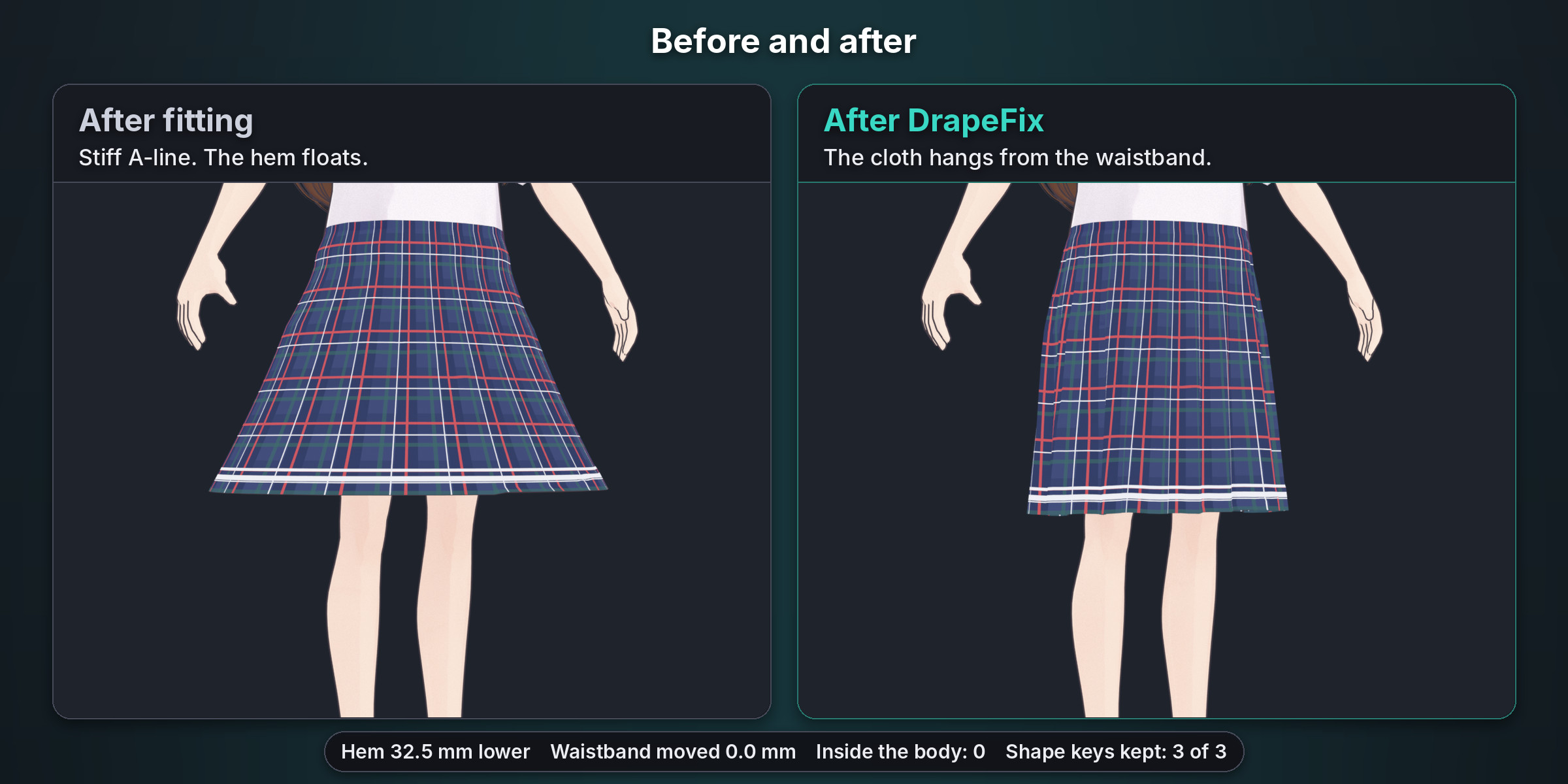
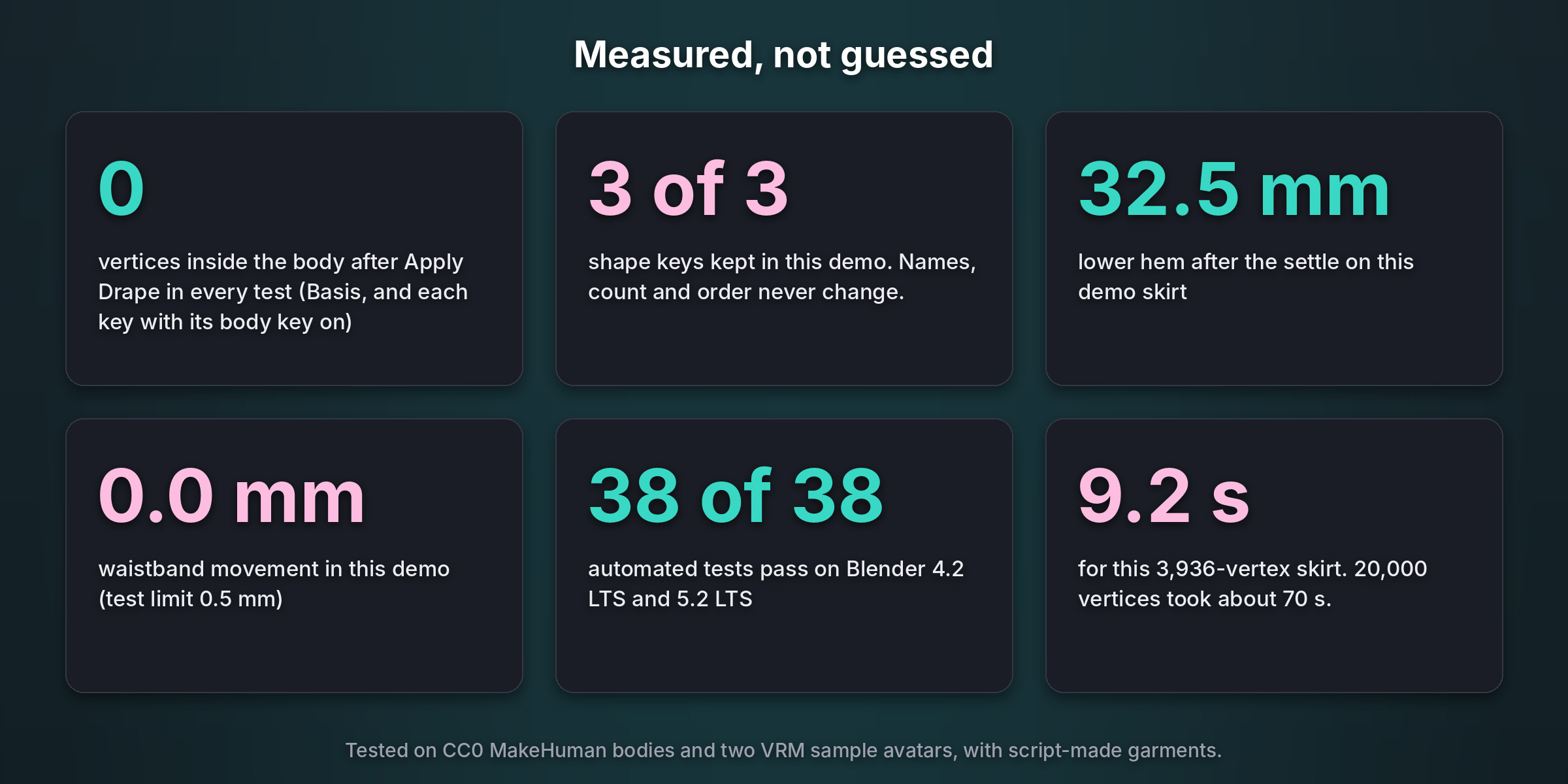
On the VRoid sample avatar, our flared demo skirt dropped 32.5 mm at the hem. The waistband moved 0.0 mm. No vertex ended inside the body, and 3 of 3 shape keys were kept. The settle took 9.2 seconds.
What you get
- Real cloth drape. Blender's own cloth solver with six fabric presets, gravity, settle frames and clearance.
- Every shape key kept. Same names, count and order. Each key moves with the cloth and is checked against the body with its body key on.
- Weights and UVs untouched. Vertex count and order never change, so weights, UVs and vertex groups stay.
- Nothing inside the body. Every free vertex is pushed out to the clearance, at the Basis and at each key with its body key on.
- Auto pins. Waistbands, straps, collars and cuffs stay where they are. Paint your own pins with Edit Pins.
- Layered outfits. Drape the inner layer first, then add it as a collider for the outer layer.
- Preview and Restore. Watch the settle on a copy first. Restore Original gives back the garment exactly. One Ctrl+Z undoes a drape.
- A clear report. Hem drop, pins and how far they moved, vertices inside the body before and after, keys kept.
- English and Japanese interface. Blender 4.2 to 5.2. Pure Python, nothing else to install.
Tested on
- Blender 4.2.23 LTS and 5.2.2 LTS: 38 of 38 automated tests pass on each, plus a fresh install of the release zip and 6 of 6 buyer tests with every default.
- Bodies: two CC0 MakeHuman bodies (one slim, one heavier with Mixamo bone names) and two VRM sample avatars (the VRoid sample and Seed-san).
- Garments made by script: a flared skirt, a skirt with straps, a long coat, a top with loose sleeves, a petticoat with an outer skirt, a tight skirt and a skirt with bad faces.
- Measured on every garment: vertex count and order, UVs and vertex groups unchanged; key names, count and order unchanged; held vertices moved less than 0.5 mm; no vertex inside the body at the Basis or at a key with its body key on; the hem really drops (11.5 mm on the test skirt); Restore Original exact. A 20,000-vertex skirt took about 70 seconds.
Good to know
- DrapeFix drapes cloth that hangs from its pins. A top held by a tight neckline keeps a few millimetres of air on the shoulders next to it. Sleeves and hems settle fully.
- Apply Drape works in rest pose, on the body's current shape key mix.
- Tight clothes change little, because the auto pins hold them. For clipping on tight clothes, ClipFix is the faster tool.
- On deep, sharp folds, a key with a large offset can look uneven along the fold line.
- Big outfits take longer: about 70 seconds for 20,000 vertices on a 2-core machine. Over 50,000 vertices the Fast collision body is used, and the report warns about the time.
- Apply a Mirror or Subdivision Surface modifier first.
- Tested on CC0 bodies and VRM sample avatars with script-made garments, not yet on BOOTH outfits.
- The notes under the report are in English.
AI disclosure: AI coding assistants helped write this add-on's code, tests and texts. The avatar shots are Blender renders of the add-on's real output; no AI image, video, voice or music generator was used.
FAQ
Does it work after Outfit Refit, RadFit or Dress Fit?
Yes. Fit the outfit first, in rest pose, then drape it. DrapeFix is the step after fitting.
Will my shape keys survive?
Yes. Names, count and order stay, and every key moves with the cloth. Keys with a body key of the same name are checked against the body with that key on.
Is it a garment maker?
No. DrapeFix does not make clothes. It drapes the outfit you already have and keeps its keys, weights and UVs.
Do I need to bake or keep a cloth cache?
No. The settle runs in memory on a temporary copy. Only a hidden backup of the original stays in the file.
Does it work with VRChat avatars and VRoid models?
It works on a mesh garment on the same armature as the body. We tested it on the VRoid sample avatar, Seed-san and CC0 MakeHuman bodies. BOOTH outfits are not in our tests yet.
Can I go back?
Yes. Restore Original gives back the original exactly, and one Ctrl+Z undoes a drape.
Which Blender versions?
Blender 4.2 to 5.2. Tested on 4.2.23 LTS and 5.2.2 LTS. Pure Python, nothing else to install.
Support and license
Support: [email protected] (updates for 12 months). License: GPL-3.0-or-later.
Demo images and video avatar: pixiv "VRM1_Constraint_Twist_Sample" (VRM Public License 1.0, (c) 2022 pixiv Inc.). The skirt was made for the demo.