
FaceKeys Check: Free VRChat Face Tracking Key Check (Blender Add-on)
商品説明
この商品にはAIで生成されたコンテンツが含まれています。
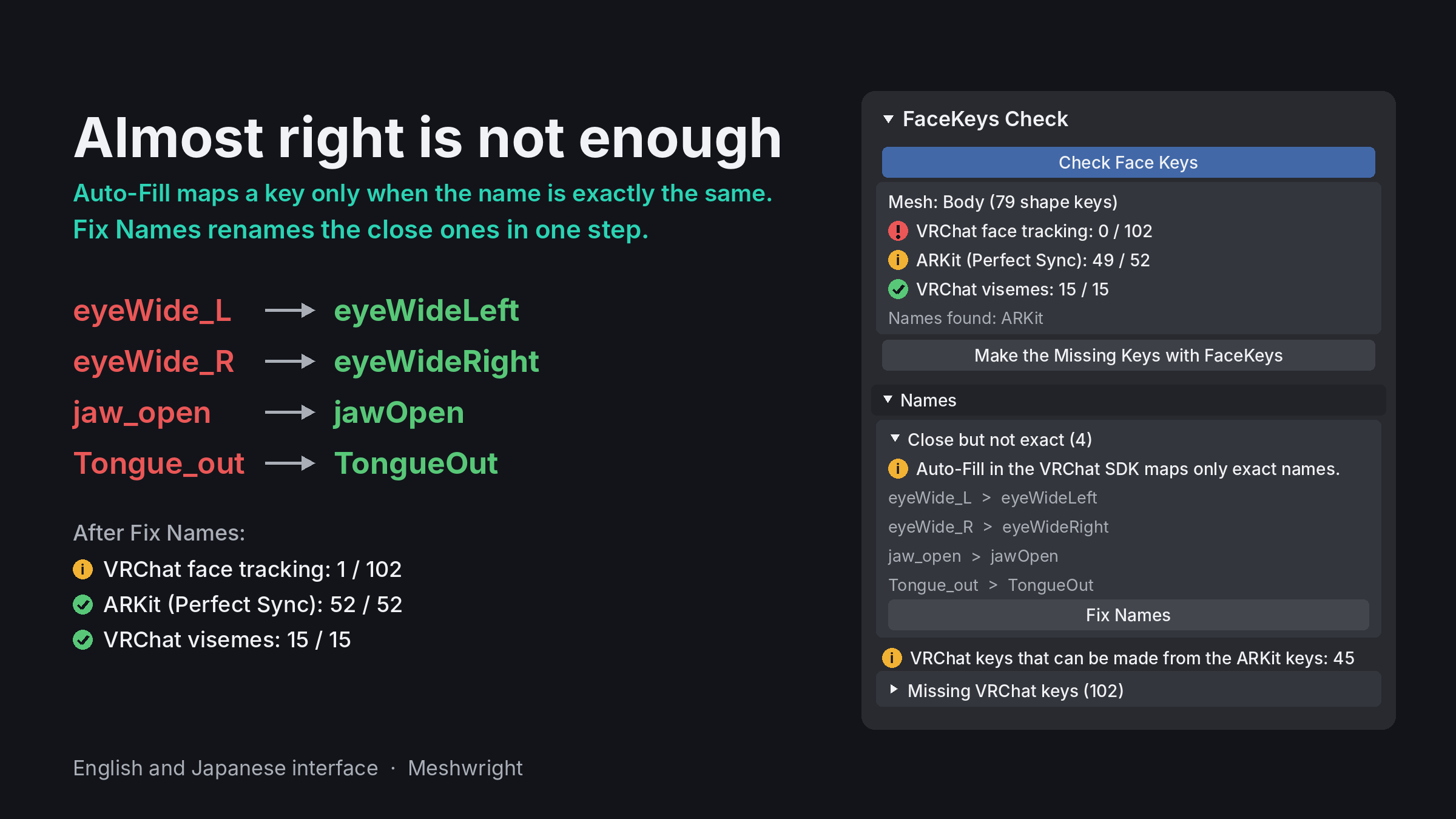
VRChat's built-in face tracking moves your avatar's shape keys only when their names match its 102 tracking keys exactly. Auto-Fill in the avatar SDK skips a key called EyeClosed_L or jawopen.
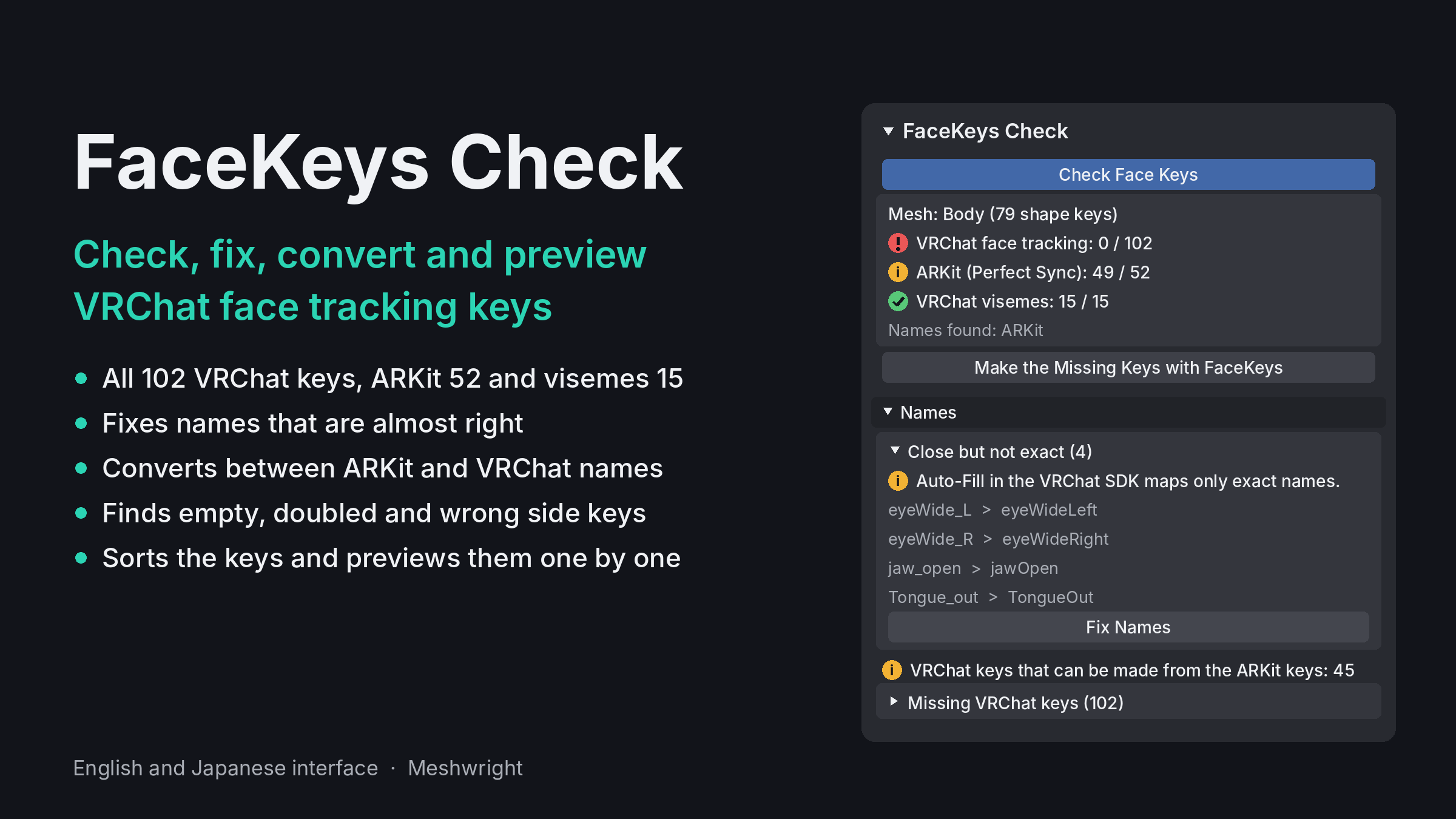
FaceKeys Check is a free Blender add-on that gets the face shape keys of an avatar ready for VRChat face tracking. It shows what is there, fixes what is close, and converts between the two naming standards.
Video tutorial, from Blender to VRChat in 1:43: https://youtu.be/siq4ltbWkko
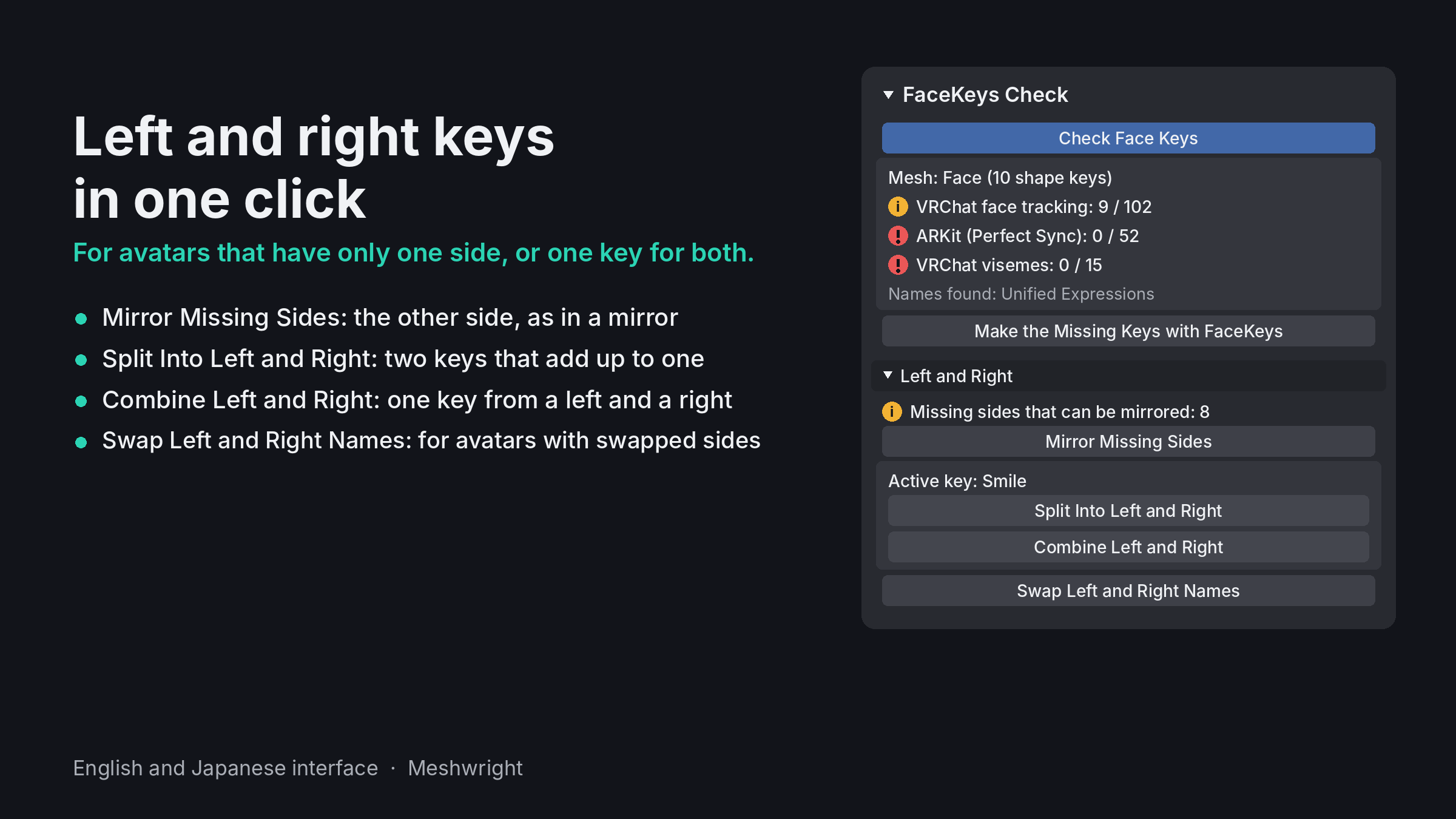
NEW IN 2.1: LEFT AND RIGHT
- Mirror Missing Sides: makes the missing side of a left or right key, as in a mirror. Where the mesh is not symmetric, the key is left out and named.
- Split Into Left and Right: one key that moves both sides, such as a blink, becomes a left and a right key that add up to it.
- Combine Left and Right: a left and a right key become one key for both sides.
- Swap Left and Right Names: for avatars whose left and right keys are named the wrong way round.
WHAT IT DOES
- Check: how many of the 102 VRChat face tracking keys, the 52 ARKit (Perfect Sync) keys and the 15 visemes your avatar has, and which are missing, by group.
- Fix Names: renames close names to the exact names (EyeClosed_L, L_EyeClosed, blendShape1.eyeBlink_L, v_aa).
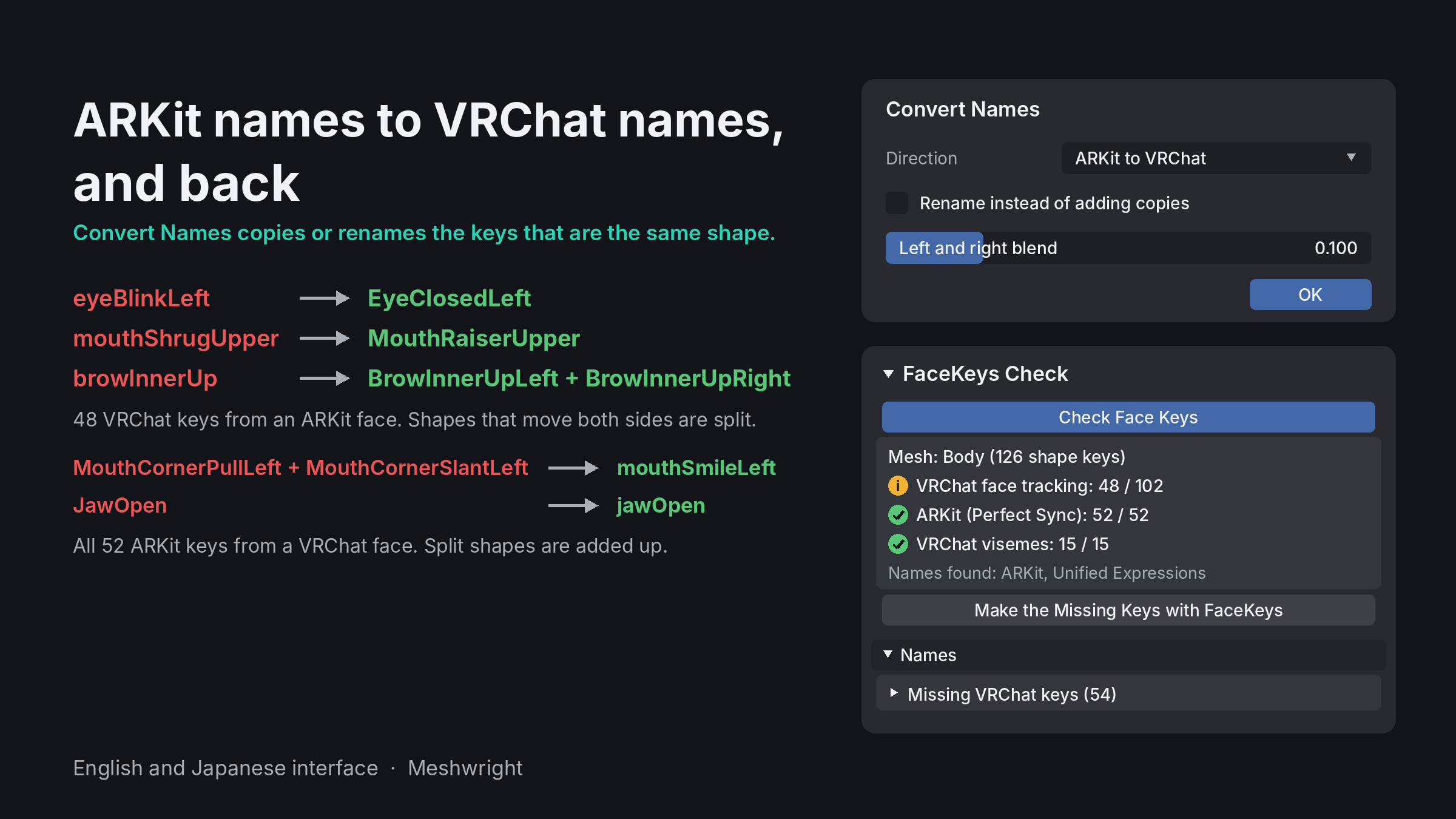
- Convert Names: makes VRChat keys from ARKit keys, or all 52 ARKit keys from VRChat keys. As copies or by renaming. Nothing is overwritten.
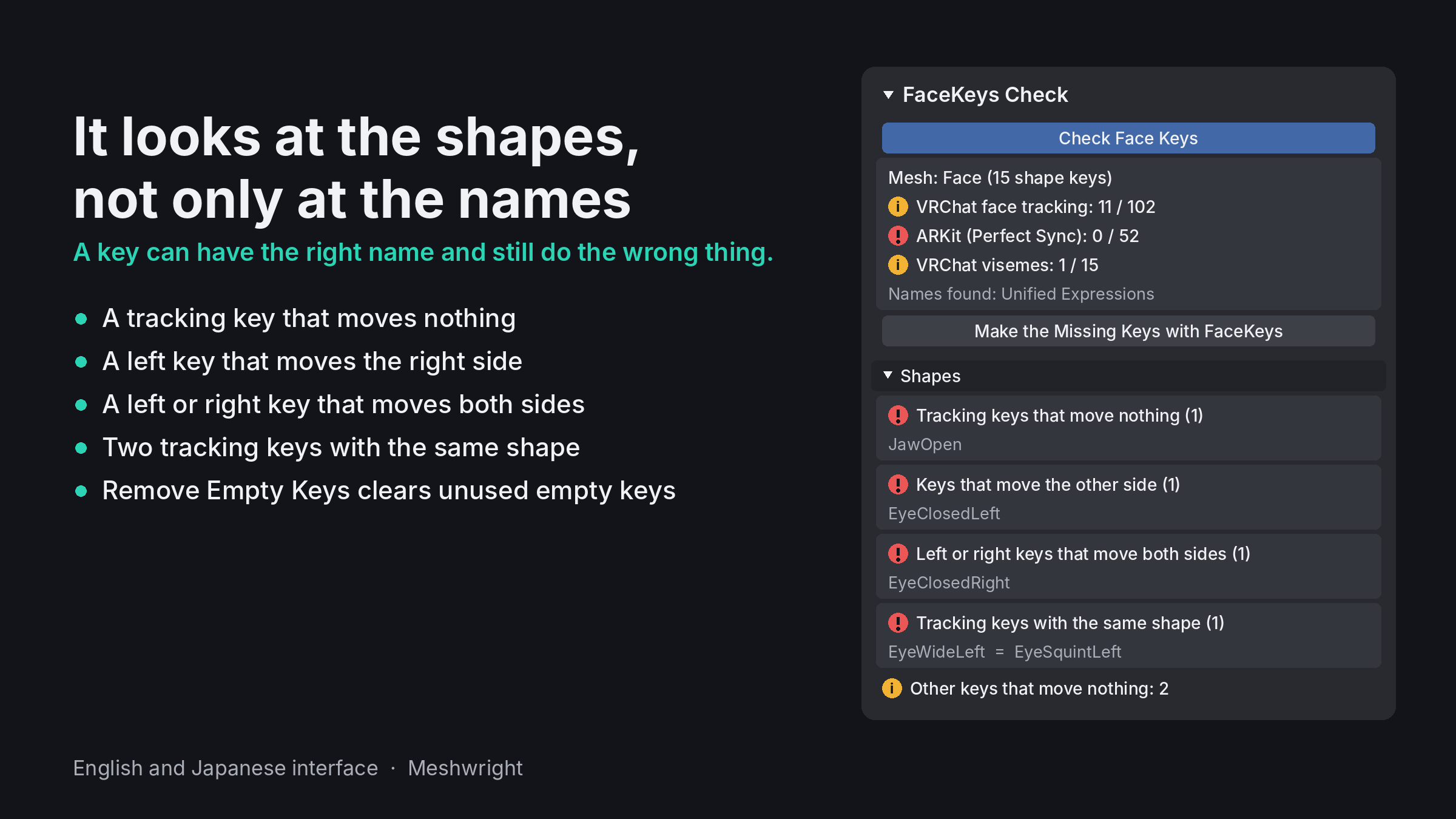
- Shape checks: tracking keys that move nothing, two tracking keys with the same shape, left keys that move the right side, left or right keys that move both sides.
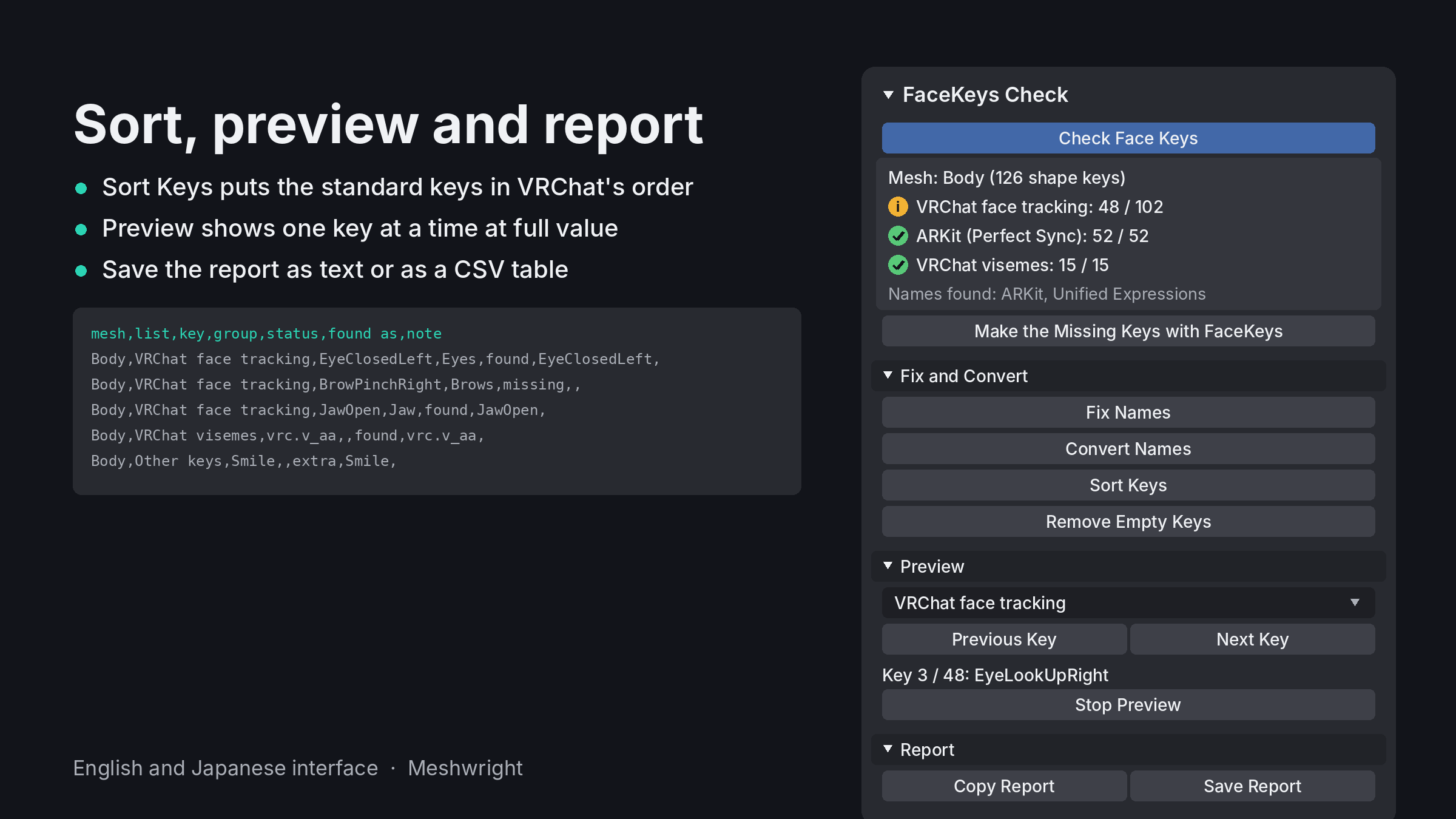
- Sort Keys, Remove Empty Keys, Preview (one key at a time at full value) and Report (text or CSV).
HOW TO USE
1. Download the folder (it comes as a zip) and install that zip with Edit > Preferences > Get Extensions > Install from Disk. Do not unzip it.
2. Select the face mesh, or the avatar's armature.
3. In the 3D Viewport press N, open the Meshwright tab and press Check Face Keys.
The check reads only. Fix Names, Convert Names, the left and right tools, Sort Keys and Remove Empty Keys change the shape keys of the selected face mesh, each as one undo step. Blender 4.2 to 5.2, English and Japanese interface. Free, GPL.
MISSING KEYS?
FaceKeys makes all 102 VRChat face tracking keys from the avatar's own shapes in one click, plus the 52 ARKit keys and the visemes: https://jinxxy.com/Meshwright/Ie00n
All 102 key names in VRChat's order, with the ARKit shape for each and a free CSV: https://guide.meshwright.net/vrchat-face-tracking-keys/
AI-assisted: the add-on code was written with help from AI coding tools. Designed and tested by Meshwright in Blender 4.2 and 5.2. The store images show the add-on's own panels. The tutorial video uses a synthetic narrator voice.