Horn C-02 - Glowing Cracks & Embers Horn Accessory | Modular Avatar, 14 Colours
商品説明
この商品にはAIで生成されたコンテンツが含まれています。
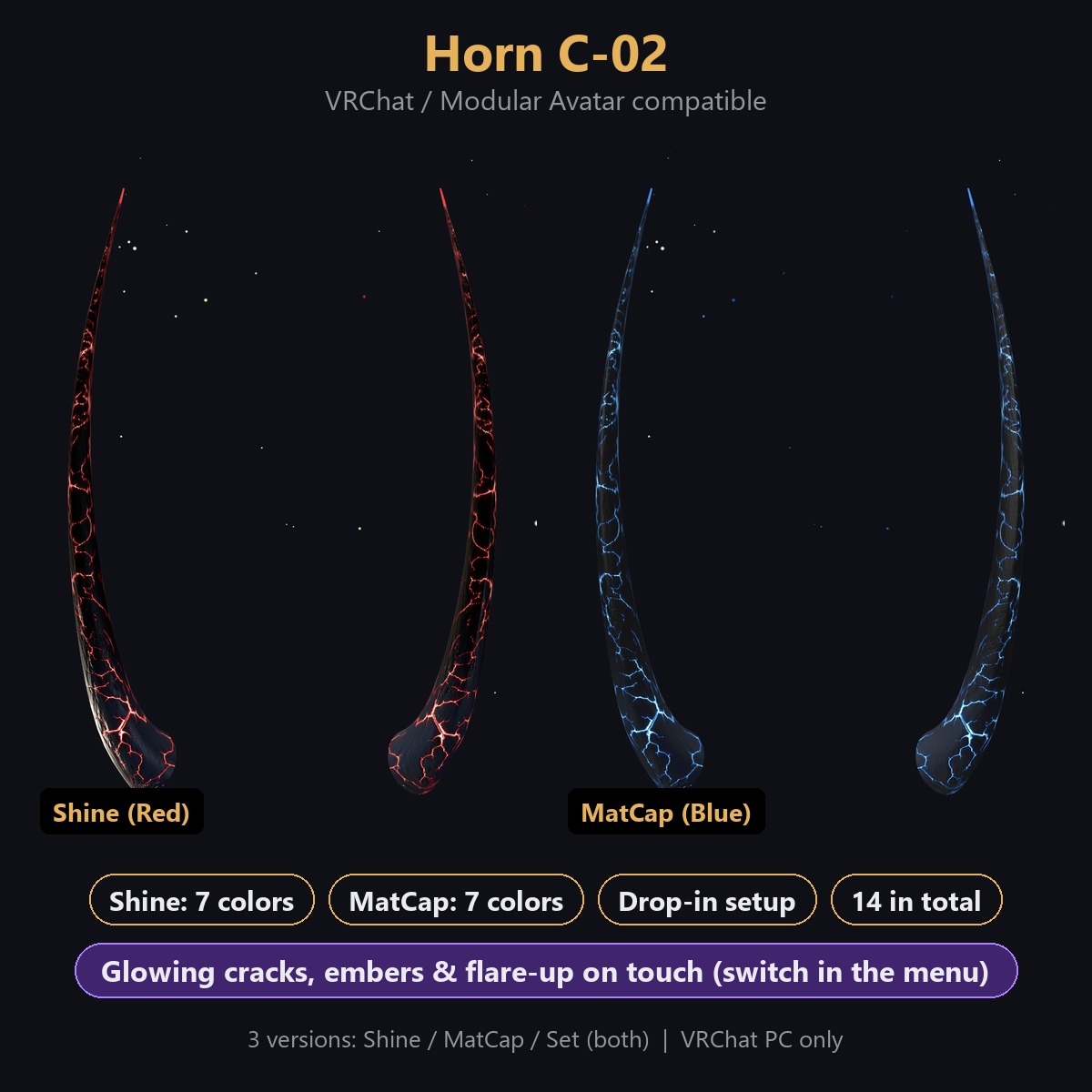
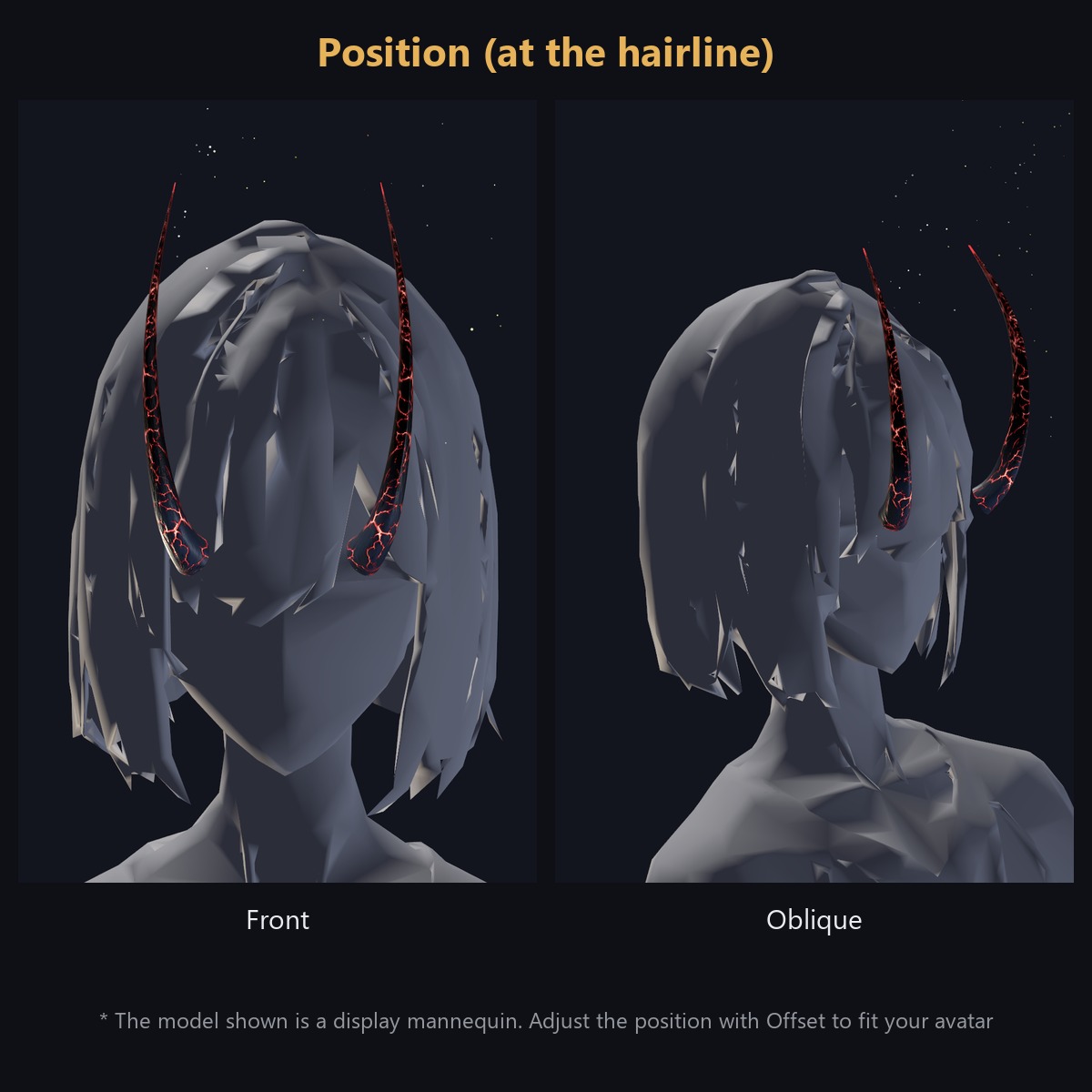
Horn C-02 - a 3D horn accessory for VRChat avatars, compatible with Modular Avatar. Just drop the prefab onto your avatar's name and it attaches to the head (hairline) automatically. A pair of horns of black rock with glowing red / blue / other cracks.
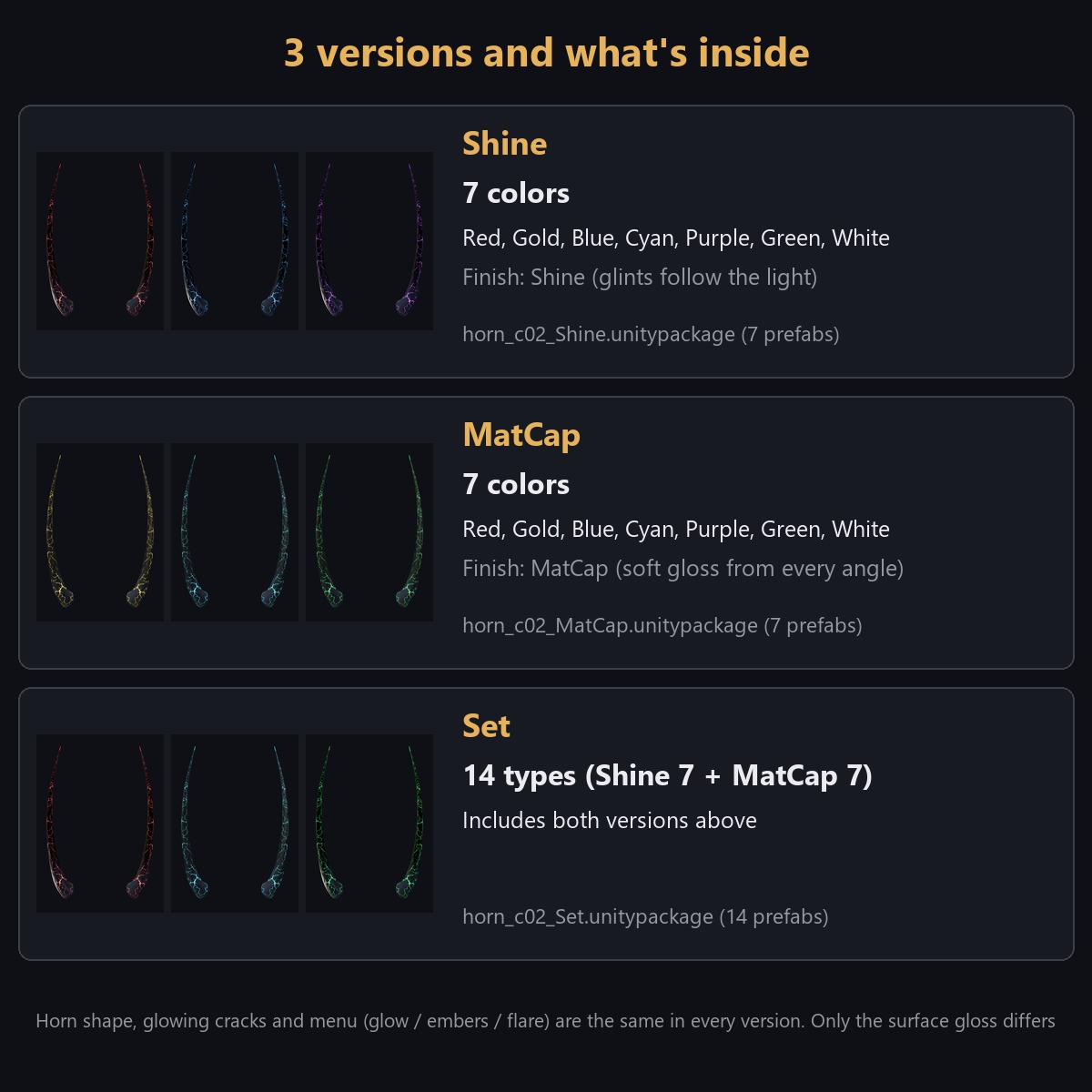
This product is sold in 3 versions: Shine (7 colours), MatCap (7 colours) and Set (both, 14 in total). Choose your version at checkout.
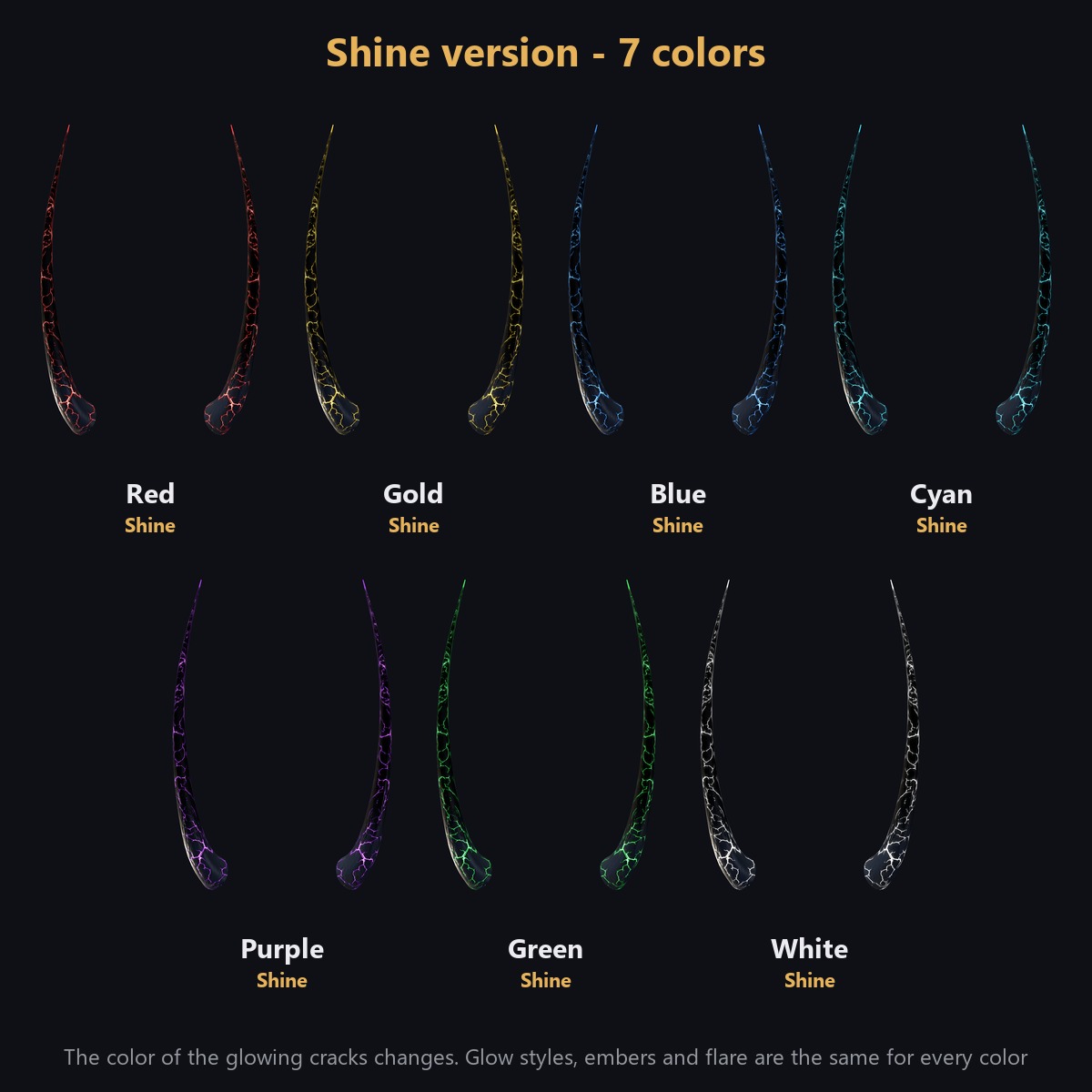
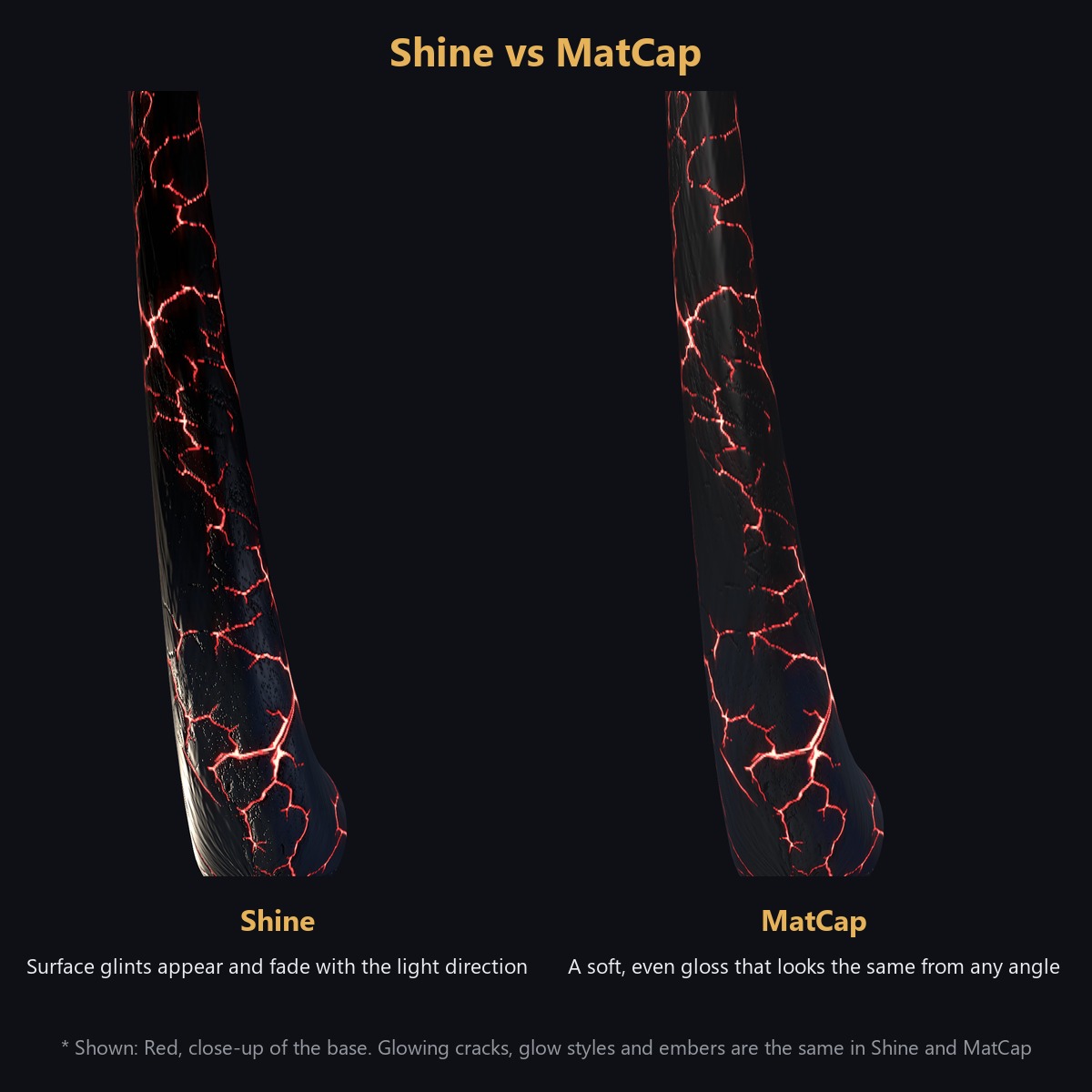
- Shine (7 colours): the surface gloss follows the light direction of the world
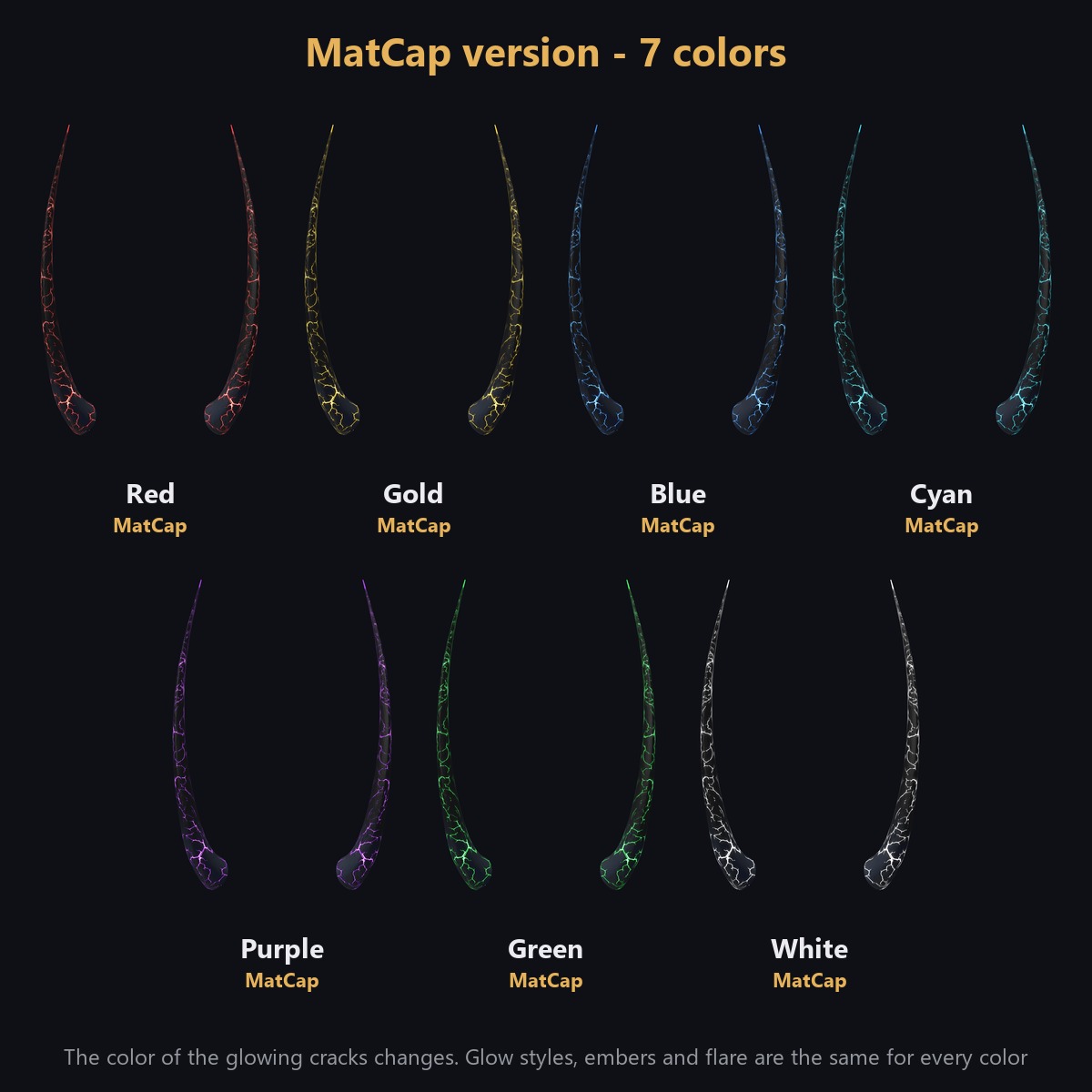
- MatCap (7 colours): a soft gloss that looks the same from any angle
- Colours (both): Red, Gold, Blue, Cyan, Purple, Green, White (the colour of the glowing cracks)
- Set: Shine and MatCap together, 14 prefabs in total
The horn shape, glowing cracks and menu are identical in every version; only the surface gloss differs.
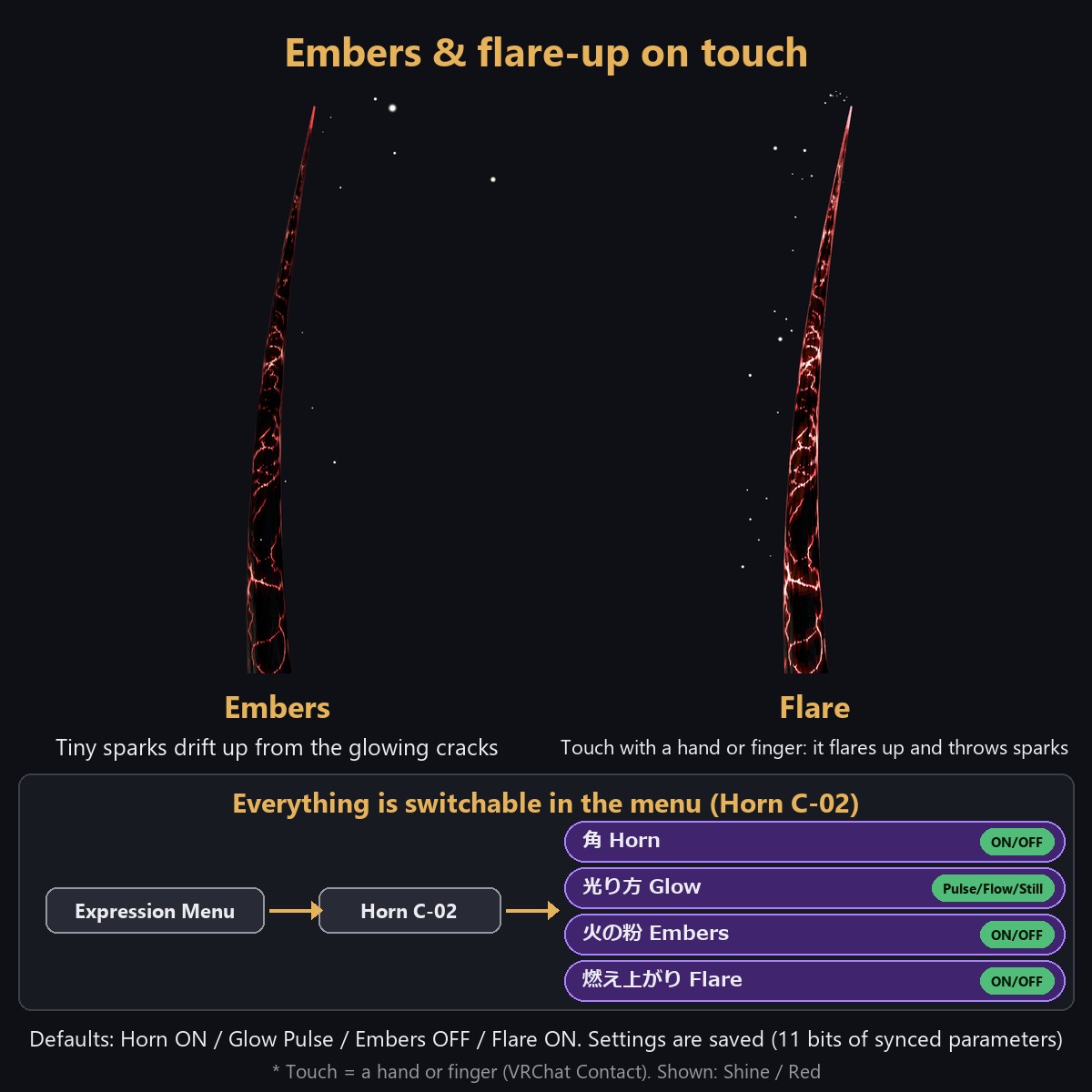
Glow, embers and flare-up on touch (switch in the Action Menu)
Open "Horn C-02" in the Action Menu for 4 items:
- Horn (ON/OFF): hides the horn, glow, embers and flare together
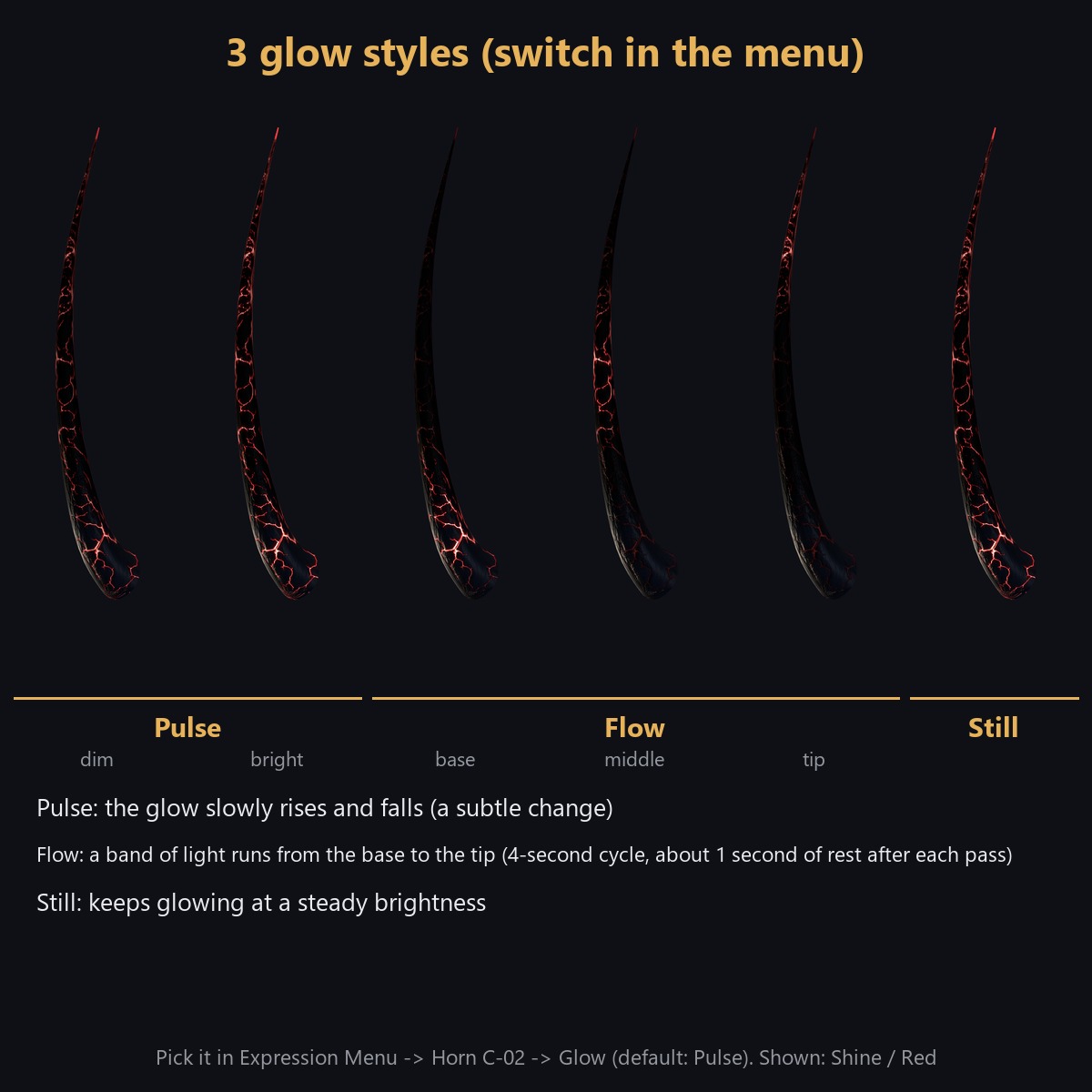
- Glow (pick 1 of 3): Pulse (slow light-dark) / Flow (a band of light runs from base to tip, 4-second cycle) / Still (steady)
- Embers (ON/OFF): tiny points of light drift up from the cracks
- Flare (ON/OFF): touch a horn with a hand or finger and the glow intensifies and sparks burst upward
The touch detection uses VRChat Contacts (hand / finger) and reacts to your own hand and to other people's hands (if you restrict avatar-to-avatar contact in Safety settings, other people's hands may not trigger it).
Defaults: Horn ON / Glow Pulse / Embers OFF / Flare ON. The state is saved. 11 bits of synced parameters in total. The left and right horns always behave the same way.
Requirements
- Unity 2022.3
- VRChat SDK Avatars 3.10 or later
- Modular Avatar 1.18 or later
- lilToon 2.3 or later
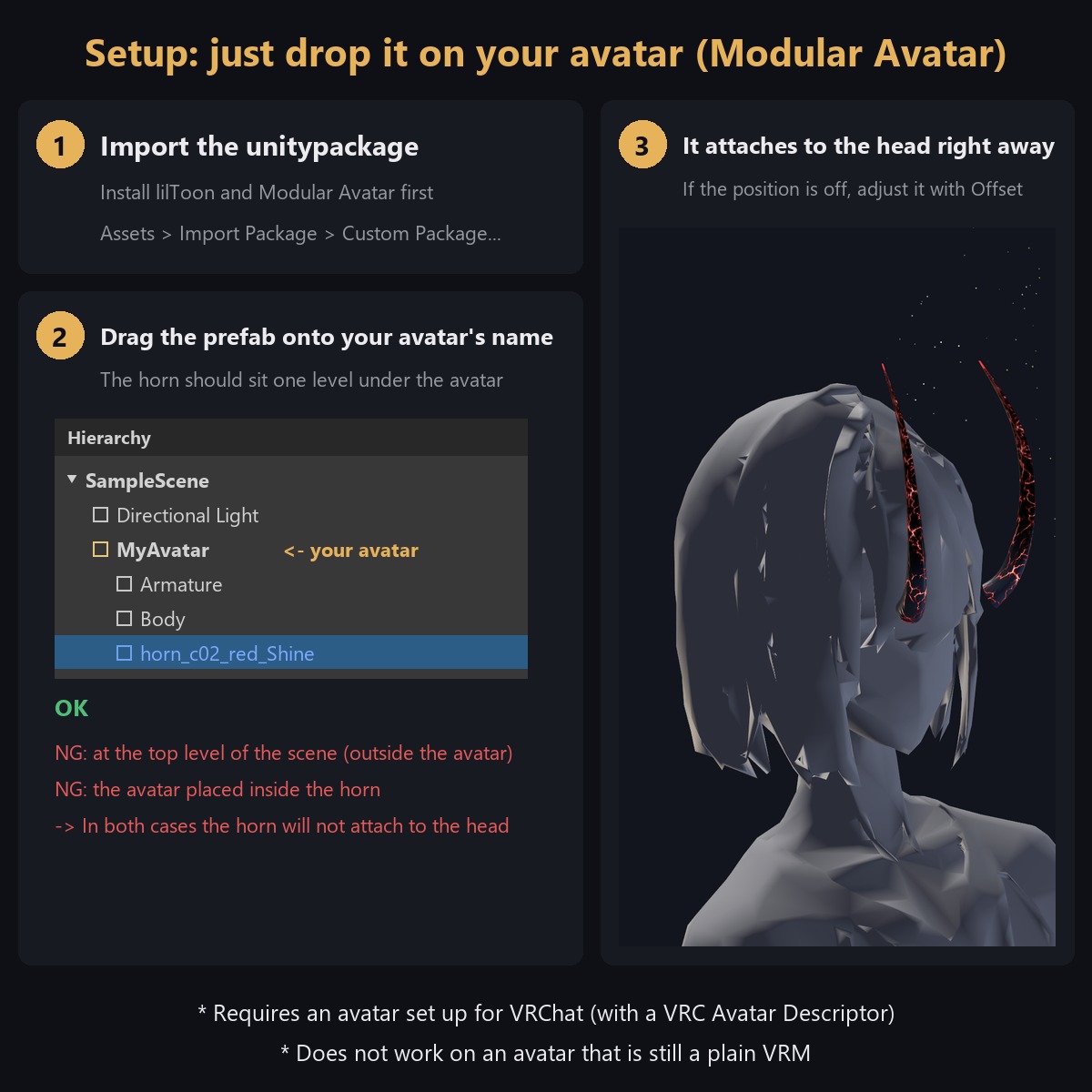
- An avatar set up for VRChat (with a VRC Avatar Descriptor) - a plain VRM import without a Descriptor will not work
Setup
- Install lilToon and Modular Avatar first, then import the unitypackage
- Drag the prefab of your colour onto your avatar's name in the Hierarchy. Correct form: the horn prefab sits one level under the avatar. Placed correctly, it appears on the head as soon as you drop it - no manual bone nesting needed
- Enable only one horn prefab at a time
- The default position (Offset X 0 / Y 0.155 / Z 0.038) was set for the hairline of one avatar we prepared. Adjust the "Offset" child object inside the prefab to fit your avatar
- Test once with Build & Test in the VRChat SDK Control Panel before uploading
See the included setup guide image for the illustrated steps.
Performance (measured, one horn set = both horns added to an avatar, PC)
- Triangles: 6,144 / Vertices: 3,434 / Meshes: 1 / Materials: 5
- Particle Systems: 4 (max 300 particles in total) / Contact Receivers: 2
- PhysBones / PhysBone colliders: 0 (the horn does not sway - it is fixed)
- VRChat SDK performance rank of the horn alone: Good (the particles use exactly the upper limit of Good, so an avatar that already has other particles may fall to Medium or lower in total)
Notes
- PC only (not tested on Quest)
- Colours are switched by swapping prefabs, not from the menu
- Modular Avatar adds 11 bits to the avatar's Expression Parameters automatically
How it was made
Generative AI was used only in a limited way: the crack pattern on the surface is based on AI-generated images that were heavily processed. The 3D shape, colors, glow animations and particle effects were made by hand.
Terms of use
You may modify it freely. Redistribution is prohibited (as is or modified, including as part of avatar data). You may put it on your own avatar and upload it to VRChat. See the included License file for details.
Video
- Watch it in motion on YouTube: https://youtu.be/3y4Z-nXTkyA