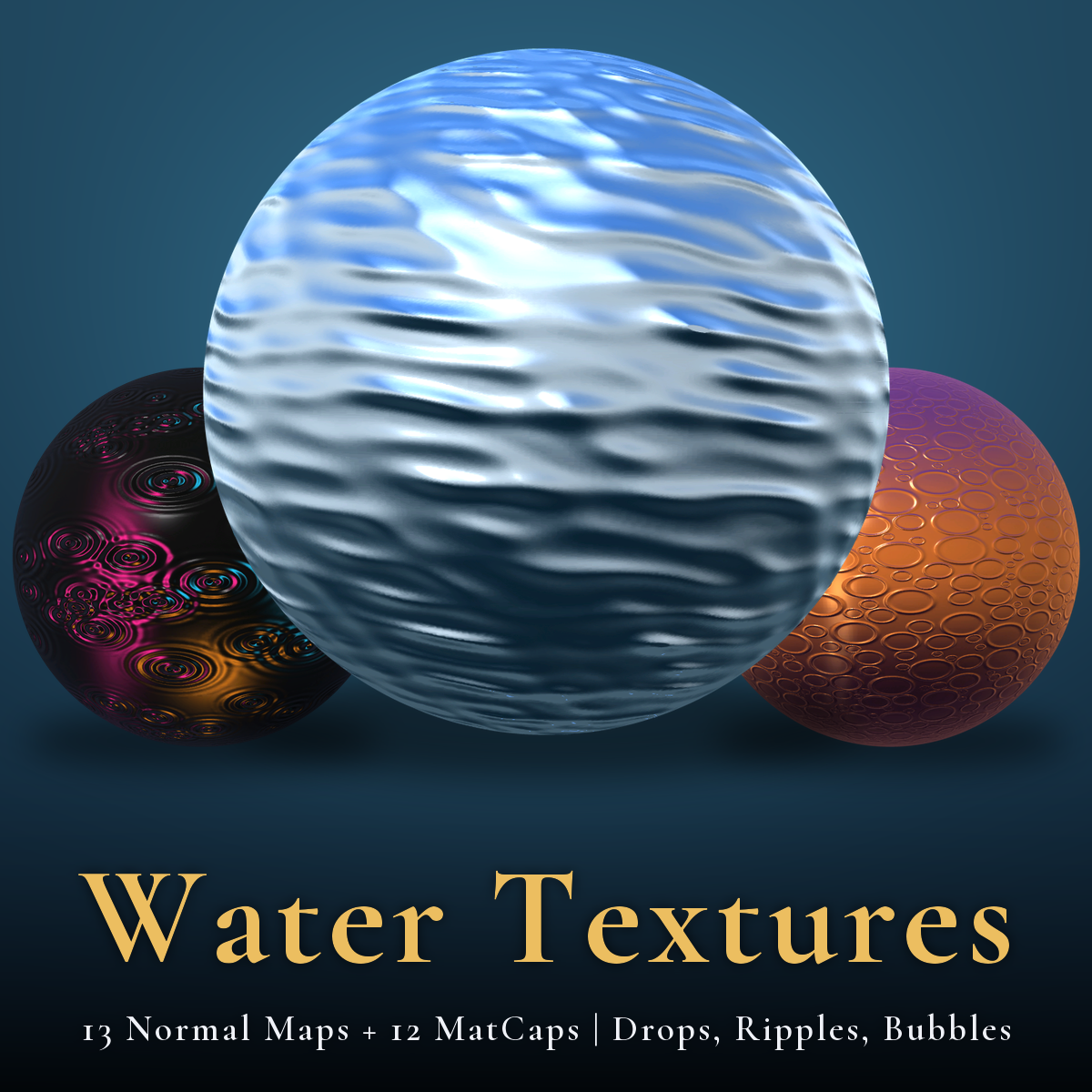
Water - 13 Normal Maps + 12 MatCaps | Drops, Ripples, Bubbles, Wet Stone, Seamless, PC + Quest
商品説明
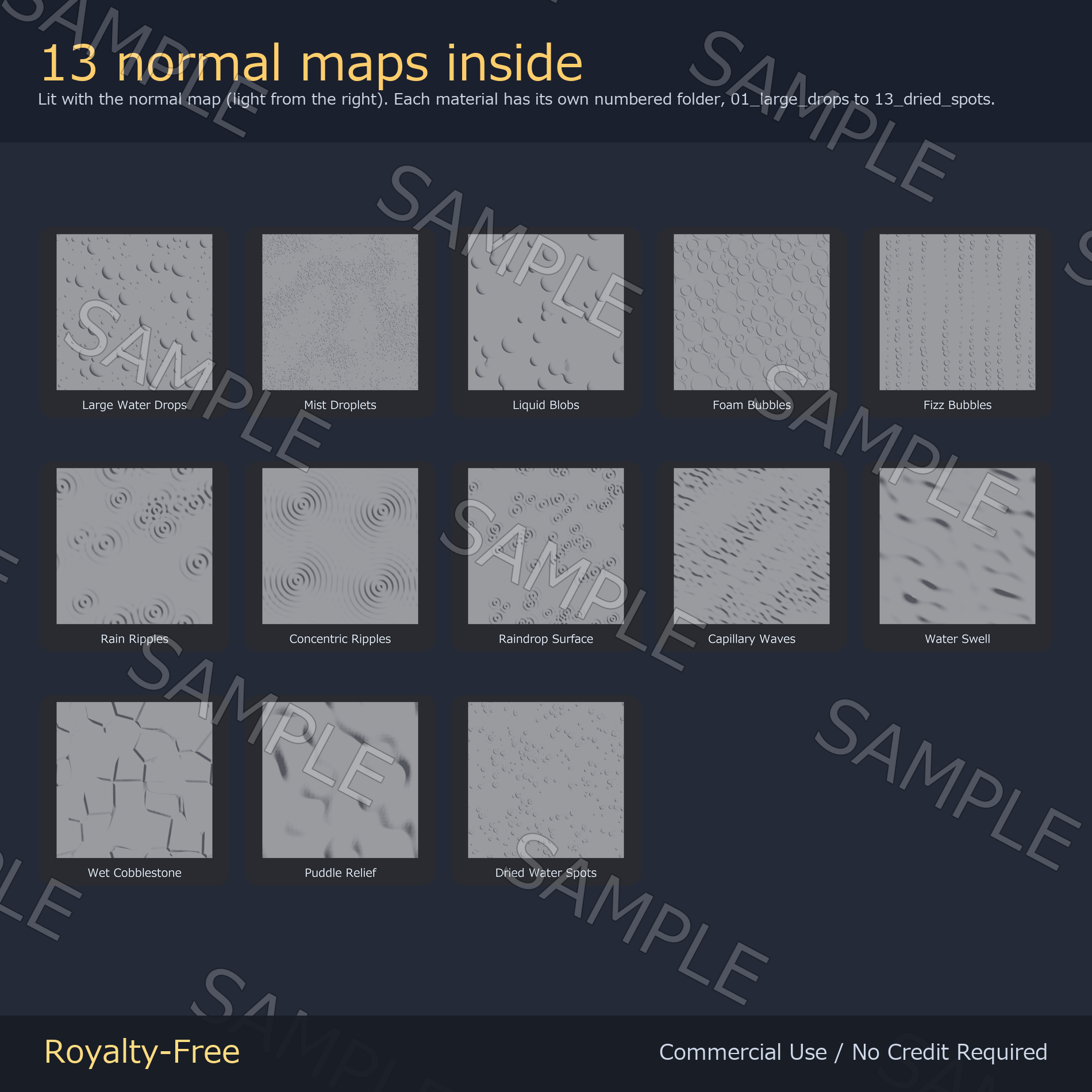
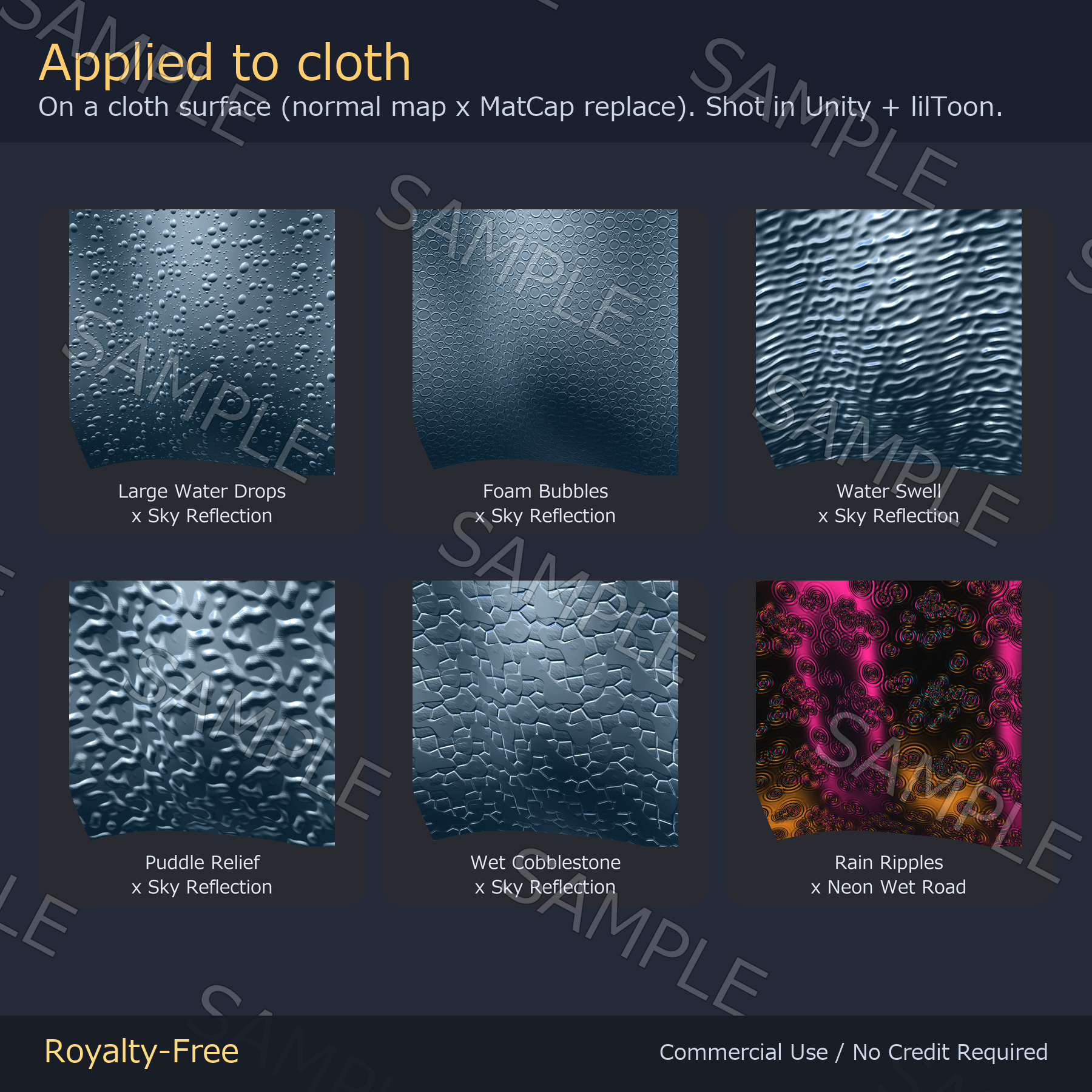
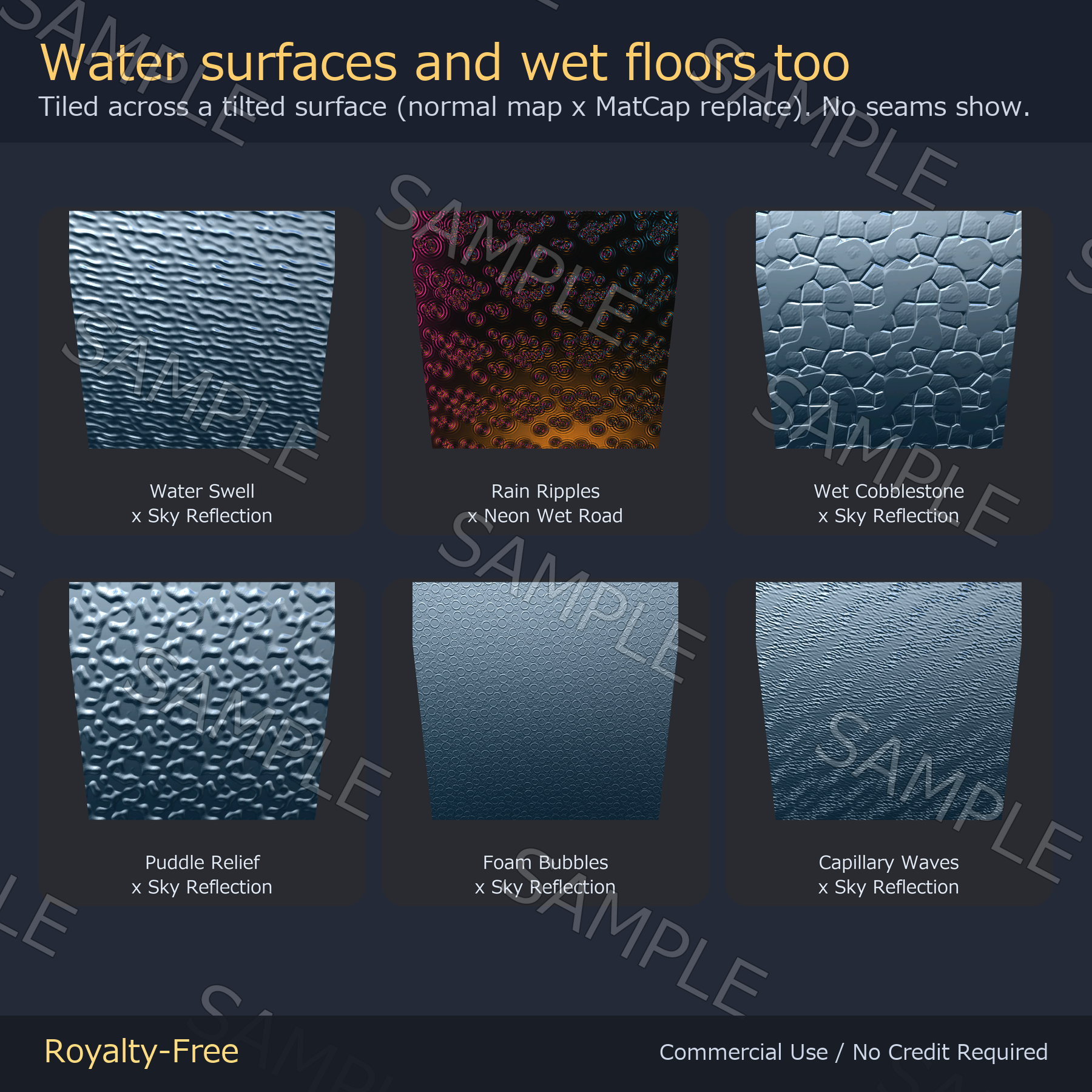
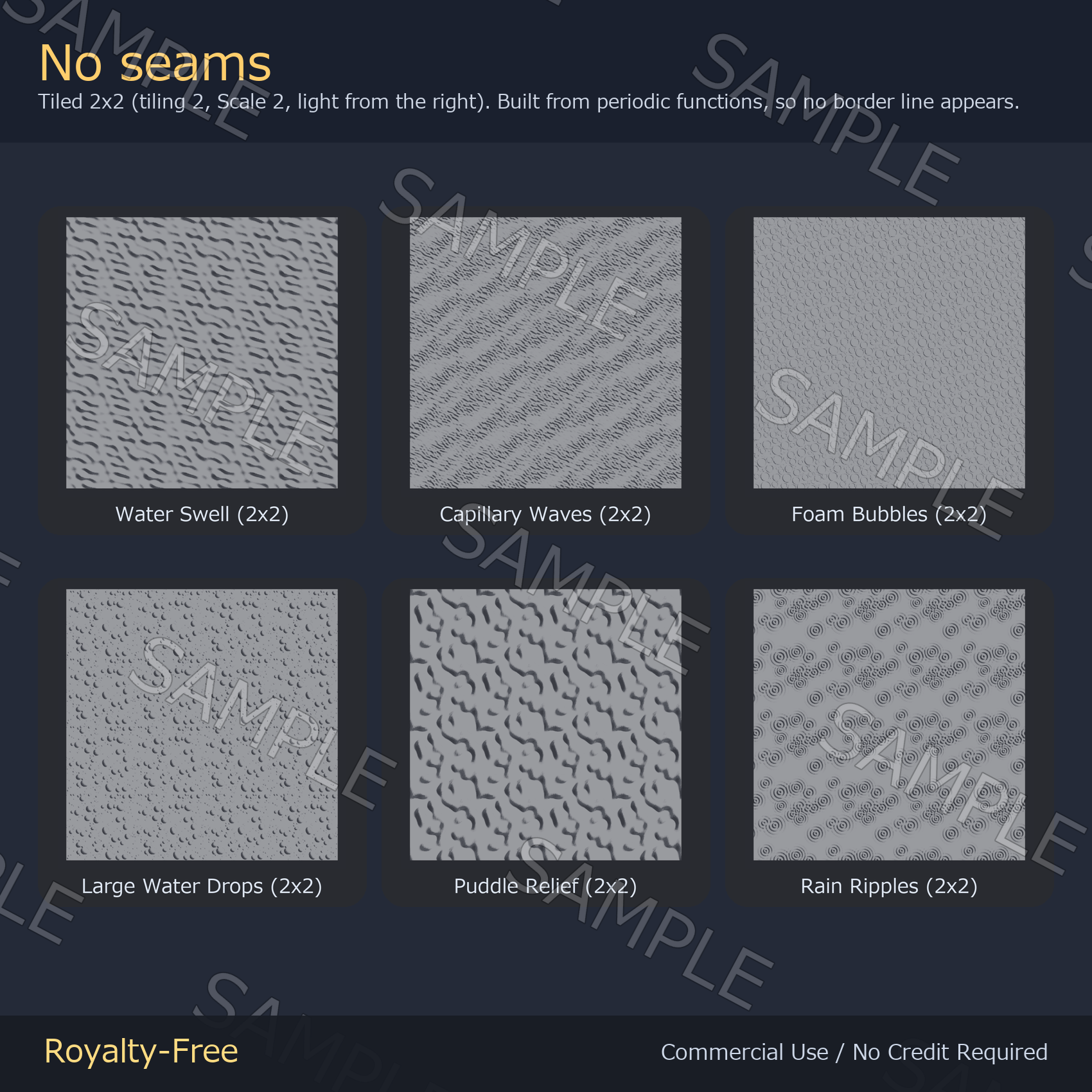
Water, and nothing else. Large water drops, mist droplets and liquid blobs; foam bubbles and fizz; rain ripples, concentric ripples and a raindrop surface; capillary waves and a rolling swell; wet cobblestone, puddle relief and dried water spots - 13 normal maps in all. Drop one into the Normal Map slot of lilToon (or any shader), set the tiling, and a flat surface picks up real water relief under the light. No color is baked in, so the model keeps its own colors. Every map is a periodic function evaluated on a torus, so the tile joins itself exactly and there is no seam at any tiling value. Maps made of scattered shapes (large drops, blobs, rain ripples, wet cobblestone, spots) can show the same shape repeating over a large surface; lower the Tiling value if that bothers you.
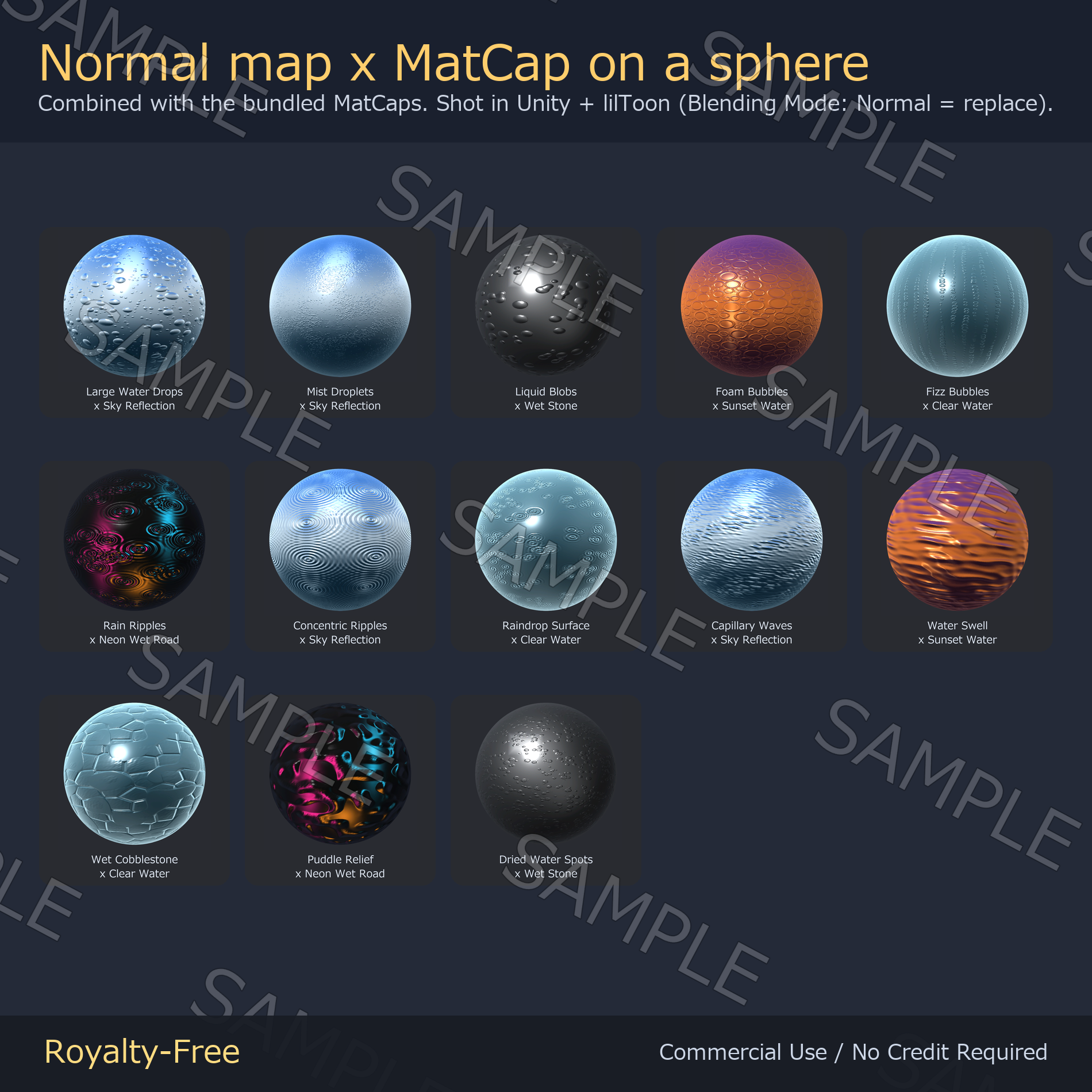
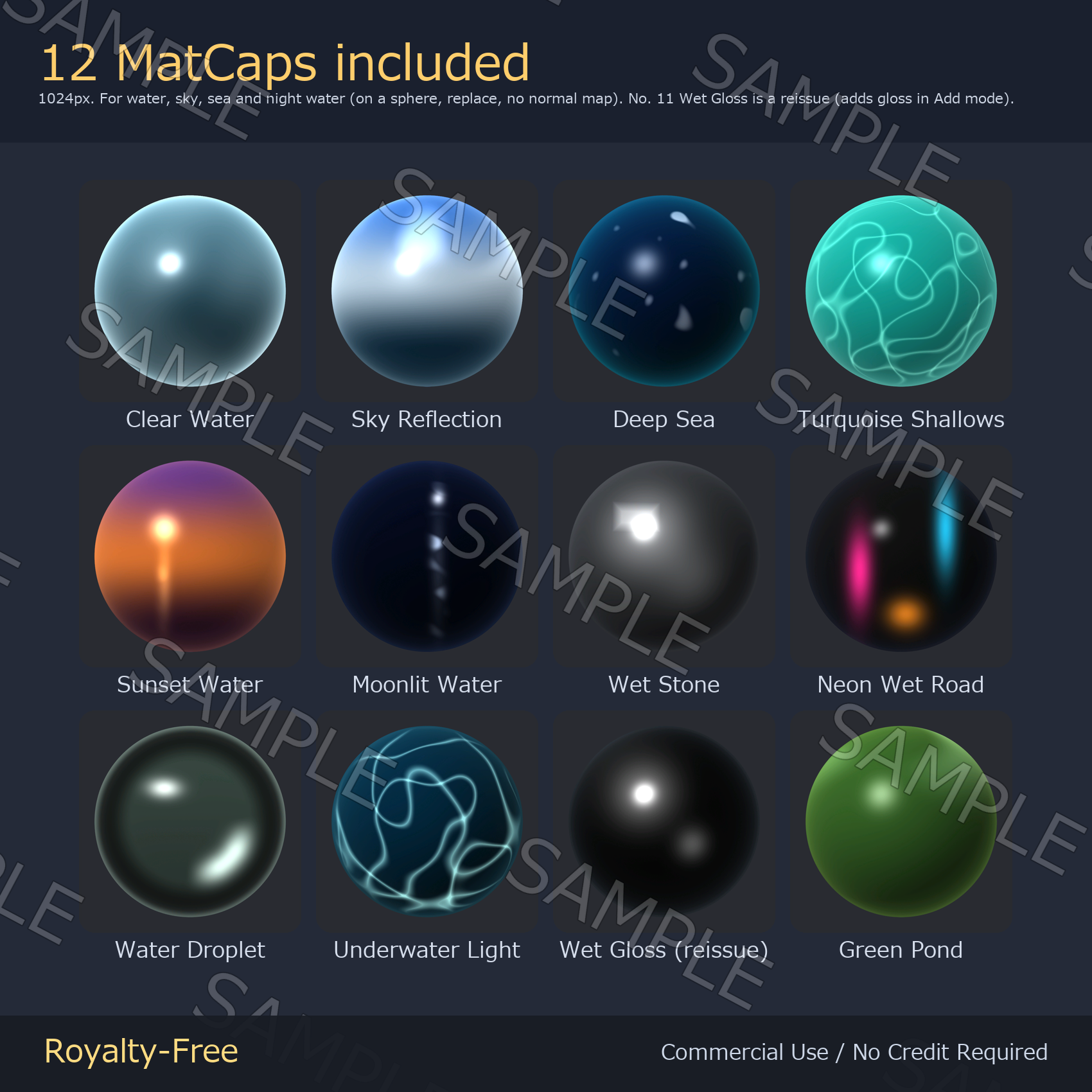
Water lives on its reflections, so 12 MatCaps ship with the pack: clear water, sky reflection, deep sea, turquoise shallows, sunset water, moonlit water, wet stone, neon on a rainy night, a water droplet, underwater light, wet gloss and a green pond. One of the 12 MatCaps, No. 11 'Wet Gloss', is a reissue: it is the same family as the gunmetal and obsidian MatCaps in our MatCap Mega Pack (a black sphere with a white highlight), made here for Add mode to put a wet sheen on top. It is not the same file as either of those MatCaps. The other 11 MatCaps are new, made for this pack. Put a normal map and a MatCap together and the reflections of sky and street lights break along the ripples, so the surface reads as water or a rain-wet street at once. 2048px for PC, 1024px for Quest, 16-bit height maps included. Not tied to any avatar.
No generative AI. No image-generation AI was used in this pack. Every map is generated by code: each normal map is a periodic function on a torus evaluated into a height field, and each MatCap is a shading function evaluated over sphere normals, both written straight to pixels — then checked and packaged by hand. That is also why the tiles have no seam: the function joins itself exactly at the edge, so there is no patched-up border to hide. Declared here because both itch.io and Jinxxy require the origin of the artwork to be stated.
What's inside
- 13 material folders (01-13) - each with the normal map at 2048px (PC) and 1024px (Quest), plus the 2048px 16-bit height map
- Drops: large water drops, mist droplets, liquid blobs
- Bubbles: foam bubbles, fizz bubbles
- Ripples: rain ripples, concentric ripples, raindrop surface
- Water surface: capillary waves, water swell
- Wet surfaces & dried spots: wet cobblestone, puddle relief, dried water spots
- Matcap_1024/ - 12 MatCap PNGs (Clear Water, Sky Reflection, Deep Sea, Turquoise Shallows, Sunset Water, Moonlit Water, Wet Stone, Neon Wet Road, Water Droplet, Underwater Light, Wet Gloss (reissue), Green Pond)
- READ_ME_FIRST.txt - license and usage
- 52 files in total (39 per-material files + 12 MatCaps + the readme)
Specs
- 13 materials in 5 groups: drops 3 / bubbles 2 / ripples 3 / water surface 2 / wet surfaces & dried spots 3
- Normal maps at 2048 x 2048 px for PC and 1024 x 1024 px for Quest, both included
- Seamless at any tiling value. Each map is a periodic function evaluated on a torus, not a photo patched at the edges
- Not tied to any avatar. A normal map sits in a shader slot, so it works on any model, PC or Quest, and on world floors, walls and props
- No color is baked in
- OpenGL convention (Y+). Unity and Blender take them as they are
- Height maps are 16-bit grayscale PNG (2048px) - no stair-step noise if you re-bake the normals
- 12 MatCaps at 1024 x 1024 px: 11 new for this pack and 1 reissue (Wet Gloss, for Add mode)
How to use
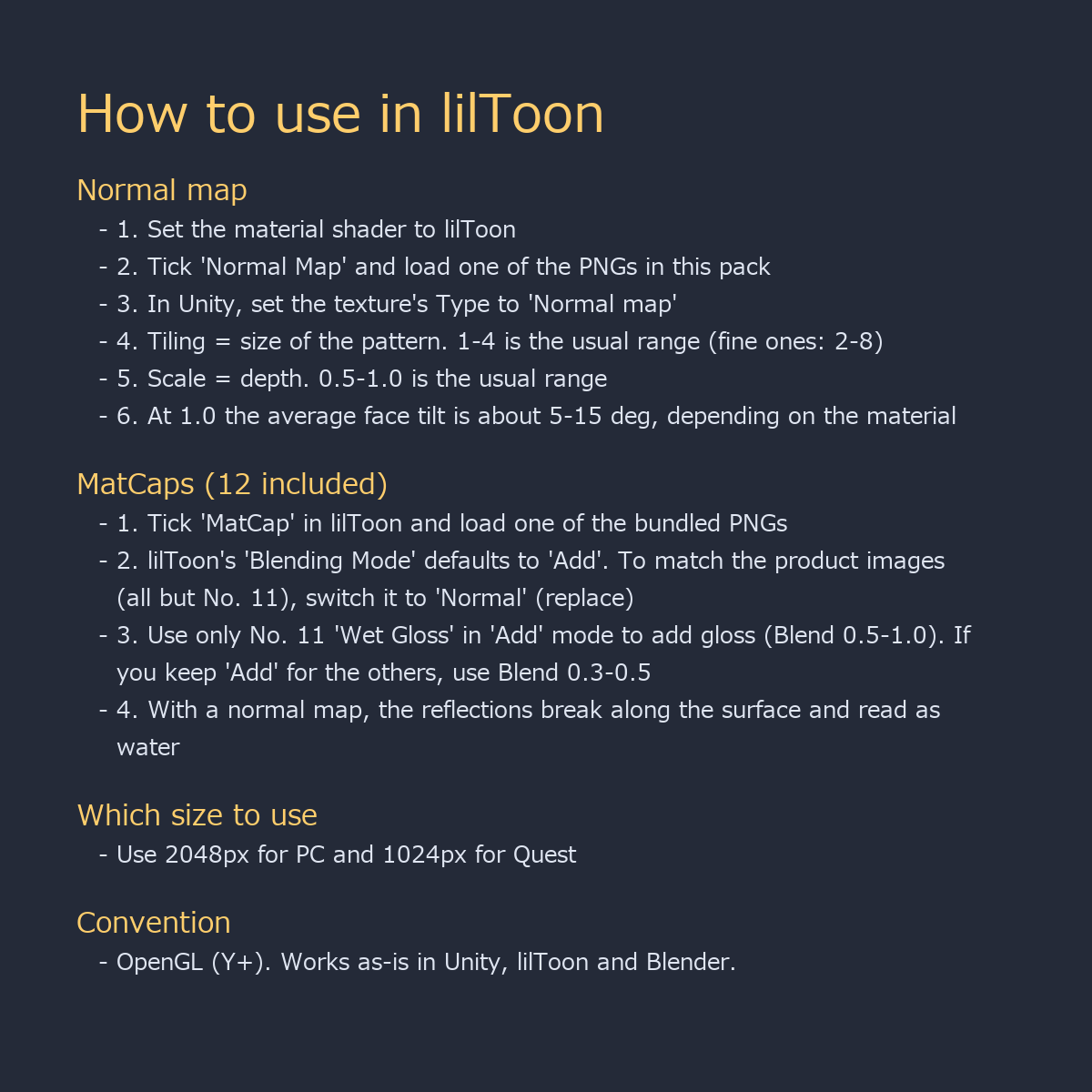
- lilToon: tick Normal Map, drop in the 2048px PNG, then set Tiling for the pattern size and Scale for the depth (0.5-1.0; at 1.0 the average face tilt is about 5-15 degrees depending on the material)
- Tiling: 1-4 is the usual range; fine materials (mist droplets, bubbles, capillary waves) can go 2-8
- Concentric Ripples has fine rings, so a high Tiling value or a curved cloth surface can show moire (fine interference stripes).
- In Unity, set the normal PNG's Texture Type to 'Normal map' first (MatCaps stay at the default)
- lilToon: tick MatCap and drop a bundled PNG into the MatCap slot. Note: lilToon's MatCap 'Blending Mode' defaults to 'Add' - switch it to 'Normal' (replace) to get the look in the product images
- Use only No. 11 'Wet Gloss' in 'Add' mode (adjust the sheen with Blend 0.5-1.0). In 'Normal' it turns the surface black, so use 'Normal' for the other 11 and 'Add' for No. 11
- If you keep 'Add' for the other MatCaps, lower Blend to 0.3-0.5 so it adds gloss (otherwise it looks washed out; dark MatCaps do nothing in Add)
- Quest: use the _1024_Quest files - the headset downsizes anything larger
- Any other shader (Standard, Poiyomi, Blender Principled BSDF) takes the same file in the same slot - OpenGL convention (Y+)
- World floors, walls and water surfaces work exactly the same way
License
Royalty-free. Use them in commercial and non-commercial work — games, TRPG sessions, videos, streams, VTuber overlays, print. No credit required. You may edit, crop, recolor and combine the files freely.
Not allowed: redistributing or reselling the assets themselves, claiming authorship, or using them as training data for AI / machine learning models.