![Mechanical Crown Horns — Transforming, Glowing Crown Horns with Charge Lightning and Color Tool [VRChat/MA] (Free version included)](https://jinxxy-c.jinxxy-cdn.com/cdn-cgi/image/format=auto,onerror=redirect/84edb18f-0105-522b-ba9d-12ecceee5112/4010545064185955942/1031856082411250688.png)
![Mechanical Crown Horns — Transforming, Glowing Crown Horns with Charge Lightning and Color Tool [VRChat/MA] (Free version included)](https://jinxxy-c.jinxxy-cdn.com/cdn-cgi/image/format=auto,onerror=redirect/84edb18f-0105-522b-ba9d-12ecceee5112/4010545064185955942/1031856162617164800.png)
![Mechanical Crown Horns — Transforming, Glowing Crown Horns with Charge Lightning and Color Tool [VRChat/MA] (Free version included)](https://jinxxy-c.jinxxy-cdn.com/cdn-cgi/image/format=auto,onerror=redirect/84edb18f-0105-522b-ba9d-12ecceee5112/4010545064185955942/1031856172458140672.png)
![Mechanical Crown Horns — Transforming, Glowing Crown Horns with Charge Lightning and Color Tool [VRChat/MA] (Free version included)](https://jinxxy-c.jinxxy-cdn.com/cdn-cgi/image/format=auto,onerror=redirect/84edb18f-0105-522b-ba9d-12ecceee5112/4010545064185955942/1031856178991536128.png)
![Mechanical Crown Horns — Transforming, Glowing Crown Horns with Charge Lightning and Color Tool [VRChat/MA] (Free version included)](https://jinxxy-c.jinxxy-cdn.com/cdn-cgi/image/format=auto,onerror=redirect/84edb18f-0105-522b-ba9d-12ecceee5112/4010545064185955942/1031856185564296192.png)
![Mechanical Crown Horns — Transforming, Glowing Crown Horns with Charge Lightning and Color Tool [VRChat/MA] (Free version included)](https://jinxxy-c.jinxxy-cdn.com/cdn-cgi/image/format=auto,onerror=redirect/84edb18f-0105-522b-ba9d-12ecceee5112/4010545064185955942/1031856191433660416.png)
![Mechanical Crown Horns — Transforming, Glowing Crown Horns with Charge Lightning and Color Tool [VRChat/MA] (Free version included)](https://jinxxy-c.jinxxy-cdn.com/cdn-cgi/image/format=auto,onerror=redirect/84edb18f-0105-522b-ba9d-12ecceee5112/4010545064185955942/1031856261260612608.png)
![Mechanical Crown Horns — Transforming, Glowing Crown Horns with Charge Lightning and Color Tool [VRChat/MA] (Free version included)](https://jinxxy-c.jinxxy-cdn.com/cdn-cgi/image/format=auto,onerror=redirect/84edb18f-0105-522b-ba9d-12ecceee5112/4010545064185955942/1031856270929900544.png)
![Mechanical Crown Horns — Transforming, Glowing Crown Horns with Charge Lightning and Color Tool [VRChat/MA] (Free version included)](https://jinxxy-c.jinxxy-cdn.com/cdn-cgi/image/format=auto,onerror=redirect/84edb18f-0105-522b-ba9d-12ecceee5112/4010545064185955942/1031856276560251904.png)
![Mechanical Crown Horns — Transforming, Glowing Crown Horns with Charge Lightning and Color Tool [VRChat/MA] (Free version included)](https://jinxxy-c.jinxxy-cdn.com/cdn-cgi/image/format=auto,onerror=redirect/84edb18f-0105-522b-ba9d-12ecceee5112/4010545064185955942/1031856285277765632.png)
![Mechanical Crown Horns — Transforming, Glowing Crown Horns with Charge Lightning and Color Tool [VRChat/MA] (Free version included)](https://jinxxy-c.jinxxy-cdn.com/cdn-cgi/image/format=auto,onerror=redirect/84edb18f-0105-522b-ba9d-12ecceee5112/4010545064185955942/1031856294382241792.png)
![Mechanical Crown Horns — Transforming, Glowing Crown Horns with Charge Lightning and Color Tool [VRChat/MA] (Free version included)](https://jinxxy-c.jinxxy-cdn.com/cdn-cgi/image/format=auto,onerror=redirect/84edb18f-0105-522b-ba9d-12ecceee5112/4010545064185955942/1031856360888969216.jpeg)
![Mechanical Crown Horns — Transforming, Glowing Crown Horns with Charge Lightning and Color Tool [VRChat/MA] (Free version included)](https://jinxxy-c.jinxxy-cdn.com/cdn-cgi/image/format=auto,onerror=redirect/84edb18f-0105-522b-ba9d-12ecceee5112/4010545064185955942/1031856367696876544.png)
![Mechanical Crown Horns — Transforming, Glowing Crown Horns with Charge Lightning and Color Tool [VRChat/MA] (Free version included)](https://jinxxy-c.jinxxy-cdn.com/cdn-cgi/image/format=auto,onerror=redirect/84edb18f-0105-522b-ba9d-12ecceee5112/4010545064185955942/1031856376900994048.png)
![Mechanical Crown Horns — Transforming, Glowing Crown Horns with Charge Lightning and Color Tool [VRChat/MA] (Free version included)](https://jinxxy-c.jinxxy-cdn.com/cdn-cgi/image/format=auto,onerror=redirect/84edb18f-0105-522b-ba9d-12ecceee5112/4010545064185955942/1031856384130507776.png)
![Mechanical Crown Horns — Transforming, Glowing Crown Horns with Charge Lightning and Color Tool [VRChat/MA] (Free version included)](https://jinxxy-c.jinxxy-cdn.com/cdn-cgi/image/format=auto,onerror=redirect/84edb18f-0105-522b-ba9d-12ecceee5112/4010545064185955942/1031856391530811392.png)
![Mechanical Crown Horns — Transforming, Glowing Crown Horns with Charge Lightning and Color Tool [VRChat/MA] (Free version included)](https://jinxxy-c.jinxxy-cdn.com/cdn-cgi/image/format=auto,onerror=redirect/84edb18f-0105-522b-ba9d-12ecceee5112/4010545064185955942/1031856433092232192.png)
Mechanical Crown Horns — Transforming, Glowing Crown Horns with Charge Lightning and Color Tool [VRChat/MA] (Free version included)
商品説明
この商品にはAIで生成されたコンテンツが含まれています。
* Transform your horns from the menu! Black mechanical horns with glowing seams. 3 glow modes with a speed knob, a "Charge" that sends lightning along the crown when you open your mouth, and a Color Customizer that lets you choose the whole color scheme in Unity (VRChat / Modular Avatar). Free version included. A lightweight version without lightning is included.
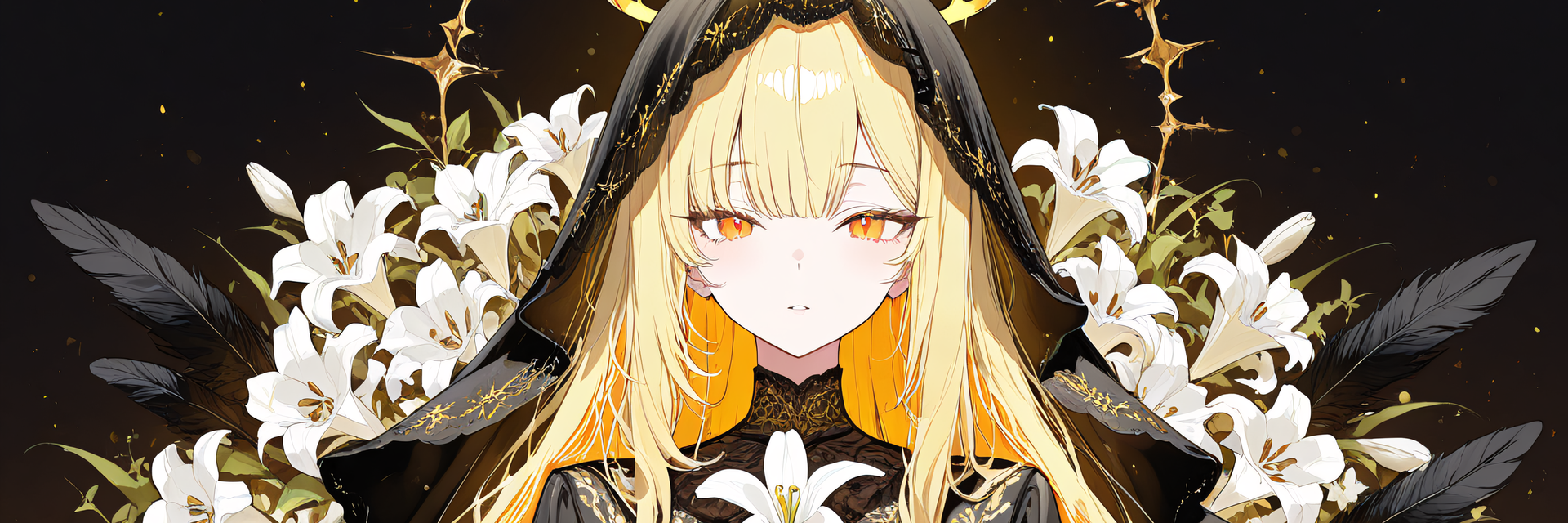
* Note: The character (avatar) shown in the product images is not included.
[Product] Mechanical Crown Horns
A head accessory (horn-style crown) for VRChat. It is made of black mechanical plates and gold drums (joints), with a "transform" that tilts the two center spikes forward, thin lines of light that run along the plate seams (3 glow modes: Steady, Pulse, Flow up), 6 switchable glow colors, a "Speed" knob that sets how fast the light moves, a "Charge" in which lightning spreads from the base to the tips when you open your mouth wide, and a Color Customizer tool for choosing the colors, the light speed and the lightning color inside Unity.
Modular Avatar compatible: place the prefab directly under your avatar and it attaches to the head.
Editions
- Paid edition (all features, Lite version included): everything described below. It contains two prefabs, the Standard version (with lightning) and the Lite version (no lightning)
- Free edition (1 color, no motion): a single fixed color, with no transform, no change of glow modes and no Color Customizer. You can just wear the crown
- The free edition is a simple wear-only version, not a trial of the paid features
Two prefabs in the paid edition (pick one to wear)
- Standard version (YsCrown32.prefab): with the lightning "charge". The VRChat SDK performance rank (PC) of the crown prefab alone is Medium (the two lightning particle systems use two material slots)
- Lite version (YsCrown32_Lite.prefab): no lightning. It has no "Charge" menu item, no mouth (Viseme) mechanism and no charge-related synced parameter. Everything else is the same as the Standard version. The rank of the crown prefab alone is Good
- Do NOT place both on the same avatar (the menu and the parameters would overlap)
What it does (paid edition)
- Transform: "Spikes forward (Transform)" in the menu tilts the two center spikes forward in about 0.5 seconds (82 degrees). Turn it off to return upright; switching mid-motion reverses smoothly
- Show / hide: "Show crown" shows or hides the crown and its glowing lines together
- Glowing seams: thin lines of light run along the base plate edges, the center seam, the joint drum rims, the ring fittings, the spike ridges and the gold wedge edges. They flash brighter for a moment while transforming
- Glow modes (3, choose one in the menu): Steady (the same brightness) / Pulse (the light pulses clearly stronger and weaker; standard: about 2 s per pulse) / Flow up (a band of light slowly climbs from the base of the crown to the tips of the spikes; standard: once per 4 s)
- Light speed ("Speed" knob in the menu): change the speed of Pulse and Flow up in the game, from x0.25 to x3 (in the middle at first = standard). The light does not break up while you turn the knob; only the speed changes smoothly. The setting is saved
- Glow colors: violet (default), gold, red, teal, blue, white. The flowing band takes the same color
- Charge (lightning; Standard version only): when you open your mouth wide (the VRChat viseme "aa" held for about 1 second), or turn on "Charge" in the menu, lightning spreads from the base of the crown to the tips of the spikes over about 2.5 seconds. It disappears in about 0.4 seconds when you stop. The lightning color can be changed in the Color Customizer
- Color Customizer (an Editor tool you use in your own Unity): choose the colors of the base metal, the accent (gold parts), the secondary metal (joint fittings), the glowing lines and the lightning from 8 presets (with lightning colors) or with color pickers / color codes. The light speed can also be set with sliders. It never modifies the original materials (it uses copies) and "Restore original" brings the originals back
- Left and right are the same shape (symmetrical)
Quick start
1. Add Modular Avatar and lilToon to your project in VCC, then import the included unitypackage
2. Drag YsCrown32.prefab (with lightning) or YsCrown32_Lite.prefab (no lightning) - only one of them - onto your avatar's name in the Hierarchy (it should end up one level under the avatar)
3. Check with Build & Test, then upload. See the included "Setup_Guide_EN.png" for the illustrated steps
- To change colors: Unity menu "ys-room > Color Customizer" (select the placed crown or its avatar; the menu text is in Japanese: 色を変える)
Verification (what was checked on a real VRChat client and what was not)
[Checked on a real VRChat client] None. It has not been tested on a real VRChat client yet.
[Checked inside Unity] The unitypackage in the package was imported into a clean project like yours (only VRChat SDK, Modular Avatar and lilToon) and these were checked:
- 0 compile errors / 0 errors, warnings and info in NDMF (the Modular Avatar build preprocessing) / the crown becomes a child of the Head
- Every menu item (transform, show, glow on/off, the 6 glow colors, the 3 glow modes, the speed knob, charge). For the speed knob, with the knob at 0 / 0.25 / 0.5 / 0.75 / 1 the pulse and flow periods are as designed (middle = 2.0 s pulse and 4.0 s flow)
- Charge: the menu "Charge" makes lightning appear and spread from the base to the tips / with the viseme on "aa" it starts after about 1 second / closing the mouth or turning the menu off removes it in about 0.4 seconds
- The Color Customizer (8 presets, custom colors, lightning color, light speed, restore, and the first color of the menu becoming the tool's color after the build). It also works on the Lite version
- Importing over the prototype or previous versions replaces assets at the same location with the same IDs (0 missing references, 0 duplicates)
- Versions checked (others untested): Unity 2022.3.22f1 / VRChat SDK Avatars 3.10.4 / Modular Avatar 1.18.7 / lilToon 2.3.4
[Not checked]
- The look and feel on a real VRChat client (including how the speed knob feels when turned) and on other players' screens
- On a real VRChat client: whether your mouth movement reaches the charge (it may not, depending on the avatar's Lip Sync setting), whether the lightning spreads from the base to the tips, and how the lightning and the flowing light look
- How the glow looks with world-side effects such as bloom
- The look and clicking of the Color Customizer window by a person in the Unity screen
- The crown position on your own avatar (adjustable) / Quest and Android (not supported)
Requirements
- Unity 2022.3 series (Linear) / VRChat SDK Avatars (checked with 3.10.4) / Modular Avatar (checked with 1.18.7) / lilToon (checked with 2.3.4)
- "Flow up" uses lilToon's Emission 2nd. If this feature is disabled in your lilToon settings, the flowing light does not appear
- To charge with your mouth, your avatar needs Lip Sync (mouth movement) to be set up
- PC only (not supported on Quest / Android). A Humanoid avatar set up for VRChat is required
Performance (the crown prefab alone, VRChat SDK stats in Unity, PC)
[Standard version, with lightning] 9,408 triangles / 4 meshes / 9 material slots / 2 particle systems (24 max particles in total) / 12 textures / 0 PhysBones and Contacts / 28 synced bits / 7 FX layers (Write Defaults off). PC rank: Medium overall (Polygons Excellent, Materials Medium, Meshes Excellent, Textures Excellent)
[Lite version, no lightning] 9,408 triangles / 4 meshes / 7 material slots / 0 particle systems / 10 textures / 0 PhysBones and Contacts / 27 synced bits / 6 FX layers (Write Defaults off). PC rank: Good overall (Polygons Excellent, Materials Good, Meshes Excellent, Textures Excellent)
- The actual rank depends on the whole avatar. It has not been measured on a real VRChat client
Included (paid edition)
- ys_mechanical_crown_horns.unitypackage (Standard and Lite prefabs, models, materials and textures, FX, menu, Color Customizer)
- Readme_JP.txt / Readme_EN.txt, Setup_Guide_EN.png / 導入手順_JP.png, License_EN.txt / License_JP.txt, Changelog_EN.txt / 更新履歴.txt
Notes
- The SDK Build panel may show a "Write Defaults mixed" warning on avatars with 2 or more FX layers (caused by the MMD layer that Modular Avatar adds). It is only a warning and does not affect the operation (see the included README)
- If you switch the menu quickly in the middle of the transform, the spikes may briefly move up to 8.5 degrees extra (they always end at the target angle)
- Placing two crowns on one avatar makes them share the same menu, parameters and colors
- Synced parameters: 28 bits (Standard) / 27 bits (Lite), added automatically by Modular Avatar (limit 256 bits). If your avatar has no room, tidy up other parameters
- The default position fits our showcase character. Adjust Position / Rotation / Scale of "Adjust" for other avatars
- The glowing lines are thin. They look thin from a distance and bloom in worlds with bloom. The lightning is drawn additively, so it is less visible against bright backgrounds
- The tips of the tilted spikes stick out forward and may overlap long bangs
How it was made
- The crown shape was modeled in Blender by our shop, using a concept image made with generative AI as a reference. The textures, the transform, glow and charge gimmicks, the menu and the Color Customizer were made by our shop with programs
Terms of use (summary)
- Modifications are free / you may build it into your own avatar and upload it to VRChat
- Redistribution is prohibited (as-is or modified; including distributing or selling it inside avatar data)
- See the included "License_EN.txt"
Changelog
- 2026-10-18: First release (transform, glowing seams, 6 glow colors, 3 glow modes, light speed knob, charge, Lite version without lightning, Color Customizer, free edition)