
Bingo Party Together | Bingo, Prize Draw (Raffle) & Rock-Paper-Scissors for VRChat
商品説明
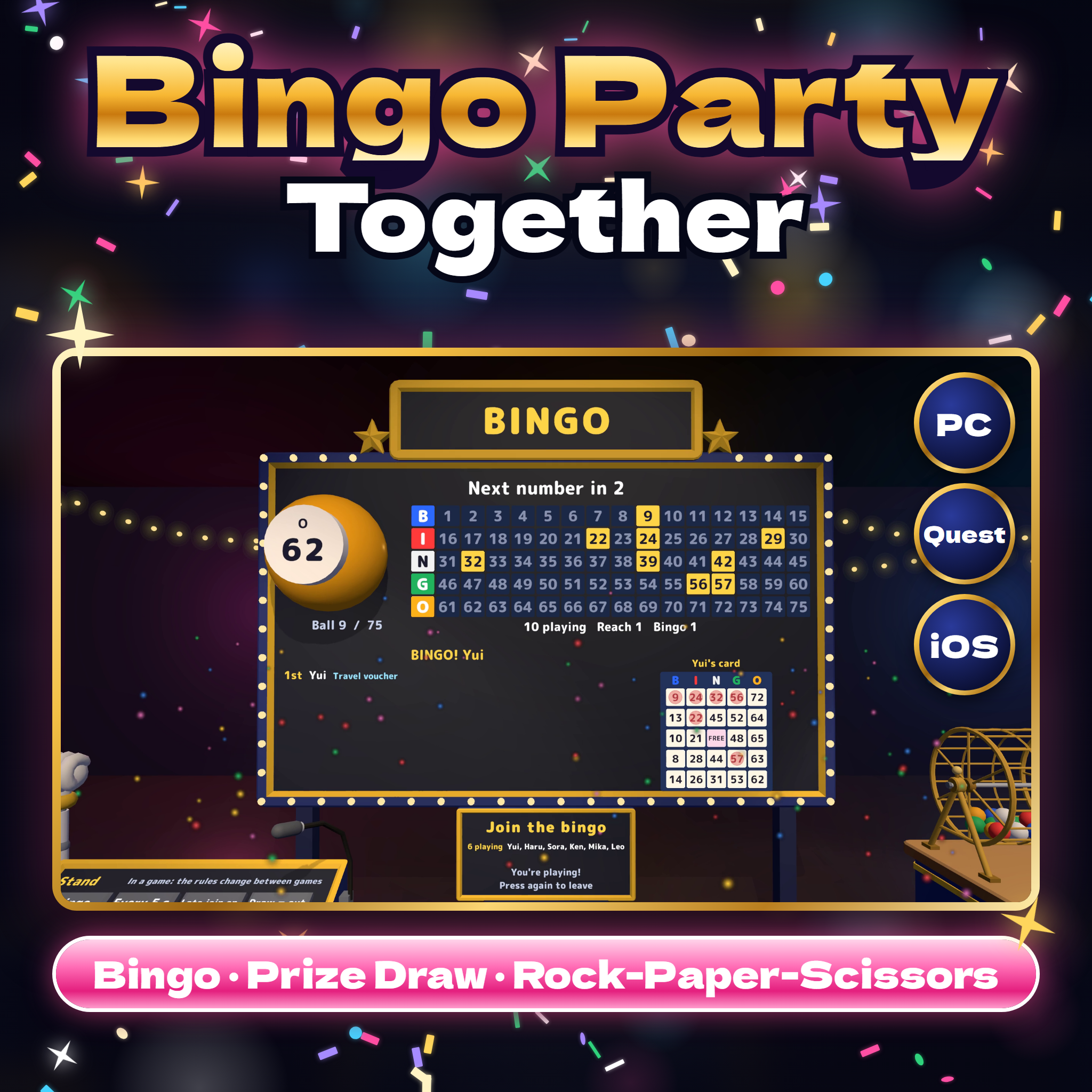
A whole bingo party in one prefab for your VRChat world: a big board, a turning bingo cage and an operator's stand, plus a rock-paper-scissors tournament against a robot and a prize-draw drum. One big Join button, cards that mark themselves and CPU players, in English or Japanese.
Watch it in action
Watch the English v1.0 gameplay preview
Host a bingo party in your world
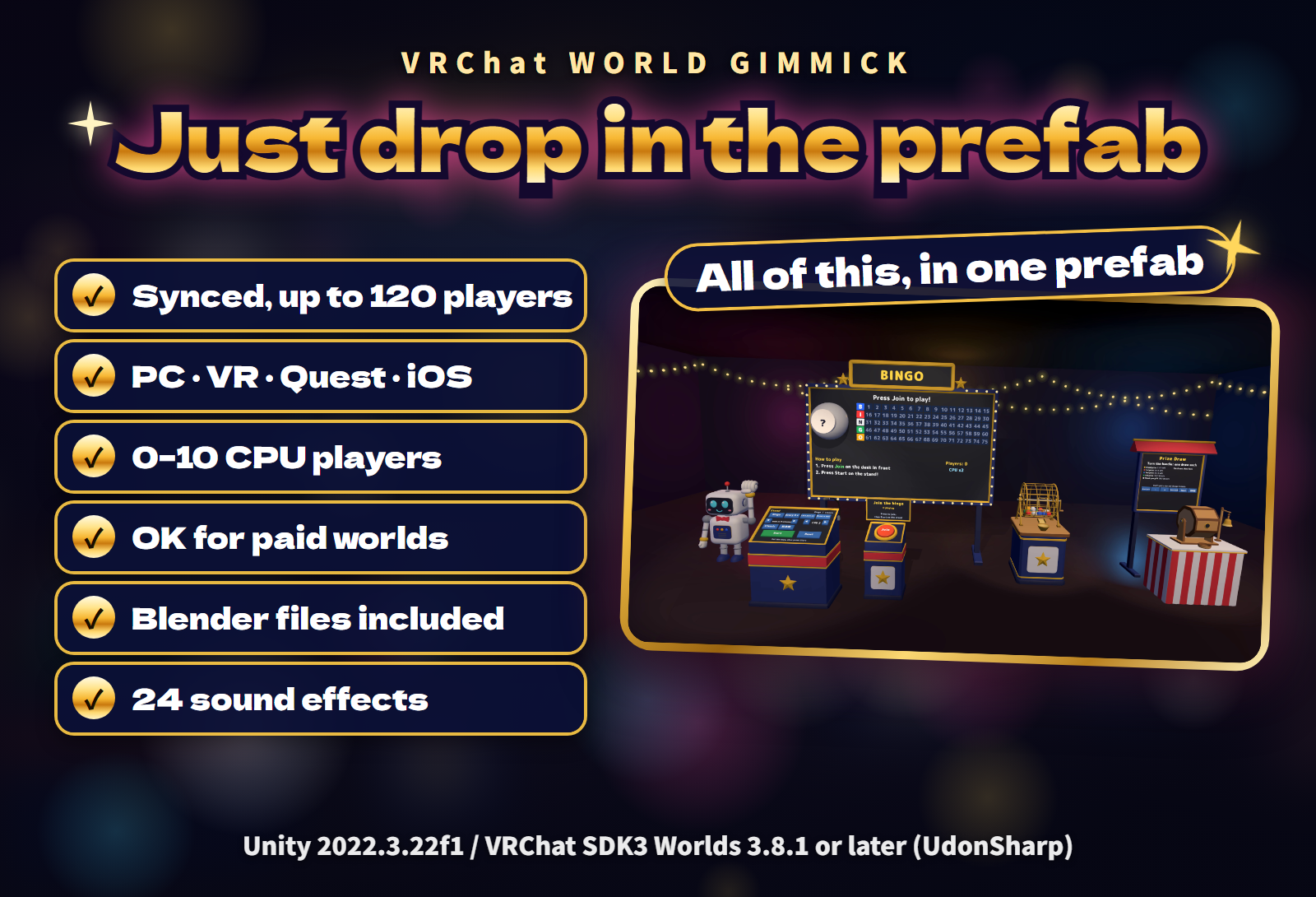
- Everything in one prefab. A big bingo board, a bingo cage, an operator's stand, a sign-up desk with a big Join button, a robot for rock-paper-scissors, a prize-draw drum with its sign, seasonal decorations and 24 sound effects.
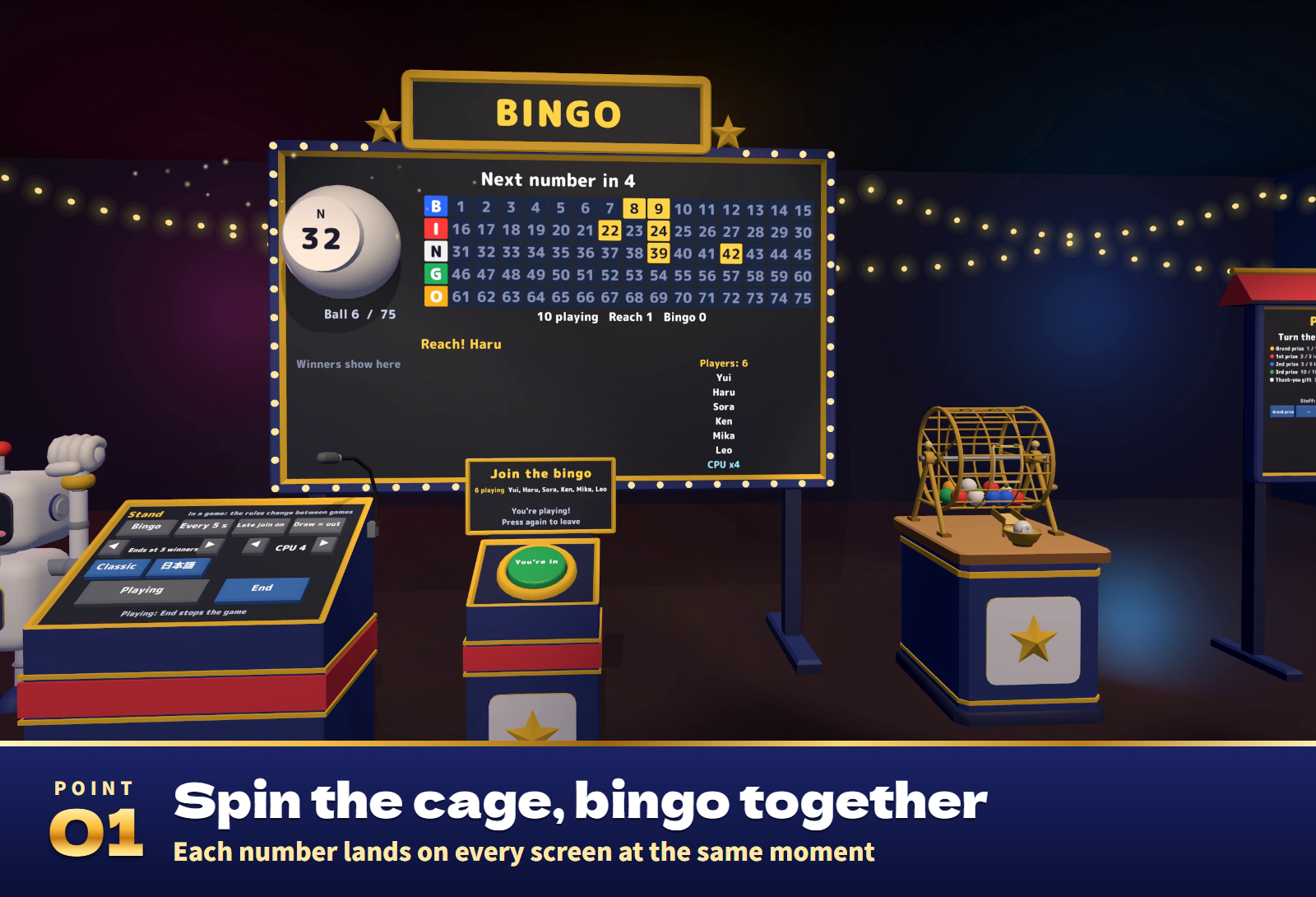
- One button to join. Players press the big Join button in front of the board, and their names appear on the board and on the desk's sign.
- Runs by itself. Press Start and a number comes out every 5, 8, 12 or 20 seconds, or the host draws each one by hand. The cage turns, the ball rolls into the tray and the number appears big on the board, at the same moment on every screen. The board lights up every number called and counts down to the next ball.
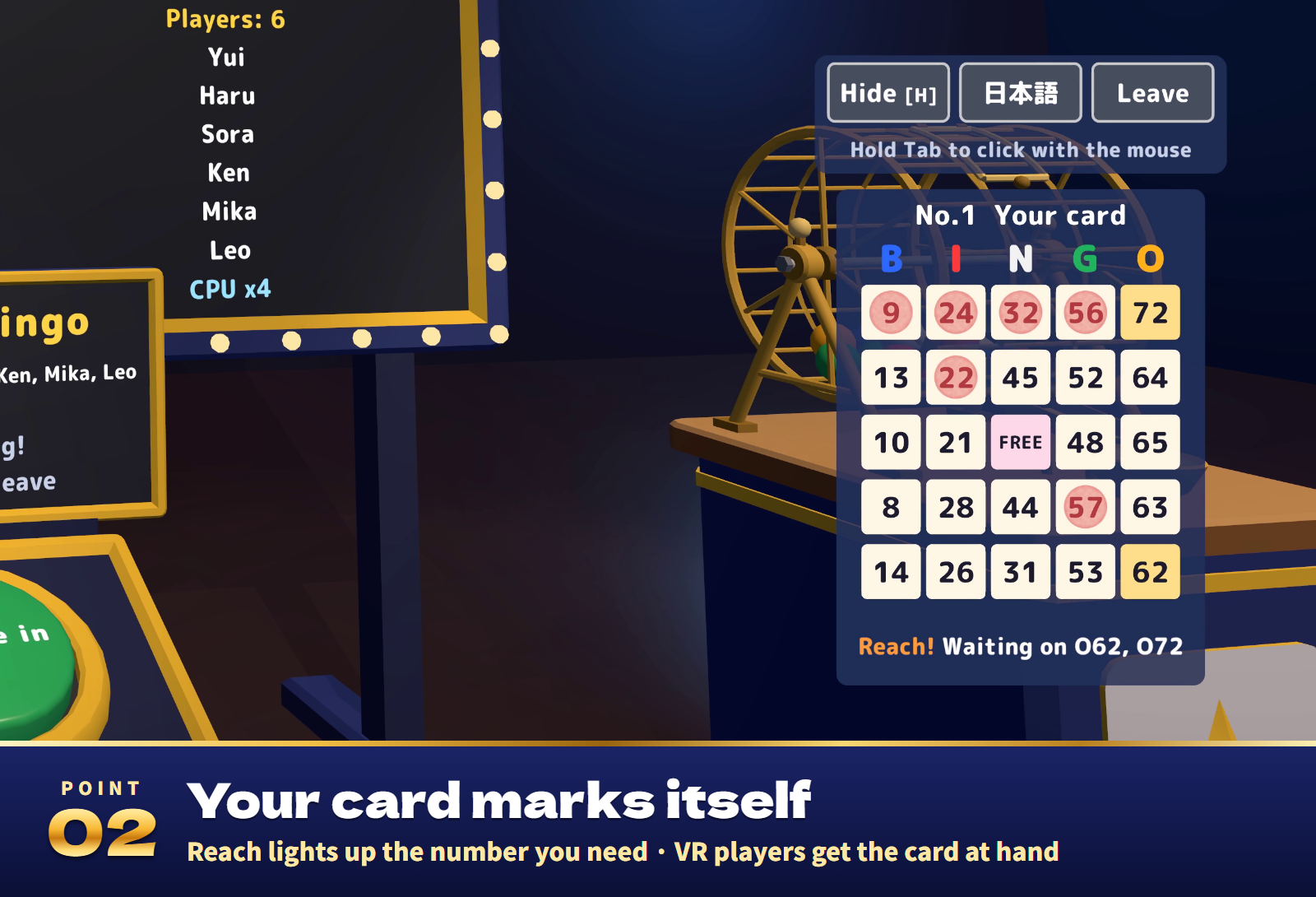
- Cards that mark themselves. Each player's own card sits at the bottom right of the screen (in VR, in front of you and a little below) and is marked as the numbers come out. On a reach the missing number glows yellow and the card says "Waiting on B12".
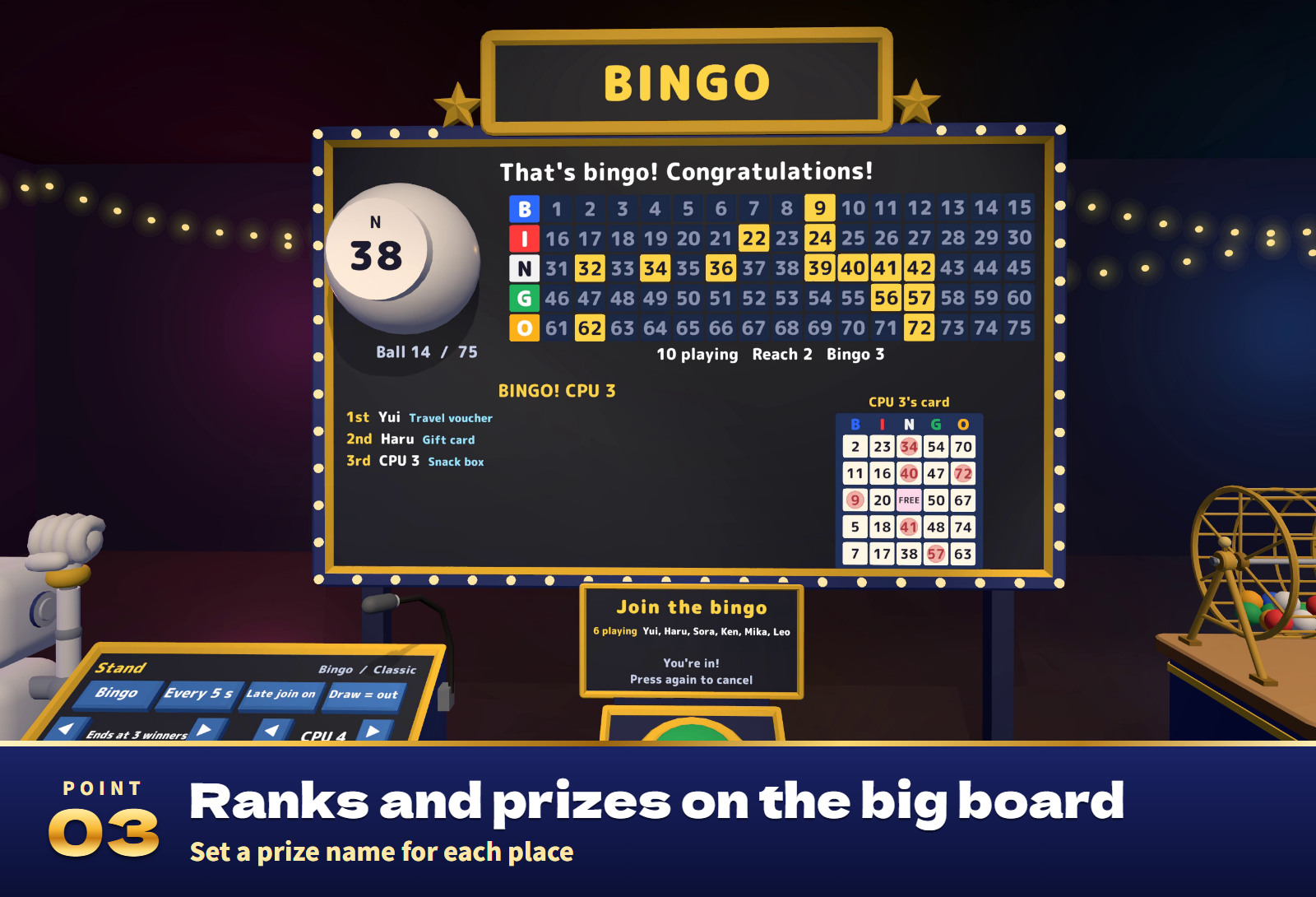
- Names, ranks and prizes. Reaches and bingos are announced with the player's name, and every bingo bursts into confetti. Winners line up on the board with their rank and the prize you set for that rank, beside the latest winner's card. The game ends when the number of winners you chose (1 to 20, or everyone) is reached.
- Late joiners welcome. Press Join during a game to get a card at once. A player who leaves and comes back gets the same card back.
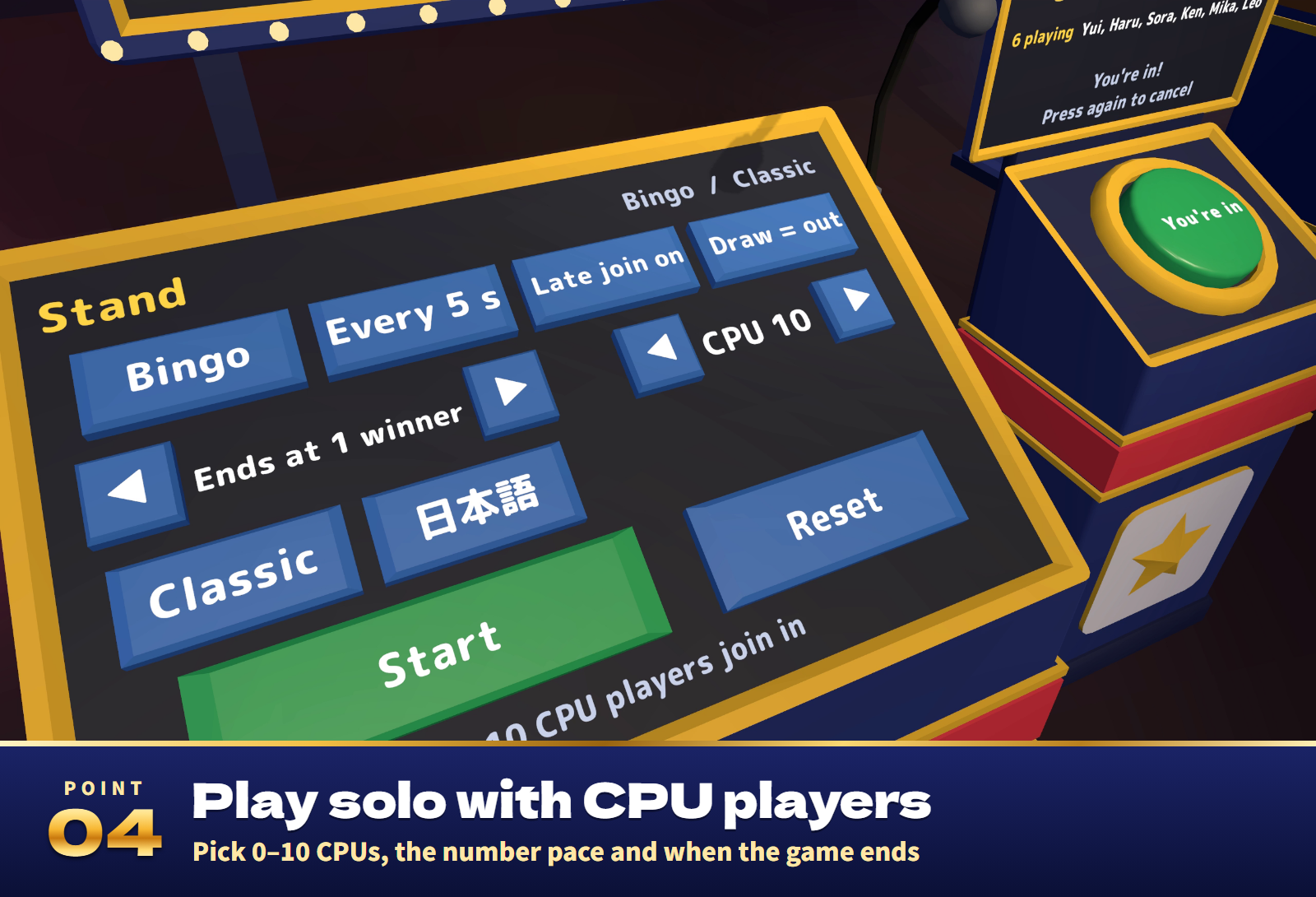
- Play alone or with a crowd. Add 0 to 10 CPU players to try it on your own. Up to 120 players: cards are never sent over the network, because everyone works them out from the game number and the list of names.
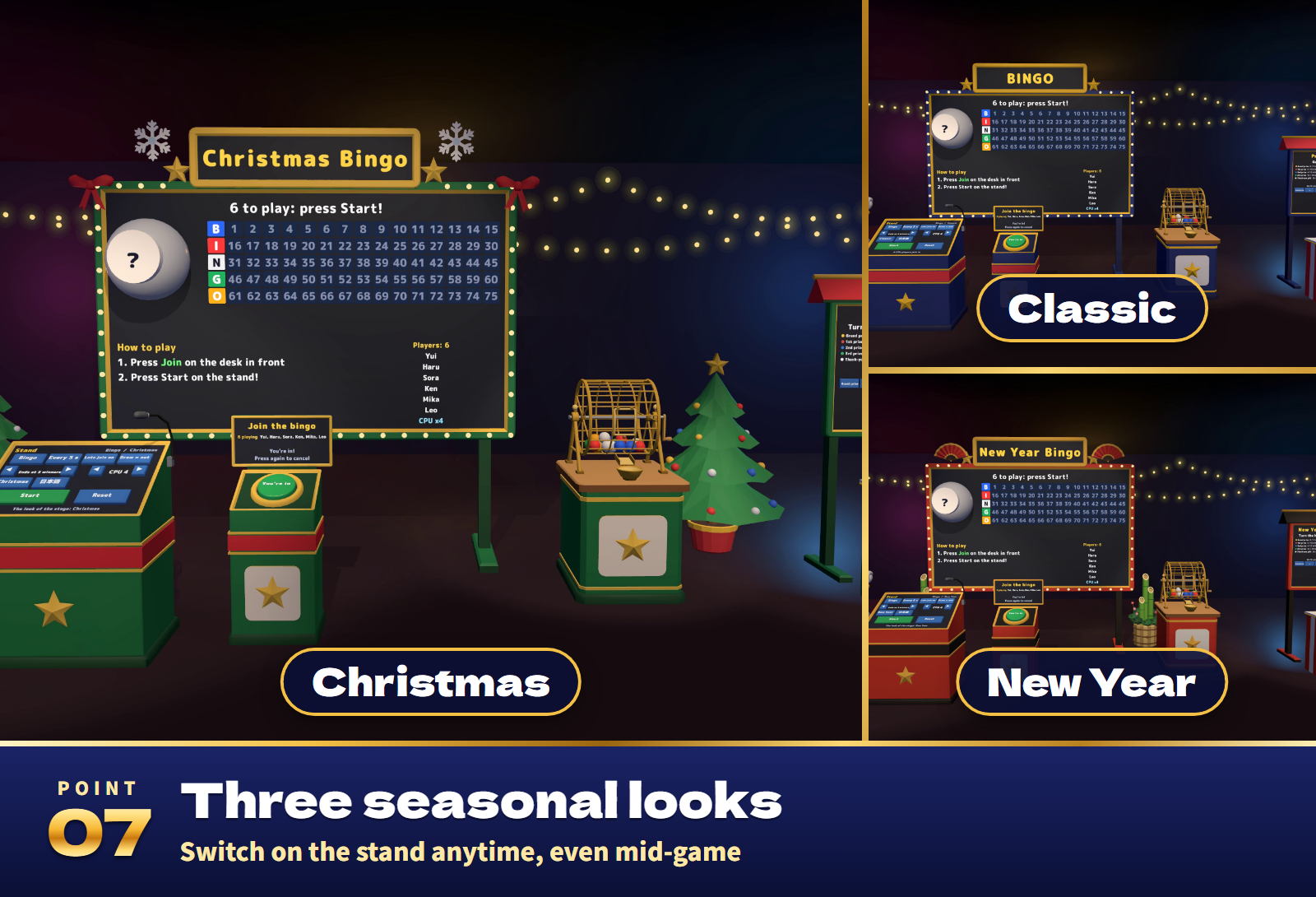
- Three looks. Classic, Christmas and New Year change the colours and decorations of the set, even during a game.
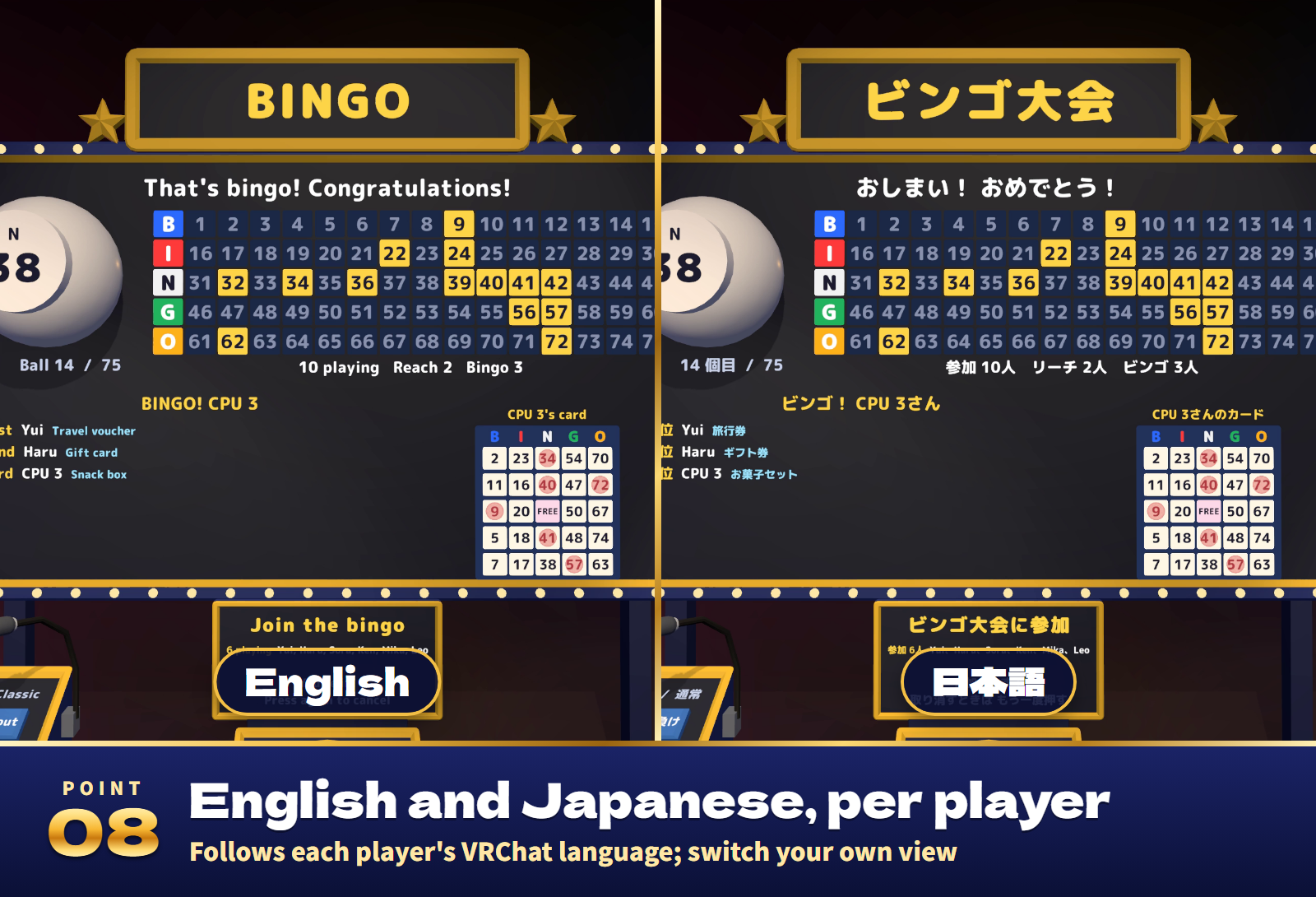
- Your own language. The board, the cards, the stand and the prize sign follow each player's VRChat language, and an English / 日本語 key switches only your own view.
- Staff-only controls. List your staff's display names and only they can use the stand and the prize settings; anyone can still draw a prize. The host ends a game early with End, or a majority of the players vote to end it.
- Ready for events. Use it in paid, monetized, corporate and event worlds.
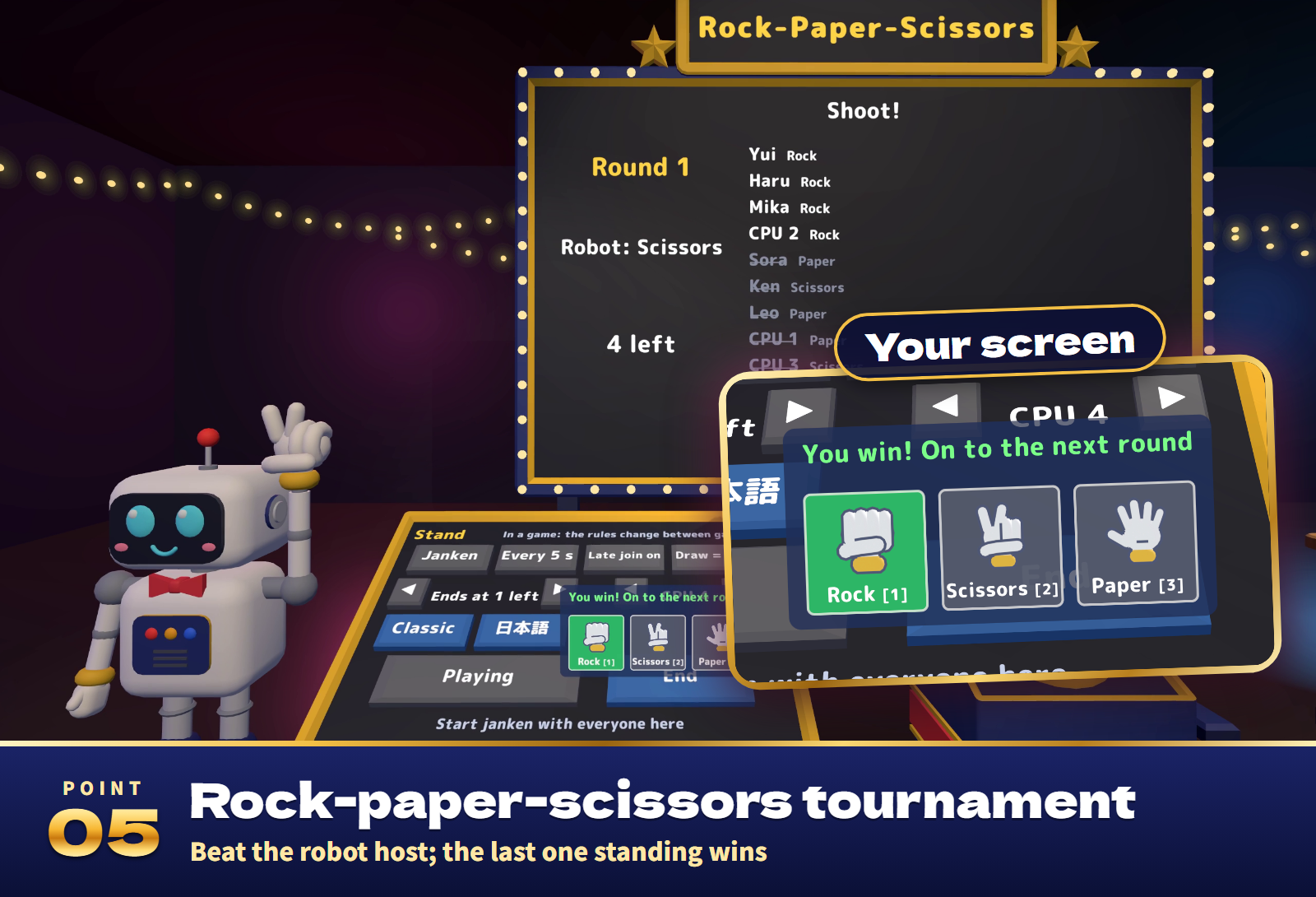
Rock-paper-scissors tournament
Everyone who joined plays the robot at once. Pick your hand during "Rock... paper..." (on desktop, keys 1, 2 and 3, or the arrow keys and Enter). On "Shoot!" the robot shows its hand: winners stay in, while a loss, no hand and, with "Draw = out", a draw are out. A round that everyone would lose is played again, until the number of players you chose is left. CPU players play too.
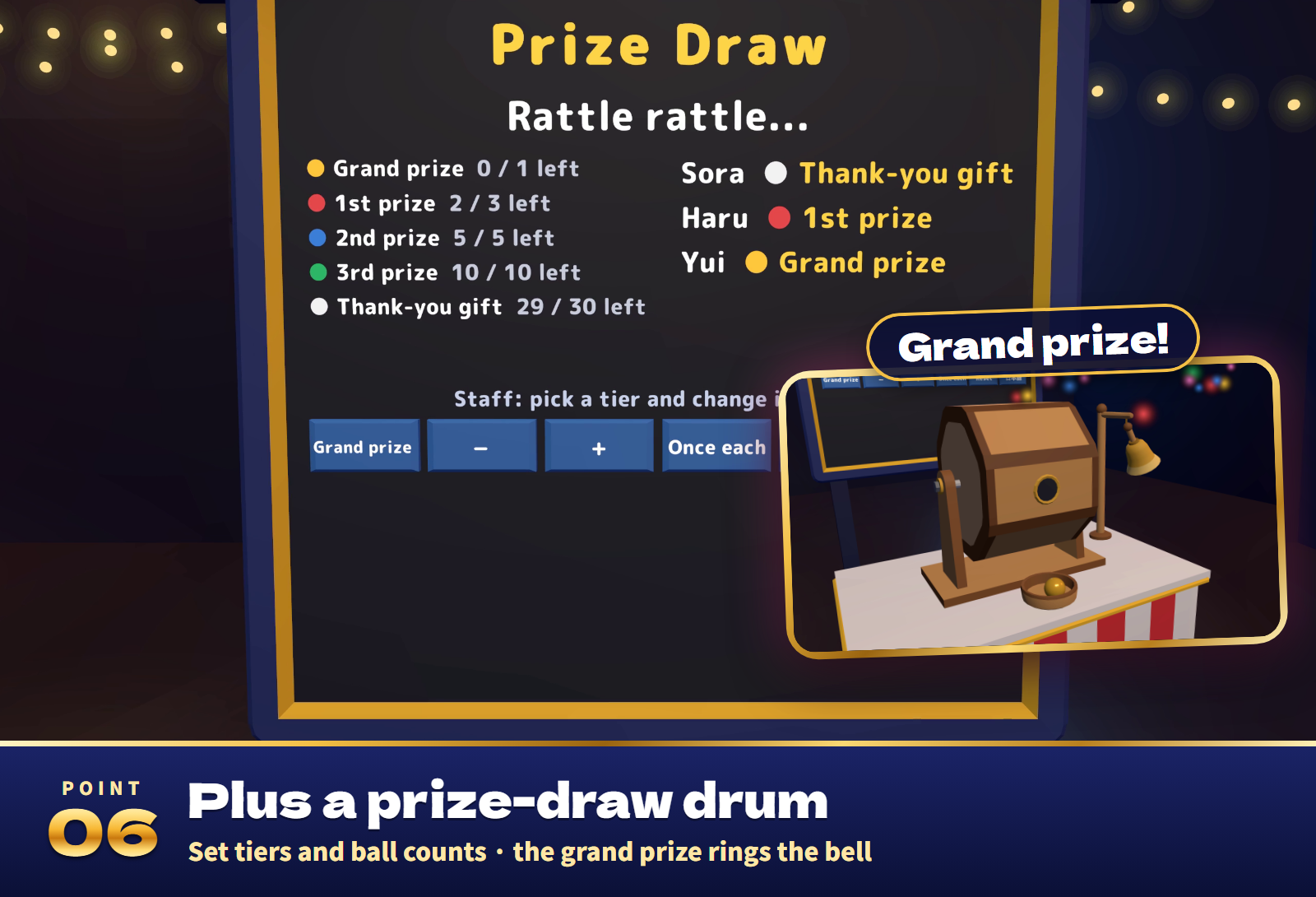
Prize draw
Turn the drum's handle to draw once. When the drum stops, a ball rolls out into the tray, and its colour is the prize tier: Grand prize, 1st, 2nd, 3rd or Thank-you gift. A grand prize rings the big bell with confetti. The sign shows the balls left and who drew what, and both change only when the ball is out, so nobody knows the result before it rolls. Staff set the balls per tier with − and +, choose Once each or Any number, and Reset refills the drum. Up to 150 balls in up to 6 tiers, named in the Inspector.
Settings
- On the stand, between games: Bingo or Janken, the draw pace (every 5, 8, 12 or 20 s, or by hand), Late join, the draw rule, the end and the CPU players. The look can change at any time, and the stand's bottom line explains each key.
- In the Inspector: the language (automatic, or Japanese or English for everyone), the staff list, the prize names per bingo rank in Japanese and English, the starting settings, how far from the board players see their card, and the prize-draw tiers.
Included files
- BingoParty_v1.0.unitypackage: the whole set as one prefab, a sample scene, the scripts, 24 sound effects and lighter materials for Quest/Android.
- README.txt and README_EN.txt: Japanese and English setup, how to play, settings and terms.
- BingoParty_Blender: the editable .blend, 9 FBX models and the three palettes (Classic, Christmas, New Year).
Requirements and setup
Unity 2022.3.22f1, VRChat SDK3 Worlds 3.8.1 or later (tested with 3.10.5) including UdonSharp, and TextMesh Pro, in a Creator Companion world project. It runs on PC (desktop and VR), Quest/Android and iOS.
- Import TMP Essential Resources if the project has never used TextMesh Pro.
- Import BingoParty_v1.0.unitypackage.
- Place Assets/BingoParty/BingoParty.prefab, or open Assets/BingoParty/Sample/BingoParty_Sample.unity to try it first.
Setup takes about ten minutes. The set is about 9 m wide, 3 m deep and 3.6 m tall. The stand, the sign-up desk, the robot, the cage and the prize draw can each be moved wherever you like; please do not scale them.
Terms of use
- You may include it in VRChat worlds and publish them, including paid, monetized, corporate and event worlds.
- Modification is allowed. Credit is optional and appreciated.
- Redistributing or reselling the data itself (modified or not), or bundling it with other assets for sale, is not allowed.
- Please contact the creator before using it outside VRChat worlds, such as in other games or videos.
- The author is not responsible for any problems arising from using this data.
- Do not bet real money or anything of value on it.
Credits and support
Font: M PLUS Rounded 1c, SIL Open Font License 1.1 (Fonts/OFL.txt). The 3D models, textures and sound effects were made for this product.
For purchase questions, use the contact option on the store where you purchased this product. Include the product, Unity and SDK versions, steps and any error message.
Jinxxy support
For purchases on Jinxxy, use this product's Q&A on Jinxxy. Include the product name, Unity and SDK versions, the steps you took and any error text.