
商品説明
この商品にはAIで生成されたコンテンツが含まれています。
Video preview: Avatar animation preview and English setup, recorded offline in Unity. Two-person contact and synchronization in VRChat are not shown in this video.
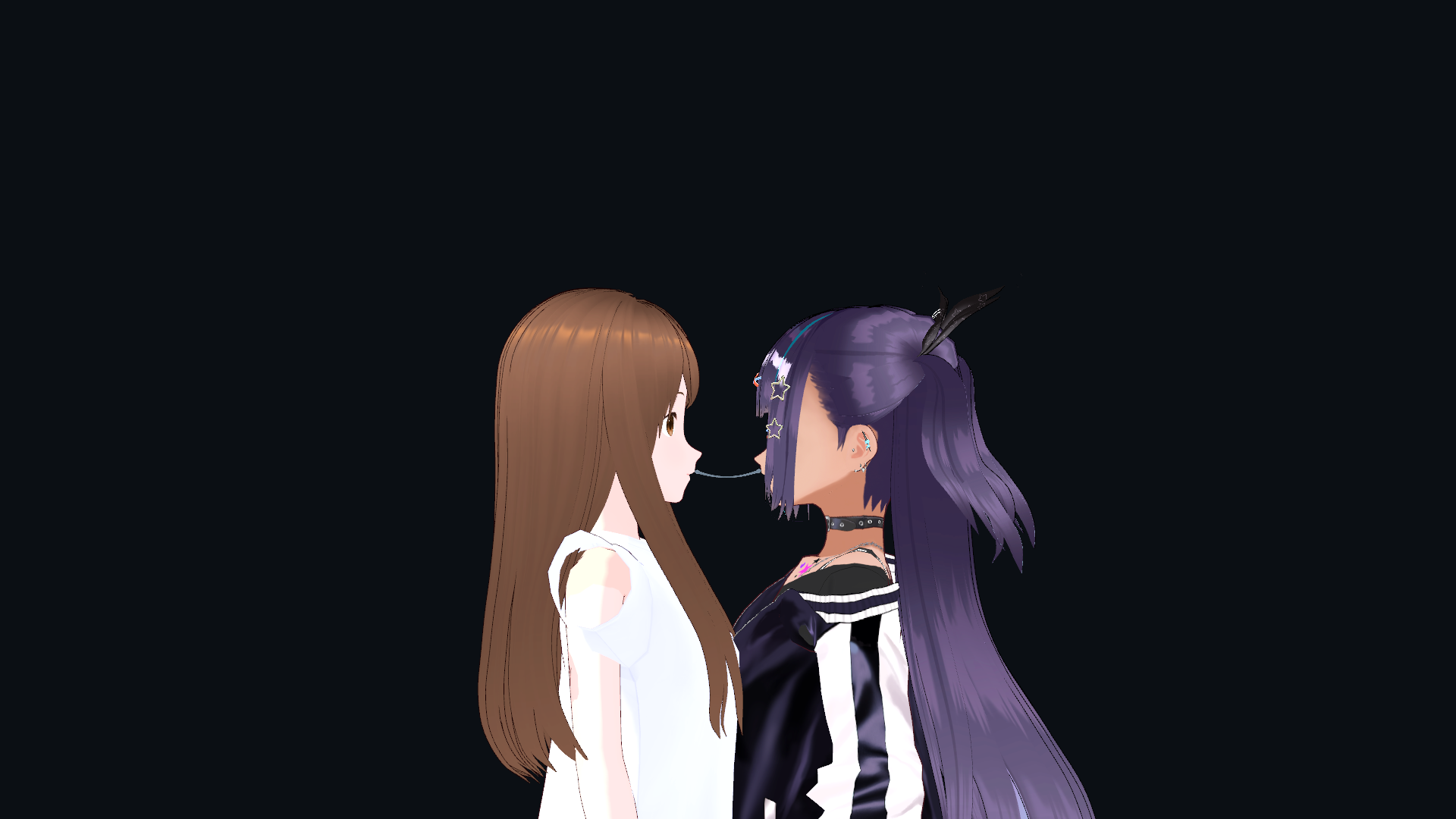
Add gentle facial reactions to a close moment.
SilkenLink Kiss System adds mouth-contact strands, facial controls and a pose near your own cheeks to your existing VRChat avatar. Both Desktop players choose to participate and move close themselves. The Avatar package provides automatic expressions without installing a World module; the included optional World extension adds calibrated position and height alignment.
Avatar + optional World packages · Desktop automatic reactions · Manual facial controls · English/Japanese setup
Watch it in action
Watch the English introduction on YouTube
Choose how to interact
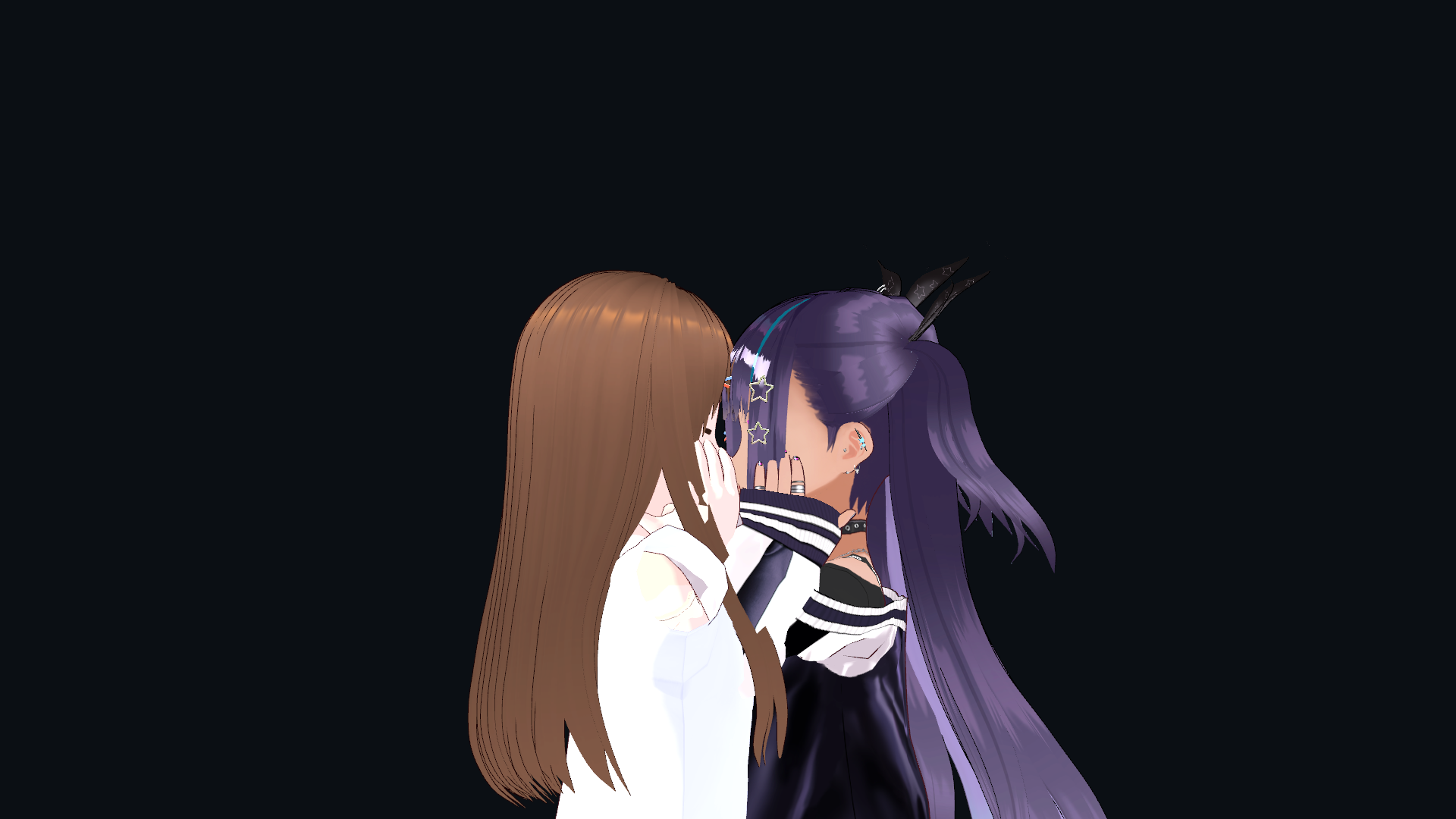
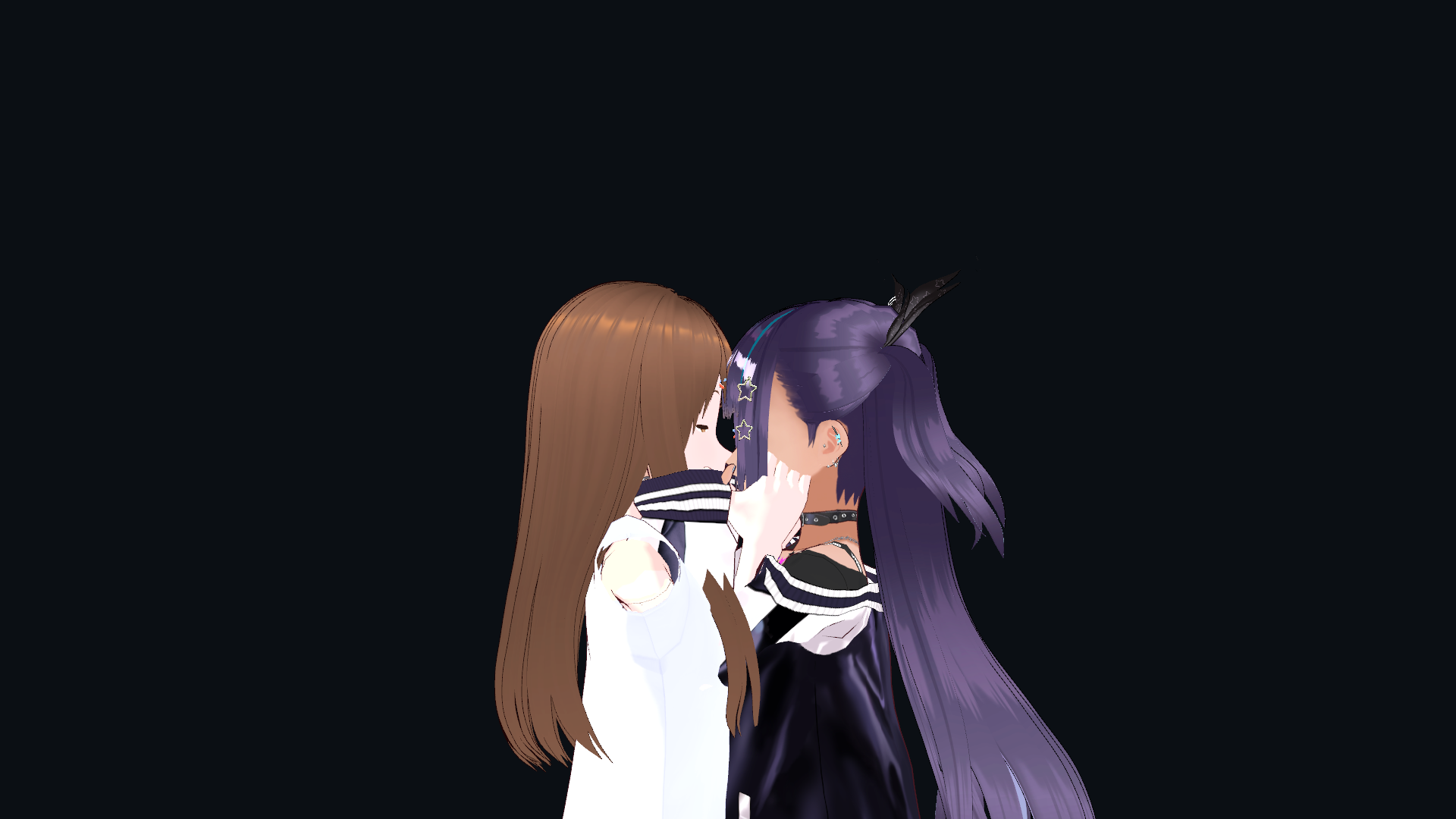
- Opt into an automatic reaction. Both Desktop players enable Avatar-only, bring their mouths close, and remain grounded and still for about 1.2 seconds. The sequence combines eye and mouth animation, a restrained hand pose near each wearer's own cheeks, and a small head tilt.
- Return to your own movement. Walking, turning your body, jumping, disabling the menu or choosing a manual expression cancels the automatic sequence. Separating the mouths gradually returns the face and hands.
- Use ordinary contact and manual expressions. With automatic expressions off, use your own head, hands and facial controls. Ordinary mouth contact also works with VR movement. Strands start on and can be switched off; six manual presets include Smile, Pucker, Half eyes, Closed eyes, Shy and Talk.
- Add dedicated-world alignment. Install the World module and register both avatars' generated profiles to coordinate Desktop positions and mouth heights within the models' calibrated ranges. Avatar-side expressions and this World extension are separate setup choices.
- Set up in English or Japanese. The Unity installer saves your language choice for labels, guidance, errors and completion messages. Short in-game menu names are bilingual.
How participants use it
- Use configured avatars and allow Avatar Interactions with each other.
- For Desktop automatic reactions, both players enable Avatar-only, turn AFK off, remain outside Stations and leave manual expressions on Original.
- Move and crouch to line up your mouths, then stay grounded and still. Move your body or separate when you want to stop.
The automatic facial and hand sequence is intended for Desktop use. In VR, ordinary contact lets participants keep their own head, hand and facial movement. Facial and hand-pose appearance depends on the avatar's rig and mapped BlendShapes.
What you get
- SilkenLink_Avatar_v0.8.1.unitypackage: the avatar installer, contact strands, manual expressions, Desktop automatic facial animation and hand poses.
- SilkenLink_World_v0.8.1.unitypackage: the optional World installer for calibrated position and height alignment.
- A Contact prefab for an avatar-mounted prop, plus the product's meshes, shaders, animations, contact sound effects and installation tools.
- English and Japanese setup guides and usage terms, credits and demonstration-video license documents.
The illustrated avatars are examples and are not included. Install VRChat SDK, Modular Avatar and NDMF separately.
Requirements & setup
Use Windows VRChat and VCC projects with Unity 2022.3.22f1. The avatar project requires Avatars SDK 3.10.5, Modular Avatar 1.18.7 and NDMF 1.14.8. The optional, separate World project requires Worlds SDK 3.10.5 with UdonSharp, flat walkable ground and Colliders. Uploading requires a VRChat account with upload access.
Your avatar needs a valid Humanoid rig, an Avatar Descriptor, a mapped head and complete upper-arm, lower-arm and hand bones on both sides, a pucker BlendShape and both-eye closure shapes. Additional expression shapes can be mapped when the model provides them.
- Back up your project, import the Avatar package and select the scene avatar's root.
- Open Tools → Hime → SilkenLink → Avatar setup. Position the mouth handle and review the facial Mesh and BlendShape mappings.
- Install, save and upload the avatar. Modular Avatar merges the generated menus and animation settings.
- For the optional World extension, generate and export each avatar's profile, import the World package and profiles into a separate World project, and register them in World automatic pairs before uploading.
Strand display uses an added Point Light. Enable avatar shaders and lights, keep separate pairs apart, and use a nearby pair as the display reference. The added Light contributes to Performance Rank calculations. Regenerate the World profile after changing the rig, mouth position or expression mappings.
Use & customization
Purchasers may modify the product for their own use, integrate it into their avatars and worlds, and use it commercially, including monetized videos, streams and paid services. Avatars and worlds containing SilkenLink may be used and published within VRChat.
Do not distribute or resell SilkenLink source files, Unity packages or reusable standalone assets to third parties, including modified versions. Third-party avatars, clothing, props and shaders remain subject to their creators' conditions. See the included LICENSE-en.txt for the full terms.
Version 0.8.1
The Unity setup windows support saved English/Japanese display choices. The download includes both the Avatar package and the optional World package with bilingual documentation.