
Christmas Tree Lighting Party | A VRChat Tree Lighting with Ornaments, Santa's Sleigh, Present Exchange & New Year
商品説明
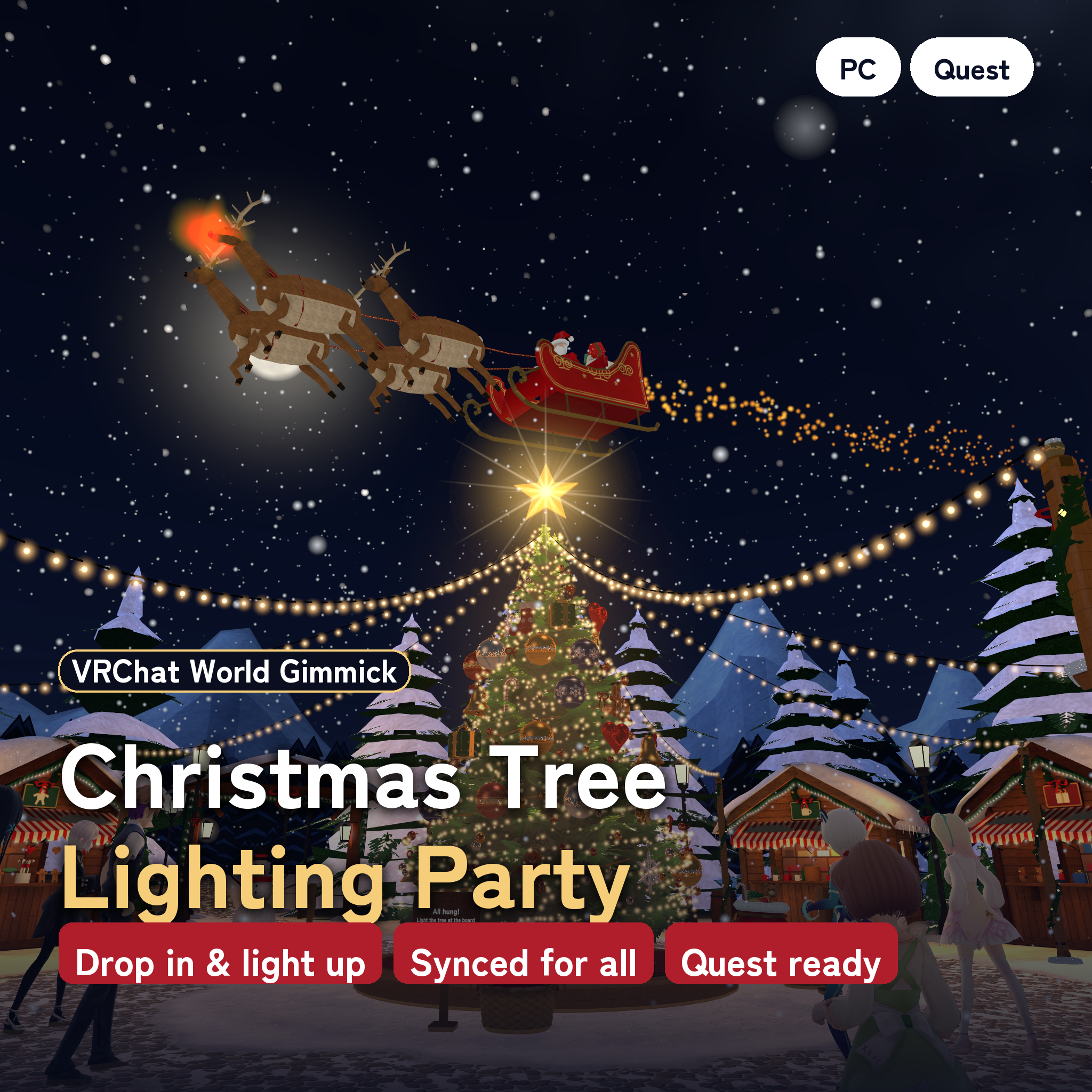
A Christmas tree lighting party for your VRChat world, in one prefab: hang the ornaments together, count down and light a 6 m tree all at once.
Everyone decorates a giant tree, counts down "3, 2, 1" and 2,320 bulbs light up together. Santa's sleigh passes over the star and across the moon, then the players swap presents in the snow and gather for a group photo. One host board runs it all, and Auto show takes it from start to finish with a single press.
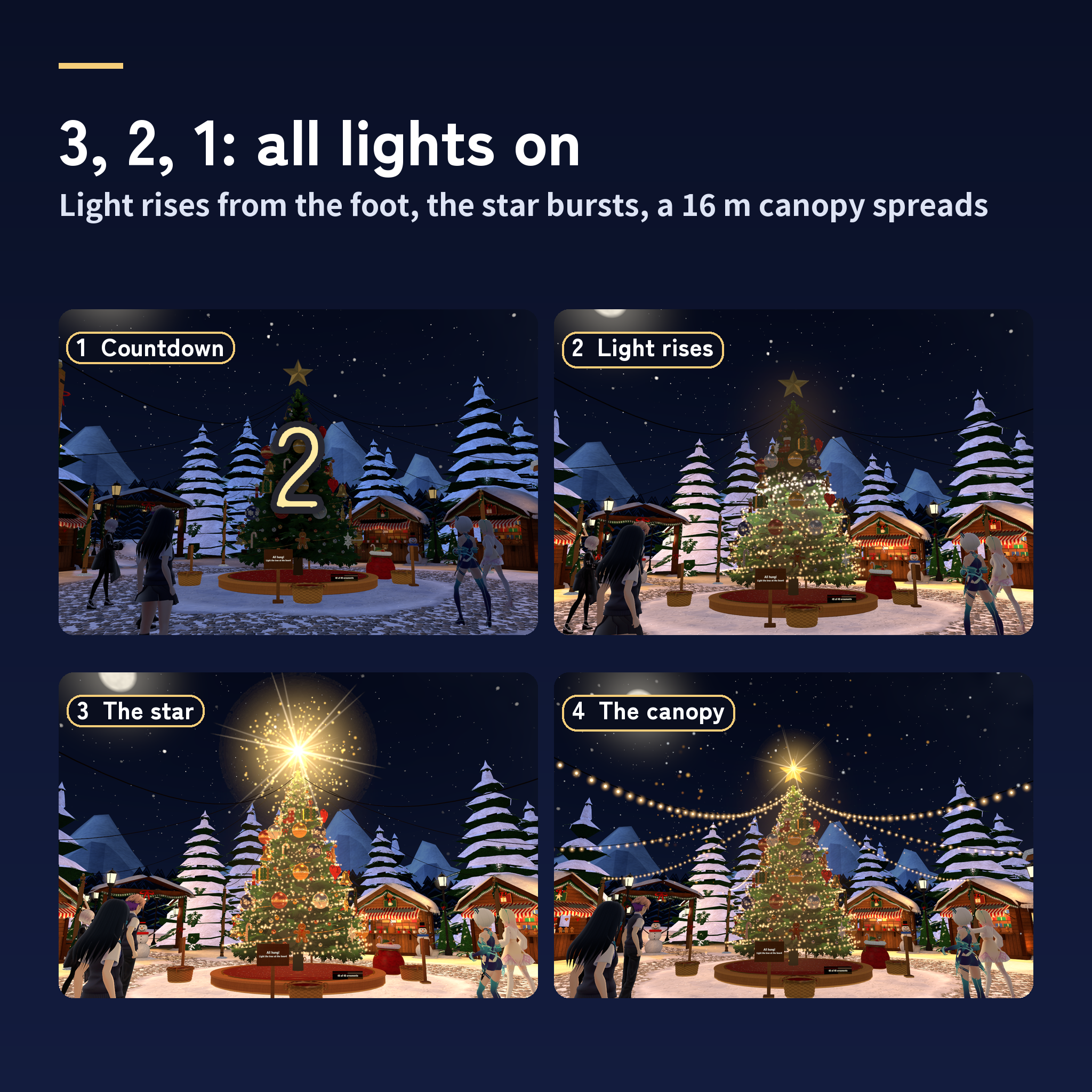
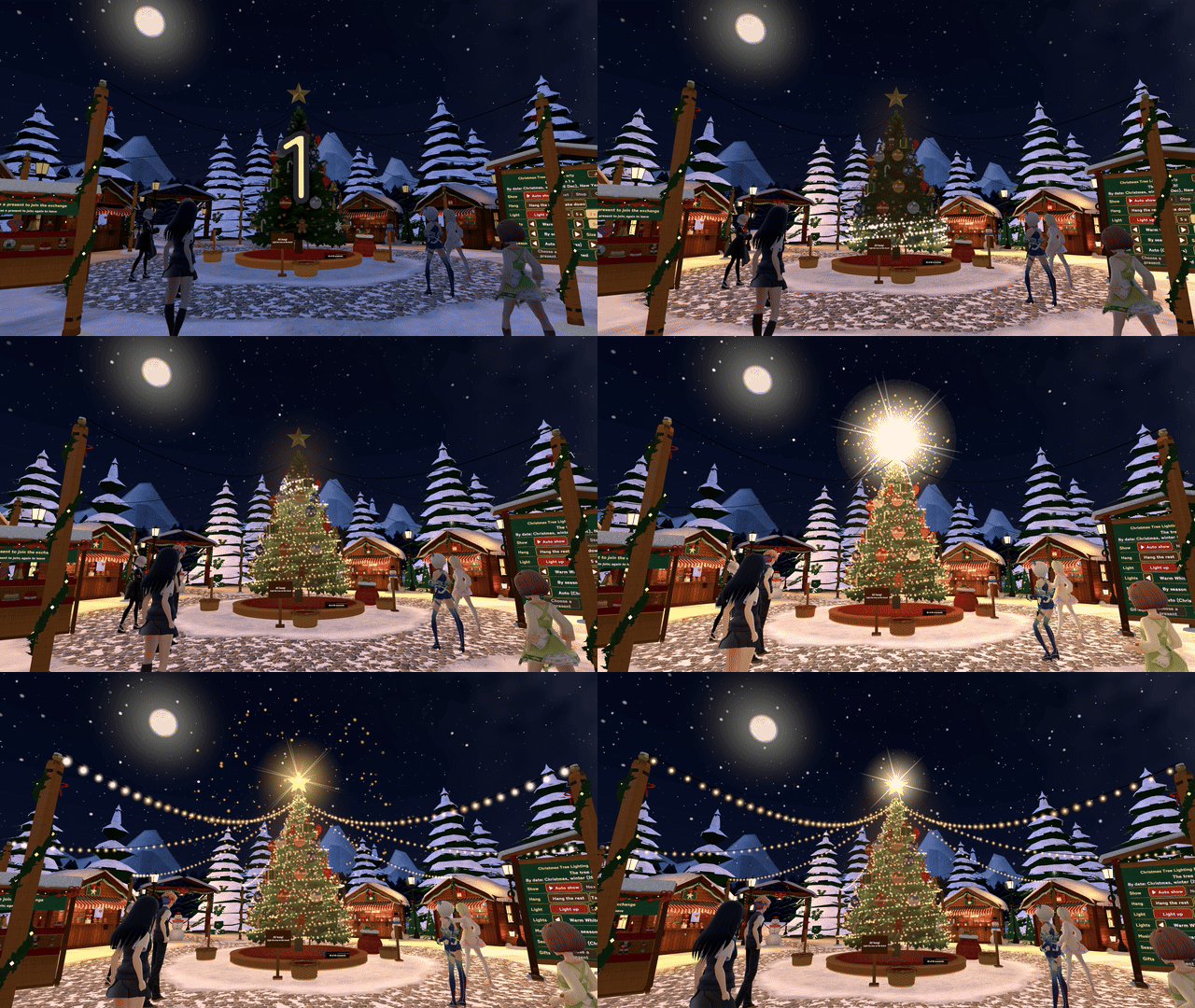
- "3, 2, 1": light rises from the foot of the tree, the star bursts and a canopy of lights spreads overhead
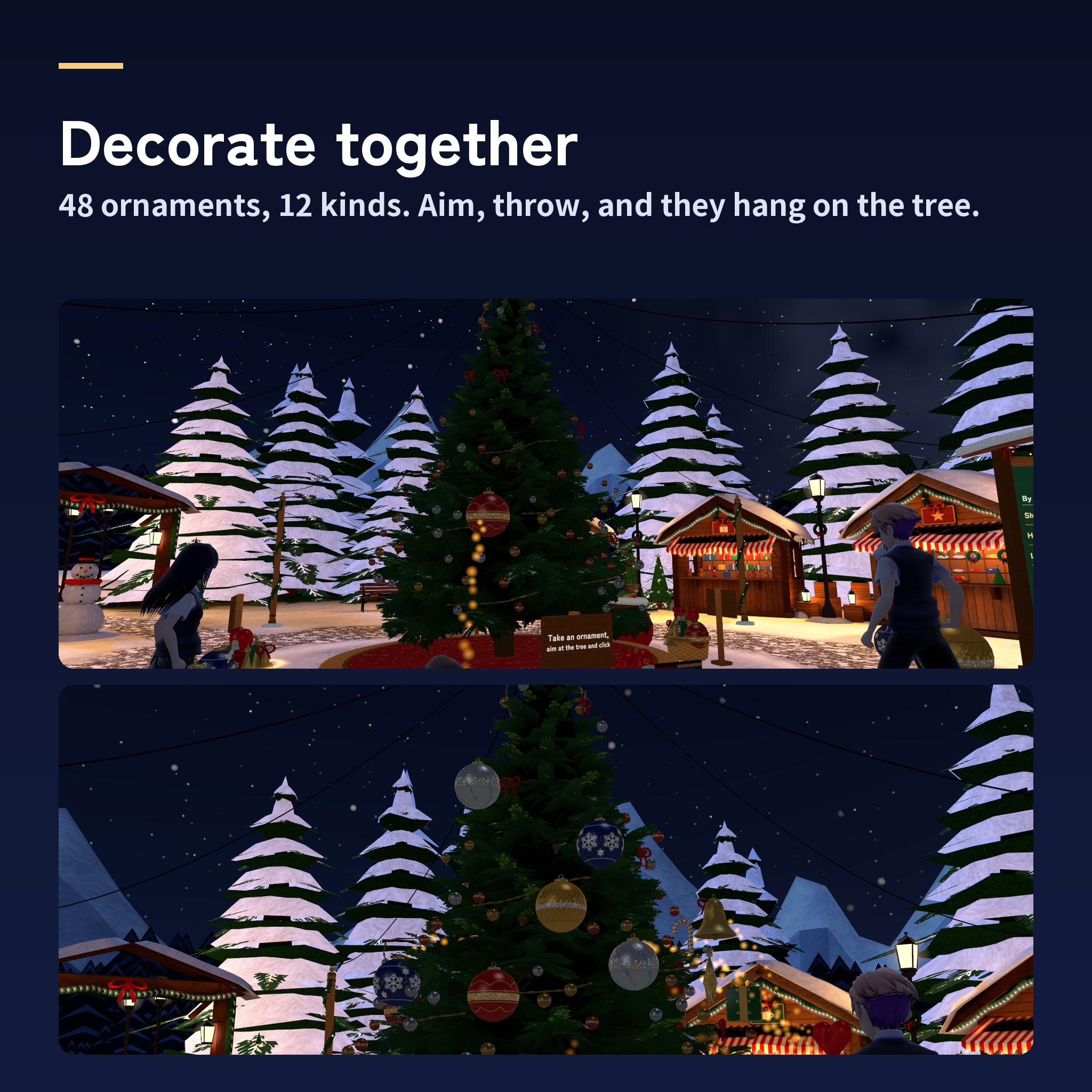
- 48 ornaments in 12 kinds: aim at the tree, throw, and they fly to their hooks with a trail of light
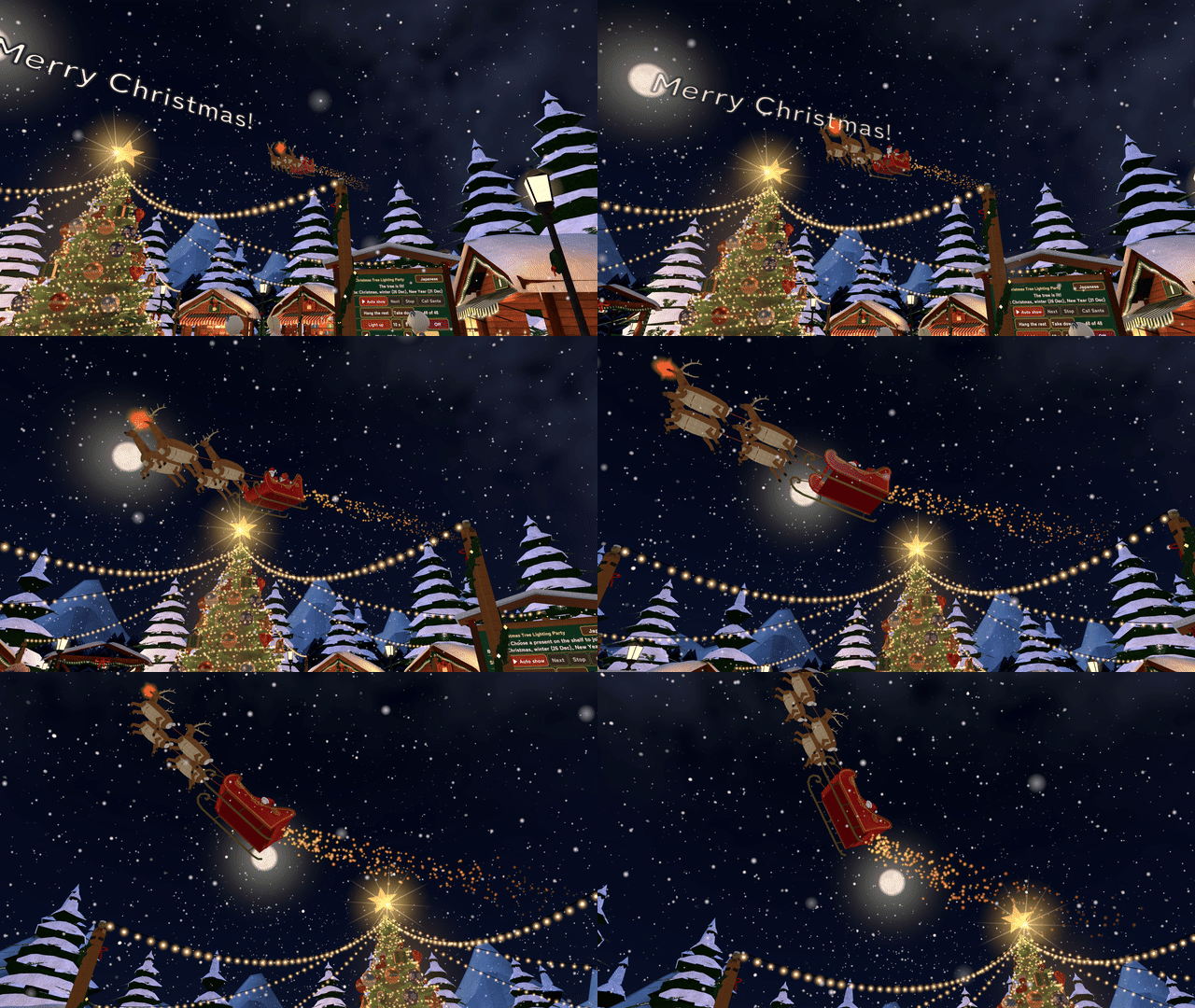
- Santa's sleigh over the star and across the moon
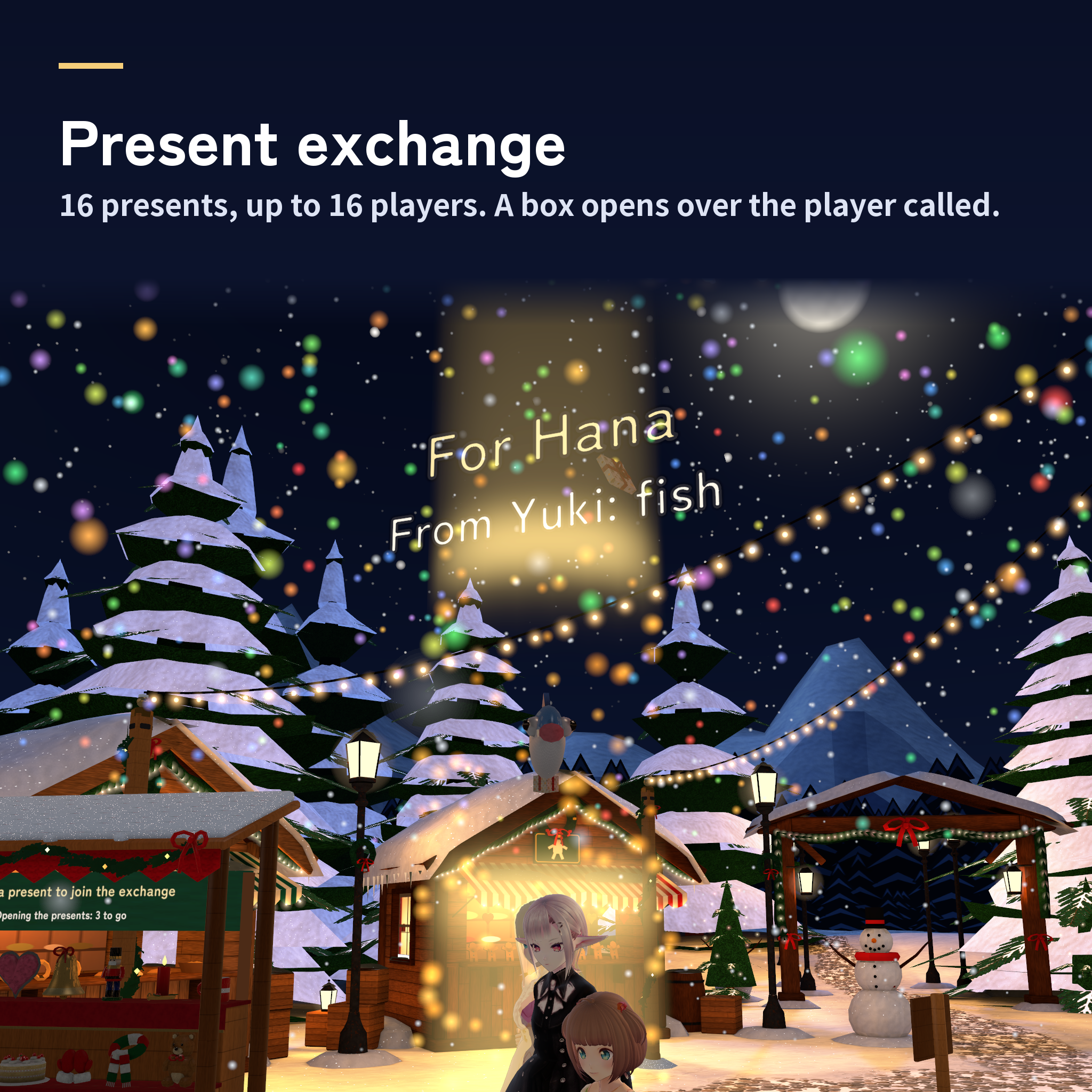
- A present exchange: 16 presents, up to 16 players, and Santa joins in so even one player can swap
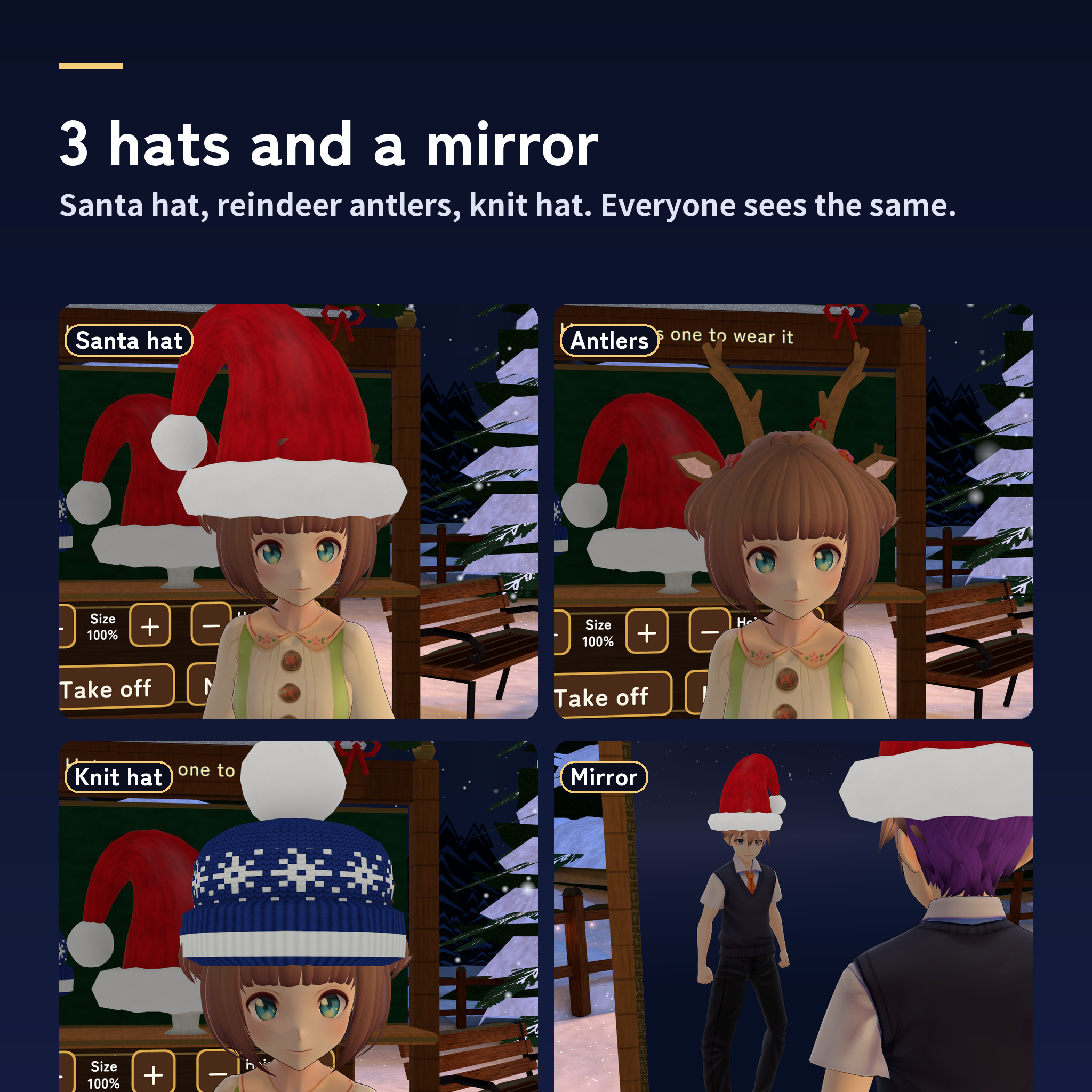
- 3 hats (Santa hat, reindeer antlers, knit hat) with a mirror, and a group photo with a count and a flash
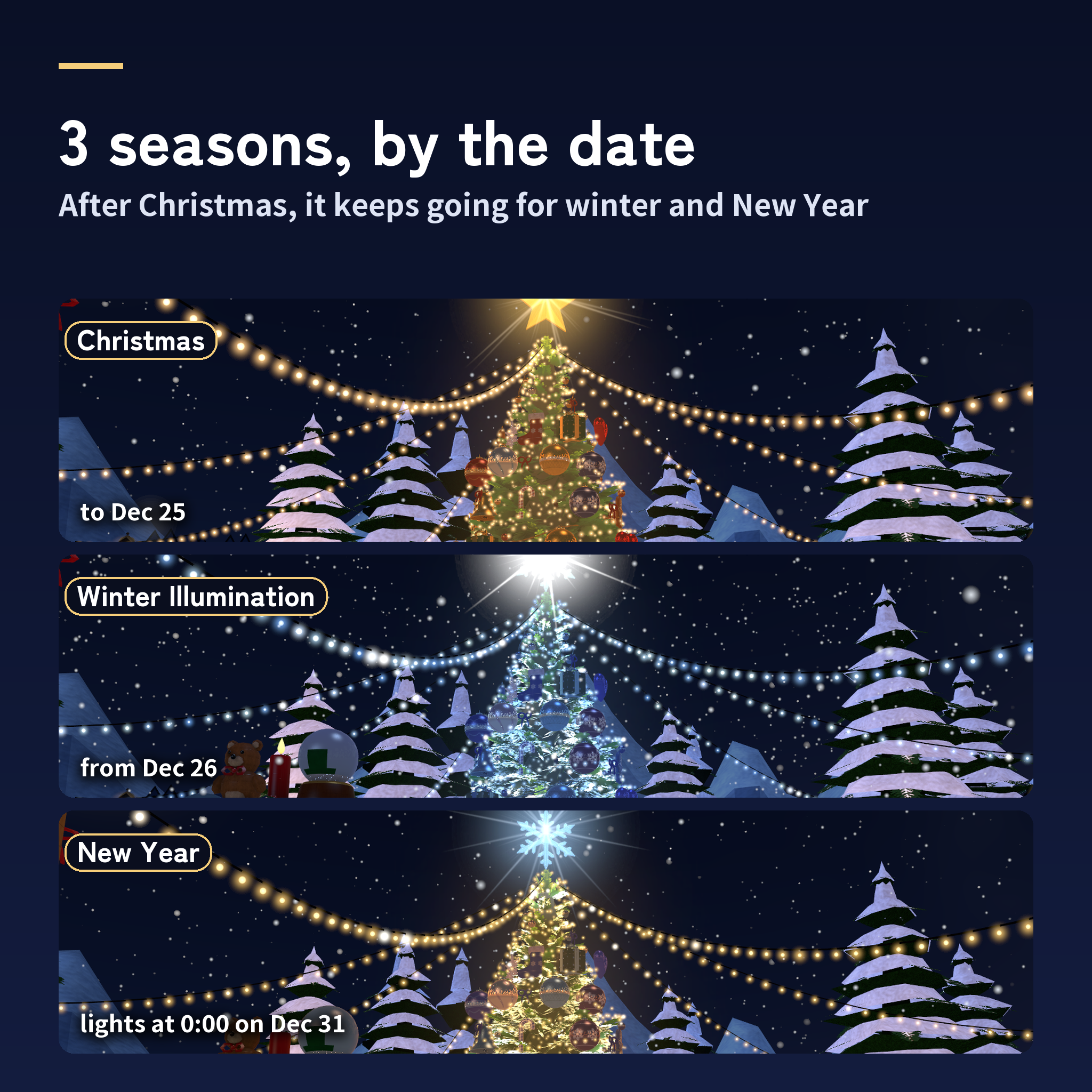
The seasons follow the date: Christmas until 25 December, a Winter Illumination from 26 December and a New Year lighting at midnight on 31 December, so it keeps working after Christmas. Everyone sees the same moment, and late joiners see the tree as it is. PC (desktop and VR), Quest/Android and iOS; English and Japanese for each player.
Watch it in action
The party
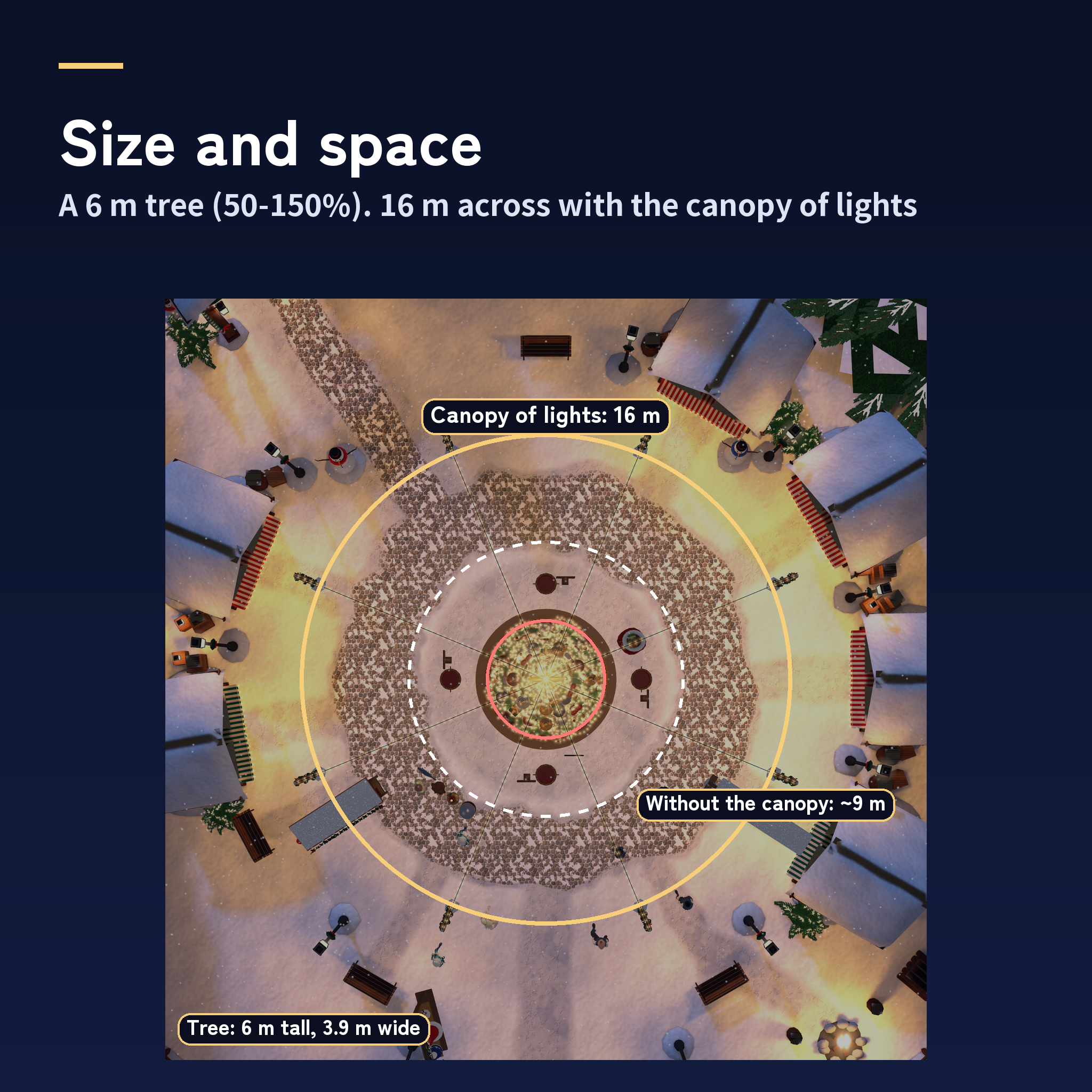
- A 6 m tree and a canopy of lights. 6 m tall (6.9 m with the star), 3.9 m across at the foot, in five sizes from 50% to 150% (3 to 9 m). 2,320 bulbs: 2,000 on the tree and 320 in a canopy that runs from the top of the tree to eight posts around it (16 m across; it can be turned off for small or indoor worlds). Snow and music start 3 seconds after the lighting.
- The lighting ceremony. A countdown (10, 5 or 3 s) with 2.5 m numbers in front of each viewer, then light spirals up from the foot, the star bursts (12 rays), the canopy lights from the middle out, bells ring and "Merry Christmas!" appears.
- Decorate together. 48 ornaments in 12 kinds (red, gold, blue and silver baubles, a star, a bell, a candy cane, a gingerbread man, a snowflake, a stocking, a present and a heart). Take one from a basket, aim at the tree and click (trigger in VR, Use on a phone). The aim snaps to the nearest free hook, and anywhere within 12 m reaches the top tier. With all 48 hung the tree sparkles; "Hang the rest" sends the rest all at once.
- Santa's sleigh. As the finale, the sleigh (Santa and four reindeer, the leader's red nose glowing, 7.1 m long) comes from the far sky with sleigh bells, passes just over the star, circles half the square and flies off across the moon (about 22 s). "Call Santa" on the board calls it too. In winter and at New Year it is a shooting star.
- The present exchange. Choose one of 16 presents on the shelf (a teddy bear, a scarf, a cake, a snow globe, a music box and more, with a fish and a lump of coal for laughs), or press "Join (any present)". One by one, a box flies over the head of the player called, shakes and opens to show the present and who gave it. Nobody knows who gets whose box until it opens, and no one gets their own. Up to 16 players; with one or two, Santa joins in.
- Hats and a mirror. A Santa hat, reindeer antlers and a knit hat. Press a sample on the stand to wear it; everyone sees it on your head. Size and height have seven steps each, and the mirror beside the stand (your own view, on or off) shows you wearing it.
- The group photo. A 5-second count, a flash and "Merry Christmas 2026", with marks to line up on before the tree. Everyone takes it with their own VRChat camera.
One host board
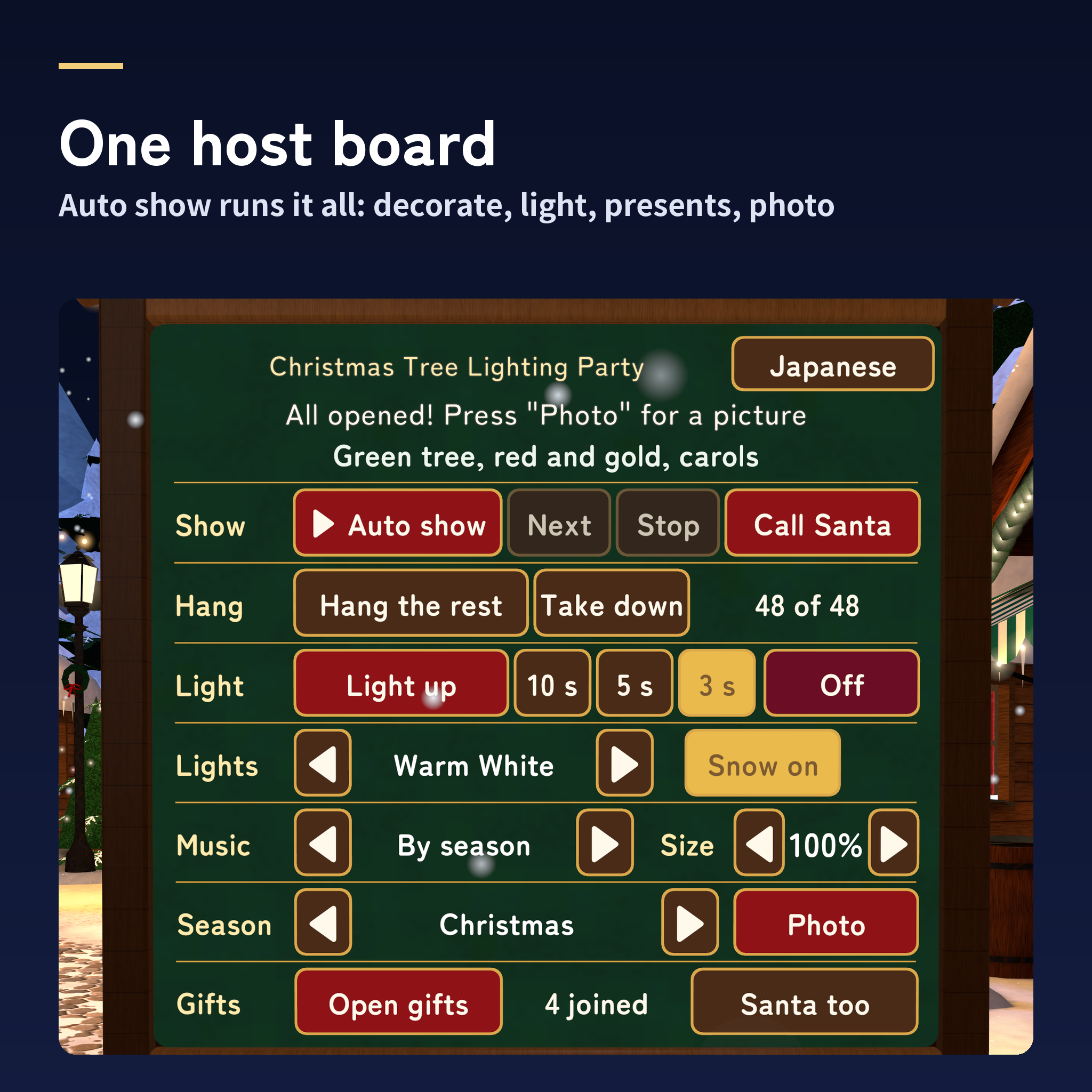
- Auto show: decorating, the countdown, the lighting, snow and music, the present exchange, the group photo and free time, in order
- 8 light patterns: Warm White, Colourful, Twinkle, Flowing, Rainbow, Candy Cane, Ice Blue and Gold Glitter, the same for everyone
- Snow on or off, music, the tree's size, the season, the group photo and the exchange
- In VR, pointing at the board, the present shelf or the hat stand shows VRChat's laser line and dot
- Operators: choose who may use the board by display name (anyone can always hang ornaments and pick a present)
- A timetable starts the ceremony at set times every day (e.g. 20:00)
Three seasons, by the date
- Christmas (until 25 December): a green fir, red and gold, a carol music box
- Winter Illumination (from 26 December): a snow-covered white tree, Ice Blue lights, a winter song
- New Year (31 December and 1 January): a white tree with Gold Glitter. The board shows the time to midnight, the tree shows it from 10 minutes before, and at 0:00 the tree lights for everyone with "HAPPY NEW YEAR"
The season can also be fixed on the board or in the Inspector.
Requirements
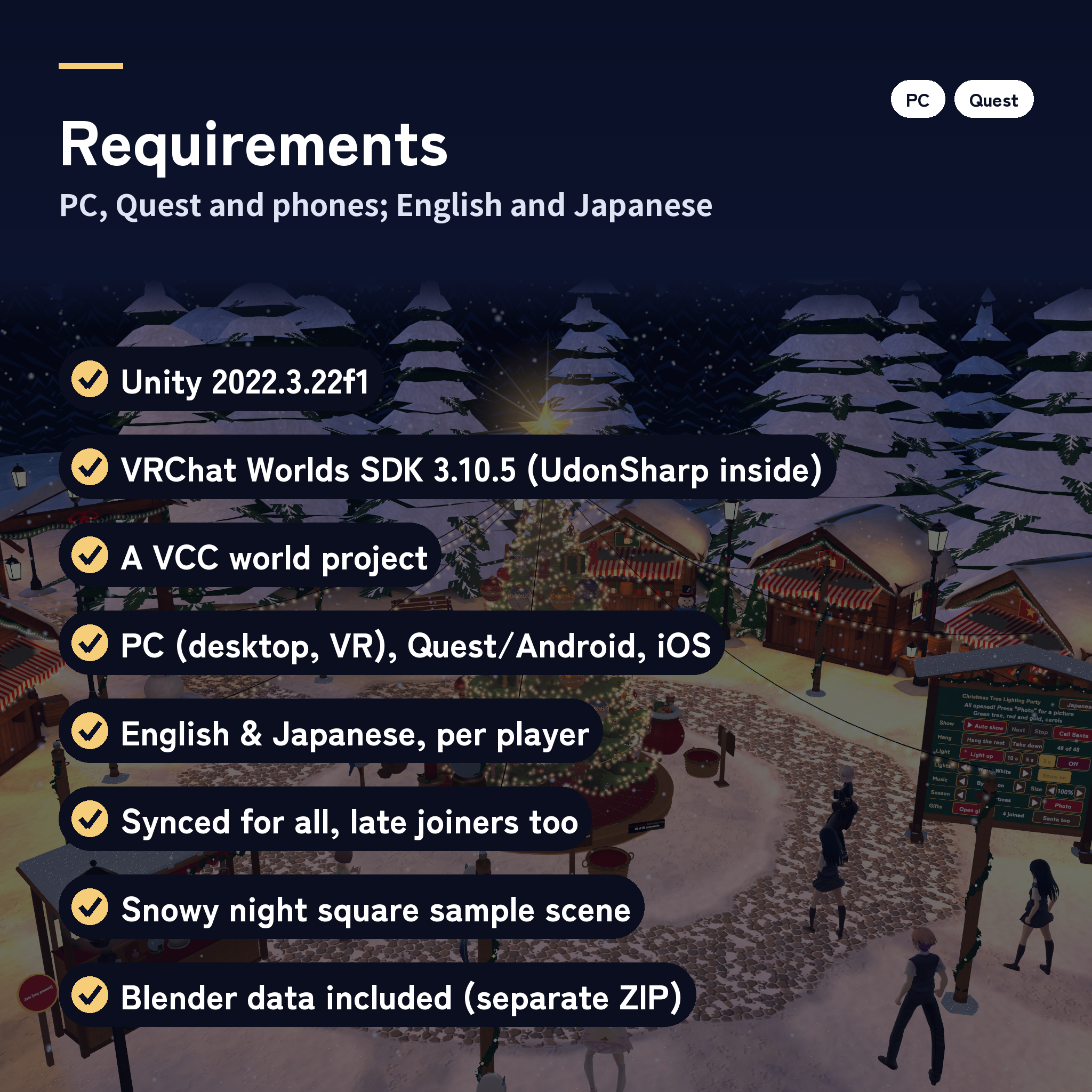
- Unity 2022.3.22f1
- VRChat Worlds SDK 3.10.5 (checked on 2026-11-18; UdonSharp comes with the SDK)
- TextMesh Pro (comes with Unity)
- A world project made with VRChat Creator Companion (VCC)
- The same setup runs on PC (desktop and VR), Quest/Android and iOS; Quest and phones get fewer snowflakes by themselves (PC 2,000, Quest/phones 800)
- Triangles in the prefab as placed: about 121,000. Android sample world: about 15.9 MB
The lighting, snow, music and sleigh share only their start time, and every player works out the same moment from the server's clock. Ornaments, the exchange and hats look the same for everyone, and late joiners see the current state at once. The party goes on if the host or the instance owner leaves.
What is included
- unitypackage: the lighting party prefab (tree, bulbs, canopy, ornaments and baskets, host board, present shelf, hat stand and mirror, Santa's sleigh), a sample scene of a snowy Christmas market at night, 3 songs (a carol music box, a winter song, bells and a fanfare) and sound effects, and a font (Zen Maru Gothic)
- Blender data (a separate download: the tree, ornaments, presents, boxes, hats, hat stand and sleigh)
- README.txt (Japanese) and README_EN.txt (English)
Setup
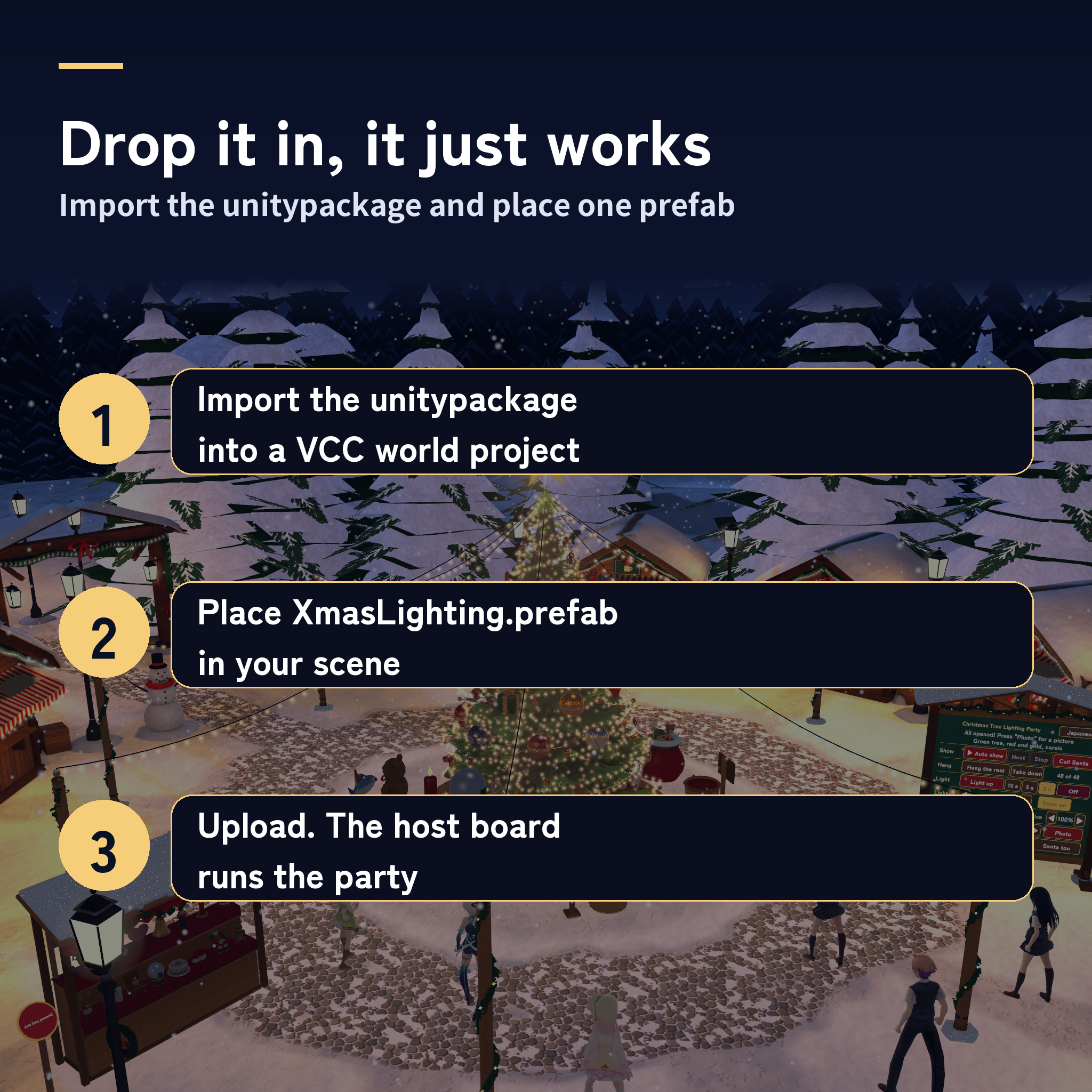
- Open a world project made with VCC. The first time, import TextMesh Pro's TMP Essential Resources (Window > TextMeshPro > Import TMP Essential Resources).
- Import the unitypackage.
- Place Assets/XmasLighting/XmasLighting.prefab in your scene. Saving the scene adds the EventSystem the board's keys need.
It runs as soon as it is placed, usually within 10 minutes. It needs 16 m across with the canopy (about 9 m without it); the board, the shelf and the hat stand can be moved inside the prefab. Sample scene: Assets/XmasLighting/Sample/XmasLighting_Sample.unity.
Terms of use
- You may build it into VRChat worlds and publish them (paid, company, event and monetized worlds too).
- You may change it freely (colours, shapes, music and text included). No credit is needed.
- Do not redistribute or resell the data itself (scripts, models, textures, sounds, music, Blender data), changed or not, or sell it bundled with other assets.
- To use it outside VRChat worlds (other games, films and so on), please ask first.
Version history
- v1.0.0 (2026-11-24): first release
The font is Zen Maru Gothic (SIL Open Font License 1.1). The 3D models, textures, sound effects, music and scripts were made for this product; the carols are traditional tunes in an arrangement made for it.
Jinxxy support
For purchases on Jinxxy, use this product's Q&A on Jinxxy. Include the product name, Unity and SDK versions, the steps you took and any error text.