
Fix "too many synced parameters (256 bits)" upload error - Parameter Bit Saver [VRChat / Unity] (Free version)
商品説明
この商品にはAIで生成されたコンテンツが含まれています。
▶ All 6 tools in one bundle: $15 (separately $31) - https://jinxxy.com/kurodan/avatar-helper-bundle
VRChat says your avatar has too many synced parameters (over 256 bits) and you can't upload?
A common cause is parameters you no longer use, duplicate names or empty entries that are still synced.
Finding them by hand means opening every animator, menu and Modular Avatar component and searching for each name.
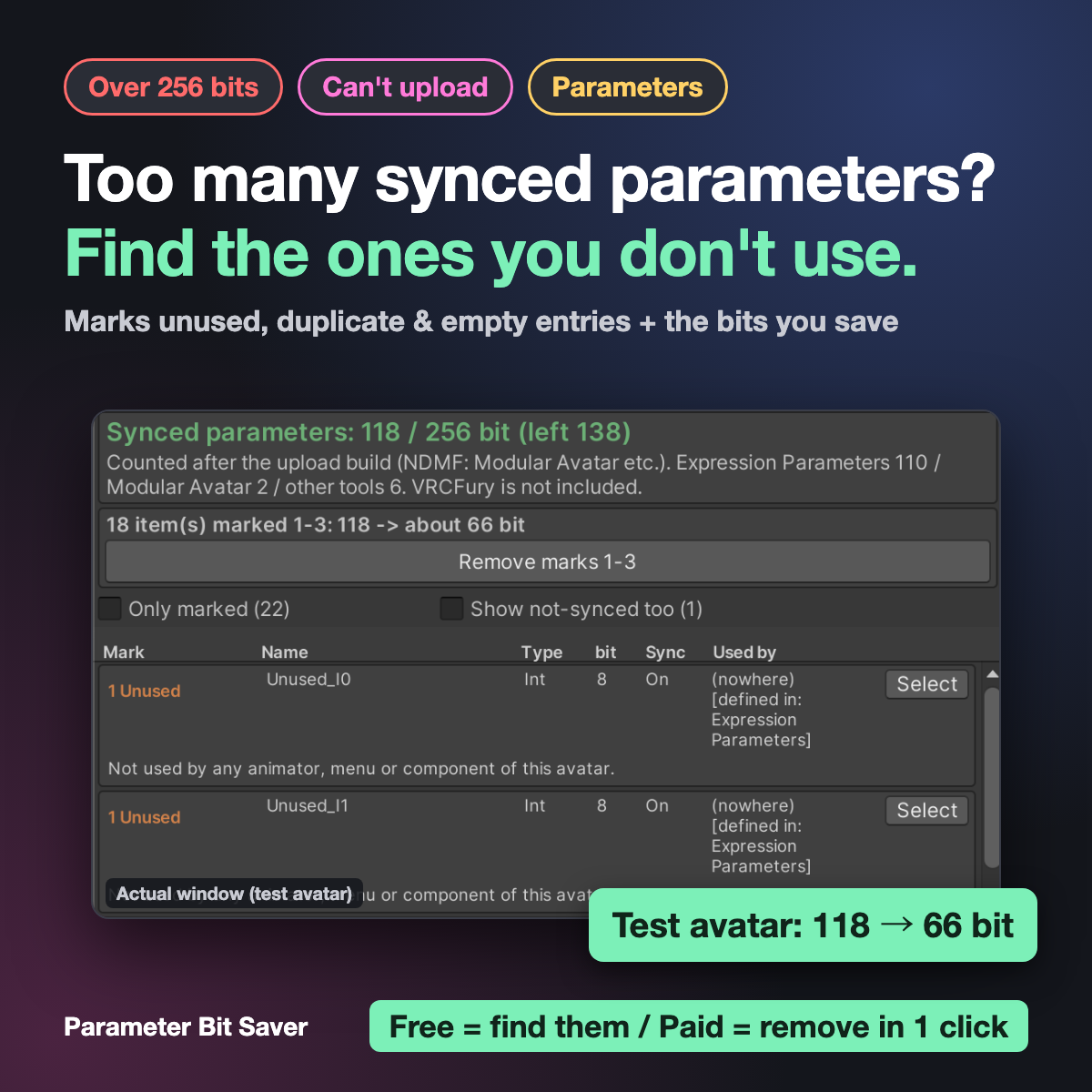
Parameter Bit Saver does the search for you. Press Analyze and it shows:
- Synced parameters: used / 256 bit, and how far over the limit you are
- The breakdown: Expression Parameters / Modular Avatar / other tools
- For every parameter: type, bits, sync, and where it is used (FX and other animators, Expressions Menu, MA Parameters / MA Menu Item, Contact / PhysBone)
- "X items marked 1-3: 118 -> about 66 bit" - how much you can save before you change anything
Marks
- 1 Unused - the name is found nowhere on the avatar
- 2 Duplicate - the same name twice in Expression Parameters
- 3 Empty name - a blank entry (often left when a parameter was added in the SDK)
- 4 Guess - probably does not need sync (set by a Contact / PhysBone, set by VRChat itself, or used only by EditorOnly objects). Never changed automatically
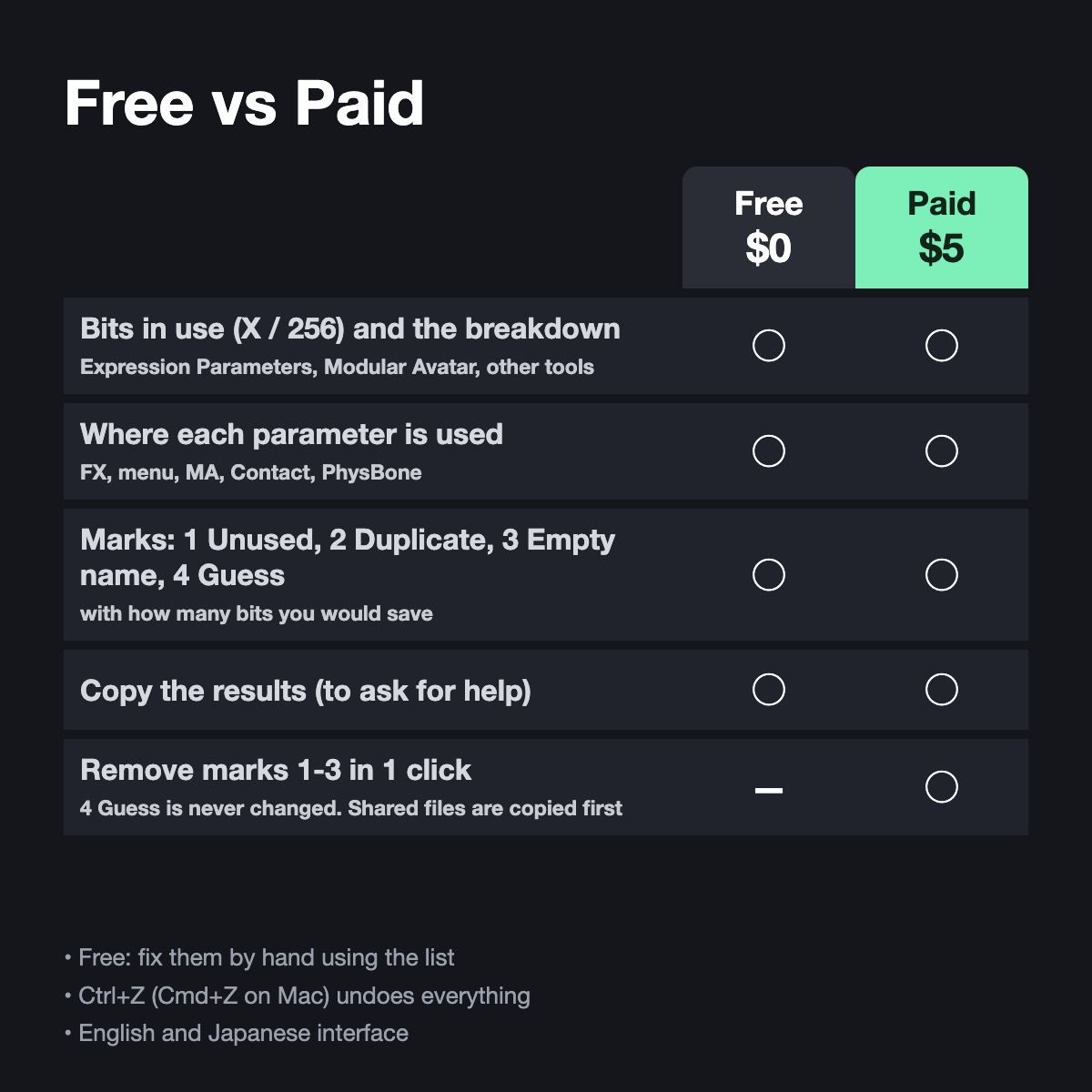
Free vs Paid
Free ($0)
- Bits in use and the breakdown
- Every parameter with type, bits, sync and where it is used
- Marks 1-4, and "Select" to find the object that uses a parameter
- Copy the results
Paid ($5) - everything in Free, plus:
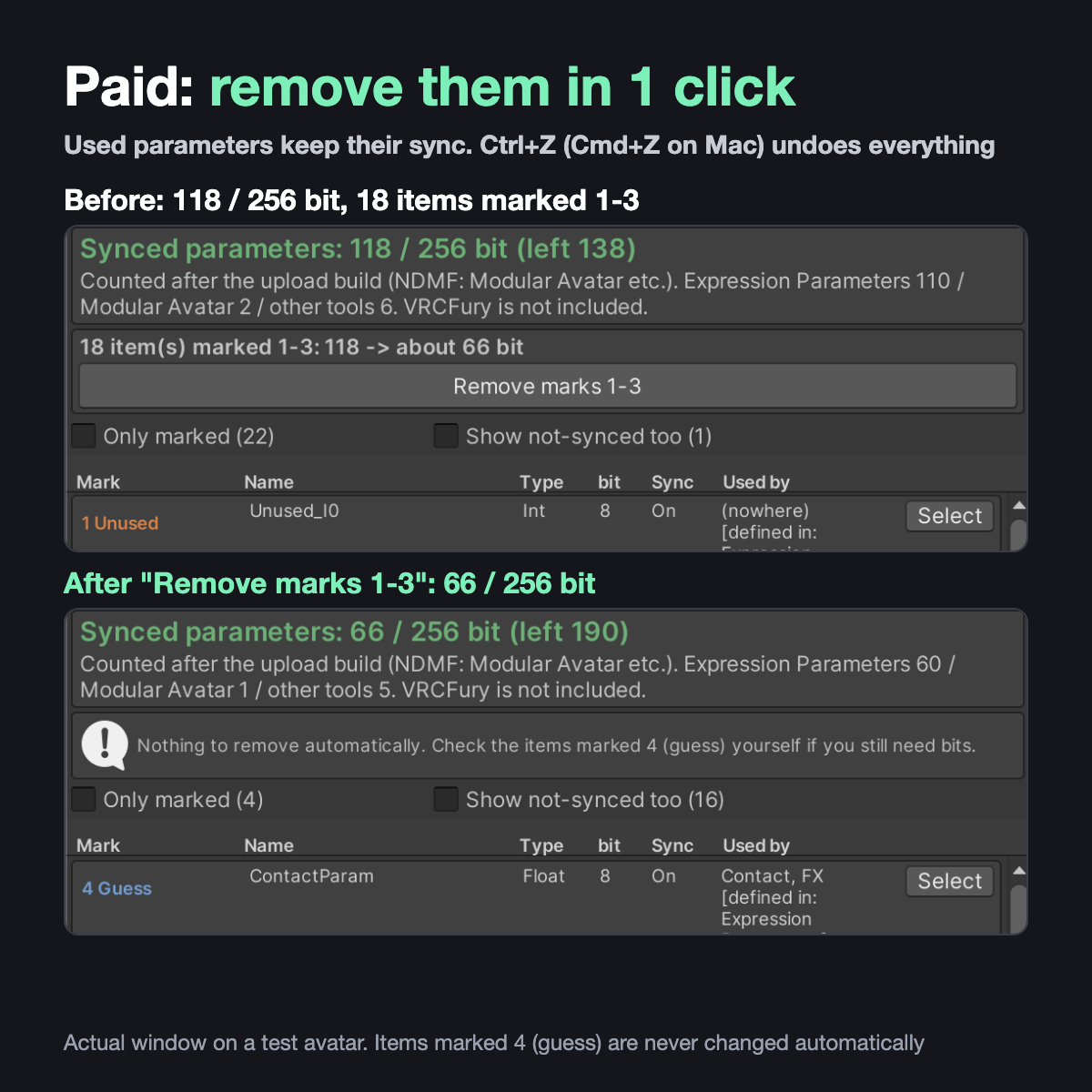
- Remove marks 1-3 in 1 click: sync off for unused parameters (MA Parameters: Local only), duplicate and empty entries deleted
- Mark 4 (guess) is never changed
- If the Expression Parameters file is shared with another avatar, that file is left alone and a copy is made for this avatar
- Ctrl+Z (Cmd+Z on Mac) undoes everything
With the free version you fix them by hand using the list.
How it counts
- After the same build step as upload (Modular Avatar and other NDMF tools)
- The SDK's number at upload is final
Test example
- A test avatar with unused parameters added: 118 bit -> 66 bit in one click (52 bit saved). No parameter that is actually used lost its sync (checked after the upload build).
Good for
- You added a gimmick and now go over 256 bits
- Old gimmicks you removed may have left their parameters behind
- You want a list of which parameter uses how many bits
Not for
- Avatars that are over the limit even after removing unused ones (check the "4 Guess" items or remove gimmicks)
- Parameters VRCFury adds at upload (not counted)
Language
English and Japanese interface. It shows English automatically unless your Unity or OS language is Japanese, and you can switch with the "English / 日本語" toggle at the top of the window.
Install
- Drag the .unitypackage into your project and Import
- Open Tools > Parameter Bit Saver
- The avatar in the scene is filled in. Press Analyze after changes
Requirements
- Unity 2022.3 (the version VRChat uses) with the VRChat SDK (Avatars)
- (Tested in Unity 2022.3.22f1 with the VRChat SDK, Modular Avatar and NDMF)
Notes
- "Unused" means the name was not found in this avatar. Parameters used only from outside (OSC apps, VRCFury parameters made at upload) may look unused - check before fixing.
- "4 Guess" items are never changed automatically.
- Always test in VRChat after uploading.
- This is not an official VRChat tool.
- Digital product - no refunds after purchase. Bugs will be fixed in updates.
- Questions and bug reports: please send us a message on Jinxxy.
Also from this shop
- Avatar Setup Doctor - fix pink materials, Missing Scripts & upload errors: https://jinxxy.com/kurodan/avatar-setup-doctor
- Performance Rank Doctor - see why your avatar is Very Poor / Poor on Quest & PC: https://jinxxy.com/kurodan/performance-rank-doctor
- Quest PhysBone Keeper - keep hair and skirts moving on Quest: https://jinxxy.com/kurodan/quest-physbone-keeper
- Avatar Grounding Fixer - fix a floating avatar, sinking feet and a wrong view height: https://jinxxy.com/kurodan/avatar-grounding-fixer