
Fix toggles others can't see, that reset or don't work - Toggle Doctor (Expressions Menu / Modular Avatar) [VRChat / Unity] (Free version)
商品説明
この商品にはAIで生成されたコンテンツが含まれています。
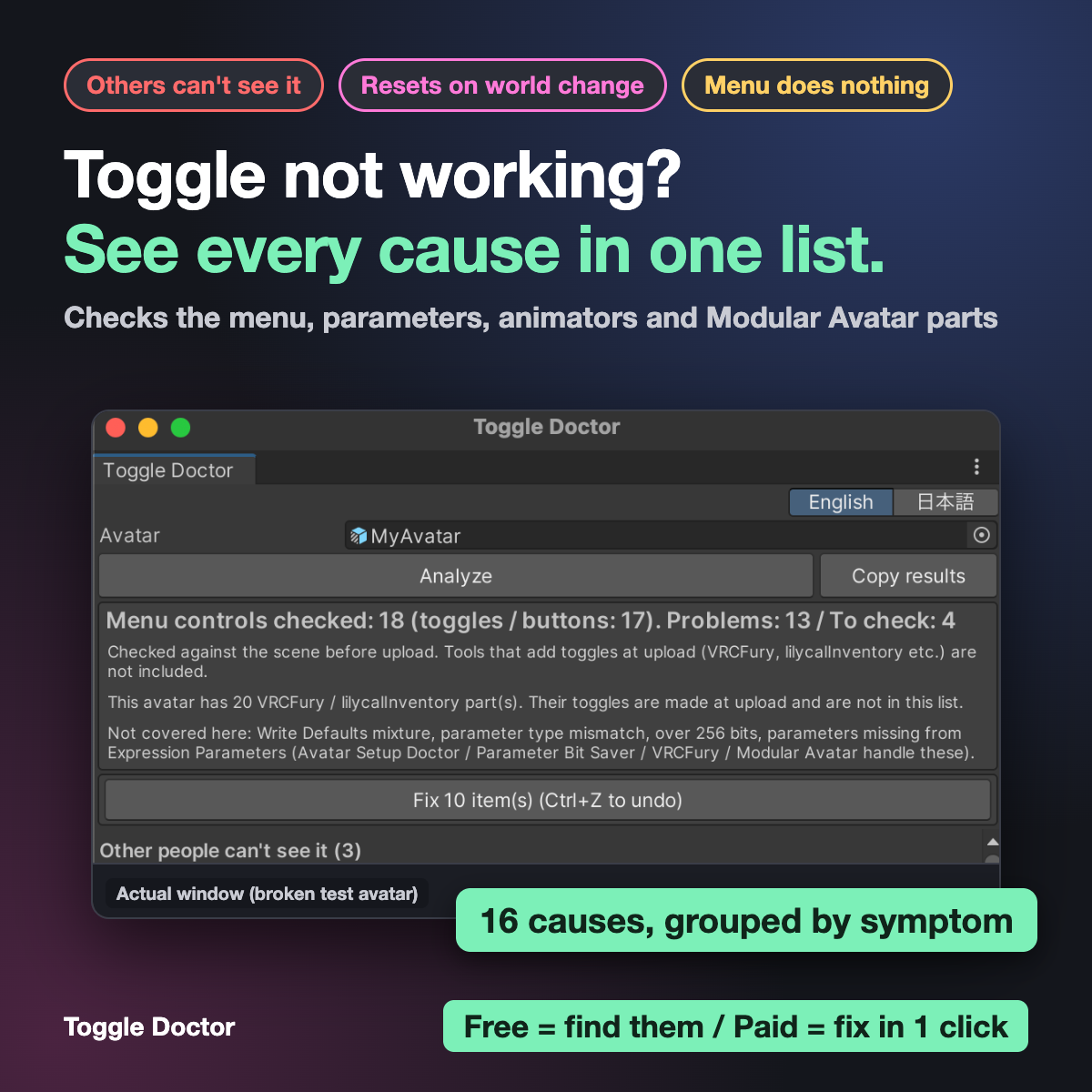
Your outfit or accessory toggle works for you but other people don't see it, resets when you change worlds, starts in the wrong state, or the menu does nothing?
The cause can be in many places: Synced / Saved in Expression Parameters, the default value, upper/lower case in a parameter name, the menu value, an animation pointing at an object that is not there, or the layer the animation is in. Finding it by hand means opening the menu, the parameters, every animator and every Modular Avatar part and comparing them.
Toggle Doctor checks one avatar and lists every cause, grouped by what you see in VRChat.
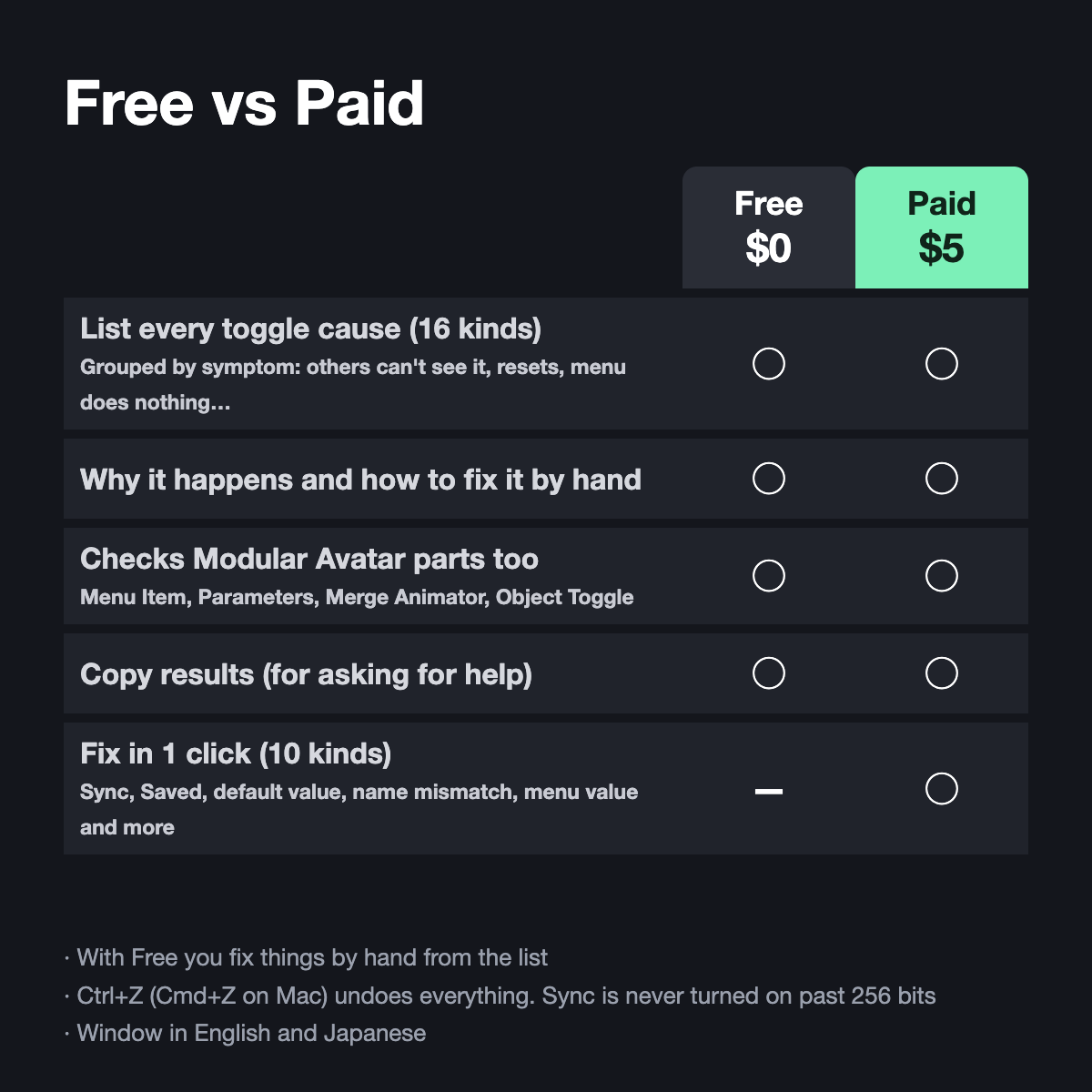
[ Free vs Paid ]
- Free ($0) = find it: the list, why it happens and how to fix it. Fix by hand
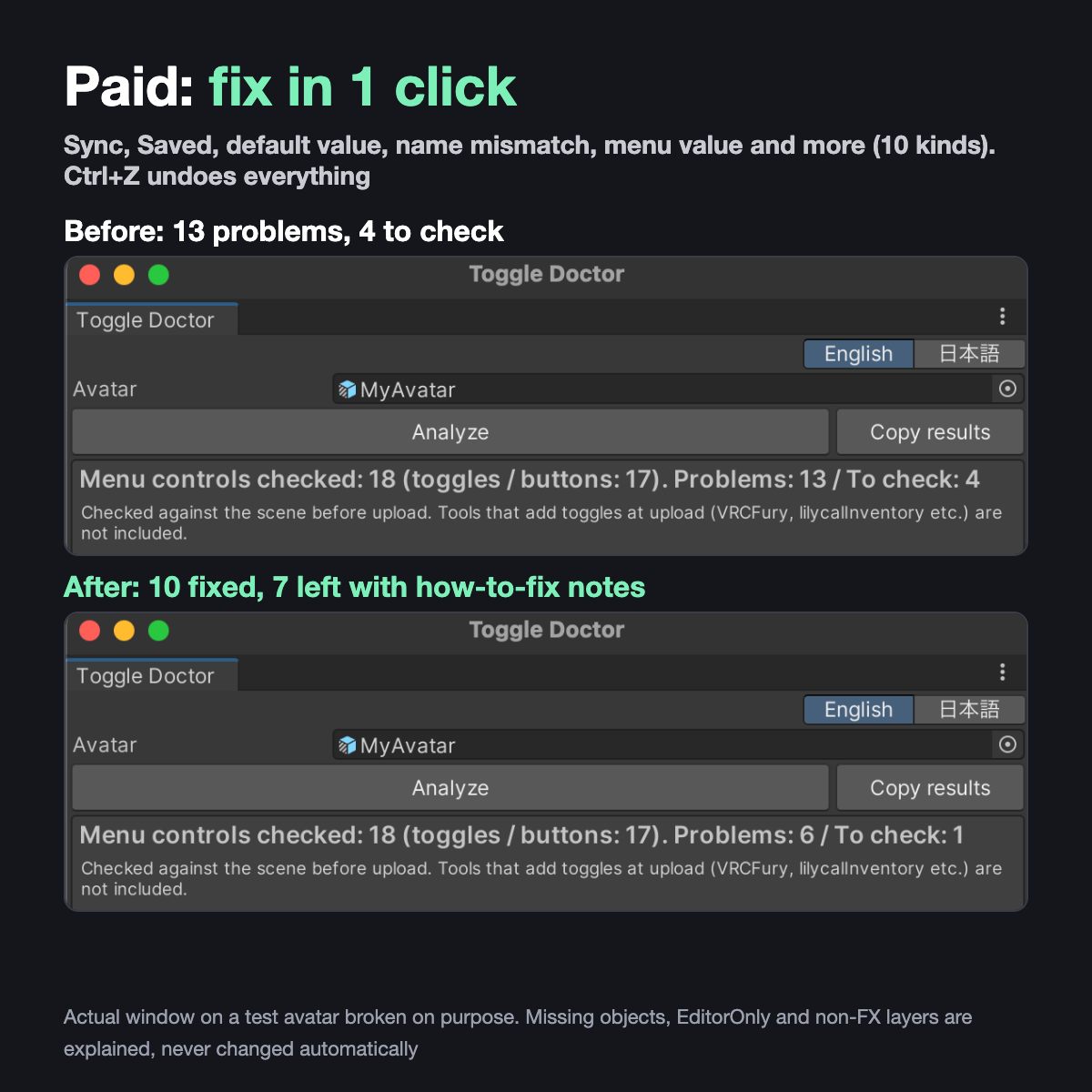
- Paid ($5) = one click: "Fix N item(s)". Ctrl+Z (Cmd+Z on Mac) undoes everything
[ What it finds (16 causes, 5 symptoms) ]
- Other people can't see it: sync off in Expression Parameters / MA Parameters / MA Menu Item
- It doesn't show in your mirror / camera: objects switched in Gesture / Action instead of FX
- It resets when you change worlds: Saved off on an on/off toggle of an object
- It starts in the wrong state: the default value shows the opposite of the scene
- The menu doesn't move it: no animator reads the parameter (similar names are shown) / upper-lower case or spaces differ / menu value 0 (switches only once) / an Int value no transition checks / the animation points at a missing object / the object is under an EditorOnly tag / MA Menu Item not connected to a menu / MA Object Toggle with no Menu Item
- Works with Modular Avatar Merge Animator (relative and absolute paths), Menu Item, Parameters and Object Toggle. Modular Avatar is optional
[ What the paid fix changes (10 kinds) ]
- Sync on and Saved on (sync is never turned on if it would go over 256 bits)
- Default value set to match the scene
- Menu parameter renamed to the animator's name (case / spaces only), menu value 0 -> 1
- MA Menu Installer added to an MA Menu Item that is not connected to a menu
- An Expression Parameters file shared with another avatar is not changed: a copy is made for this avatar
- Missing objects, EditorOnly and layers other than FX are explained, never changed automatically
[ Tested ]
- Unity 2022.3.22f1 + VRChat SDK 3.10.5 + Modular Avatar 1.18.7
- A deliberately broken Felis (16 kinds of causes in 17 places, plus 5 healthy toggles): all 17 found, 0 marks on the healthy toggles. One click fixed 10, Ctrl+Z put everything back
- The planted problems and the fixes were confirmed on the result of the same build step as upload (NDMF): 68 checks passed (paid), 45 (free)
- 10 avatars nobody broke (6 Felis variants, 2 Akira, Saji, RaddollV3): 0 marks, also on their built copies
[ Not for you if ]
- Your toggles are made at upload by VRCFury or lilycalInventory: those are not checked (the tool tells you when it sees their parts)
- You need Write Defaults, type mismatch, 256-bit or missing-parameter checks: other tools cover those
[ Requirements ]
Unity 2022.3 + VRChat Avatars SDK. Modular Avatar optional. English and Japanese UI.
[ Notes ]
- Please check the result in VRChat after uploading
- Not an official VRChat tool
- Questions or bugs: message me on Jinxxy