
商品説明
この商品にはAIで生成されたコンテンツが含まれています。
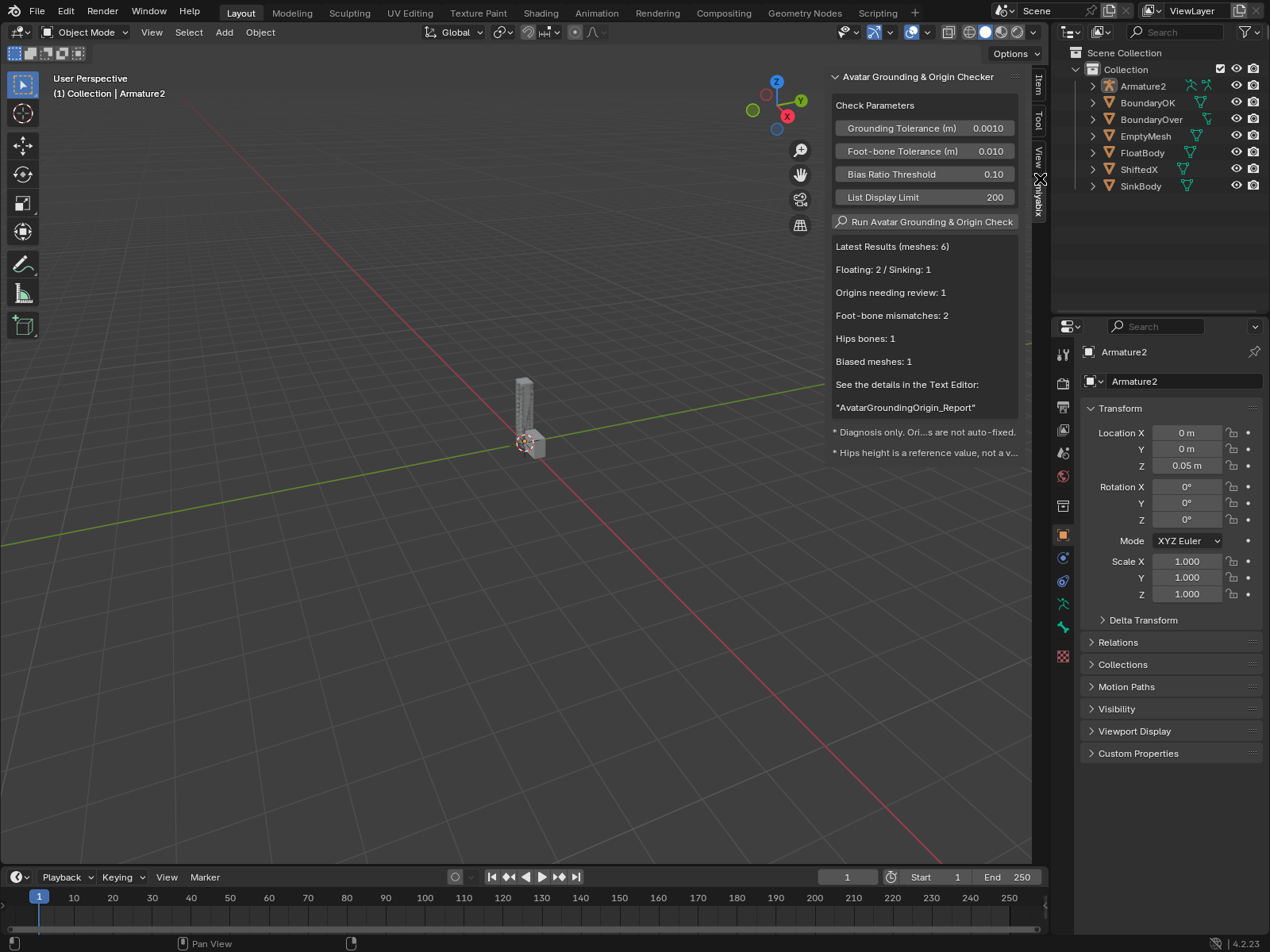
It looked perfect in Blender. Then you upload to VRChat — and your avatar is floating. Or sinking. By then, fixing it means going back to Blender, hunting down origins and foot bones, and exporting all over again. This little checker lists the grounding problems BEFORE you export, while they are still cheap to fix. Run one check and you get a report on: • Every mesh's lowest point vs Z=0 — labeled Floating, Sinking, or Grounded • World positions of armature and object origins, flagging the ones offset from Z=0 • The gap between each foot/ankle bone and the sole of the model • Hips bone height (shown as a reference value, not a verdict) • Bounding-box bias — meshes whose center sits oddly to one side Results land in a Blender text block ("AvatarGroundingOrigin_Report") with a count summary right in the panel. Tolerances are adjustable: grounding (default 1mm), foot bones (default 1cm), and the bias threshold. One honest note: this tool diagnoses. It does not move origins, meshes, or bones, and it never auto-fixes. You stay in control of your model — it just shows you exactly where to look. Requirements: Blender 4.2 or 5.3. Works fully offline, no external libraries. Install the .py file via Preferences > Add-ons > Install... and select the .py file, then enable the addon. Then find it in the "miyabix" sidebar tab. Refund policy: For defects such as the add-on failing to start, please contact the shop within 5 days of purchase with a detailed description of your operating conditions (Blender version, object structure, error messages, etc.). We will review the details and respond. Refunds cannot be accepted for requests outside the scope of use, or for behavior that matches the specifications.