
商品説明
この商品にはAIで生成されたコンテンツが含まれています。
Over 2,200 items sold across our BOOTH shop!
Over ¥1.15 million in total BOOTH sales.
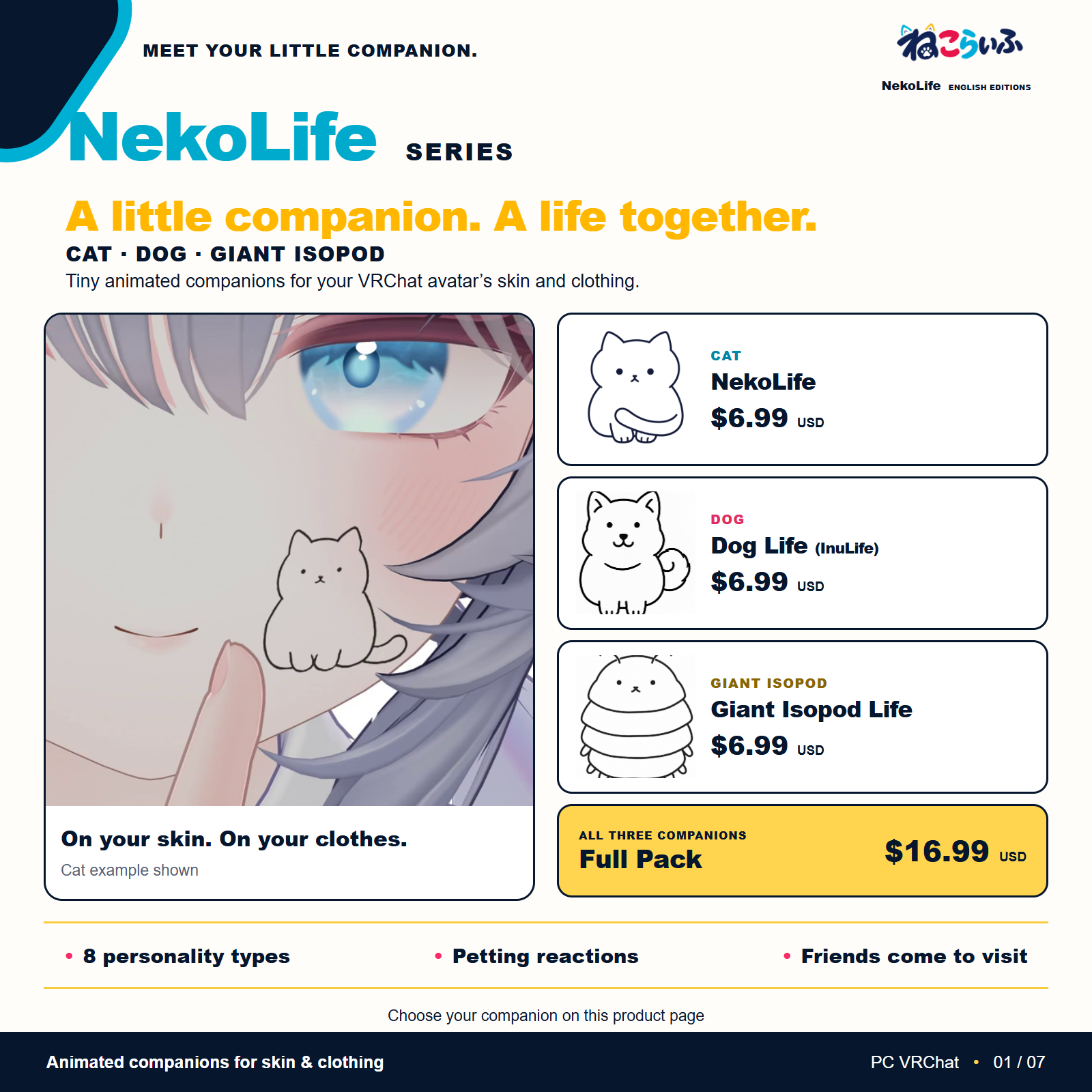
Welcome a tiny animated companion to your VRChat avatar. Place it on your clothing or skin. The paid editions walk, rest, and respond to your touch.
Choose your companion
- NekoLife (Cat): $6.99 USD — the full paid cat edition
- Dog Life (InuLife): $6.99 USD — the full paid dog edition
- Giant Isopod Life: $6.99 USD — the full paid giant isopod edition
- Full Pack (All 3): $16.99 USD — all three full paid editions
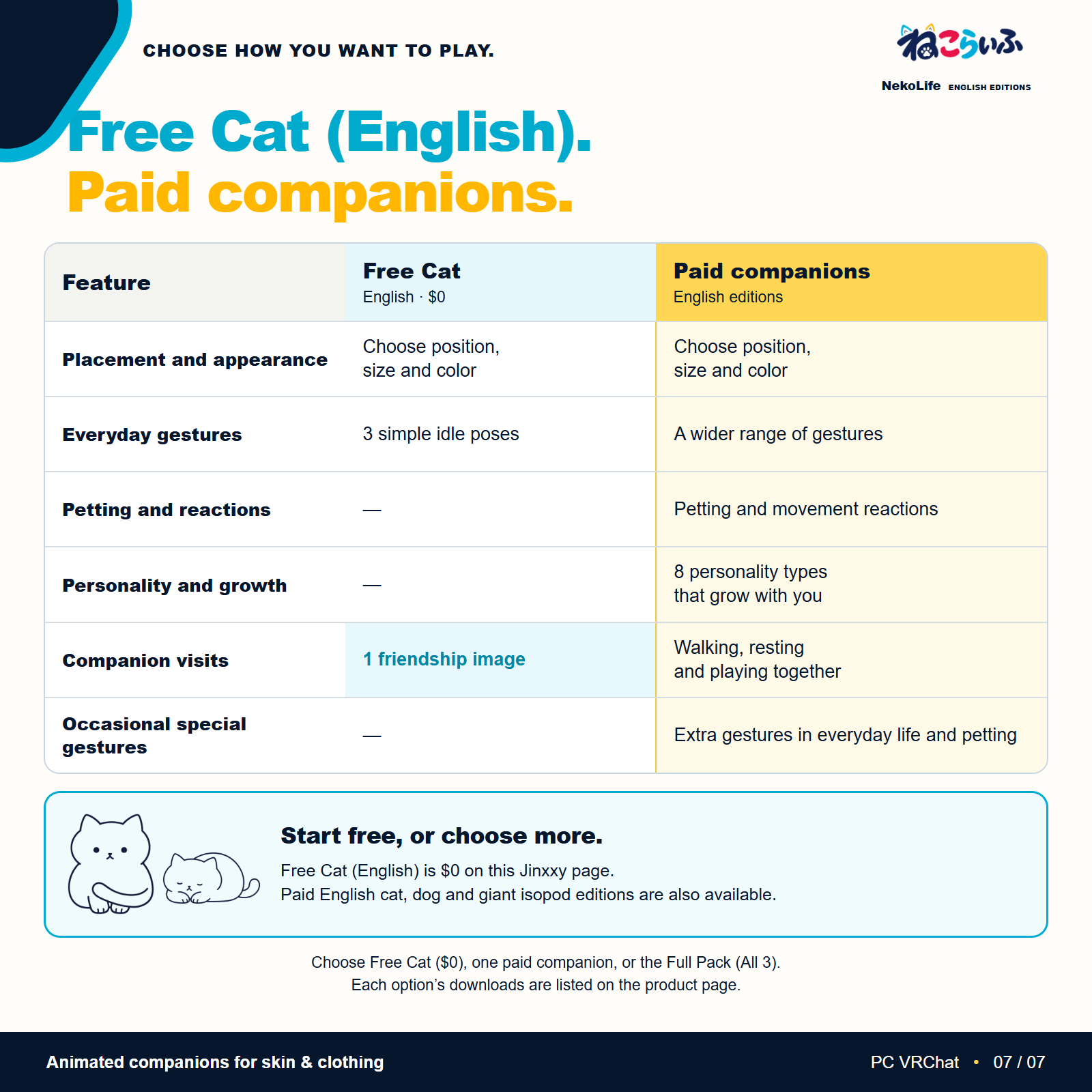
- NekoLife Free (Cat, English): $0.00 USD — the free English cat edition
The free English cat edition includes three simple idle poses, one friendship image, and placement/color settings. It does not include petting, personality growth, voice reactions, or the additional paid motions. The motion, personality, and interaction features described below apply to the paid editions unless stated otherwise.
Select the version you want before adding it to your cart. The full pack contains the cat, dog, and giant isopod. It saves $3.98 USD compared with buying the three separately ($20.97 USD).
All three paid companions use the same setup steps and support visits between compatible companions in the NekoLife series. Watch the three English preview videos in the gallery above.
See the companions in motion
English setup guide and animated examples: https://nekolife-guide-en.pages.dev/
The guide shows everyday movements, petting reactions, the eight personalities, and time spent with visiting companions. It also explains installation and the differences between the free and paid cat editions.
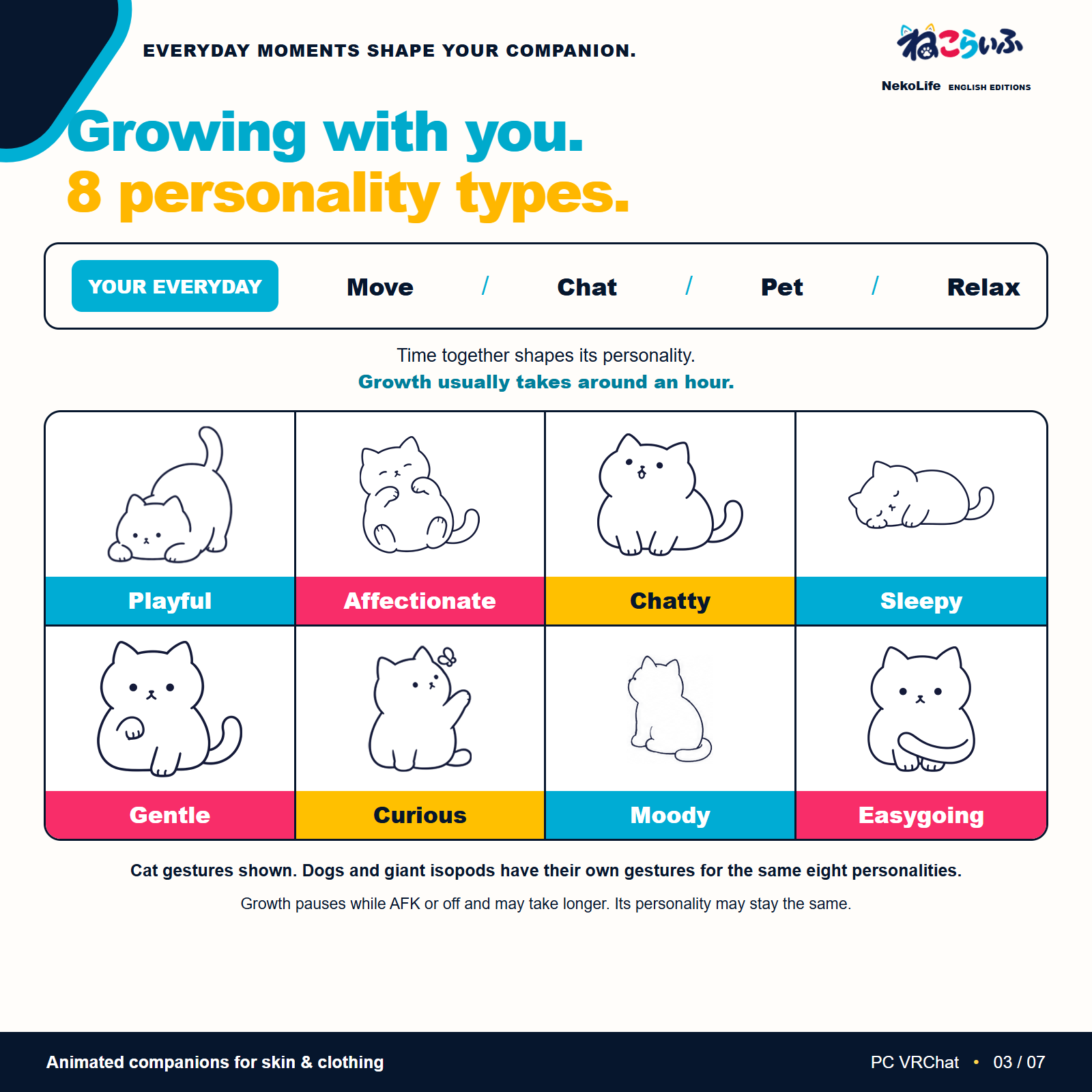
Eight personalities that develop with you
Move around, chat, pet your companion, or settle down for a rest. The way you spend time together gradually appears in its personality and gestures.
Around every sixty minutes, time spent together contributes to its growth. Each personality has its own gestures, so you can discover little moments that feel like your companion.
Playful / Affectionate / Chatty / Sleepy / Gentle / Curious / Moody / Easygoing
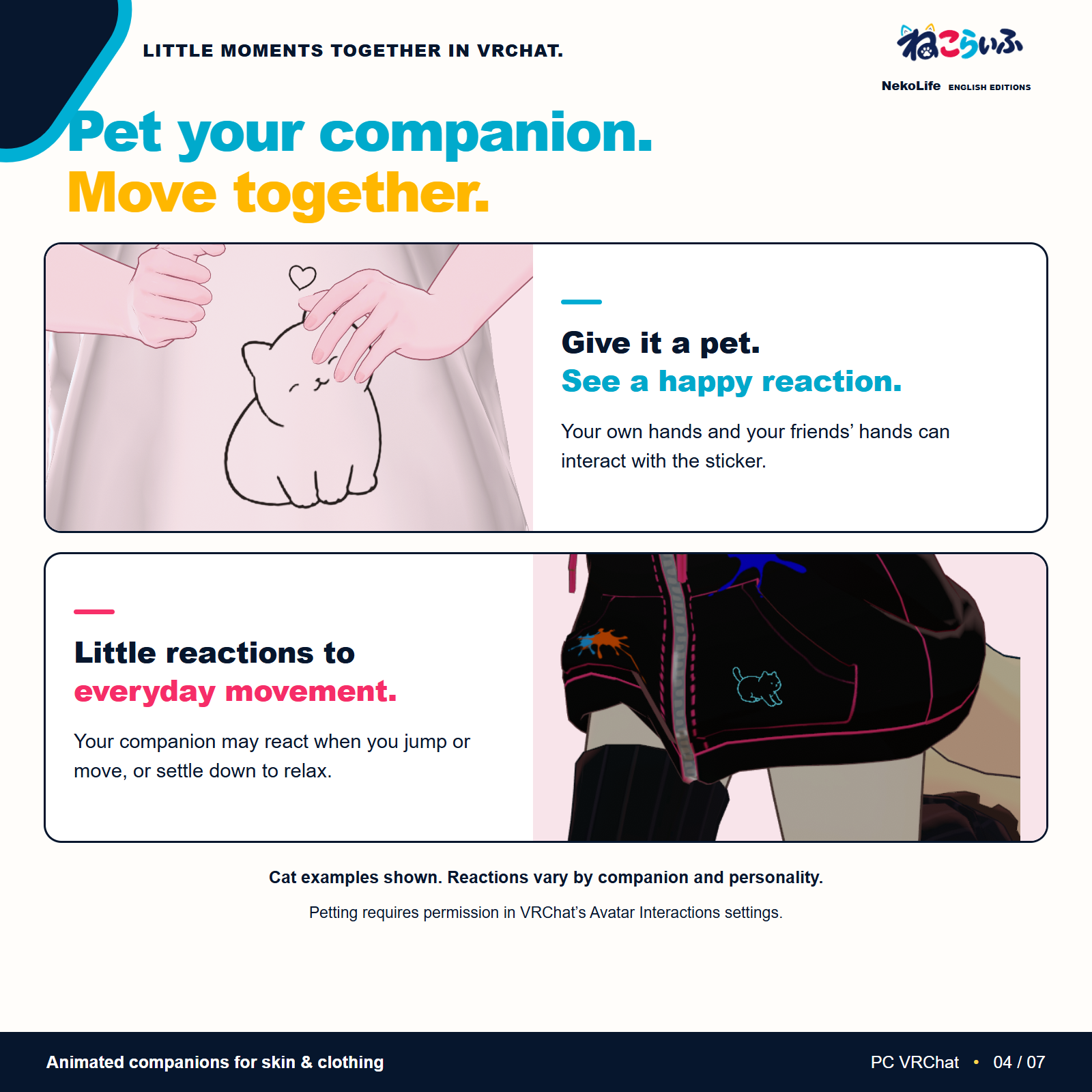
Pet your companion
Rest a hand on the sticker and your companion responds with gestures and hearts. You and your friends can both interact with it. If it is on your hand or finger, try petting it with the opposite hand.
Everyday life, at its own pace
Your companion may react to your jumps and movement, or simply relax. Its personality and gestures can change as you spend time together. Enjoy little reactions that are not always the same.
Visits from a friend's companion
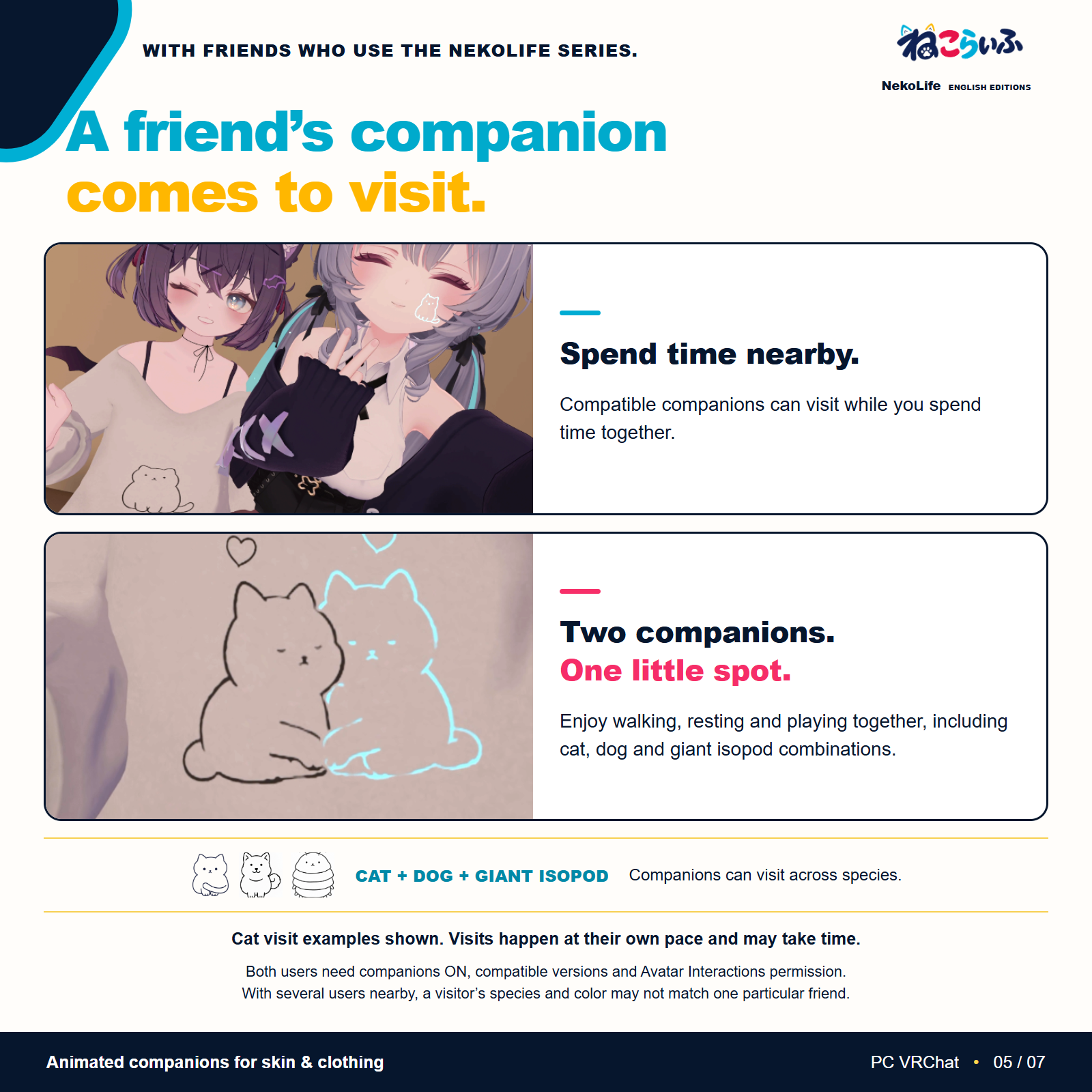
Spend time near another user of the NekoLife series and a friend's companion may come to visit. Enjoy sleeping, walking, and playing together, including movements influenced by the visitor's personality.
Visits support cats, dogs, and giant isopods, including combinations of different species. Both users need compatible versions, their companions turned on, and permission enabled in VRChat's Avatar Interactions settings. Stay roughly within two meters of each other, measured between the centers of your chests, and give them some time. A visitor does not necessarily appear immediately.
When several compatible users are nearby, the visiting companion's species and color may not match one particular friend's companion.
Make it fit your avatar
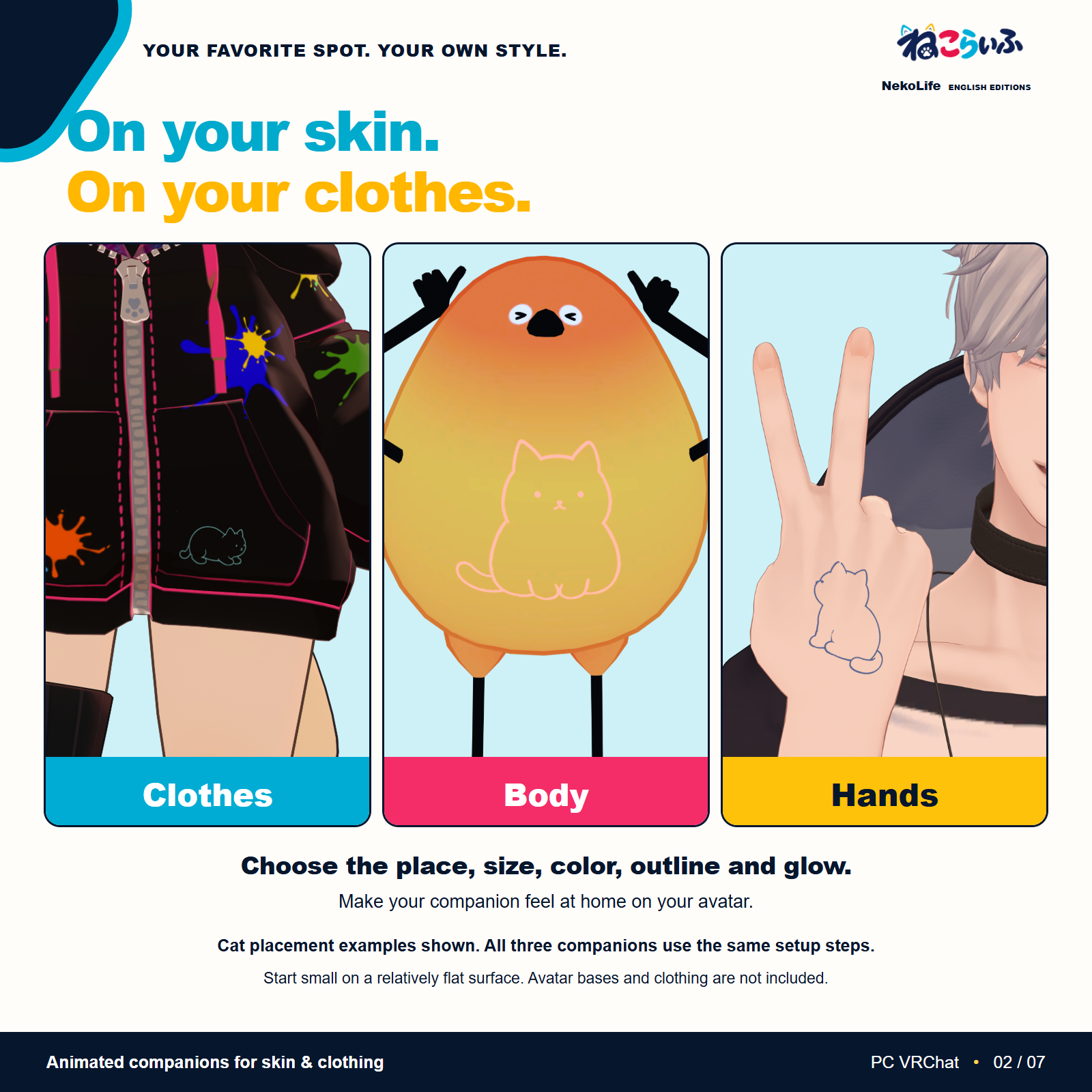
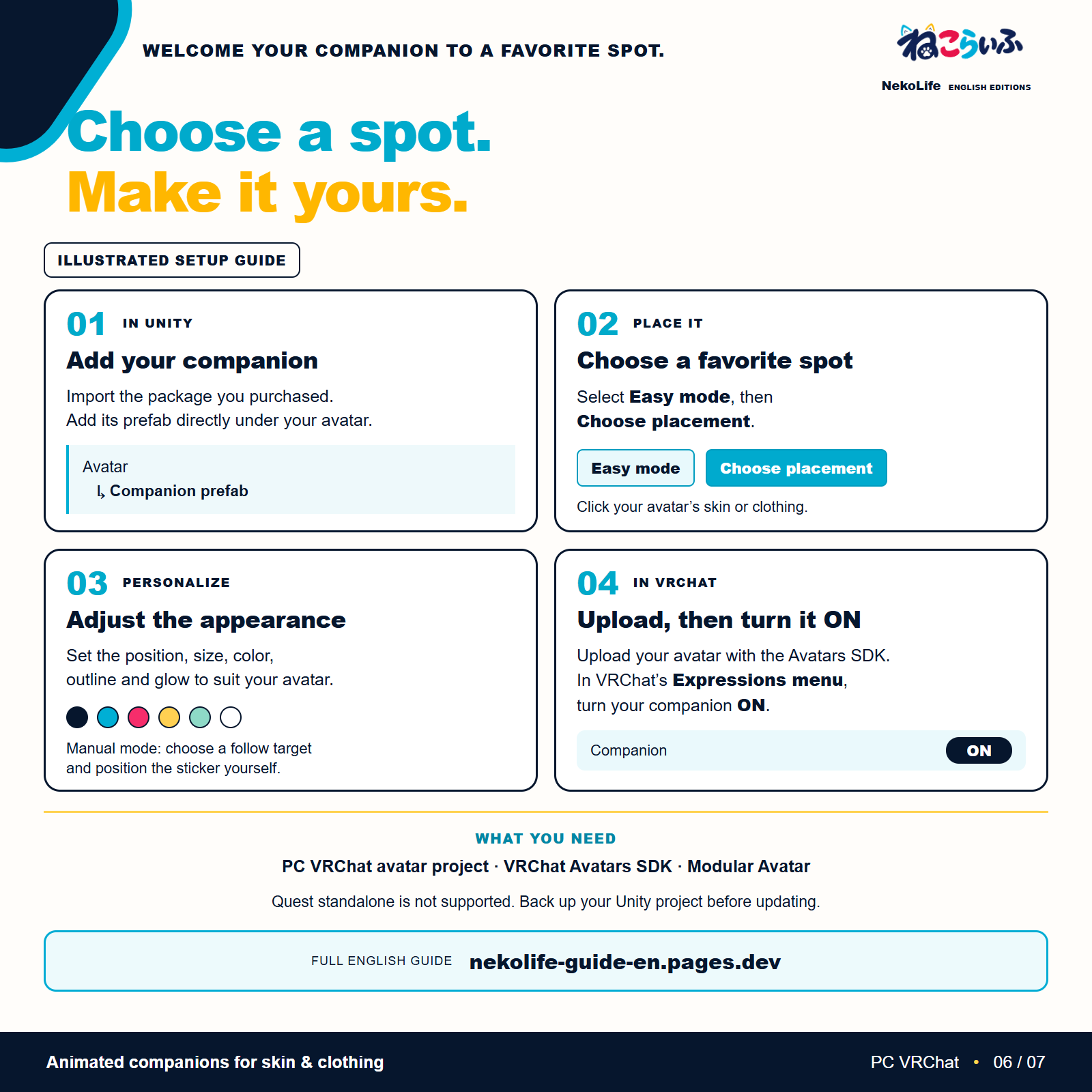
In Unity's Scene view, click the place on your clothing or skin where you want your companion. Adjust its position, rotation, size, color, outline thickness, and glow. Modular Avatar is supported.
Choose a relatively flat area and start small. Easy mode fits a suitable skinned surface. Manual mode lets you choose a follow target and position the sticker yourself.
Requirements
- An avatar Unity project for PC VRChat
- VRChat Avatars SDK
- Modular Avatar: official setup guide
- PC VRChat, in VR or desktop mode
Quest standalone is not supported. Avatar bases, clothing, and photography worlds are not included.
Each paid companion uses 9 synchronized parameters / 44 bits. This usage is added to the other accessories on your avatar. The avatar's total synchronized custom parameter usage must stay within VRChat's 256-bit limit.
Installation
Import the downloaded .unitypackage into your avatar's Unity project. If you use Download All and receive a ZIP, extract it first. Add the matching companion prefab directly under the avatar in the Hierarchy.
Select the prefab, use Easy mode to choose its placement, and adjust its appearance. Upload the avatar with the VRChat SDK, then turn on the companion in the avatar's Expressions menu. See the included README and English guide for the exact package folders and detailed steps. For the free English cat, use Assets/NekoLifeFreeEN/Prefabs/NekoLifeFree.prefab. Do not place free and paid NekoLife objects on the same avatar; back up the project and remove the old placed object before switching editions.
Before you buy
- Petting and visits require permission in VRChat's Avatar Interactions settings
- Nearby users must use compatible versions for visits
- With several compatible users nearby, a visitor's species and color may not match one particular friend
- The surface shape can distort the artwork or leave some edges floating. Choose a relatively flat area and start small
- The sticker follows the bones of clothing or the body. It does not automatically refit to every later shape change or cloth simulation
- Chatty expressions use mouth movements and gestures. No animal voice audio is included
Support
Contact us through Jinxxy. Please include the product name and version, your setup environment, what went wrong, and the steps that led to it. If Unity shows an error, include the full red Console error. For placement or display problems, screenshots of the Hierarchy and the companion's settings help us understand the issue.
About the creation process
AI is also used as a tool to assist with production. I design what the NekoLife series should be, make the final decisions about what to include, and check its appearance and behavior myself as much as possible.