
商品説明
Hypnotize your friends on standalone or PC with this full-featured and easy to use spiral system!
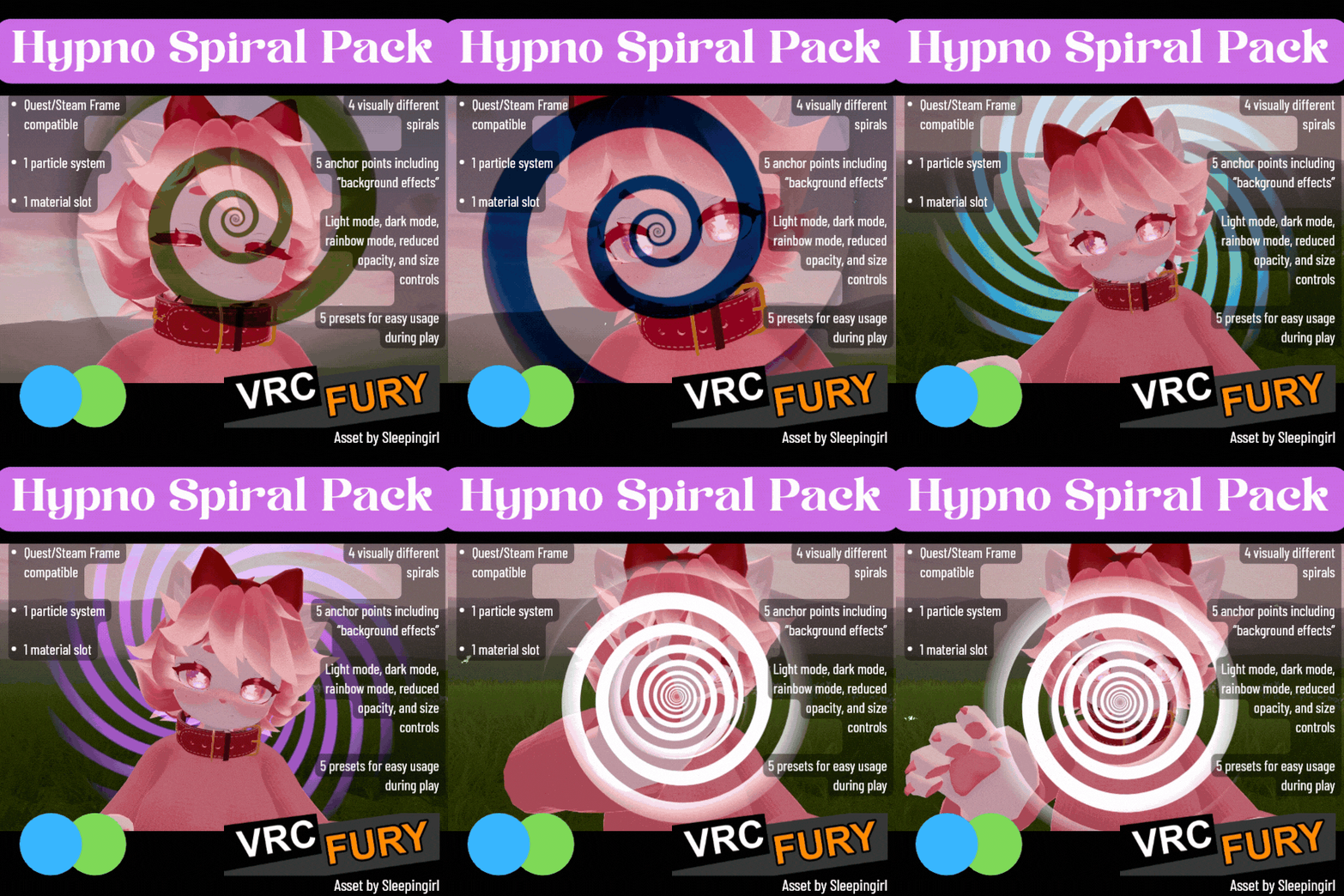
- Made for Quest/Steam Frame -- fully compatible and optimized, no separate version, all promos recorded on Quest! (And of course VERY optimized for PCVR!)
- Very simple installation with VRCFURY
Read TOS please! Please just generally be cool and don’t share this with people who haven’t purchased it! This work is what allows me to buy food, pay bills, etc!
Features (see video!):
- 4 visually different hypnotic spirals
- 5 anchor points including “background effects”
- Light mode, dark mode, rainbow mode, reduced opacity, and size controls
- 5 presets for easy usage during play
Specifications:
- 1 particle system
- 1 material slot (2k texture)
Contents:
- UnityPackage file
- Installation text file
- License text file
Requirements:
- VRC SDK Version 3.9 or higher -- under “Manage Project” in VCC, just make sure your SDK is up to date!
- VRCFURY: https://vrcfury.com/
- Please have basic Unity knowledge before purchasing -- while you can contact me with bugs/etc, I cannot provide installation help!
--
General Terms:
- Please just generally be cool and don’t share this with people who haven’t purchased it! This work is what allows me to buy food, pay for healthcare, etc!
- If you are unsure of your specific case, please don’t feel bad to reach out and ask!
--
- By purchasing this asset, you agree to the terms of use based on the version you purchase
- By purchasing this asset, you agree that I am not responsible for any potential issues caused by its use
- By purchasing this asset, you agree that these terms are subject to change and be updated as needed
Personal Use Terms:
- You MAY upload this asset on any private avatars on YOUR account
- You MAY freely make any edits you like to this asset for your own use
- You MAY use this asset on YOUR avatars for commercial activity such as paid sessions, streaming, etc
- You MAY NOT upload this asset on public avatars, free avatars, commissioned avatars, avatars for sale
- You MAY NOT redistribute parts or whole of this asset whatsoever, including sharing or selling edits
- You MAY NOT use this asset on commissions or avatars you are selling
- You MUST credit me as the creator of this asset in cases where you are listing credits, even if you make edits to it
Commercial Use Terms:
- You MAY upload this asset on any private avatars on your account, commissioned avatars, and avatars for sale
- You MAY freely make any edits you like to this asset for personal use or use on for-sale avatars (but you MUST still credit!)
- You MAY NOT use this asset on public avatars and free avatars
- You MAY NOT otherwise redistribute parts or whole of this asset, including sharing or selling edits of the asset itself that you made
- You MUST credit me as the creator of this asset, even if you make edits to it
- You MUST tell your customers that if they acquire an avatar from you with this asset on it, they MUST purchase their own license in order to use this asset on other avatars they own, and they MAY NOT upload that avatar as public
--
Installation:
- Import: Drag unitypackage file into your project asset space in Unity.
- Install: Open “Sleepingirl’s Assets” folder and navigate to find the “SPIRAL PACK” prefab. Drag prefab to your avatar root -- NOT into your armature!
- Scale: With “SPIRAL PACK” selected in your hierarchy, you will see several red gizmos in your viewport. Adjust the scale of “SPIRAL PACK” until the “spiral LH” and “spiral RH” gizmos are approximately as far apart as your two palms.
- Adjust: In the prefab hierarchy, select “Right Hand” and position it so the center is hovering below your avatar’s right hand palm. Do the same with “Left Hand.” You want the “Head” gizmo to be in the middle of your avatar’s head, and the “Face” gizmo to be a little bit in front of your avatar’s face, and the “Body” gizmo to be inside the body somewhere in the chest area.
- Done! Test the placement of these in play mode if you use Gesture Manager.
How to Use:
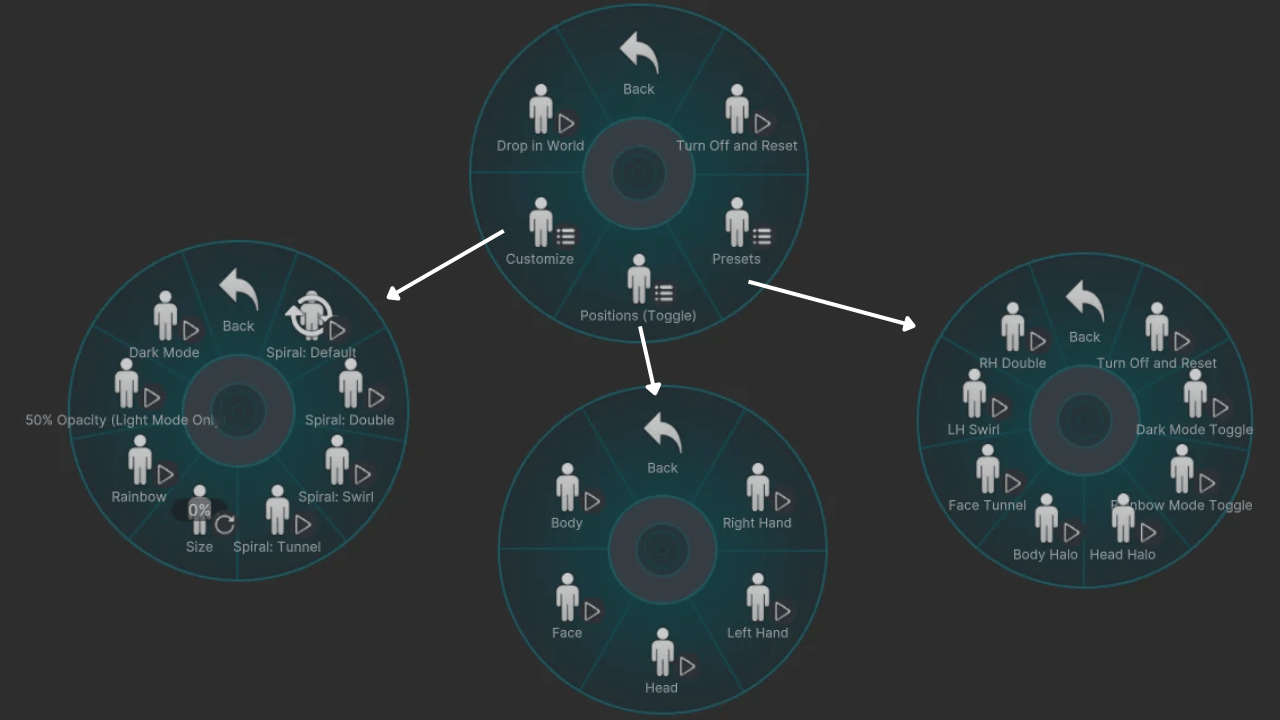
- The “Positions (Toggle)” menu will individually toggle which place the spiral is, which can be customized and picked in the “Customize” menu. “Presets” contain ready to use toggles that turn on various spirals with different settings. You can control the attributes of these spirals in this menu (or in the “Customize” menu). “Turn off and reset” resets everything except for “Size” and “Dark Mode.” “Drop in World” will place the spiral in the world.
KNOWN ISSUES/LIMITATIONS:
- Due to the way that particle systems work and VR, some spirals have an illusion that they slow down when your head moves a certain way. This could be a feature instead of a bug if you choose to see it that way!
Credits:
- “Default” and “Tunnel” spirals designed by Magnific @ www.magnific.com (Non-AI)
- Asset and all else by me (Sleepingirl)
Feel free to contact me by email at [email protected] if you have any questions or you find a bug (or -- if you love it, or have ideas for improvements/other projects!). I cannot provide basic installation help but I try to be available to support! Please note: I cannot respond and am not available from Friday night to Saturday night (Eastern time).